How to Wire RCA Cables and Ground Them Correctly
What Are RCA Cables and Why Do They Still Matter in Modern Audio and Video Setups
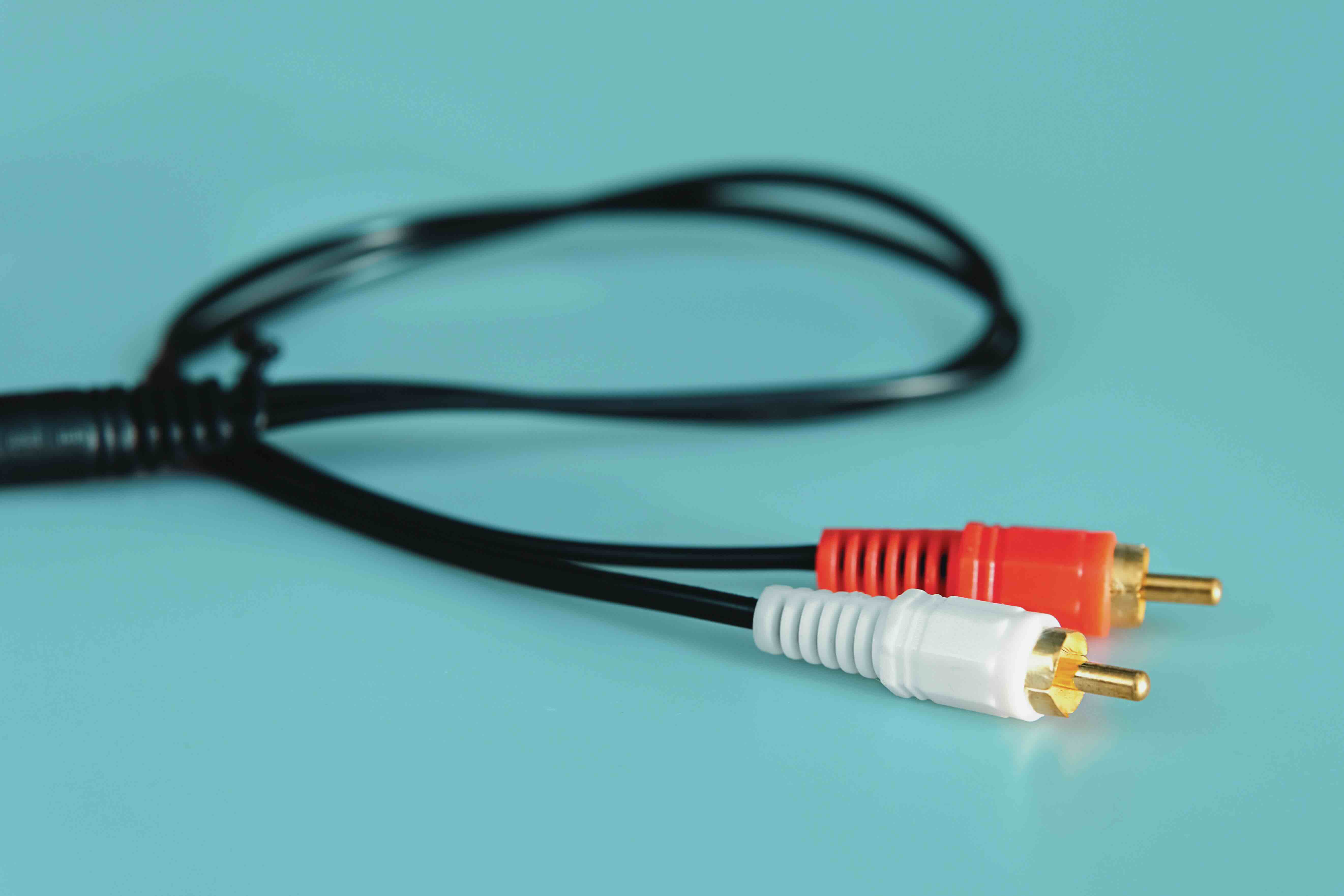
RCA cables have been around since the 1940s, and honestly, they are not going anywhere anytime soon. Whether you are setting up a home theater, connecting a turntable to a receiver, or working through a legacy AV integration project, understanding how to wire RCA connectors correctly is a foundational skill. These connectors are still deeply embedded in professional and consumer audio-video environments alike. The red, white, and yellow plugs are immediately recognizable, and their simplicity is exactly why they have lasted this long. But simplicity does not mean there is nothing to understand. Grounding, signal integrity, and proper termination all factor in when you want to get clean, reliable signal transmission. This guide breaks it down so you can make smart decisions whether you are a first-time hobbyist or an experienced integrator.
Understanding the RCA Connector: Structure and Signal Flow
An RCA connector, also called a phono connector, consists of two conductive elements. The center pin carries the signal, and the outer ring, which is the shield, acts as the ground. That outer ring is where proper grounding practice becomes critical. Inside the connector body, these two elements must remain isolated from each other except through the intentional circuit path at the receiving device. When you wire an RCA plug from scratch, you are soldering the signal wire to the center pin and the ground or shield wire to the outer sleeve. Get that wrong, and you get noise, hum, or no signal at all. RCA plugs come in a few configurations, including twist-lock, crimp, and solder-type. For permanent or high-quality installations, solder-type connectors are generally preferred because they offer the most mechanically and electrically stable connection.
How to Wire an RCA Connector Step by Step
Wiring an RCA connector is not particularly complicated once you understand what each part does. Here is the general process used by technicians in the field. Start with the right tools and materials before anything else. You will need a soldering iron, rosin-core solder, wire strippers, heat shrink tubing, and the appropriate RCA plug for your cable diameter.
Strip the outer jacket of the cable back about half an inch to expose the inner conductor and the braided or foil shield. Twist the shield strands together or fold back the foil to create a clean ground lead. Thread the cable through the barrel of the RCA connector before soldering. Tin both the center pin and the shield contact on the connector. Solder the inner conductor to the center pin and the shield to the outer sleeve. Slide heat shrink tubing over the connection and apply heat to secure it. Screw or crimp the outer barrel into place. Test continuity before use.
That sequence covers the fundamentals. Where people run into trouble is usually at the grounding step, which leads directly into the next section.
Grounding in RCA Wiring: Why It Is the Most Critical Step
Grounding is not optional in RCA wiring. It is the difference between clean audio and a 60Hz hum that will drive you absolutely crazy. The shield of an RCA cable serves as the return path for the audio signal and also provides electromagnetic shielding against interference from nearby power cables, fluorescent lighting, and other sources. A poor ground connection, or worse, no ground at all, leaves the signal conductor exposed to that noise. The result is audible hum or buzz, especially noticeable at louder volumes. In a properly wired RCA cable, the ground should be connected at one end in single-ended configurations to prevent ground loops. A ground loop occurs when there are multiple ground paths with slightly different potentials, and the difference between them gets amplified as noise. This is a real and common problem in home theater and studio environments alike.
Common RCA Wiring Mistakes and How to Avoid Them
Even experienced technicians make wiring mistakes. The most common issues encountered in RCA wiring include the following.
- Cold solder joints create intermittent connections and audible noise.
- Reversed polarity between signal and ground causes phase issues.
- Using the wrong gauge wire for the application reduces signal quality.
- Failing to sleeve the cable through the barrel before soldering wastes time and materials.
- Grounding both ends of the shield in long cable runs invites ground loops.
- Over-stripping the cable allows the shield to short against the center conductor.
- Using poor quality connectors with thin plating increases oxidation and signal loss over time.
Each of these mistakes is avoidable with the right preparation and materials. Quality components at the connector level make a measurable difference, especially in longer cable runs or in systems with high gain amplification.
Types of RCA Cable Configurations and When to Use Each
Not all RCA cables are the same configuration, and selecting the right one depends on your application. Standard coaxial RCA cables use a single inner conductor and a braided or foil shield, which is appropriate for most consumer audio and video connections. Twisted pair RCA cables are sometimes used in balanced-adjacent configurations, particularly in professional AV work. Composite video cables and digital coaxial audio cables both use RCA connectors, but the impedance requirements differ, meaning you cannot always swap one for the other without signal degradation. For digital coaxial audio, the cable should be rated at 75 ohms to match the impedance of the source and destination equipment. Using a standard audio cable for digital coaxial audio over longer distances can result in jitter or complete signal dropout. Matching the cable specification to the use case is not overthinking it, it is just the correct approach.
RCA vs. Other Connection Standards: Knowing When RCA Makes Sense
RCA is an unbalanced, single-ended connection format. That means it is inherently more susceptible to noise pickup compared to balanced formats like XLR. In professional audio environments where cable runs exceed 10 to 15 feet, balanced connections are often the better choice. However, for home theater systems, turntable connections, gaming consoles, and short-run AV configurations, RCA remains practical and cost-effective. Many amplifiers, receivers, and source components still rely on RCA as their primary connection interface. It is worth understanding the tradeoffs. RCA is simple, widely supported, and affordable. For the applications where it is designed to be used, it performs well when properly wired and grounded. Swapping to a higher-tier format when RCA is adequate for the job is not always the smarter move.
Practical Tips for Cleaner RCA Installations
A few practical habits will consistently improve the quality of any RCA installation. Route RCA cables away from power cables whenever possible, crossing them at 90-degree angles rather than running them parallel. Use oxygen-free copper conductors for better signal fidelity over time. Gold-plated contacts resist oxidation better than bare copper or nickel, especially in humid environments. Label your cables during installation, particularly in complex multi-source systems. Use appropriate cable management to prevent mechanical stress on the connector terminations. And always test before closing up walls or routing cables through finished spaces. These habits are not complicated, but they separate clean, professional installations from the kind that require troubleshooting calls six months later.
Why Monoprice Is the Right Source for RCA Cables and Connectivity Solutions
If you are serious about getting reliable, well-built RCA cables and connectivity solutions without paying inflated prices, Monoprice is the practical choice. Monoprice has spent years building a reputation for high-performance audio and video cables that meet the needs of both everyday users and professional integrators. The product lineup covers everything from basic composite RCA cables to premium coaxial digital audio cables with proper 75-ohm impedance matching and gold-plated connectors. These are not compromise products. They are engineered to perform and built to last. Whether you are stocking a home theater, completing a multi-room audio install, or sourcing cable for a permanent commercial AV system, finding the right RCA audio and video cables for home theater and professional AV installations at a price that makes sense for your project is exactly what Monoprice is built for. The value is real, the quality is consistent, and the catalog is deep enough to handle virtually any connectivity requirement you bring to it.
Frequently Asked Questions About Wiring RCA and Grounding
What does RCA stand for in audio and video connections?
RCA stands for Radio Corporation of America, the company that developed and introduced this connector type in the 1940s for use in consumer electronics. The name has since become the industry-standard term for this style of phono connector.
Which wire connects to the center pin of an RCA connector?
The inner signal conductor, typically a solid or stranded copper wire at the core of the cable, connects to the center pin. The outer braided or foil shield connects to the outer sleeve, which serves as the ground.
What causes a ground loop hum in RCA audio systems?
A ground loop hum occurs when two or more pieces of equipment are connected and share different ground potentials. The resulting voltage difference is amplified along with the audio signal, producing an audible 60Hz or 120Hz hum. Connecting the shield at only one end or using a ground loop isolator can resolve the problem.
Can I use any RCA cable for digital coaxial audio connections?
Not ideally. Digital coaxial audio requires a 75-ohm impedance-matched cable. Standard analog audio RCA cables are not designed to that specification and can cause jitter, signal loss, or dropout in digital audio applications, especially at longer cable lengths.
What is the best type of RCA connector for permanent installations?
Solder-type RCA connectors provide the most mechanically and electrically stable connection for permanent installations. They allow for proper strain relief and a clean, low-resistance joint when done correctly.
How long can an RCA cable run be before signal quality degrades?
For analog audio, RCA cables can typically run up to 25 feet without significant signal degradation in most consumer applications. For digital coaxial or video applications, shorter runs with properly rated cables are recommended to maintain signal integrity.
Is shielding important in RCA cables?
Yes. The shield in an RCA cable provides the ground return path and also protects the signal conductor from electromagnetic interference. Cables with inadequate shielding are more susceptible to noise pickup from power lines and nearby electronic equipment.
What is the difference between mono and stereo RCA connections?
A single RCA connector carries one channel of audio. Stereo audio requires two RCA connectors, conventionally color-coded red for the right channel and white or black for the left channel. Each connector handles its own signal and ground independently.
Do gold-plated RCA connectors actually improve signal quality?
Gold plating resists oxidation, which preserves the quality of the electrical contact over time. While gold does not inherently improve an initial connection, it maintains a lower-resistance, more reliable contact in the long term compared to bare copper or nickel-plated connectors, particularly in environments with humidity or temperature variation.
Can I repair a damaged RCA connector without replacing the entire cable?
Yes. If the cable itself is undamaged, you can cut off the damaged connector, re-strip the cable end, and solder a new RCA plug in its place. This is a cost-effective repair and a useful skill for anyone working regularly with analog audio or video signal chains.