

How to Wire a USB Cable for Power Only: A Guide
How to Wire a USB Cable for Power Only: What You Need to Know
If you have ever needed to charge a device without transferring any data, or you wanted to build a simple power-only USB cable for a project or peripheral, understanding how USB wiring works is genuinely useful. It is one of those topics that sounds more complicated than it is, but once you see how the pins are laid out and what each wire actually does, it clicks pretty fast. This guide breaks down how USB cables are wired, what the individual conductors do, how to wire for power only, and what to watch out for along the way.
Understanding the Basics of USB Cable Wiring
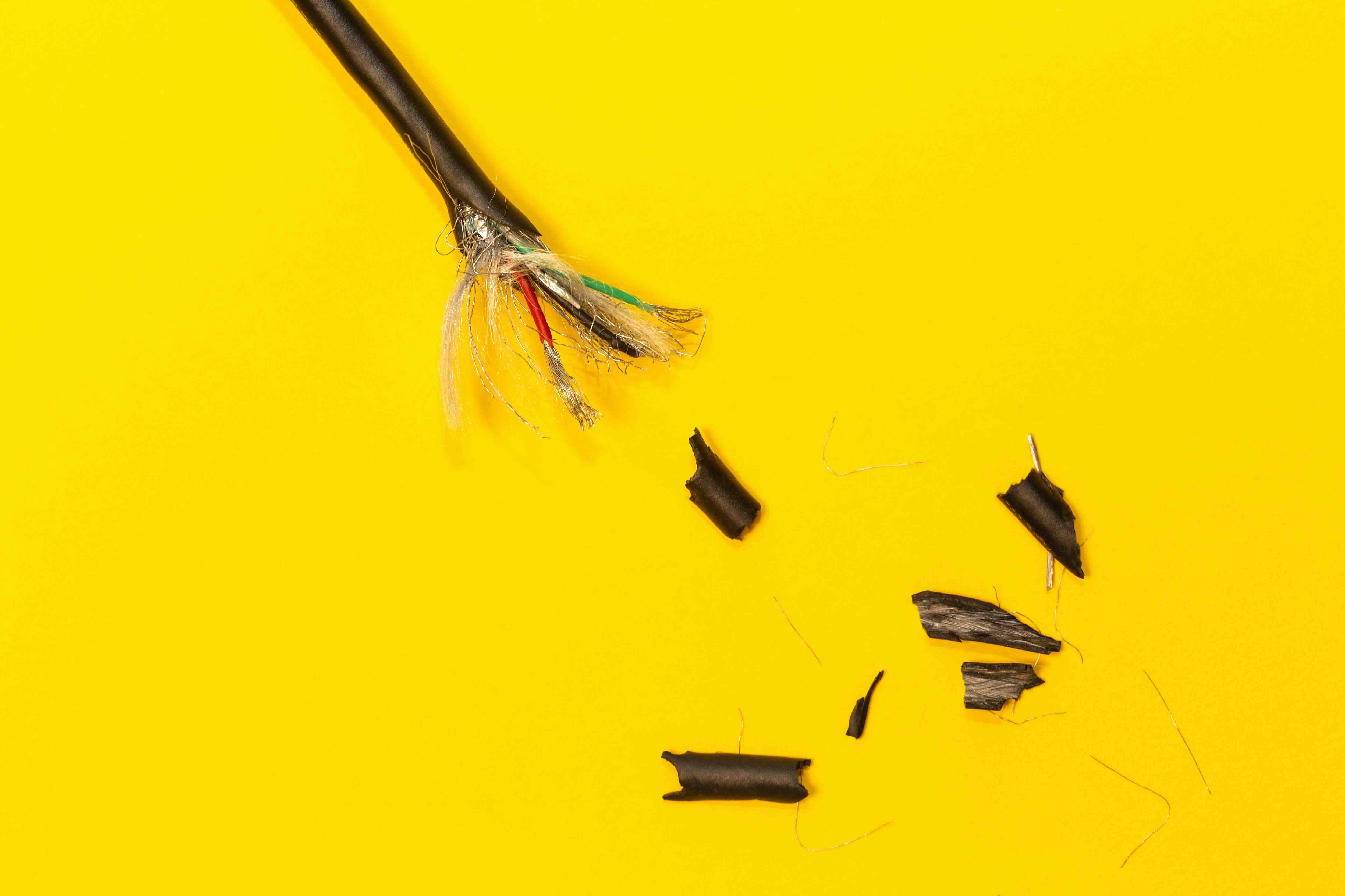
A standard USB cable contains four internal wires, each color-coded to serve a specific function. This has been consistent across USB Type-A and Type-B connections for years, and it remains a reliable reference point even as connector form factors have evolved. The four wires are red, black, white, and green. Red carries positive voltage, typically five volts DC. Black is the ground wire. White is the data minus line, also called D-minus or D-. Green is the data plus line, known as D-plus or D+. That is the whole picture for standard USB 2.0. Knowing this color coding is the foundation of everything else covered here. If you are working with a cable that does not follow standard coloring, a multimeter is your best friend before you do anything else.
What Wires Are Used for Power in a USB Cable
For power delivery only, you only need two of those four wires. Red carries the five-volt positive supply, and black is your ground return path. Those two wires together complete the power circuit. The white and green data lines are not needed if all you want is to charge a device or power a simple USB-powered component. This is actually how many basic USB charger cables are built from the factory -- the data lines are either disconnected or not present at all. It is a simple, effective configuration. The five-volt supply from USB is rated at specific current levels depending on the port and spec version, so it is worth knowing what your source can actually deliver before wiring anything up.
How to Wire a USB Cable for Power Only Step by Step
Wiring a USB cable for power only is a straightforward process if you work carefully. Here is a general approach that applies to most standard USB Type-A projects.
- Start by gathering your materials: a USB Type-A male connector or a pre-terminated USB cable, wire strippers, a soldering iron, heat shrink tubing, and a multimeter.
- Cut the cable to your desired length if you are working from a full cable.
- Strip back the outer jacket carefully to expose the four inner wires.
- Identify the red and black wires -- these are your power conductors.
- Strip a small amount of insulation from each, roughly six to eight millimeters.
- Insulate or fold back the white and green data wires so they do not make contact with anything.
- Solder or connect the red wire to your positive five-volt terminal and the black wire to ground.
- Use heat shrink tubing to insulate any exposed connections.
- Test with a multimeter before connecting any device to confirm correct voltage and no shorts.
The process is clean and repeatable once you have done it once. Take your time with the soldering step -- cold joints are a common source of intermittent failures in DIY cable work.
Why Ground Wiring Matters More Than People Think
Ground is not just the negative return path. In USB power circuits, a solid ground connection directly affects the stability and safety of the voltage being delivered. A poor ground joint can introduce noise into connected hardware, cause voltage fluctuations, or in worst-case scenarios, create conditions that damage sensitive components. This is especially relevant when powering microcontrollers, Raspberry Pi boards, or other embedded systems through USB. The ground wire in a USB cable also serves as the reference point for the data lines, even in a power-only setup where data is not being transmitted. Getting this connection right is not optional -- it is foundational. Use adequate gauge wire, make clean connections, and always verify continuity between the ground pin and your ground terminal before considering the job done.
Common Mistakes When Wiring USB Cables for Power
Even experienced builders run into problems. A few issues come up more often than others, and being aware of them saves time and prevents damage.
- Reversing the red and black wires is the most damaging mistake and can destroy the device being powered immediately.
- Leaving data wire ends uninsulated can cause unintended shorts if they touch metal surfaces or each other.
- Using wire that is too thin for the expected current draw introduces voltage drop and heat buildup.
- Skipping continuity testing before connection is a risk not worth taking.
- Assuming all USB cables follow standard color coding -- some budget or proprietary cables deviate.
Double-checking your work with a multimeter before plugging anything in is the simplest quality control step available, and it costs nothing extra.
Power-Only vs. Data-Capable USB Cables: What Is the Real Difference
A data-capable USB cable includes all four conductors in working condition. A power-only cable omits or disables the white and green data wires. From a charging standpoint, some devices actually negotiate charging speed using the data lines, even without transferring files. Apple devices, for instance, use specific resistor values on the D+ and D- lines to communicate charger compatibility. If you are building a power-only cable and your device does not charge at the expected rate, this is likely why. In those cases, adding the appropriate pull-up or pull-down resistors between the data lines can resolve the issue. It is a small detail but makes a meaningful difference in real-world performance, particularly for charging smartphones and tablets.
USB Power Specifications You Should Understand
Standard USB 2.0 ports supply five volts at up to five hundred milliamps. USB 3.0 ports can supply up to nine hundred milliamps. USB Battery Charging spec pushes that to 1.5 amps. USB Power Delivery, found in USB-C connections, can negotiate voltage and current far beyond that baseline -- up to 100 watts in some configurations. If you are wiring for power only using a traditional USB Type-A connector, you are generally working within that five-volt, lower-current range. Building for higher current applications requires appropriately rated wire gauge and connectors. Using undersized wire for a high-current draw application generates heat and introduces resistance, both of which are problems you want to avoid from the start.
Practical Applications for Power-Only USB Wiring
There are more real-world use cases for this skill than most people initially expect. DIY electronics projects using Arduino or Raspberry Pi boards frequently rely on USB for power input. Custom LED strip installations, small USB-powered fans, and hardwired phone charging points in furniture or vehicles are all applications where wiring your own USB power cable is practical and cost-effective. Industrial and commercial integrators also use this approach when running clean power to sensors or low-draw peripherals within a larger installation. Understanding the wiring allows for greater flexibility in cable length, routing, and termination, without being locked into whatever pre-made option is available at a given length or connector style.
Why Monoprice Is the Right Source for USB Cables and Wiring Essentials
Whether you are building from scratch or sourcing ready-made USB cables for a professional installation, quality components make a measurable difference. Cutting corners on cable materials or connector construction introduces exactly the kinds of failures this guide has been describing -- poor grounds, inadequate current capacity, intermittent connections. That is why working with a supplier that holds product quality to a verifiable standard matters. Monoprice has built a well-earned reputation for delivering high-performance cables and connectivity solutions at pricing that respects both consumer and commercial budgets. If you are looking for reliable, well-constructed USB power cables and wiring solutions for electronics projects, Monoprice offers a range of options built to consistent specs, from standard USB Type-A charging cables to higher-capacity USB-C Power Delivery cables. For integrators, builders, and everyday users alike, having a trusted source for these fundamentals is not a small thing. It is the difference between a setup that works the first time and one that requires troubleshooting before it even gets off the ground.
Frequently Asked Questions About Wiring USB Cables for Power
Which wires in a USB cable carry power?
The red wire carries the five-volt positive supply, and the black wire is the ground return. These two conductors together form the power circuit in a standard USB cable.
Can I use only the red and black wires to charge a device?
In many cases, yes. However, some devices require signal on the data lines to initiate or optimize charging. If a device charges slowly or not at all, the data lines may need resistors to satisfy the device's charging handshake requirements.
What happens if I wire the USB power wires backwards?
Reversing the polarity by connecting red to ground and black to positive can immediately damage or destroy the connected device. Always verify wiring with a multimeter before connecting any hardware.
Do I need to do anything with the white and green data wires in a power-only cable?
They should be insulated and folded back so they do not contact each other or any metal surfaces. Leaving them exposed creates a risk of short circuits.
What wire gauge should I use for a USB power cable?
For most low-current USB applications under 500 milliamps, 28 AWG wire is sufficient. For higher current draws approaching 1 to 2 amps, 24 AWG is a better choice to minimize voltage drop and heat generation.
Is it safe to extend a USB power cable by splicing wires?
Yes, with proper technique. Use appropriately rated wire, make solid soldered connections, insulate all joints with heat shrink tubing, and verify the finished cable with a multimeter before use.
Why does my device charge slowly from a power-only USB cable?
Many devices use the D+ and D- data lines to negotiate faster charging rates. A power-only cable without any data line termination may cause the device to default to a lower charging current as a safety precaution.
Does USB-C wiring for power work the same way?
USB-C has a more complex pin configuration than USB Type-A. For basic five-volt power, the VBUS and GND pins serve the same conceptual role, but USB-C also includes CC pins used for power role negotiation and orientation detection, which adds complexity to custom wiring.
How do I test a USB cable I wired myself before connecting a device?
Use a multimeter set to DC voltage. Connect the cable to a USB power source and measure voltage between the red and black terminals at the output end. You should read close to five volts. Also check for continuity between the input and output grounds.
Can I use a USB power-only cable with any USB port?
A power-only cable will draw power from any standard USB port. However, the port's current rating limits how much power is available. Always check the power requirements of whatever you are powering against the port's rated output to avoid overloading the source.


