

How to Use an Ethernet Splitter: Setup and Key Tips
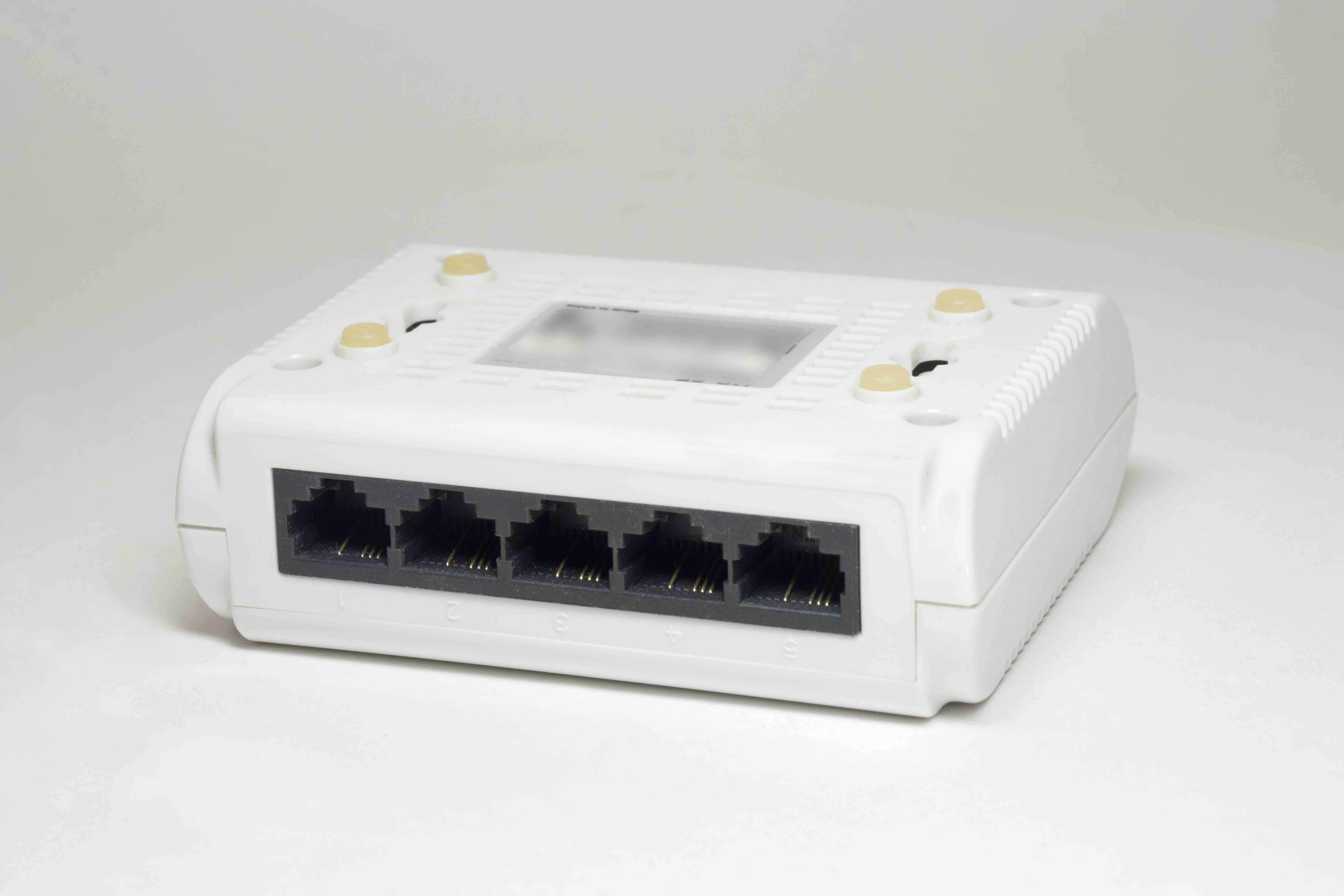
What Is an Ethernet Splitter and Why Does It Matter?
So, you have one Ethernet port on your wall and two devices that need a wired connection. That is a frustrating situation, and it comes up more often than you would think, whether you are setting up a home office, wiring a small business space, or just trying to get your desktop and gaming console on the same solid connection. An Ethernet splitter is one of those small, affordable devices that seems almost too simple to be useful, but depending on your setup, it can genuinely save you the hassle of running extra cable or paying for additional infrastructure. The thing is, there is a lot of confusion about what these devices actually do, how they work, and when you should or should not use one. This guide breaks all of that down clearly and practically so you can decide whether an Ethernet splitter fits your network needs.
How an Ethernet Splitter Actually Works
Here is where a lot of people get tripped up. An Ethernet splitter does not work like a power strip where you plug in multiple devices and they all get full, independent access to the source. That is more of what a network switch does. A true Ethernet splitter works by using the unused wire pairs inside a standard Cat5e or Cat6 Ethernet cable. A typical Ethernet cable contains four pairs of twisted wire, but standard 100 Mbps connections only use two of those pairs. A splitter essentially routes two separate network signals through one cable by dedicating a different pair of wires to each signal. You need two splitters to complete the setup, one at each end of the single cable run. One splitter at the router or switch side combines the two signals into one cable, and the other splitter at the destination side separates them back out into two individual connections. It is a clever workaround, but it comes with real limitations worth understanding before you commit.
What You Need to Set One Up
The physical setup is straightforward, which is honestly one of the better things about this solution. You do not need any software, drivers, or configuration. The hardware requirements are minimal and the process takes only a few minutes once you have everything in hand. Here is what you will need to get started:
- Two Ethernet splitters (they must be used in pairs)
- One longer Ethernet cable connecting the two splitter points
- Two shorter Ethernet patch cables on each end for your devices
- A router or network switch with at least two available ports
Once you have the components, plug one splitter into two open ports on your router or switch using your short patch cables. Connect your longer cable run from that splitter to the second splitter at the other location. Then connect your two devices to the second splitter using two more short patch cables. That is the entire process. No configuration needed, no software to install, no technical background required.
Key Advantages of Using an Ethernet Splitter
There are a few scenarios where an Ethernet splitter is genuinely the right call. If you are working with a fixed cable run through a wall or ceiling that would be difficult or expensive to duplicate, a splitter lets you get two connections out of one run without tearing anything apart. It is also one of the most affordable networking solutions available, often costing only a few dollars per pair. For setups where bandwidth demands are modest, like connecting two computers for general browsing or low-volume file transfers, the performance trade-off is often acceptable. Here is a quick look at when splitters make the most practical sense:
- Low-bandwidth use cases like web browsing and email
- Situations where cable runs through walls or ceilings cannot be easily duplicated
- Temporary setups where a full infrastructure investment is not justified
- Small office or home setups with limited routing equipment nearby
The Drawbacks You Need to Know Before Buying
Ethernet splitters are not for every situation, and this is the part that often catches people off guard. The most significant limitation is bandwidth. Because each device is limited to one pair of wires instead of two, each connection is capped at 100 Mbps. If your network infrastructure supports Gigabit speeds, you will not get those speeds through a splitter setup. Both connections share the physical cable, which means you are splitting the capacity of that cable between two devices. For users who stream high-resolution video, transfer large files regularly, or work in environments that demand consistent high-throughput performance, this trade-off may not be workable. Additionally, splitters only work with 100 Mbps Fast Ethernet, meaning they are incompatible with Gigabit Ethernet standards that rely on all four wire pairs. If your devices or switch are Gigabit-only, the splitter connection will either fail to establish or perform unpredictably.
Ethernet Splitter vs. Network Switch: Knowing the Difference
This comparison comes up constantly, and it is worth taking a moment to address it directly. A network switch is an active device that receives power, manages network traffic intelligently, and provides each connected device with its own full-bandwidth connection. A network switch with four ports gives you four separate, full-speed connections to your network. An Ethernet splitter, on the other hand, is a passive device with no power source and no traffic management. It is a hardware trick that reuses wire pairs, not a true expansion of your network's capacity. For most home and small business environments where you need to connect more than two devices or where speed matters, a network switch is the smarter and more scalable investment. Ethernet splitters fill a narrow but real niche, and knowing which tool fits your problem is half the battle.
Common Mistakes to Avoid When Using an Ethernet Splitter
The most common mistake is buying only one splitter. The device only functions correctly as a pair, and a single splitter used alone will not split your connection or create any functional network path. Another frequent error is trying to use an Ethernet splitter with Gigabit networking equipment, expecting full-speed results. The physics of how the device works make that impossible. People also sometimes confuse Ethernet splitters with Ethernet switches or hubs when shopping online, so it is worth double-checking the product description before purchasing. Finally, make sure the cable running between your two splitters is in good condition and rated for your network environment. A damaged or low-quality cable in that run will affect both of the connections sharing it, since there is no redundancy or error correction built into this type of passive setup.
When a Managed Network Switch Is the Better Choice
If your situation involves more than two devices, Gigabit speed requirements, or a permanent installation that needs to be reliable over time, skip the splitter and go straight to a network switch. Managed switches give you per-port control, VLAN support, traffic prioritization, and detailed diagnostics. Even unmanaged switches are a significant step up from splitters in terms of performance, scalability, and flexibility. The cost difference between a basic unmanaged switch and a pair of Ethernet splitters is minimal enough that for most people, the switch is just the better investment. Splitters make sense as a quick, low-cost fix for a specific, narrow problem. When the problem is bigger than that, the solution needs to match.
Why Monoprice Is a Smart Source for Your Networking Needs
Whether you land on an Ethernet splitter or decide a network switch better fits your setup, getting quality hardware at a fair price makes a real difference in how your network performs over time. Monoprice has built a well-earned reputation for delivering professional-grade networking products without the inflated price tag that usually comes with them. From patch cables and splitters to full rack-mounted networking infrastructure, Monoprice offers the kind of reliable, tested hardware that IT professionals and everyday users can depend on. If you are ready to shop with confidence, explore the full range of high-performance Ethernet networking products and cable solutions that Monoprice has available. The selection covers everything from the simplest patch cable to more advanced switching and connectivity equipment, all backed by a commitment to value that does not ask you to compromise on performance to stay within budget.
Frequently Asked Questions About Ethernet Splitters
Do I need two Ethernet splitters for this to work?
Yes. Ethernet splitters must be used in pairs. One splitter combines two signals into a single cable run, and the second splitter at the other end separates them back into two individual connections. Using only one splitter will not create a functional split connection.
Will an Ethernet splitter reduce my internet speed?
Yes, it will cap each connection at 100 Mbps. An Ethernet splitter works by dividing the wire pairs inside a cable, which limits each connection to Fast Ethernet speeds rather than Gigabit. If your current speeds are well under 100 Mbps, the impact may be negligible.
Can I use an Ethernet splitter with Gigabit internet?
No. Ethernet splitters are not compatible with Gigabit Ethernet because Gigabit networking uses all four wire pairs for each connection. A splitter uses only two pairs per connection, making it physically incompatible with Gigabit standards.
Is an Ethernet splitter the same as a network switch?
No. A network switch is an active device that provides each connected device with its own dedicated, full-speed connection and manages traffic intelligently. An Ethernet splitter is a passive device that simply reroutes wire pairs and does not manage traffic or provide independent bandwidth to each device.
What kind of Ethernet cable works with a splitter?
Ethernet splitters work with Cat5e or Cat6 cables. These cable types contain the four twisted wire pairs necessary for the splitter to route two separate signals through a single cable run.
How many devices can an Ethernet splitter support?
An Ethernet splitter supports exactly two devices across one cable run. If you need to connect more than two devices, you should use a network switch instead, which can support four, eight, sixteen, or more devices depending on the model.
Do Ethernet splitters require power or any configuration?
No. Ethernet splitters are completely passive devices. They require no power source, no drivers, and no software configuration. Simply plug them in at both ends of your cable run and connect your devices.
Will using an Ethernet splitter affect the performance of both connected devices?
Each device is limited to 100 Mbps, and because both share the same physical cable, heavy usage on one connection can affect the experience on the other. For low-demand tasks, this is generally not a noticeable issue.
Can I use an Ethernet splitter to extend my Wi-Fi network?
No. An Ethernet splitter only works with wired Ethernet connections. It cannot extend or affect a wireless network signal and is not a substitute for a wireless access point or Wi-Fi extender.
Is an Ethernet splitter worth buying, or should I just get a switch?
It depends on your specific situation. If you need to connect two low-bandwidth devices through an existing single cable run and cannot easily add another cable, a splitter is a practical and affordable solution. For anything more demanding or scalable, a network switch is the better long-term investment.


