

How to Install a TV Wall Mount: Step-by-Step Guide
How to Install a TV Wall Mount: A Complete Step-by-Step Guide
Installing a TV wall mount is one of those projects that sounds more complicated than it actually is. Most people put it off, assuming they need a contractor or at least a very patient friend who knows their way around a stud finder. But honestly, with the right hardware and a clear process, it is something most homeowners can handle in an afternoon. This guide walks through everything, from choosing the right mount type to getting your screen perfectly level on the wall, so you can make a confident, informed decision before you even pick up a drill.
Understanding the Different Types of TV Wall Mounts
Before anything else, it helps to know what you are actually choosing between. Not all mounts work the same way, and the type you pick affects everything from your viewing angle to how much cable management you will need to deal with. The three most common categories are fixed mounts, tilting mounts, and full-motion mounts. Fixed mounts keep the TV flat against the wall with no movement, which gives you the cleanest look and the most stable installation. Tilting mounts let you angle the screen downward, which is useful when the TV is mounted higher than eye level, like above a fireplace. Full-motion mounts, sometimes called articulating mounts, offer the most flexibility, letting you swing the TV left or right, tilt it, and even pull it away from the wall entirely. They are ideal for rooms where seating is spread across multiple angles or where the layout tends to change.
What You Need Before You Start
Getting the tools and materials together first saves a lot of frustration mid-install. Here is a general list of what most installations require:
- Stud finder
- Drill with appropriate drill bits
- Level (a laser level is ideal, but a standard bubble level works fine)
- Tape measure
- Pencil for marking
- Socket wrench or screwdriver
- Wall anchors, if mounting into drywall without studs
- The mounting hardware included with your specific mount
- A second person, especially for larger screens
One thing worth emphasizing here: always read the instructions that come with your specific mount before doing anything else. Hardware configurations differ between models, and skipping the manual is how mistakes happen. Also check the weight rating on the mount before purchasing. This matters more than people expect, especially with newer, larger displays.
How to Find Wall Studs and Choose Your Mounting Location
This is probably the most important part of the whole process, and it is worth slowing down here. Drywall alone cannot support the weight of a television, regardless of how thick or solid it feels. The mount needs to attach into the wooden studs behind the drywall. Run the stud finder along the wall at roughly the height where you plan to mount the TV, and mark each stud with a pencil. Standard stud spacing is 16 inches apart, though some older homes use 24-inch spacing. Once you have found your studs, use the tape measure and the TV's VESA pattern, which is the standardized bolt hole layout on the back of your screen, to confirm that the mounting bracket will align properly with at least two studs. If your VESA spacing does not match up with stud locations, you may need a mounting plate that spans a wider distance or toggle anchors rated for the appropriate weight.
Mounting the Wall Plate: Getting It Level and Secure
Hold the wall plate up to your marked stud locations and use a pencil to trace the bolt holes onto the wall. Set the plate aside, then drill pilot holes into the studs at each marked location. Pilot holes reduce the risk of splitting the wood and make it easier to drive the lag bolts in straight. Once your pilot holes are in, position the wall plate again and begin threading in the bolts. Do not fully tighten everything until you have confirmed the bracket is level, because once those bolts are fully torqued into the studs, adjusting becomes a much bigger project. Use your level across the top edge of the bracket and make small corrections before final tightening. When everything checks out, tighten all hardware firmly. There should be no flex or movement in the plate whatsoever.
Attaching the Mounting Arms to the Back of the TV
Most mounts come with a separate set of brackets that attach directly to the back of the television using the VESA bolt pattern. Lay the TV face-down on a soft, flat surface, ideally with padding underneath to protect the screen. Thread the provided bolts into the VESA holes on the back of the TV and attach the secondary brackets according to the manufacturer's instructions. Tighten these securely, but avoid overtightening, which can strip the threads on the TV chassis. Once the TV brackets are attached, you are ready to hang the display.
Hanging the TV and Making Final Adjustments
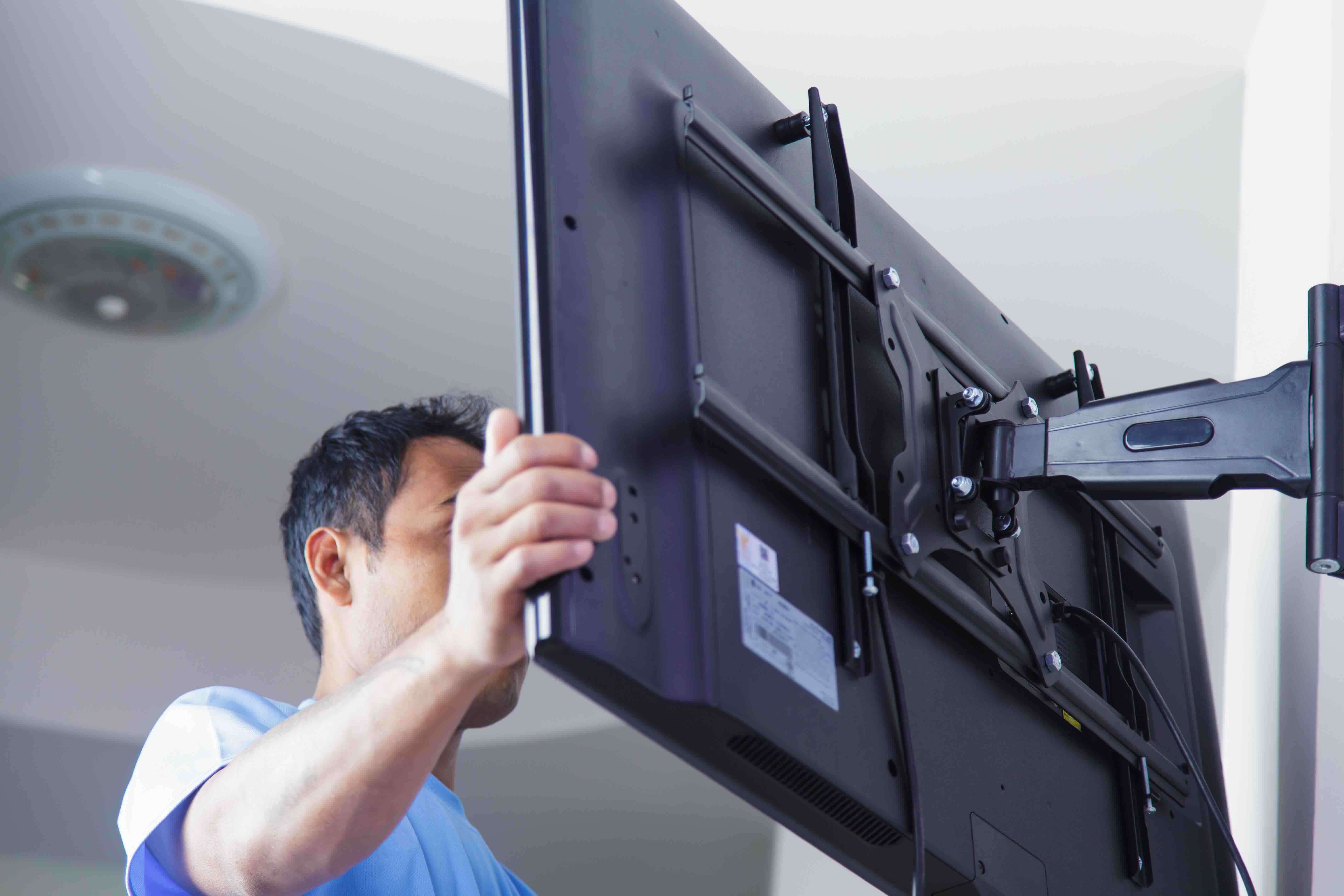
This is the step where having a second person becomes genuinely useful, not just convenient. Lift the television and align the brackets on the back with the wall plate. Depending on the mount design, they may click into a channel, hook over a rail, or bolt together directly. Once the TV is seated on the wall plate, secure any locking mechanisms to prevent accidental dislodging. Stand back and check the viewing height and angle. If you are using a tilting or full-motion mount, now is the time to dial in the tilt and rotation. Tighten any adjustment knobs or set screws once you have found the right position. Do a final level check on the screen itself, not just the bracket.
Cable Management After Installation
A clean installation is not just about the mount. How cables are handled makes a significant visual difference. Options range from simple adhesive cable raceways that run along the wall surface, to in-wall cable management kits that route cables behind the drywall entirely. In-wall solutions require cutting small openings above and below the mount location, feeding cables through, and installing brush plate covers at each opening. This approach delivers the cleanest result but requires a bit more work and an understanding of local electrical code if power cables are involved. Always use in-wall rated cables when routing power inside walls.
Common Mistakes to Avoid When Installing a TV Wall Mount
A few errors come up repeatedly that are worth flagging before you start:
- Mounting into drywall only, without hitting studs, which risks the mount pulling away from the wall under the TV's weight
- Ignoring the weight and size limits on the mount, which are not suggestions
- Failing to account for VESA compatibility before purchasing a mount
- Not checking for electrical wiring or plumbing behind the wall before drilling
- Skipping the level check, which leads to a visibly crooked TV even when the mount feels solid
- Over-tightening bolts on the TV chassis, which can crack the housing or strip threads
Why Monoprice Is the Right Choice for Your TV Wall Mount Installation
When you are ready to move from reading to actually buying, the mount you choose matters as much as the installation process itself. Monoprice has built a well-earned reputation for delivering high-performance mounting solutions at pricing that makes sense, whether you are outfitting a single living room or managing installs across multiple locations. The lineup includes fixed, tilting, and full-motion options across a wide range of screen sizes and weight capacities, all engineered to meet real-world installation demands without unnecessary complexity. For anyone serious about a clean, reliable setup, browsing the full selection of professional TV wall mounts and display mounting hardware is a smart starting point. The combination of build quality, thoughtful design, and accessible pricing makes Monoprice a go-to source for both first-time installers and experienced AV integrators who need dependable hardware delivered without the inflated price tag.
Frequently Asked Questions About TV Wall Mount Installation
What is a VESA pattern and why does it matter for TV mounting?
VESA stands for Video Electronics Standards Association. It refers to the standardized grid of bolt holes on the back of a television used to attach mounting hardware. Matching the mount's VESA compatibility to your TV's specific pattern is required for a proper and safe installation.
Can I mount a TV on drywall without hitting studs?
It is not recommended for most TV sizes. If studs are not accessible at the right location, toggle anchors or molly bolts rated for the combined weight of the TV and mount can be used, but stud mounting is always the more secure and preferred method.
How high should I mount my TV on the wall?
The general guideline is to position the center of the screen at seated eye level, which is typically between 42 and 48 inches from the floor for most adults. Adjust based on your room layout and primary seating distance.
How do I know if my wall mount can hold my TV?
Check the weight rating listed on the mount's specifications and compare it to your television's weight, which is available in the TV's documentation or manufacturer's website. Always choose a mount rated above the actual weight of your TV for a safety margin.
What is the difference between a tilting and a full-motion TV wall mount?
A tilting mount allows the screen to angle downward vertically, which is useful for high-mounted TVs. A full-motion mount adds horizontal swivel, extension from the wall, and often multiple pivot points, providing a much broader range of viewing angle adjustments.
Do I need special cables for in-wall cable management?
Yes. Any cables routed inside walls must be rated for in-wall use, typically labeled CL2 or CL3. Standard cables are not rated for this application and may not meet electrical code requirements in your area.
Is it safe to mount a TV above a fireplace?
It depends on the fireplace type and how much heat it generates. Heat rising from a fireplace can damage electronics over time. A tilting mount is especially important in this position to correct for the elevated viewing angle. Evaluate heat output carefully before committing to this placement.
Can one person install a TV wall mount alone?
The wall plate installation can typically be done solo. Hanging the television itself, especially for screens 50 inches or larger, is significantly easier and safer with two people to manage the weight and alignment simultaneously.
What tools do I absolutely need for a TV wall mount installation?
At minimum you need a stud finder, a drill, a level, a tape measure, and the appropriate bits and drivers for your hardware. A laser level is a helpful upgrade but not strictly necessary for most installations.
How do I hide cables after mounting a TV to the wall?
Surface-mounted cable raceways are the quickest solution and require no wall cutting. For a cleaner result, in-wall cable management kits route cables behind the drywall through small access openings covered with brush plate inserts, creating a nearly seamless appearance.


