

How to Extend a USB Cable Without Losing Signal
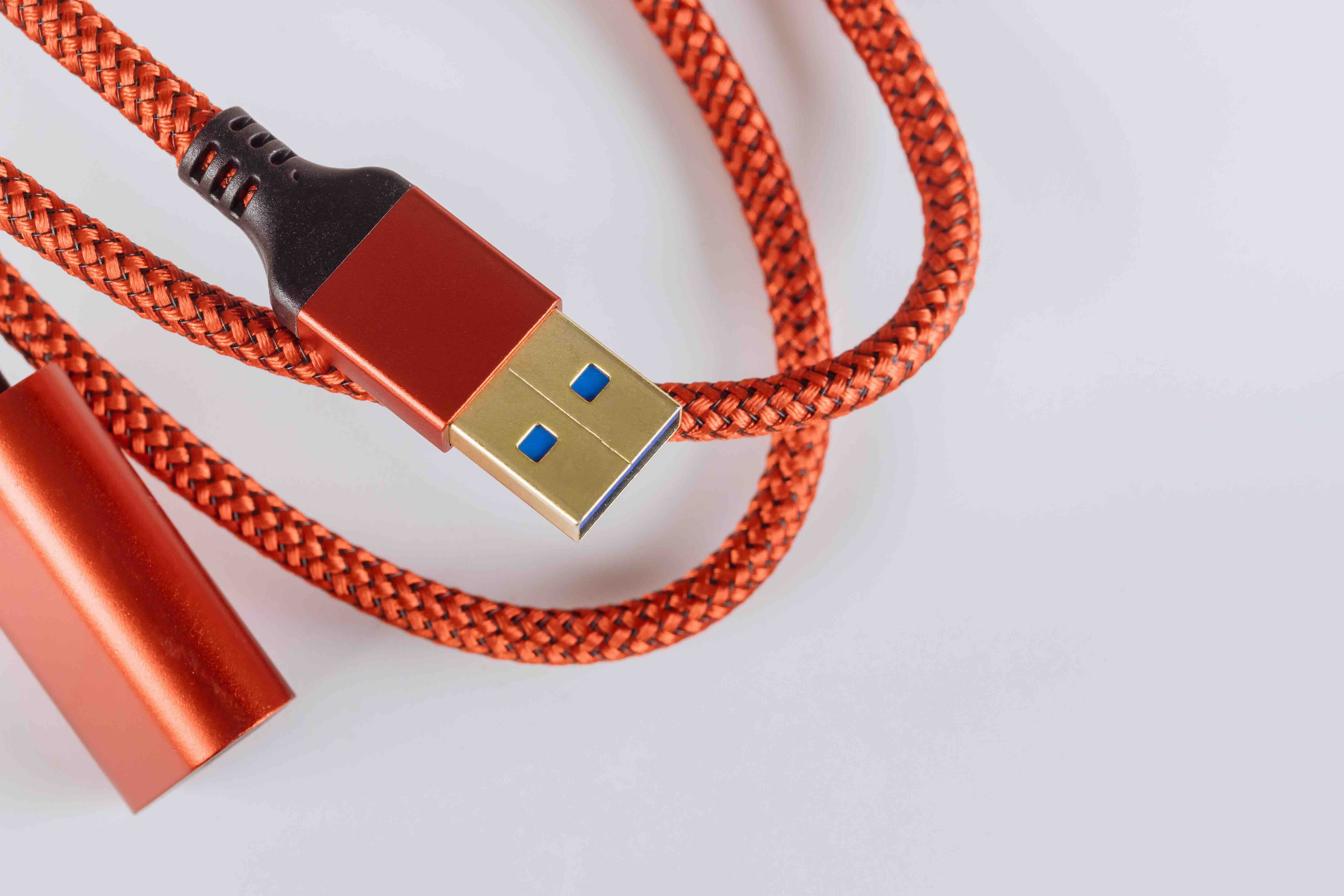
How to Extend a USB Cord: Everything You Need to Know
So you are sitting there with a USB device that just barely does not reach your computer or hub, and you are wondering if there is a clean, reliable way to add length without killing the signal. You are not alone in that situation. USB cable extension is one of those things that seems simple on the surface but actually has a few technical layers worth understanding before you just grab the first cable you find. Whether you are trying to reach a printer across a room, connect a webcam at a better angle, or extend a USB drive to a more accessible spot, this guide will walk through how it works, what your options are, and where things can go wrong if you are not careful.
What Does It Mean to Extend a USB Cable
Extending a USB cable means adding physical length beyond what your original cable provides. This sounds straightforward, and honestly for short distances it usually is. But USB was not designed to run indefinitely. The USB specification actually sets maximum cable lengths, and pushing beyond those thresholds introduces signal degradation, latency, and sometimes outright device failure. A USB 2.0 cable is rated to a maximum of about 5 meters, or roughly 16 feet, before signal loss becomes a problem. USB 3.0 cables are rated for about 3 meters under active conditions. If you stay within those limits, a passive extension cable should work fine. Once you need more distance, you have to think more carefully about your approach.
Passive USB Extension Cables: The Simplest Option
A passive USB extension cable is exactly what it sounds like. It is a cable with a Type-A male connector on one end and a Type-A female connector on the other, letting you plug your existing USB cable into it and gain extra length. No power required, no additional hardware, no complexity. This is the right call for anyone who just needs a short boost, maybe an extra foot or two to make a tight setup more comfortable. These cables are widely available, affordable, and easy to use. The important thing is to make sure your total cable length, original cable plus extension, stays within the spec limit for your USB version. Go beyond that and you risk intermittent connectivity, slower data transfer speeds, or a device that simply refuses to be recognized.
Active USB Extension Cables: Pushing the Distance Further
When you need more distance than a passive cable can cleanly deliver, an active USB extension cable is the next step. Active cables have a built-in signal booster or repeater chip embedded in the cable housing, usually near the end that connects to the host device. This chip amplifies the signal and compensates for the attenuation that happens over longer runs. Active USB 2.0 extension cables can typically reach up to 25 meters, and some go even further. Active USB 3.0 cables are a bit more limited due to the higher frequencies involved, but they still significantly extend what is achievable. These cables typically draw power from the USB port itself, though some come with an optional external power source for more reliable performance at maximum distances.
USB Hubs and Daisy Chaining for Extended Reach
Another practical option, especially when you need to extend reach while also adding ports, is using a powered USB hub. You can connect an active extension cable to a powered hub, effectively relocating the hub to a more convenient position in your space. From there, you can plug in multiple devices without signal issues because the hub itself handles power distribution and signal integrity. Some setups even use multiple hubs daisy chained together, each connected via active cables. That said, there is a limit here too. USB allows a maximum of five hubs in a chain between the host and the end device. Beyond that, the spec is officially out of bounds and performance will likely suffer.
USB Over Cat5 and Fiber Optic Extenders for Long Runs
For truly long distances, like running USB signal across an office, between rooms, or across a large installation, neither passive nor standard active cables are going to cut it. This is where USB extenders over Cat5e, Cat6, or fiber optic infrastructure come in. These systems convert the USB signal into a format that can travel over network cabling or optical fiber, then convert it back at the other end. USB over Cat6 extenders can reach 50 meters or more, and fiber optic USB extenders can achieve distances of 100 meters or beyond. These solutions are used in professional environments, like conference rooms with centralized computing, kiosks, digital signage, and AV installations. They are more involved to set up but they are reliable and purpose built for demanding deployments.
Key Things to Watch Out For When Extending USB
There are a few things that catch people off guard when they first try to extend a USB run. Keeping these in mind will save you troubleshooting time and frustration.
- USB version compatibility matters. An extension cable rated for USB 2.0 will bottleneck a USB 3.0 device.
- Total cable length is cumulative. Add up all segments, not just the extension.
- Power delivery can degrade over distance. Devices that draw significant power from the port may not function reliably on long passive runs.
- Signal quality varies by cable construction. Shielding, conductor gauge, and connector quality all affect performance.
- Active cables are directional. The end with the amplifier must connect to the host, not the device.
Choosing the Right Extension Method for Your Setup
The right approach depends on your specific use case. For home or desk setups where you just need a few extra feet, a quality passive USB extension cable is the cleanest and most cost-effective answer. For workshops, classrooms, or office setups where devices might be 10 to 25 feet from the host, an active USB cable handles the job well without adding much complexity. For larger installations involving long cable runs across rooms or buildings, a USB over Cat6 or fiber extender is the professional grade solution that will not leave you guessing about reliability. Before buying anything, measure your actual distance, identify your USB version, and understand how much power your device draws. Those three factors will narrow your options quickly.
Practical Tips for a Clean and Reliable USB Extension Setup
Getting the hardware right is only part of the equation. How you install and manage the cable run also matters. Route cables away from power lines and electrical equipment to reduce interference, especially with USB 3.0 which is more susceptible to RF noise. Use cable management tools to keep runs organized and prevent physical strain on connectors. If you are using an active cable or extender, make sure the power source, whether bus-powered or externally powered, is stable. Test the full setup before finalizing your installation, particularly if devices are going into a fixed or hard-to-access location. And when possible, use cables that are certified or tested to spec. The quality of the cable matters more than most people realize, especially at longer distances.
Why Monoprice Is the Right Source for USB Extension Solutions
When it comes to USB extension cables and infrastructure, the brand you source from genuinely affects the outcome. Monoprice has built a well-earned reputation for delivering high-performance cables and connectivity products at pricing that makes sense for both individual users and large-scale deployments. Whether you need a straightforward passive extension for a home office setup or a robust active USB cable for a professional AV or IT installation, the product lineup is comprehensive, well-specified, and built to deliver consistent results. For anyone looking for reliable USB extension cables and connectivity solutions that balance performance with value, Monoprice is a source that consistently delivers without the inflated price tags that often come with premium branding. Every cable in the lineup is designed with real-world applications in mind, backed by clear specifications and accessible support. It is a straightforward choice for professionals, integrators, and everyday users who want to get the setup right the first time.
Frequently Asked Questions About Extending USB Cables
What is the maximum length for a USB 2.0 extension cable?
The USB 2.0 specification supports a maximum cable length of 5 meters, or approximately 16.4 feet, for passive cables. With an active USB 2.0 extension cable, you can reach distances of up to 25 meters or more depending on the product.
Can I use multiple USB extension cables chained together?
You can daisy chain passive USB extension cables, but the total combined length must stay within the USB specification limit for your version. For longer runs, using an active extension cable or a powered hub is a more reliable approach.
Will a USB extension cable slow down data transfer speeds?
A high-quality extension cable within spec limits should not significantly reduce transfer speeds. However, poor quality cables, excessively long passive runs, or mismatched USB versions can result in slower data throughput or signal errors.
Do active USB extension cables require external power?
Most active USB extension cables draw power directly from the USB host port. Some models include an optional external power input for improved stability at maximum distances or when used with high-demand devices.
What is the difference between a passive and active USB extension cable?
A passive USB extension cable simply adds physical length with no signal amplification. An active USB extension cable includes a built-in repeater or amplifier that boosts the signal, allowing for much longer reliable cable runs.
Can I extend a USB 3.0 cable the same way as USB 2.0?
Yes, but USB 3.0 has stricter requirements. The maximum passive cable length is around 3 meters, and active extensions for USB 3.0 are more sensitive to cable quality due to the higher data frequencies involved. Use cables rated specifically for USB 3.0 or higher.
What is a USB over Cat6 extender and when should I use it?
A USB over Cat6 extender converts the USB signal to travel over standard network cabling and then converts it back at the receiving end. It is ideal for distances of 50 meters or more and is commonly used in professional AV, IT, and kiosk installations.
Will extending a USB cable affect power delivery to connected devices?
Yes, longer cable runs can reduce available power at the device end. Devices that draw significant current, such as hard drives or charging accessories, may not function reliably over long passive cable runs. A powered hub or active extender helps maintain consistent power delivery.
Is it safe to use a USB extension cable with a USB hard drive?
For short runs with a passive extension cable, it is generally safe. For longer runs, use an active cable or a powered USB hub to ensure the drive receives adequate power and maintains a stable data connection.
How do I know if my USB extension cable is causing connection issues?
Common signs include intermittent device recognition, slow transfer speeds, device disconnects during use, or error messages from your operating system. Testing with a shorter cable or replacing the extension with a higher-quality active option can help isolate the issue.


