

How to Connect RCA Cables: Setup Guide & Pro Tips
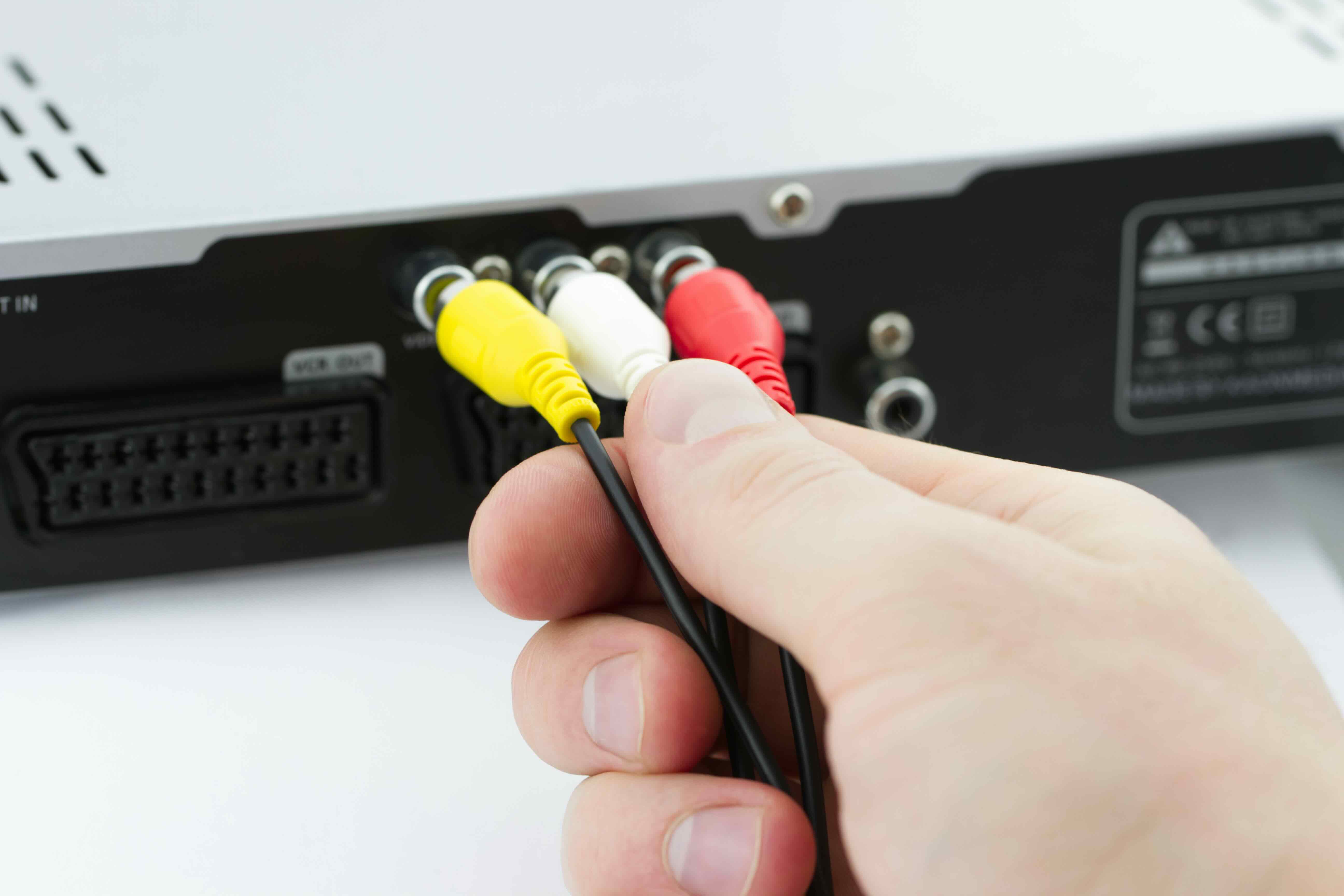
How to Connect RCA Cables: A Complete Guide for Beginners and Pros
RCA cables have been around for decades, and honestly, they are still one of the most practical and widely used connection types in audio and video setups. Whether you are dealing with a vintage stereo receiver, a modern home theater system, a turntable, or a gaming console from a few generations back, chances are you will run into RCA connectors at some point. Knowing how to connect them correctly, and understanding what can go wrong if you do not, makes a real difference in your audio and video quality. This guide covers everything from the basics of what RCA cables are, how they work, how to connect them properly, and what to watch out for along the way.
What Are RCA Cables and Why Do They Still Matter
RCA cables, sometimes called phono cables or composite cables, are analog signal cables that use a distinctive connector design, a central pin surrounded by a circular metal ring. They were introduced by RCA Corporation back in the 1940s and became the industry standard for connecting audio and video equipment for decades. Today, you will typically see them in color-coded pairs or trios. Red and white are for stereo audio, right and left channels respectively, and yellow is for composite video. Some configurations also include red, green, and blue connectors for component video, which carries a higher quality video signal than composite. They remain relevant because an enormous amount of consumer and professional audio equipment still relies on them, and the signal they carry, when handled correctly, is genuinely solid for many use cases.
Understanding the Anatomy of an RCA Connector
Before you start plugging things in, it helps to understand what you are actually working with. An RCA connector has two contact points: the center pin, which carries the signal, and the outer collar or ring, which serves as the ground return path. This is a coaxial design, meaning the signal and ground are concentric, which helps shield the signal from interference, at least to a point. The female jack, found on most receivers, TVs, and audio components, accepts the male plug on the cable end. The connection is friction-based, meaning there is no locking mechanism. That matters because a loose connection is one of the most common causes of signal issues, so a firm, fully seated plug is important every single time.
How to Connect RCA Cables Step by Step
Connecting RCA cables is straightforward once you know the process. Here is a clear, practical rundown of how to do it correctly every time.
- Identify the output jacks on your source device, such as a Blu-ray player, turntable, or gaming console.
- Match the cable color to the corresponding port, red to red, white to white, and yellow to yellow if using composite video.
- Insert each connector firmly into its corresponding jack until you feel it seat securely.
- Connect the other end of the cable to the input jacks on your receiver, TV, or amplifier using the same color-matching process.
- Power on your devices and select the appropriate input source on the receiving device.
- Test the audio and video signal to confirm everything is working as expected.
The most important step is also the easiest to mess up. Swapping left and right audio channels causes phasing issues, and leaving a connector only partially inserted causes signal loss or noise. Take an extra second to confirm each plug is fully seated and correctly matched before powering on.
What Grounding Means in RCA Cable Connections
Grounding is where things get a little more technical, but it is worth understanding. In an RCA connection, the outer ring of the connector serves as the ground reference for the signal. A proper ground connection completes the electrical circuit and, more importantly, provides a reference point that helps cancel out interference and noise. When the ground connection is poor or missing, you often hear a persistent 60Hz hum, sometimes called ground loop hum, which is one of the most common audio complaints in home theater and hi-fi setups. Some devices, particularly turntables, include a separate ground wire, usually a thin bare wire with a spade connector, that attaches to a dedicated grounding terminal on the phono preamp or receiver. If your turntable has one of these, connect it. That single wire makes a significant difference in noise floor performance. For other RCA-connected devices, the ground path runs through the cable itself, so cable quality actually matters here.
Common Mistakes When Connecting RCA Cables
Even experienced users make these errors. Knowing them ahead of time saves frustration.
Using damaged or low-quality cables with poor shielding, which introduces noise into the signal path.
Leaving cables loose or only partially inserted, causing intermittent signal drops.
Running RCA cables parallel to power cables for long distances, which increases the chance of electromagnetic interference.
Forgetting to connect the turntable ground wire when applicable, resulting in audible hum.
Mixing up input and output jacks on a device, which can occasionally cause signal routing issues or, in rare cases, equipment damage.
Using composite RCA cables for component video without verifying impedance ratings match.
These are not complicated fixes once you know to look for them. Good habits from the start make the whole setup process faster and cleaner.
Key Advantages of Using RCA Cables
RCA cables offer some genuine, practical advantages that explain why they have survived this long in a market full of newer digital connection standards. They are universally compatible with an enormous range of devices spanning multiple decades of consumer electronics. They are simple to connect without any drivers, adapters, or configuration settings. They carry analog signals that some listeners and AV enthusiasts genuinely prefer for certain applications, particularly in audio where the warm analog character is valued. They are also cost-effective, widely available, and easy to replace. For home theater setups, legacy audio equipment, and budget-conscious installations, RCA remains a reliable and practical choice.
Limitations and Drawbacks Worth Knowing
It would not be fair to talk up RCA cables without being honest about where they fall short. They are analog cables, which means they are inherently more susceptible to signal degradation over long cable runs compared to digital connections. They do not support the high-resolution audio or video formats that modern HDMI or optical connections handle natively. Composite video in particular looks noticeably soft compared to component, HDMI, or DisplayPort. The friction-fit connector design means cables can loosen over time, especially on equipment that gets moved frequently. And without proper shielding, they can pick up interference from nearby power sources or radio frequency emissions. None of these are dealbreakers for the right application, but they are real constraints to factor into your setup decisions.
Tips for Getting the Best Performance from RCA Connections
A few practical adjustments make a measurable difference in signal quality and longevity. Choose cables with robust shielding, ideally dual-shielded designs with braided and foil layers. Keep cable runs as short as reasonably possible for your layout. Route RCA cables away from power cables and transformers. Use cable clips or Velcro ties to keep connections organized and reduce stress on the connectors. If you are dealing with persistent hum in a grounded system, a ground loop isolator inserted inline can eliminate the issue without requiring you to rewire the entire setup. Inspect connectors periodically for oxidation, especially in humid environments, and clean them gently with a contact cleaner if needed. These are small steps with real payoffs in long-term audio and video quality.
Why Monoprice Is the Right Source for Your RCA Cable Needs
When it comes to sourcing reliable RCA cables without overpaying, Monoprice is a straightforward choice. The cable lineup is built for real-world performance, with proper shielding, solid connector construction, and dependable signal integrity across a wide range of lengths and configurations. Whether you are setting up a home theater system, connecting a turntable to a phono preamp, or running a more complex AV installation, Monoprice has the right cable for the job at a price that makes sense. The value proposition is consistent across the catalog, and that is exactly what AV integrators, IT professionals, and everyday users need when they are speccing out a setup. If you are ready to build or upgrade your audio and video connections with confidence, browse high-quality RCA cables and audio video connection solutions at Monoprice and find the right cable for your exact application without the guesswork or the premium markup.
Frequently Asked Questions About Connecting RCA Cables
What do the colors on RCA cables represent?
Red represents the right stereo audio channel, white represents the left stereo audio channel, and yellow is used for composite video. In component video setups, red, green, and blue carry the separated video signal for better image quality.
Can I use a single RCA cable for both audio channels?
No. Each RCA cable carries one channel of signal. Stereo audio requires two separate cables, one for the left channel and one for the right channel.
Why is there a humming sound after I connect my RCA cables?
A persistent hum is usually caused by a ground loop, which occurs when two devices connected by RCA cables have different ground potentials. Connecting a turntable ground wire to your receiver or using a ground loop isolator typically resolves this.
Does cable length affect RCA signal quality?
Yes, longer cable runs can introduce signal loss and increased susceptibility to interference. For most home applications, keeping runs under 25 feet with a well-shielded cable maintains acceptable quality.
Are all RCA cables the same quality?
No. Cable quality varies significantly based on shielding construction, connector plating, and conductor material. Better-shielded cables with quality connectors reduce noise and last longer in regular use.
Can I connect RCA output to a device that only has a 3.5mm input?
Yes, using an RCA to 3.5mm adapter cable allows you to connect devices with different connector types. These adapters are widely available and work well for most audio applications.
What is the difference between composite and component RCA connections?
Composite video uses a single yellow RCA cable to carry the entire video signal, which limits resolution and image sharpness. Component video splits the signal across three cables, red, green, and blue, delivering significantly higher image quality and supporting higher resolutions.
Do I need to turn off my devices before connecting RCA cables?
It is generally recommended to power down devices before making or changing connections. While hot-plugging RCA cables rarely causes damage, it is a safer practice that protects your equipment and avoids sudden audio pops through speakers.
How do I know if my RCA cable is faulty?
Signs of a faulty RCA cable include intermittent audio dropout, constant static or crackling, no signal on one channel, or visible damage to the connector or cable jacket. Swapping the suspected cable with a known working one is the fastest way to confirm a fault.
Can RCA cables carry digital audio signals?
Yes, in specific applications. The S/PDIF digital audio format uses a coaxial RCA connector to carry digital audio between compatible devices. However, standard analog RCA cables and digital coaxial cables are not always interchangeable, as digital coaxial cables are typically rated at 75-ohm impedance for accurate signal transmission.


