

How to Connect an Ethernet Connector and Ground It Right
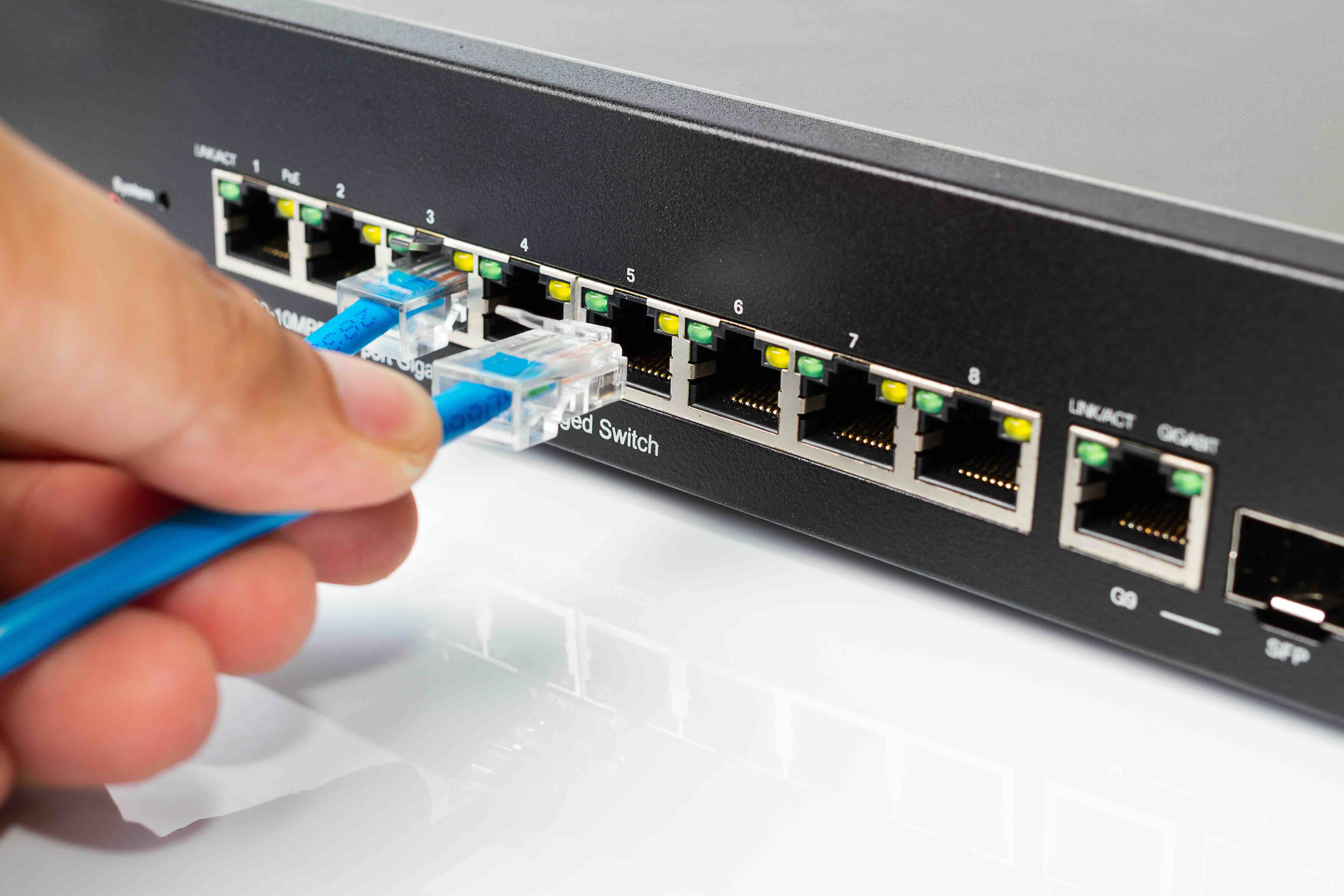
How to Connect an Ethernet Connector: A Complete Guide to Wiring and Grounding
If you have ever stared at a raw Ethernet cable end wondering what exactly goes where, you are not alone. Connecting an Ethernet connector, specifically an RJ45 plug or keystone jack, is one of those skills that looks intimidating the first time but becomes second nature fast. And grounding your Ethernet infrastructure properly? That part gets skipped more often than it should, and it causes real problems down the line. This guide walks through both topics with enough detail to get the job done right, whether you are running cable in a home office, wiring up a rack in a commercial space, or just replacing a damaged connector on a patch cable. Let's get into it.
What Is an Ethernet Connector and Why Does It Matter
An Ethernet connector is the physical interface that terminates a network cable and allows it to plug into a switch, router, wall jack, patch panel, or network interface card. The most common type is the RJ45 connector, an eight-position, eight-contact plug used across Cat5e, Cat6, Cat6A, and Cat8 cabling. There are also keystone jacks, which are the ports you see mounted in wall plates or patch panels, and these accept the male RJ45 plug on the other end. Getting the termination right matters a lot because a poorly crimped or punched-down connector creates signal loss, intermittent connectivity, and failed link speeds. A good termination, on the other hand, supports the full rated bandwidth of the cable category you are working with. That difference is everything when you are running a 10G network or depending on a stable connection for mission-critical work.
Tools and Materials You Need Before You Start
Before touching a single cable, gather the right tools. Trying to do this work with improvised tools leads to failed crimps, damaged conductors, and wasted materials. Here is what you need on the table before getting started:
- RJ45 pass-through or standard crimp tool
- Cable stripper or utility knife
- Punch-down tool for keystone jacks
- Wire cutter or flush-cut snips
- Cable tester to verify continuity after termination
- RJ45 plugs rated for the cable type you are using
- Keystone jacks if terminating into a wall plate or patch panel
- Cat5e, Cat6, or Cat6A bulk cable depending on your application
One thing worth noting here is that not all RJ45 plugs are the same. Solid conductor cables need plugs rated for solid wire, and stranded conductor cables need plugs rated for stranded wire. Using the wrong type is one of the most common termination mistakes out there. Check the spec before you buy in bulk.
Step-by-Step: How to Terminate an RJ45 Connector
The wiring sequence used most commonly in professional and home network installations is T568B, though T568A is also a valid standard. The key is consistency across both ends of every cable run. Start by stripping roughly 1.5 inches of the cable jacket using your stripper tool, taking care not to nick the individual conductor insulation inside. Untwist the pairs just enough to separate and arrange the wires, then order them according to the wiring standard you are following. With T568B, the sequence from left to right when holding the plug with the clip facing down is: white-orange, orange, white-green, blue, white-blue, green, white-brown, brown. Feed the conductors into the plug channels, making sure each wire reaches the front of the plug fully. Insert the plug into the crimp tool and squeeze firmly until the contacts seat. Use a cable tester immediately to confirm all eight pins pass correctly. A failed pin usually means a wire did not seat all the way into the contact channel.
How to Terminate a Keystone Jack Using Punch-Down Technique
Keystone jacks use a different termination method called punch-down, where each conductor is pressed into a slotted insulation displacement contact using a punch-down tool. The jack will have color-coded slots labeled for both T568A and T568B, so you do not need to memorize the sequence. Strip the cable jacket, separate the pairs without untwisting them more than necessary, and lay each conductor into its corresponding slot. Use the punch-down tool to seat each wire with a firm downward strike. The tool cuts the excess wire automatically when used properly. Snap the termination cap onto the jack to secure the wires and insert the jack into your wall plate or patch panel. Keystones are generally more reliable over time compared to field-terminated plugs because the punch-down connection is more mechanically stable under movement and vibration.
Why Grounding Your Ethernet Infrastructure Is Critical
Grounding is one of those topics that gets glossed over in basic networking tutorials, but it is absolutely essential in any serious installation. Shielded Ethernet cables, specifically STP, FTP, and S/FTP variants, include a foil or braided shield designed to block electromagnetic interference from motors, lighting systems, HVAC equipment, and adjacent power cables. But that shielding only works if it is properly grounded. An ungrounded shield actually acts as an antenna, picking up interference rather than blocking it. In structured cabling systems, grounding is achieved by bonding the cable shields to a common ground point, typically at the patch panel or telecommunications enclosure, which is itself connected to the building's grounding electrode system. This single-point grounding approach prevents ground loops, which is another common source of noise and equipment problems in networked environments.
Common Mistakes to Avoid When Connecting Ethernet Connectors
There are a handful of errors that show up consistently in field terminations, and knowing them in advance saves time and rework. Untwisting the wire pairs too far before termination is probably the most frequent issue. The twist in each pair is what gives the cable its noise rejection properties, and excessive untwisting degrades performance, especially at higher frequencies. Mixing T568A on one end with T568B on the other creates a crossover cable, which is not what you want for a standard patch or infrastructure run unless you specifically need it. Running Ethernet cables in parallel with high-voltage power lines for extended distances is another issue that introduces interference even in unshielded installations. And grounding shielded cables at multiple points rather than a single location creates ground loops that defeat the purpose of the shielding entirely. Take the time to test every run with a proper cable tester after termination. That step catches problems before they become a headache once everything is installed and walls are closed.
Key Advantages of Proper Ethernet Termination and Grounding
When the work is done correctly, the benefits are significant and long-lasting. A properly terminated and grounded Ethernet infrastructure delivers:
- Full rated bandwidth performance across the cable category
- Stable link speeds without intermittent drops or renegotiation
- Reduced susceptibility to electromagnetic and radio frequency interference
- Compliance with TIA/EIA-568 structured cabling standards
- Longer service life with fewer maintenance issues over time
- Scalability for network upgrades without recabling
For commercial and enterprise environments especially, investing in proper termination and grounding from the start reduces the total cost of ownership significantly. Troubleshooting a poorly built cable plant is expensive and time-consuming. Getting it right the first time is always the smarter financial decision.
Shielded vs Unshielded Ethernet Cable: Which Should You Use
The decision between shielded and unshielded cable comes down to your environment. Unshielded twisted pair, or UTP, is the standard in most residential and light commercial installations where interference sources are minimal and cable runs are kept away from electrical wiring. Shielded cable, whether FTP or S/FTP, is the right call in industrial environments, data centers, open office spaces with heavy electrical equipment, or anywhere cables run near fluorescent lighting or variable frequency drives. If you go with shielded cable, you need to commit to a fully shielded system, meaning shielded patch panels, shielded keystones, and proper grounding throughout. A shielded cable connected to an unshielded component or left ungrounded provides no real benefit and can make interference problems worse. Plan the system as a whole, not as individual components.
Why Monoprice Is the Right Source for Ethernet Connectors and Networking Supplies
When it comes to sourcing reliable Ethernet connectors, bulk cable, keystone jacks, and patch panels, the quality of the materials you start with determines everything about how the finished installation performs. Monoprice has built a well-earned reputation among IT professionals, AV integrators, and network installers as a source that delivers genuine performance at pricing that makes large-scale projects financially viable. The product catalog covers everything from RJ45 field-termination plugs and Cat6A bulk cable to shielded patch panels and structured cabling accessories, all built to meet or exceed TIA standards. If you are planning a new installation or refreshing an existing one, shop professional-grade Ethernet connectors and structured cabling solutions at Monoprice and see firsthand why so many professionals return for every project. The combination of verified performance specs, transparent pricing, and a broad selection makes it the practical choice for both single-room builds and enterprise-scale deployments.
Frequently Asked Questions About Connecting Ethernet Connectors
What wiring standard should I use, T568A or T568B?
T568B is the most widely used standard in North American commercial and residential installations. T568A is also fully valid. The critical rule is that both ends of every cable run must use the same standard unless you are intentionally creating a crossover cable.
Can I use Cat6 plugs on Cat6A cable?
No. Cat6A cable has a larger diameter than Cat6, and it requires plugs specifically designed to accommodate that larger outer diameter. Using undersized plugs will result in the cable jacket not seating correctly and the conductors not reaching the contacts reliably.
How do I know if my Ethernet termination is correct?
Use a dedicated cable tester after every termination. A basic continuity tester will confirm that all eight pins are connected and in the correct order. Advanced testers can verify performance parameters like insertion loss and return loss for higher-category cable installations.
Does unshielded Ethernet cable need to be grounded?
Unshielded twisted pair cable does not have a shield to ground, so grounding in the traditional sense does not apply. However, the equipment connected to unshielded cable, such as switches and patch panels, should still be properly grounded as part of standard electrical safety practice.
What causes intermittent Ethernet connection drops?
Intermittent drops are frequently caused by poorly terminated connectors where one or more conductors did not fully seat into the contact, excessive untwisting during termination, damaged cable jacket from bending at sharp angles, or interference from nearby electrical equipment in unshielded installations.
How far can I run a single Ethernet cable segment?
The maximum recommended run length for a single horizontal cable segment under TIA-568 standards is 90 meters, which is approximately 295 feet. With patch cable allowances at each end, the total channel length should not exceed 100 meters or approximately 328 feet.
Is it better to use a keystone jack or a field-termination plug for permanent installations?
Keystone jacks are generally preferred for permanent wall and patch panel installations. The punch-down termination method used with keystones is more mechanically stable and less susceptible to failure from movement over time compared to crimped field-termination plugs.
What is a ground loop and how does it affect Ethernet performance?
A ground loop occurs when a shielded cable is grounded at more than one point in a system, creating a loop through which electrical current can flow. This introduces noise directly onto the cable shield, which degrades signal integrity and can cause connectivity problems or equipment damage.
Do I need special tools to terminate Ethernet connectors?
Yes. A proper crimp tool is required for RJ45 plugs and a punch-down tool is required for keystone jacks. Using improvised tools like pliers or screwdrivers produces unreliable terminations that will fail testing and cause performance issues in the field.
What is the difference between FTP and S/FTP shielded cable?
FTP cable has a single overall foil shield surrounding all four pairs, providing protection against external interference. S/FTP cable adds individual foil shielding around each pair in addition to an overall braid shield, offering superior protection against both external interference and crosstalk between pairs, making it the preferred choice for Cat6A and Cat8 installations.


