

HDMI vs. Ethernet: Differences and Which You Need
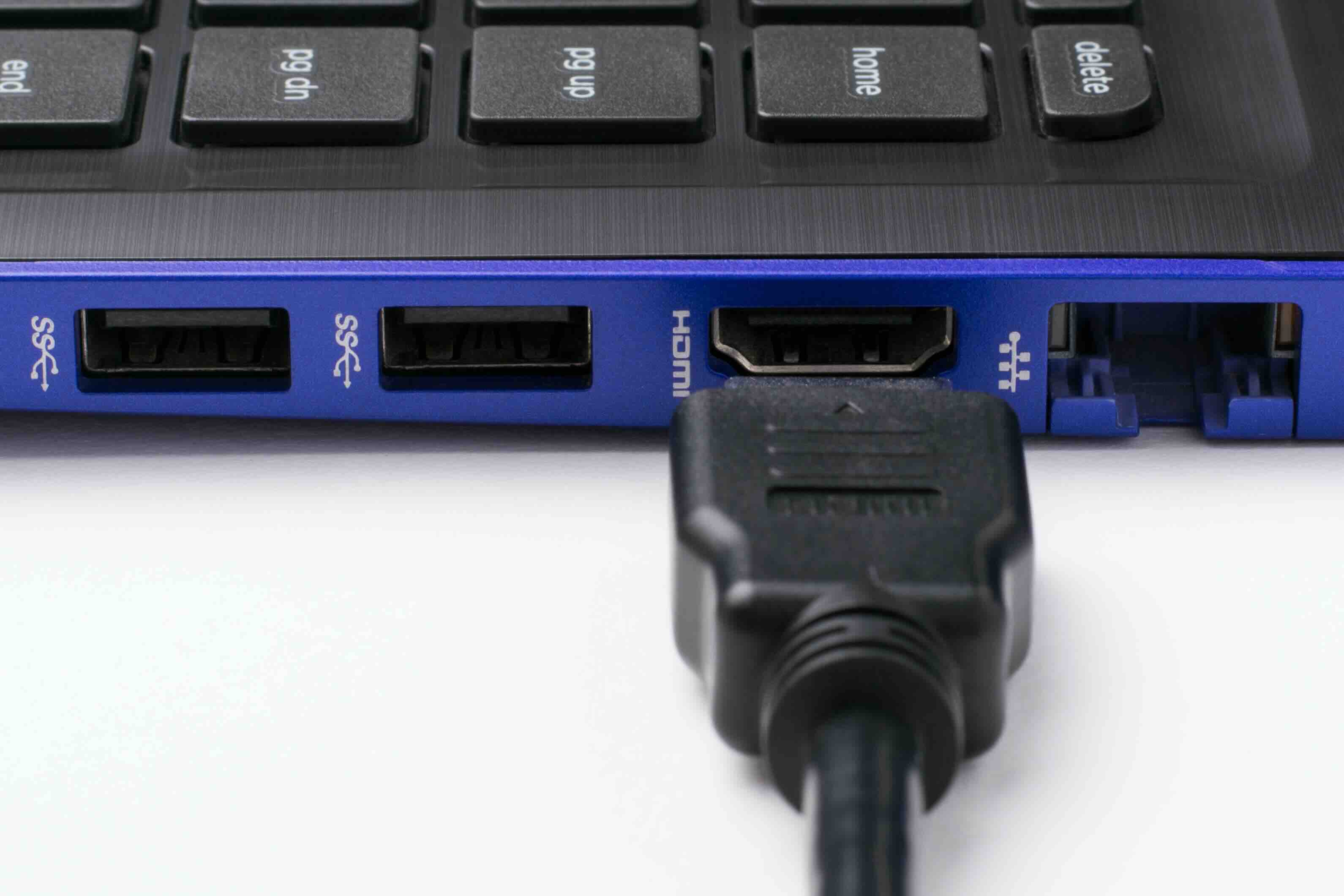
HDMI vs. Ethernet: What Is the Actual Difference and Which One Do You Need?
So here is a question that comes up more than you might expect -- from homeowners setting up a new display to IT pros wiring out a conference room -- and honestly it is worth addressing properly. HDMI and Ethernet are two completely different technologies built for two completely different jobs, but because both involve cables, ports, and transferring data in some form, people occasionally conflate them or wonder if one can replace the other. Short answer: no. Longer answer: it depends entirely on what you are trying to do, and understanding each standard will save you a lot of confusion and unnecessary purchases. Let us break it down clearly.
What Is HDMI and What Does It Actually Do?
HDMI stands for High-Definition Multimedia Interface. It was developed in the early 2000s as a way to carry both high-definition video and multichannel audio over a single cable -- replacing the tangle of component, composite, and analog audio connections that came before it. Today, HDMI is the dominant standard for connecting displays, projectors, televisions, monitors, AV receivers, gaming consoles, and media players. The latest specification, HDMI 2.1, supports resolutions up to 10K, along with 8K at 60Hz and 4K at 120Hz, with HDR passthrough and dynamic metadata. If you are building a home theater, connecting a laptop to an external monitor, or running AV equipment in a commercial installation, HDMI is almost certainly part of that picture. It is purpose-built for audiovisual signal transmission between devices over relatively short distances, typically under 50 feet without a signal booster or active cable.
What Is Ethernet and How Does It Work?
Ethernet is a networking technology designed to transmit data between devices over a local area network, or LAN. It is the wired backbone of most office networks, data centers, and home router setups. Ethernet cables -- typically Cat5e, Cat6, Cat6A, or Cat8 -- carry TCP/IP data packets between computers, switches, routers, access points, and network-attached storage devices. Ethernet does not carry video or audio signals in the traditional sense; it carries raw data. Speeds range from 100 Mbps on older infrastructure up to 10 Gbps and beyond on Cat6A and Cat8 installations. If HDMI is the road your movie travels from a Blu-ray player to your TV, Ethernet is the highway your internet traffic uses to reach your home from the outside world -- and the internal network that connects your devices to each other. Two different jobs, two different tools.
Key Differences Between HDMI and Ethernet at a Glance
Here is where things get practical. These two technologies share almost nothing in terms of function, though both physically resemble cables with connectors on each end. The distinctions are worth keeping clear:
- Primary purpose of HDMI is audio and video signal transmission between AV devices
- Primary purpose of Ethernet is data networking and internet connectivity between computing devices
- HDMI connectors come in Type A (standard), Type C (mini), and Type D (micro)
- Ethernet uses RJ45 connectors across all common cable categories
- HDMI cable runs are typically limited to 25 to 50 feet without signal amplification
- Ethernet can run up to 328 feet (100 meters) per segment without a switch or repeater
- HDMI carries uncompressed digital video and audio
- Ethernet carries compressed or packetized data across a network protocol
One thing that does blur the lines slightly: HDMI 1.4 introduced an Audio Return Channel and an optional Ethernet channel within the HDMI spec itself, allowing compatible devices to share a network connection through the same HDMI cable. In practice, this feature is rarely implemented by manufacturers and should not be counted on as a substitute for dedicated network infrastructure.
Where HDMI Excels: AV Signal Quality and Simplicity
HDMI shines in environments where you need reliable, high-bandwidth audiovisual connectivity without signal degradation. A quality HDMI cable running from an AV receiver to a 4K display will deliver an uncompressed, lossless picture with full HDR color depth and immersive audio formats like Dolby Atmos or DTS:X. For integrators and home theater enthusiasts, this matters enormously. The key advantages of HDMI include plug-and-play compatibility, broad device support across nearly every consumer and commercial display product, support for Consumer Electronics Control (CEC) which allows connected devices to communicate commands, and the ability to handle enormous bandwidth in a compact connector form factor. The practical limitation is distance. HDMI is not designed for long cable runs, which is why active HDMI cables, fiber optic HDMI solutions, and HDMI over HDBaseT extenders exist for commercial installations.
Where Ethernet Excels: Reliability, Speed, and Network Infrastructure
Ethernet is the gold standard for wired network connectivity, and for good reason. Unlike Wi-Fi, a wired Ethernet connection does not suffer from interference, signal dropout, or the bandwidth contention that comes with a crowded wireless environment. For businesses, data centers, and serious home network setups, Ethernet delivers consistent throughput, low latency, and deterministic performance that wireless simply cannot match. Cat6A cabling, for example, supports 10 Gigabit speeds up to 100 meters, making it an excellent future-proof choice for new construction or office infrastructure. Power over Ethernet (PoE) capability also allows compatible Ethernet cables to deliver electrical power to devices like IP cameras, VoIP phones, and wireless access points -- eliminating the need for separate power adapters. Ethernet is the foundation that everything else in a modern network runs on.
Common Mistakes People Make When Choosing Between the Two
The most frequent mix-up is assuming that one can substitute for the other. They cannot. Beyond that, here are a few other missteps worth avoiding. Buying an underpowered HDMI cable for a high-bandwidth application -- like using an older HDMI 1.4 cable with a 4K/120Hz gaming setup -- will result in signal failure or reduced resolution. Similarly, using Cat5e cabling for a 10GbE network application will bottleneck performance and create frustrating reliability issues. Another mistake is ignoring cable quality altogether. Not all cables are built the same, and the difference between a properly shielded, well-constructed cable and a cheap alternative often shows up in the form of interference, dropped signals, or premature failure. Investing in quality cabling is an investment in the stability of the entire system -- whether AV or network.
When You Might Actually Need Both
In most modern installations -- a home theater, a corporate conference room, a hybrid work environment -- you will need both HDMI and Ethernet working together. Think about a typical meeting room setup: a display or projector connects to a presentation switcher via HDMI, while the room's video conferencing codec, laptop docking station, and wireless presentation system all rely on the Ethernet network for communication, content sharing, and internet access. Neither technology competes with the other; they complement each other within a well-designed system. Understanding what each one is responsible for makes it easier to spec the right products, troubleshoot problems quickly, and avoid over-engineering a solution that doesn't need it.
Practical Tips for Buying HDMI and Ethernet Cables and Accessories
Whether you are sourcing cables for a single room or an enterprise deployment, a few principles hold:
- Match cable specifications to your actual application requirements -- do not over-buy or under-buy
- For HDMI, verify compatibility with the HDMI version supported by your source and display devices
- For Ethernet, Cat6 is a solid baseline for most applications; Cat6A is worth the slight premium for future-proofing
- Always consider cable length before purchasing -- HDMI cables beyond 25 feet may require active or fiber optic versions
- For Ethernet runs in walls or conduit, use in-wall rated (CL2 or CL3) cables to meet building code requirements
- Buy from brands that certify their cables and back them with real warranty coverage
These are not complicated decisions once you know what each standard is designed to do. Keep specs matched to use case, prioritize build quality, and do not pay for marketing that is not backed by engineering.
Why Monoprice Is the Smart Source for HDMI and Ethernet Cabling Needs
When it comes to sourcing reliable HDMI and Ethernet cables, adapters, switches, and accessories, Monoprice has built a reputation that professionals and everyday users consistently rely on. The product line spans everything from high-speed HDMI 2.1 cables certified by HDMI.org to Cat6 and Cat6A Ethernet solutions designed for both residential and enterprise environments -- all at pricing that does not require a procurement justification document to explain. Monoprice engineers its products to meet real-world performance standards, not just spec sheets. For IT managers, AV integrators, and homeowners who want dependable connectivity without overpaying, exploring the full range of professional-grade HDMI and Ethernet cables and accessories is a straightforward decision. Quality, clarity, and value -- that combination is what makes Monoprice a trusted partner across both consumer and commercial deployments. Whether you are wiring a single workstation or speccing out an entire building, the right cable at the right price point is here.
Frequently Asked Questions About HDMI and Ethernet
Can an HDMI cable be used as an Ethernet cable?
No. HDMI and Ethernet cables are physically and functionally incompatible. HDMI is designed to carry audiovisual signals between AV devices, while Ethernet carries network data. They use different connectors, different signal protocols, and serve entirely different purposes.
What is HDMI with Ethernet and do I need it?
HDMI 1.4 and later versions include an optional Ethernet channel within the HDMI specification. However, this feature requires both connected devices to support it, and most manufacturers do not implement it. For reliable network connectivity, a dedicated Ethernet cable is always the better choice.
What HDMI version do I need for 4K at 120Hz?
You need an HDMI 2.1 cable and compatible source and display devices to achieve 4K at 120Hz with HDR. Earlier HDMI versions do not have sufficient bandwidth to support this resolution and refresh rate combination.
What is the maximum length for an HDMI cable without signal loss?
Passive HDMI cables reliably perform up to approximately 25 feet. For longer runs, active HDMI cables or fiber optic HDMI cables are recommended to maintain signal integrity. Signal boosters and HDMI extenders are also available for commercial installations requiring longer distances.
What is the difference between Cat5e, Cat6, and Cat6A Ethernet cables?
Cat5e supports speeds up to 1 Gbps at 100 meters. Cat6 supports up to 10 Gbps but only reliably up to 55 meters at that speed. Cat6A supports 10 Gbps at the full 100-meter segment length and offers better shielding against crosstalk. Cat6A is the preferred choice for new installations where future-proofing matters.
Does Ethernet cable quality actually matter?
Yes. Cable construction, shielding, and conductor quality directly affect signal integrity, especially in high-interference environments. Poorly made cables may pass basic connectivity tests while still introducing packet loss, latency spikes, or unreliable throughput at higher speeds.
Can I run HDMI over Ethernet cable using an extender?
Yes. HDMI over HDBaseT or HDMI over Cat6 extender kits allow you to transmit HDMI signals over standard Ethernet cabling for distances up to 100 meters or more. This is a common solution in commercial AV installations where running dedicated HDMI cables over long distances is impractical.
Is wired Ethernet better than Wi-Fi for streaming 4K video?
For dedicated streaming devices and smart TVs, a wired Ethernet connection provides more consistent bandwidth, lower latency, and greater reliability than Wi-Fi. This is particularly relevant for 4K HDR content, which demands sustained high bitrate delivery without interference or congestion.
Do I need a special HDMI cable for HDR content?
For HDR10 and Dolby Vision content at 4K resolution, you need at minimum a Premium High Speed HDMI cable. For 4K at 120Hz or 8K content with HDR, an Ultra High Speed HDMI 2.1 certified cable is required to handle the increased bandwidth demands.
What type of Ethernet cable should I use for a home office setup?
Cat6 is an excellent and cost-effective choice for most home office environments, supporting Gigabit speeds with headroom to spare. If you are setting up a 2.5GbE or 10GbE capable router or switch, Cat6A is worth considering for the long-term flexibility it provides.


