

HDMI's Evolution: Redefining Your Electronics Experience
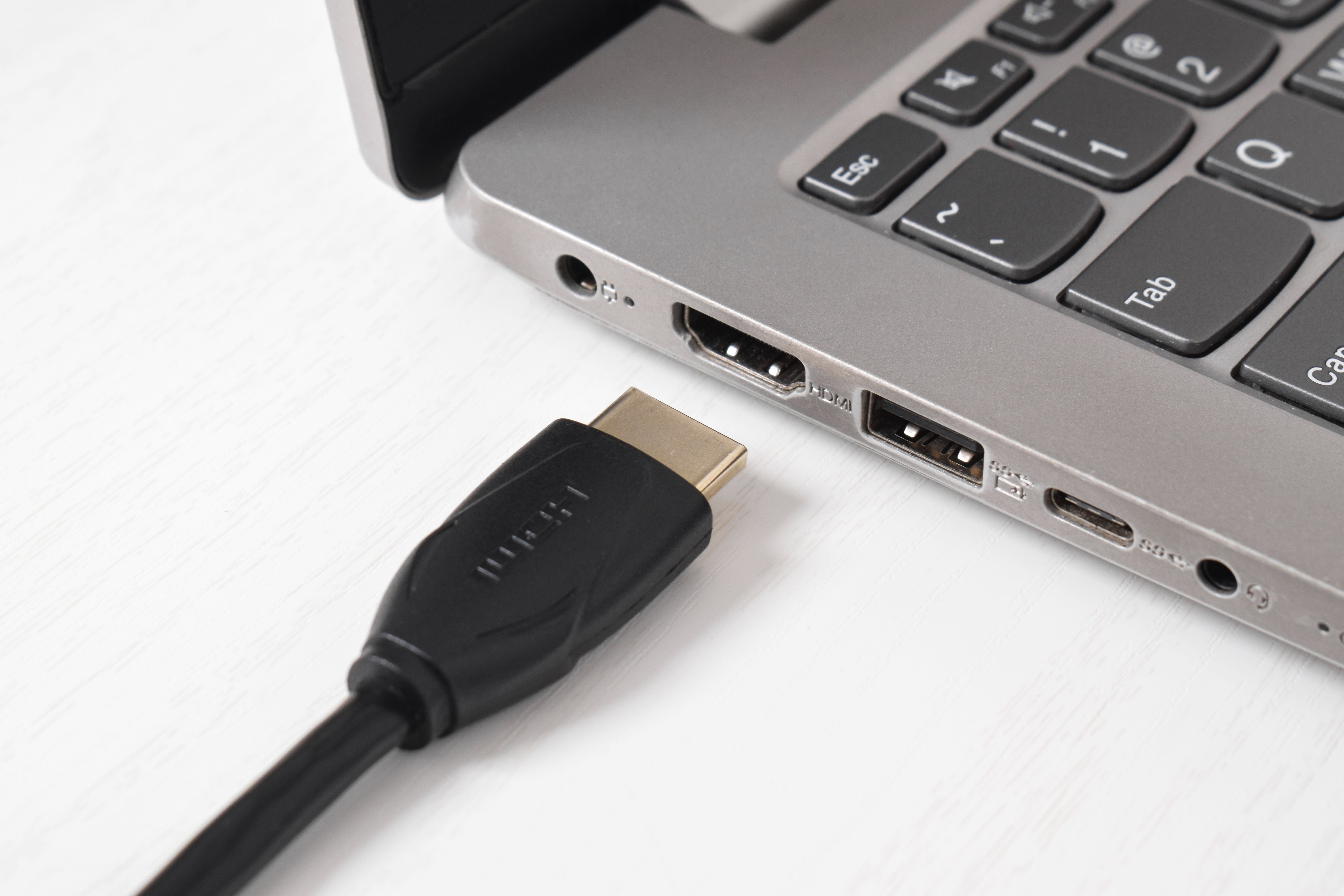
What Is HDMI and Why Does It Matter for Your Setup?
If you have a television, a gaming console, a laptop, or really any modern display device, you have almost certainly dealt with HDMI at some point. High-Definition Multimedia Interface, which is what HDMI stands for, is the standard digital connection used to transmit high-quality audio and video between devices through a single cable. It replaced older, more complicated analog connections like component and composite cables, and honestly, that was a huge shift in how people set up their home entertainment systems. The simplicity alone was a game changer. One cable, both audio and video, clean signal, done. But what a lot of people do not realize is that HDMI has not stood still since it launched in 2002. It has gone through multiple significant versions, each one expanding what is possible in terms of resolution, refresh rates, audio formats, and advanced display features. Understanding those versions helps you buy smarter, set things up correctly, and get the most out of your equipment.
A Quick Look at How HDMI Actually Works
HDMI transmits digital data, both audio and video, through a cable using a protocol called Transition Minimized Differential Signaling, or TMDS. The cable contains multiple channels that carry this data at high speed from a source device, like a Blu-ray player or gaming console, to a display device, like your TV or monitor. What makes HDMI so effective is that it handles everything in one connection without converting signals between analog and digital, which is where older cables would lose quality. The connector itself has evolved over the years too. You have the standard Type-A connector that most people recognize, the smaller Type-C used on some cameras and portable devices, and the even more compact Type-D used in certain mobile applications. There is also the Type-E connector used in automotive applications. Most home users will only ever need the standard Type-A, but it is worth knowing the others exist, especially if you are working with specialized equipment or portable displays.
Breaking Down the HDMI Versions You Need to Know
This is where things get genuinely important and where most people get confused when they are shopping for cables or checking compatibility. Each major HDMI version introduced meaningful improvements that affect real-world performance. Here is a straightforward breakdown of the key versions and what they brought to the table.
- HDMI 1.4 introduced support for 4K resolution and 3D content, along with an Audio Return Channel that let sound travel back through the cable from a TV to a receiver.
- HDMI 2.0 significantly increased bandwidth to 18 Gbps, enabling 4K at 60Hz with HDR support, which became essential for modern streaming and gaming.
- HDMI 2.0b refined HDR capabilities and added support for Hybrid Log-Gamma, a format widely used in broadcast content.
- HDMI 2.1 is the current flagship standard, pushing bandwidth to 48 Gbps and enabling 8K at 60Hz, 4K at 120Hz, Variable Refresh Rate, Auto Low Latency Mode, and Enhanced Audio Return Channel.
HDMI 2.1 and the Features That Actually Change Your Experience
HDMI 2.1 deserves its own conversation because it is not just a resolution upgrade. The features packed into this version are genuinely meaningful, especially for gamers and home theater enthusiasts. Variable Refresh Rate, or VRR, synchronizes the refresh rate of your display with the output rate of your source device. This eliminates screen tearing and stuttering, which makes a noticeable difference in fast-paced games. Auto Low Latency Mode, or ALLM, automatically switches your display to its lowest latency setting when a compatible game or device is detected, without you having to dig through settings menus. Enhanced Audio Return Channel, or eARC, supports high-quality lossless audio formats like Dolby Atmos and DTS:X, allowing those signals to travel from the TV back to a soundbar or receiver without needing a separate optical cable. For anyone building a quality home theater setup, these features are not optional extras, they are the foundation of a properly functioning system.
Key Advantages of Using the Right HDMI Cable
There is a persistent myth that all HDMI cables are created equal and that spending more always means getting more. The reality is more nuanced. A properly rated cable for your specific use case makes a measurable difference, while overpaying for unnecessary specs on a short cable run is just wasted money. Here are the real advantages of selecting the correct HDMI cable for your setup.
- Full support for your device's native resolution and refresh rate without signal degradation.
- Reliable transmission of lossless audio formats through eARC-compatible setups.
- Stable performance in longer cable runs when using Ultra High Speed or active HDMI cables.
- Future-proofing your setup by ensuring compatibility with next-generation devices.
- Eliminating troubleshooting headaches caused by using underpowered or incorrectly rated cables.
Common Drawbacks and Misconceptions Around HDMI
Not everything about HDMI is seamless, and being aware of the limitations helps you plan your setup more effectively. One of the more frustrating realities is that HDMI version labeling on cables has historically been inconsistent. Some manufacturers label cables with marketing terms that do not always reflect the cable's actual certified performance. This is why looking for cables that carry the official HDMI certification logo matters. Another common issue is cable length. HDMI signals can degrade over longer distances, generally beyond 25 feet for passive cables at higher bandwidth requirements. For longer runs, you will need an active HDMI cable with a built-in signal booster, or a fiber optic HDMI cable, which can handle much greater distances without quality loss. Additionally, some users encounter handshake issues between devices, where the source and display cannot agree on a compatible signal format. This usually comes down to firmware inconsistencies or using cables that are not rated for the bandwidth being requested.
Practical Tips for Setting Up HDMI in Your Home
Getting HDMI right in your home does not require deep technical knowledge, but a few practical habits go a long way. Always match your cable's certification rating to the bandwidth you need. For 4K at 60Hz with HDR, you need at minimum a Premium High Speed HDMI Cable. For 4K at 120Hz or 8K content, you need an Ultra High Speed HDMI Cable certified to 48 Gbps. Check the back of your TV or receiver for the port labels, because not every HDMI port on a device supports the same specifications. Many televisions have one or two HDMI 2.1 ports and several older HDMI 2.0 ports, and plugging your gaming console into the wrong port will leave performance on the table. Keep cable runs as short as practically possible for passive cables, and invest in active or fiber cables only when your layout genuinely demands a longer run. A little planning at the start saves a lot of troubleshooting later.
HDMI vs. DisplayPort and Other Alternatives
HDMI is the dominant standard for consumer electronics, but it is not the only option. DisplayPort is widely used in PC monitors and graphics cards, and in many professional and gaming contexts it offers higher bandwidth than HDMI at equivalent version levels. USB-C with DisplayPort Alt Mode has become common on laptops and tablets, offering a versatile single-cable solution for power and video. Thunderbolt 4 supports DisplayPort 2.0, which pushes bandwidth into territory even HDMI 2.1 cannot match at this point. That said, HDMI remains the clear standard for televisions, projectors, soundbars, AV receivers, streaming devices, and gaming consoles. For a home theater environment, HDMI is almost always the right primary connection. DisplayPort makes more sense at the desk, particularly for multi-monitor PC setups where refresh rate and resolution push the limits of what HDMI can handle efficiently.
Why Monoprice Is the Smart Choice for HDMI Cables and Beyond
When it comes to sourcing HDMI cables that are properly certified, accurately rated, and priced without the markup you typically see elsewhere, Monoprice has built a well-earned reputation as the go-to destination. Whether you are putting together a home theater, outfitting a gaming room, or specifying cables for a commercial AV installation, the product lineup covers every requirement without forcing you to overpay for brand recognition. Monoprice HDMI cables are certified by HDMI.org, which means the performance claims on the packaging are verified, not just marketing language. That kind of accountability matters when you are making decisions for equipment that represents a significant investment. If you are ready to explore cables, adapters, and accessories that deliver genuine performance at prices that make sense, visiting the full range of HDMI cables and home theater connectivity solutions at Monoprice is the practical next step. The combination of certified quality, real-world performance, and value-driven pricing reflects exactly what Monoprice has always delivered to both everyday consumers and professional integrators who need to get it right the first time.
Frequently Asked Questions About HDMI
What is the difference between HDMI 2.0 and HDMI 2.1?
HDMI 2.0 supports up to 18 Gbps of bandwidth and enables 4K at 60Hz with HDR. HDMI 2.1 increases bandwidth to 48 Gbps, supporting 4K at 120Hz, 8K at 60Hz, Variable Refresh Rate, Auto Low Latency Mode, and Enhanced Audio Return Channel for lossless audio formats like Dolby Atmos.
Do I need an Ultra High Speed HDMI cable for my 4K TV?
It depends on the content and refresh rate. For standard 4K at 60Hz with HDR, a Premium High Speed HDMI cable rated at 18 Gbps is sufficient. For 4K at 120Hz or 8K content, you need an Ultra High Speed HDMI cable rated at 48 Gbps.
Does HDMI cable length affect picture quality?
Yes, passive HDMI cables can experience signal degradation over longer distances, typically beyond 25 feet when transmitting at high bandwidths. For longer runs, an active HDMI cable with a built-in signal booster or a fiber optic HDMI cable is recommended.
What does eARC mean on an HDMI port?
eARC stands for Enhanced Audio Return Channel. It is a feature introduced with HDMI 2.1 that allows high-quality lossless audio formats, including Dolby Atmos and DTS:X, to travel from a television back to a connected soundbar or AV receiver over the same HDMI cable.
Is HDMI or DisplayPort better for gaming?
Both are capable for gaming, but the best choice depends on your setup. HDMI 2.1 is the standard for gaming consoles like the PlayStation 5 and Xbox Series X. DisplayPort is often preferred for PC gaming monitors, particularly for high refresh rate setups that push beyond what HDMI 2.1 can handle in certain configurations.
What is Variable Refresh Rate and why does it matter for HDMI?
Variable Refresh Rate, or VRR, is a feature supported by HDMI 2.1 that synchronizes the refresh rate of a display with the frame output of a connected gaming device. This eliminates screen tearing and reduces stuttering, resulting in smoother, more responsive gameplay.
Why does my HDMI connection sometimes lose signal or flicker?
Signal loss or flickering is often caused by a handshake failure between devices, which can result from using a cable not rated for the required bandwidth, firmware inconsistencies on connected devices, or a faulty or worn connector. Using a certified HDMI cable and ensuring device firmware is up to date typically resolves these issues.
Are all HDMI ports on a TV the same?
No. Many televisions include a mix of HDMI port versions. Some ports may support HDMI 2.1 features like VRR and eARC, while others may only support HDMI 2.0. Always check the port labeling on your television to ensure you are connecting your primary devices to the highest-capability ports available.
Can I use an HDMI 2.1 cable with an older HDMI 2.0 device?
Yes. HDMI cables and ports are backward compatible. An HDMI 2.1 cable will work with HDMI 2.0 or older devices, though the connection will only perform at the capability level of the device's HDMI version, not the cable's maximum rating.
What does HDMI certification mean and why should I care?
HDMI certification, issued by HDMI.org, confirms that a cable has been independently tested and verified to meet the performance standards for its labeled specification. Certified cables are more reliable than uncertified alternatives, which may carry misleading labels that do not reflect actual performance, particularly at higher resolutions and refresh rates.


