

HDMI Cable Types: Find the Right Cable for Your Setup
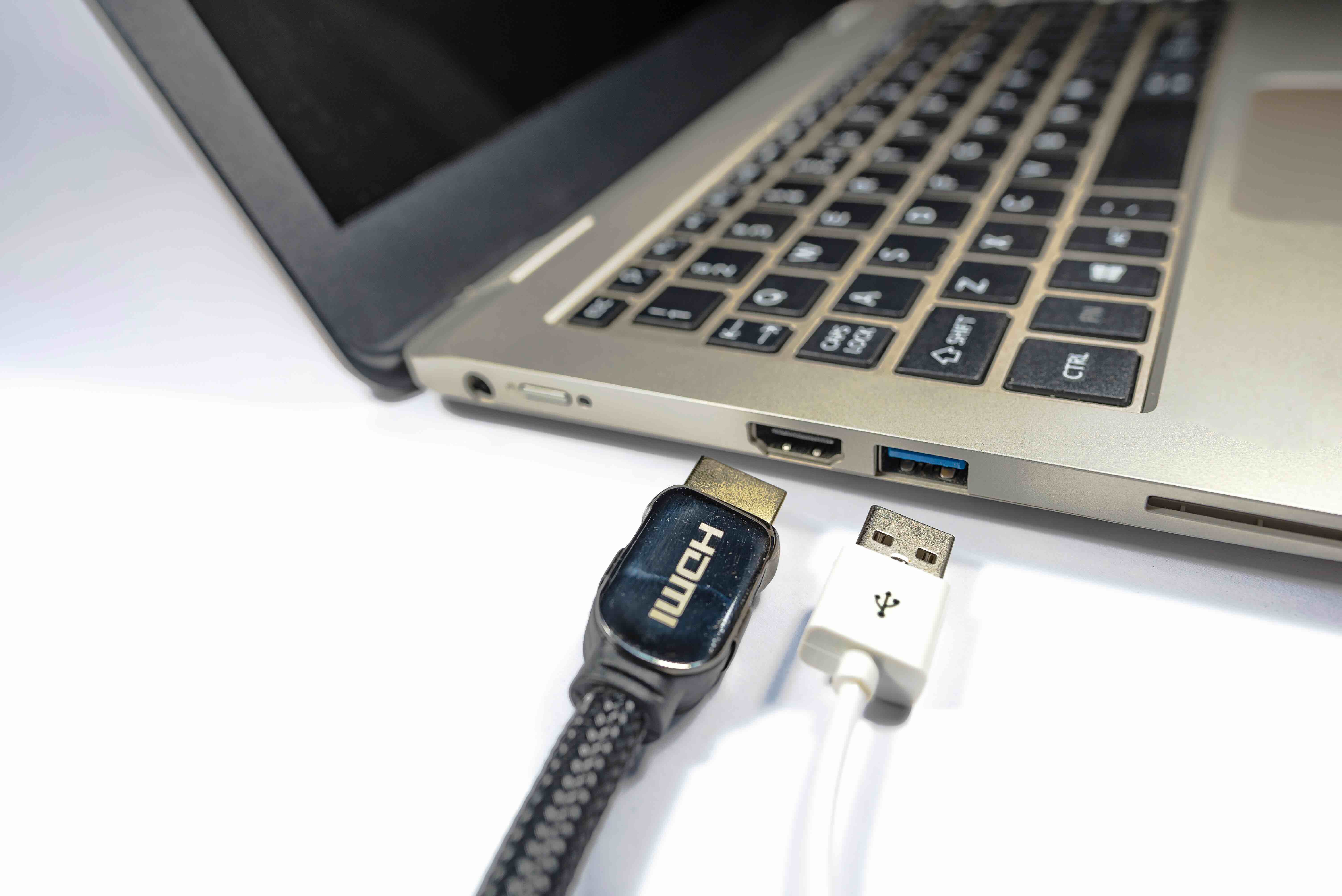
Everything You Need to Know About HDMI Cable Types
If you have ever stood in front of a shelf of cables or scrolled through an online listing trying to figure out which HDMI cable actually matches what you need, you are not alone. It is one of those product categories that looks simple on the surface but gets surprisingly layered the moment you dig into the specs. HDMI has been around since the early 2000s, and in that time the standard has evolved significantly. There are now multiple versions, multiple physical connector types, and different bandwidth ratings that all affect what your cable can actually do. This guide breaks all of it down in plain terms so you can buy with confidence and stop second-guessing yourself at checkout.
What Is HDMI and Why Does It Matter
HDMI stands for High-Definition Multimedia Interface. It is a single-cable solution that carries both high-definition video and multi-channel audio between a source device and a display. Before HDMI became the standard, you needed separate cables for audio and video, which was messy and limiting. Today, HDMI is the dominant connection type for televisions, monitors, projectors, gaming consoles, laptops, streaming devices, and professional AV equipment. The reason it still matters so much is that the specification keeps advancing alongside display technology. As 4K, 8K, and high refresh rate gaming became mainstream, HDMI had to evolve to carry that much more data without dropping signal quality. The type of cable you choose determines whether that data gets through cleanly.
The Standard HDMI Cable Types Explained
There are five officially recognized HDMI cable categories defined by the HDMI specification. Each one is designed for a different use case and bandwidth threshold. Understanding the differences here is the most practical thing you can do before making a purchase.
- Standard HDMI Cable, also called Category 1, supports up to 720p and 1080i resolution. It was the original spec and works fine for legacy setups, but it is not built for anything modern.
- High Speed HDMI Cable, Category 2, handles 1080p and 4K at 30Hz, along with 3D content and Deep Color. This is the most common cable type still in circulation and covers the majority of everyday home theater setups.
- Premium High Speed HDMI Cable is certified for 4K at 60Hz with HDR, including formats like Dolby Vision and HDR10. It supports up to 18Gbps of bandwidth and comes with an authentication label to verify compliance.
- Ultra High Speed HDMI Cable is the current top tier. It supports 8K at 60Hz, 4K at 120Hz, and up to 48Gbps of bandwidth. This is the cable you need for HDMI 2.1 devices, including the latest gaming consoles, high-end graphics cards, and 8K televisions.
- Standard Automotive HDMI Cable is built for in-vehicle use and is engineered to withstand vibration and temperature ranges that would stress a standard cable. It is a niche category but worth knowing about.
HDMI Connector Types and Their Physical Differences
Beyond the cable category, the physical connector itself comes in different sizes. The full-size Type A connector is the one most people are familiar with. It is used on televisions, desktop monitors, gaming consoles, and set-top boxes. Type C, commonly called Mini HDMI, is smaller and often found on DSLR cameras and some older tablets. Type D, known as Micro HDMI, is the smallest and tends to appear on action cameras and compact devices. There is also Type B, which was designed for very high-resolution displays but was never widely adopted and is effectively obsolete. Knowing which connector your device uses before buying a cable saves a lot of frustration, especially when you are working with cameras or portable equipment that does not use the standard size.
HDMI Versions vs. Cable Types: A Common Point of Confusion
One thing that trips up a lot of buyers is confusing HDMI versions with cable types. HDMI versions, such as 1.4, 2.0, and 2.1, refer to the capabilities built into the devices themselves, meaning the ports, chipsets, and controllers inside your TV or GPU. The cable category is what determines how much bandwidth the physical cable can carry. You can plug a High Speed cable into an HDMI 2.1 port, but the cable will bottleneck the connection and you will not get the full performance the device is capable of. Matching your cable category to your device version is critical. If your setup is running HDMI 2.1 for 4K at 120Hz or 8K content, you need an Ultra High Speed HDMI cable to avoid signal degradation or resolution throttling.
Active vs. Passive HDMI Cables
Most short HDMI cables, under about fifteen feet, are passive. That means they carry the signal without any built-in amplification. For standard home setups where the source and display are close together, passive cables work well and cost less. Active HDMI cables include electronics inside the connector housing that boost or condition the signal over longer runs. These are common in commercial installations, conference rooms, and home theaters where the cable needs to travel twenty-five feet or more. Active cables are directional, meaning they have a source end and a display end that must be connected correctly. For long-distance applications where active cables still fall short, active optical HDMI cables use fiber optic technology to carry the signal over very long distances without signal loss. These are common in large venue installs and broadcast environments.
Key Advantages of Choosing the Right HDMI Cable
Picking the correct cable for your setup is not about spending more money than necessary. It is about making sure your equipment performs the way it was designed to. A Premium High Speed or Ultra High Speed cable ensures you are not leaving resolution, frame rate, or HDR performance on the table. High-quality shielding reduces interference from nearby power cables and electronics, which matters in wall installations or rack setups. Reliable connectors with solid contact points prevent signal dropouts, flicker, or audio sync issues that are frustrating to diagnose. Certified cables from verified manufacturers give you a clear performance baseline, which is especially useful in professional or commercial environments where consistency is non-negotiable.
Common Drawbacks and What to Watch Out For
The biggest issue in the HDMI cable market is mislabeling. Cables are sometimes marketed as Premium or Ultra High Speed without actually meeting the certification requirements. Buying uncertified cables at suspiciously low prices is a gamble, especially for high-bandwidth applications. Another drawback is assuming that a more expensive cable always equals better performance. Once you are in the right certified category for your use case, additional cost does not typically translate to improved signal quality. Cable length is also a real consideration. Passive cables over twenty-five feet can exhibit signal degradation, and if you are planning a longer run, factoring in active or optical solutions from the start prevents a lot of rework later.
Why Monoprice Is the Smart Choice for HDMI Cables
When it comes to buying HDMI cables that actually do what they claim, Monoprice has built a well-earned reputation in both the consumer and professional AV markets. Every cable in the lineup is engineered to meet or exceed the HDMI specification for its category, and certified options carry the authentication labeling to prove it. You get performance you can count on without paying inflated retail margins. Whether you are outfitting a home theater, building a commercial AV installation, or sourcing cables for a corporate deployment, the value proposition here is consistent across every order. If you are ready to shop a complete lineup of certified, high-performance options, Monoprice HDMI cables for 4K, 8K, and High Speed connections covers every cable category and connector type you need, at pricing that makes sense for both single purchases and bulk orders. It is one of those decisions that is easy to feel good about.
Frequently Asked Questions About HDMI Cable Types
What is the difference between Standard and High Speed HDMI cables?
Standard HDMI cables support up to 1080i resolution and are designed for older devices. High Speed HDMI cables support 1080p, 4K at 30Hz, and 3D content, making them suitable for most modern home theater setups.
Do I need an Ultra High Speed HDMI cable for my gaming console?
If your console supports HDMI 2.1 features like 4K at 120Hz or 8K output, then yes, an Ultra High Speed HDMI cable is required to get the full performance. A lower category cable will bottleneck the output.
What does HDMI 2.1 mean and does it require a specific cable?
HDMI 2.1 refers to the specification version built into a device's port, supporting up to 48Gbps bandwidth. To use HDMI 2.1 features fully, you need an Ultra High Speed HDMI cable rated for 48Gbps.
Is a more expensive HDMI cable always better?
Not necessarily. Once you select a cable in the correct certified category for your use case, additional cost does not improve signal quality. Focus on certification and category match rather than price alone.
What is a Premium High Speed HDMI cable used for?
Premium High Speed HDMI cables are designed for 4K content at 60Hz with HDR support, including Dolby Vision and HDR10. They support up to 18Gbps and are a strong choice for modern 4K home theater setups.
What is the difference between active and passive HDMI cables?
Passive cables carry the signal without amplification and work well for runs under fifteen feet. Active cables include built-in electronics to boost the signal for longer runs, typically over twenty-five feet.
Can I use a longer HDMI cable without losing signal quality?
Passive cables can experience signal degradation beyond about twenty-five feet. For longer runs, active HDMI cables or active optical HDMI cables are recommended to maintain full signal integrity.
What connector type do I need for a camera or small device?
Compact devices often use Mini HDMI, known as Type C, or Micro HDMI, known as Type D. Check your device's manual or port size before purchasing to ensure you get the correct connector configuration.
How do I know if an HDMI cable is truly certified?
Certified Premium High Speed and Ultra High Speed HDMI cables carry an authentication label or holographic tag that can be verified through the official HDMI certification program. Buying from reputable manufacturers with documented certification reduces the risk of counterfeit or mislabeled cables.
Does the HDMI cable type affect audio quality as well as video?
Yes. HDMI carries both audio and video signals. Higher category cables support advanced audio formats like Dolby Atmos and DTS:X, which require adequate bandwidth to pass through correctly alongside high-resolution video.


