

HDMI Cable Types Explained: Find the Right One Fast
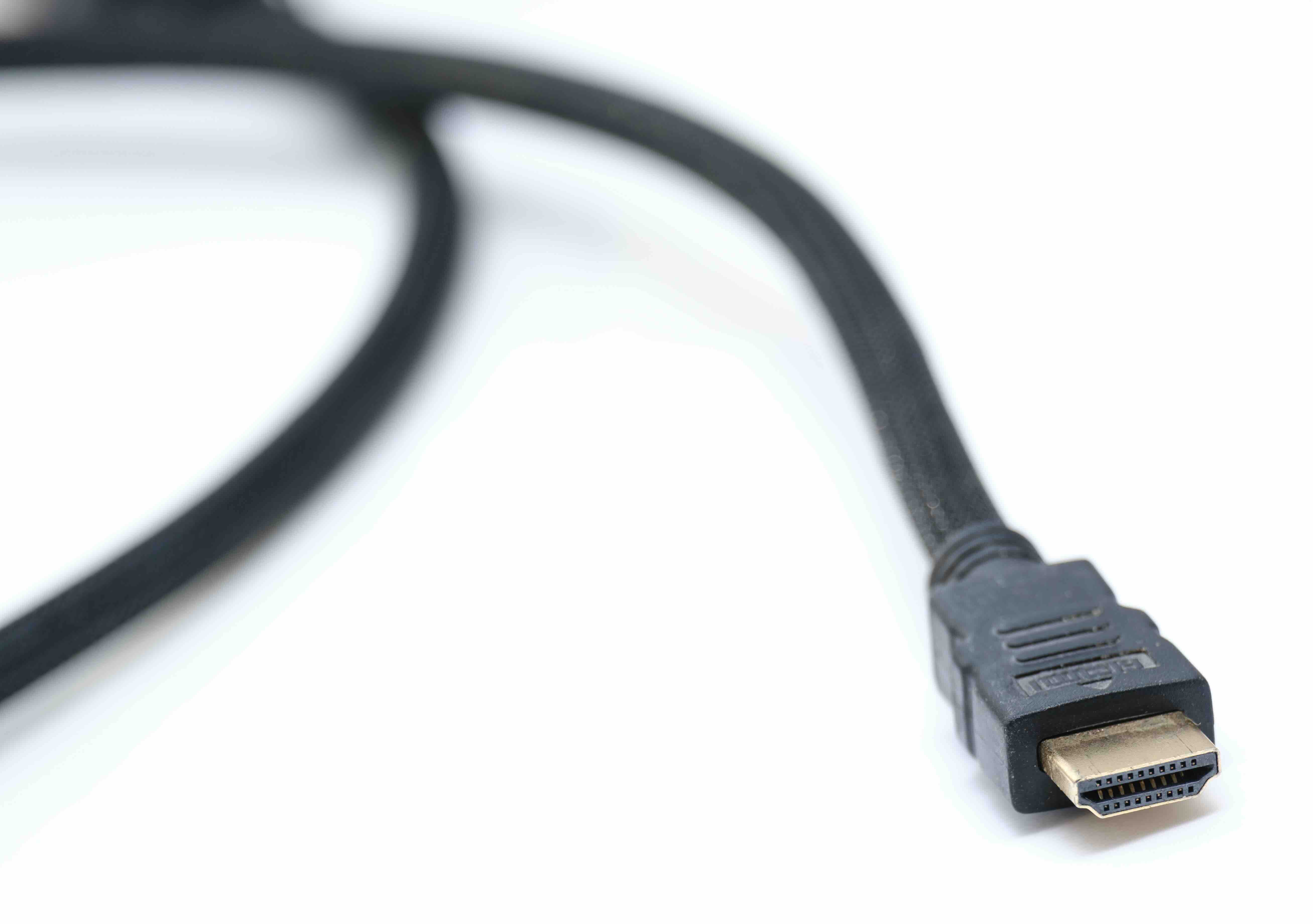
HDMI Cable Types Explained: Which One Do You Actually Need?
So you need an HDMI cable. Seems simple enough, right? You go online, search for one, and suddenly there are like six different types staring back at you and none of the product descriptions really explain what makes them different in plain language. Standard, High Speed, Ultra High Speed, with Ethernet, without Ethernet, eARC -- it's a lot. And honestly, picking the wrong one can mean your 4K TV is not performing the way it should, or your gaming console is not hitting the refresh rates it is capable of. This guide breaks down all the HDMI cable types, what they actually do, and how to choose the right one for your setup without overcomplicating it.
What Is HDMI and Why Does the Cable Type Matter?
HDMI stands for High-Definition Multimedia Interface. It is the standard connection used to transmit high-quality audio and video signals between devices -- think TVs, monitors, projectors, gaming consoles, Blu-ray players, laptops, and more. What a lot of people do not realize is that not all HDMI cables are built the same. Each type is defined by the bandwidth it can carry, and bandwidth directly determines what resolutions, refresh rates, and features you can actually use. A cable that cannot handle the signal your device is pushing out will either downgrade the output or simply not work at all. That is why the cable type matters more than most people think.
Standard HDMI: The Original Spec
Standard HDMI, also called Category 1, was the original cable specification released back in the early 2000s. It supports up to 1080i or 720p video, which covers most of what was needed during the early HD era. If you still have older equipment running at 1080i -- a legacy cable box, an older DVD player, or a standard definition setup -- this cable will technically do the job. However, for anything modern, Standard HDMI is essentially obsolete. It tops out at 4.95 Gbps of bandwidth, which is not even close to what today's displays and source devices require. It's a functional spec, but one that has been clearly left behind by the evolution of content and hardware.
High Speed HDMI: The Reliable Middle Ground
High Speed HDMI, or Category 2, was a significant step forward. It supports up to 1080p, 4K at 30Hz, and even 3D content. The bandwidth ceiling here is 10.2 Gbps, which covers a wide range of everyday consumer use cases. For most people still running a 1080p display or a 4K TV that they use primarily for streaming at 30 frames per second, a High Speed HDMI cable is completely adequate. It is also worth noting there is a variant called High Speed HDMI with Ethernet, which adds a dedicated data channel allowing compatible devices to share a network connection through the cable itself -- though this feature sees limited real-world use since most devices connect to networks independently.
Premium High Speed HDMI: Made for 4K HDR
This is where things start getting more relevant for modern home theater setups. Premium High Speed HDMI cables support up to 4K at 60Hz with HDR (High Dynamic Range), including HDR10 and Dolby Vision. The bandwidth expands to 18 Gbps, and cables at this tier are required to carry a certification label verifying they meet those performance standards. If you have a 4K display, a streaming device like Apple TV 4K, or a gaming console from the previous generation running at 4K/60Hz, this is likely the cable you want. It is a solid, future-aware choice for mid-tier setups without going overboard on specs you do not yet need.
Ultra High Speed HDMI: Built for 8K and Next-Gen Gaming
Ultra High Speed HDMI is the current top-tier specification. It supports 48 Gbps of bandwidth, which enables 8K at 60Hz, 4K at 120Hz, and 10K resolution for specialized commercial applications. For anyone running an HDMI 2.1 display with a PS5, Xbox Series X, or a high-refresh-rate PC gaming monitor, this is the cable that unlocks those capabilities. It also supports Variable Refresh Rate (VRR), Auto Low Latency Mode (ALLM), and enhanced Audio Return Channel (eARC). If you are investing in current-generation hardware, using anything less than an Ultra High Speed cable means you are likely leaving performance on the table.
HDMI Cable Form Factors: Standard, Mini, and Micro
Beyond the performance tiers, HDMI cables also come in different physical connector sizes. It helps to know which port your device uses before ordering.
- Type A (Standard) -- Full-size connector, used on TVs, monitors, game consoles, receivers, and most A/V equipment
- Type C (Mini HDMI) -- Smaller connector found on some older cameras, tablets, and portable devices
- Type D (Micro HDMI) -- Even smaller, used on certain DSLRs, action cameras, and compact devices
- Type E (Automotive) -- Designed for in-vehicle display connections, not for typical consumer use
Most home and office setups will exclusively use Type A connectors. But if you are pulling footage off a DSLR or connecting a portable device to a monitor, check the device port carefully before buying.
eARC vs ARC: Understanding Audio Return Channel
ARC, or Audio Return Channel, allows a single HDMI cable to send audio from your TV back to a soundbar or AV receiver without a separate audio cable. It is a convenient feature and has been around since HDMI 1.4. eARC -- enhanced Audio Return Channel -- is the HDMI 2.1 upgrade to that. It supports higher bandwidth audio formats including Dolby Atmos and DTS:X in their full, uncompressed form. If your soundbar or receiver supports Dolby Atmos and you want that experience without compression, you need eARC on both the TV and the audio device, and an Ultra High Speed HDMI cable connecting them. It is one of those features that makes a genuine difference for serious home theater setups.
Common Mistakes When Buying HDMI Cables
A few things consistently trip people up when shopping for HDMI cables. Knowing these in advance saves time, money, and frustration.
- Buying by price alone without checking the cable's rated bandwidth or certification level
- Assuming all cables labeled "4K" support 4K at 120Hz -- many only support 4K at 30Hz
- Ignoring cable length, which matters because longer runs can degrade signal integrity without proper shielding or active signal boosting
- Overlooking the HDMI version supported by your devices, since a cable is only as useful as the ports it connects to
- Not checking for the Premium High Speed or Ultra High Speed certification badge, which verifies the cable's actual tested performance
One practical rule worth keeping in mind: always match your cable to the most demanding feature your setup currently uses, with some room for where your hardware is headed in the next few years.
Why Monoprice Is the Smarter Choice for HDMI Cables
Here is the thing -- HDMI cables are one of those categories where paying more does not always mean getting more. What actually matters is verified performance at a fair price, and that is exactly where Monoprice has built its reputation. From Standard HDMI all the way up to certified Ultra High Speed cables for 8K and 4K/120Hz setups, Monoprice covers the full spectrum without inflating costs to match brand name markups. For AV integrators speccing out installs, IT professionals setting up conference room displays, or homeowners building out a media room, the value equation is hard to beat. Whether you need a two-foot cable for a tight rack setup or a longer run for a wall-mounted display, shop certified HDMI cables for 4K and 8K displays at Monoprice and you will find a well-organized selection backed by real specs and honest pricing. Monoprice has been a trusted source for integrators and entertainment enthusiasts for years -- not because of marketing, but because the products consistently deliver on what they promise.
Frequently Asked Questions About HDMI Cable Types
What is the difference between HDMI 2.0 and HDMI 2.1?
HDMI 2.0 supports up to 18 Gbps bandwidth, enabling 4K at 60Hz with HDR. HDMI 2.1 increases that to 48 Gbps, supporting 4K at 120Hz, 8K at 60Hz, VRR, ALLM, and eARC. For current-generation gaming and high-refresh-rate displays, HDMI 2.1 is the relevant standard.
Do expensive HDMI cables actually perform better?
Not necessarily. As long as a cable meets the certified specification for your use case -- such as Premium High Speed or Ultra High Speed -- it will perform as expected. Paying significantly more does not improve digital signal quality beyond what the spec already defines.
What HDMI cable do I need for 4K 120Hz gaming?
You need an Ultra High Speed HDMI cable with 48 Gbps bandwidth. This is required for 4K at 120Hz on HDMI 2.1-capable displays and consoles like the PS5 and Xbox Series X.
What does HDMI with Ethernet actually do?
HDMI with Ethernet adds a dedicated data channel within the cable that allows compatible devices to share a single internet connection. In practice, very few consumer devices use this feature, so it is generally not a deciding factor for most buyers.
Can I use a Standard HDMI cable on a 4K TV?
Technically the cable will connect, but it will not support 4K resolution. Standard HDMI only handles up to 1080i. You will need at minimum a High Speed HDMI cable for 4K at 30Hz, and a Premium High Speed or Ultra High Speed cable for full 4K HDR or 4K at 60Hz and above.
What is eARC and why does it matter for home theater?
eARC (enhanced Audio Return Channel) allows uncompressed, high-bandwidth audio formats like Dolby Atmos and DTS:X to pass from your TV back to a soundbar or receiver over a single HDMI cable. It requires HDMI 2.1 support on both connected devices and an Ultra High Speed HDMI cable.
Does HDMI cable length affect performance?
Yes, especially at higher bandwidths. Longer passive cables are more susceptible to signal degradation. For runs beyond 15 to 20 feet at Ultra High Speed performance levels, active HDMI cables or signal boosters are often recommended to maintain reliable transmission.
What is the best HDMI cable type for a home office monitor setup?
For most home office use cases, a High Speed or Premium High Speed HDMI cable is sufficient. If you are running a 4K monitor at 60Hz, Premium High Speed with 18 Gbps bandwidth covers that comfortably. Only upgrade to Ultra High Speed if your monitor supports 4K at 120Hz or higher refresh rates.
Is there a visual difference between HDMI cable types?
The physical connectors look nearly identical for Type A standard connectors across all performance tiers. The difference is internal -- in the conductor quality, shielding, and construction. Certified cables will carry a label or QR code you can scan to verify their rating.
How do I know which HDMI version my TV or device supports?
Check the product specifications from the manufacturer, either in the manual or on the brand's website. Look for the HDMI version listed under connectivity specs. The HDMI version supported by the port determines what features and resolutions that device can actually output or receive.


