

HDMI Cable Types Explained: Find the Right One Fast
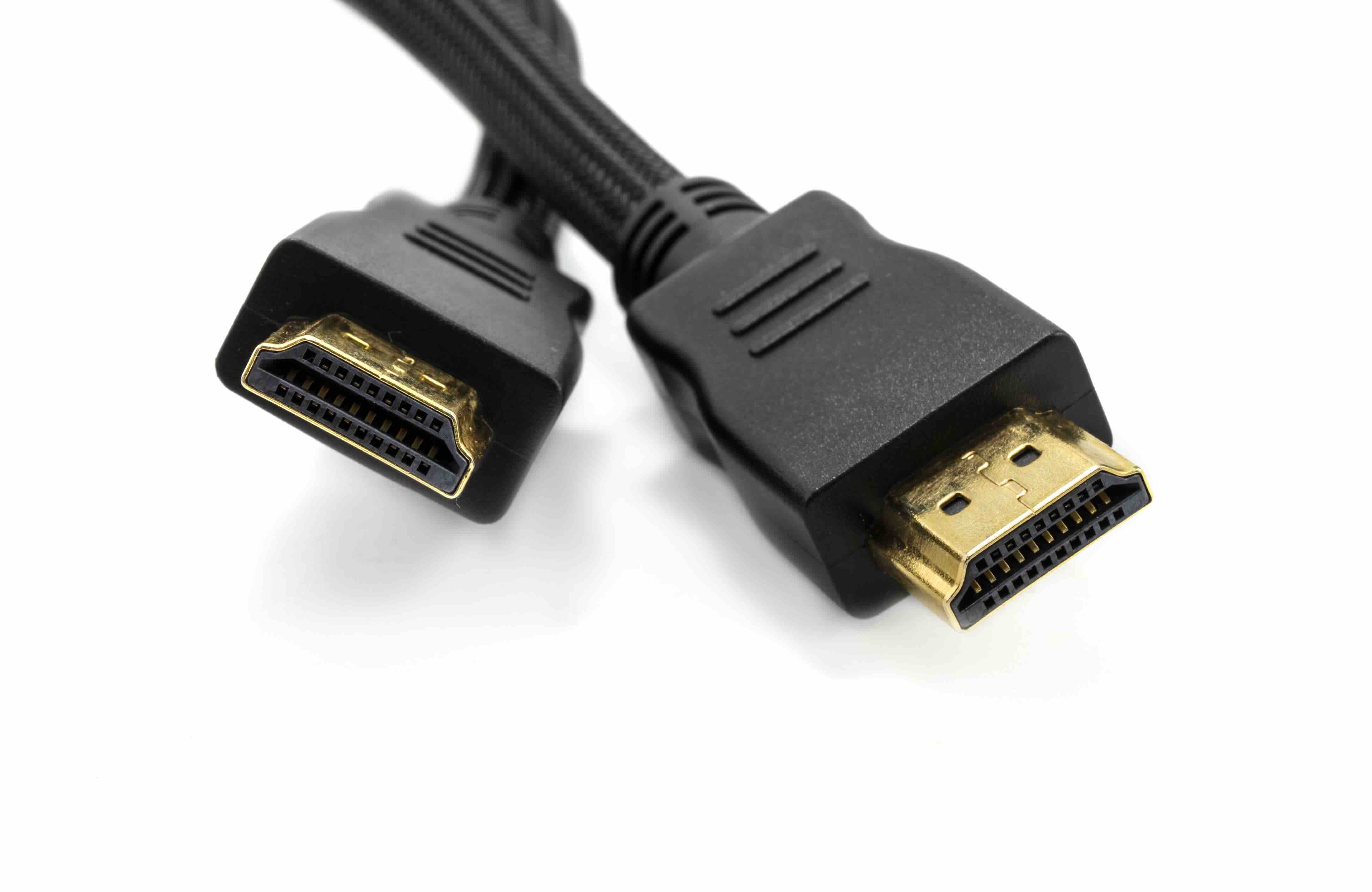
HDMI Cables Explained: Types, Specs, and How to Choose the Right One
If you have ever stood in front of a shelf of HDMI cables or scrolled through a product listing trying to figure out what the difference actually is between one version and the next, you are not alone. It is one of those things that looks simple on the surface, but once you start digging in, there are a lot of variables that actually matter depending on what you are trying to do. This guide breaks it all down clearly, without drowning you in specs that do not connect back to real-world use. Whether you are setting up a home theater, building out a workstation, or sourcing cables for a commercial AV installation, understanding HDMI cable types is genuinely useful knowledge.
What Is an HDMI Cable and How Does It Work?
HDMI stands for High-Definition Multimedia Interface. It is a standardized audio and video interface used to transmit uncompressed digital data between a source device and a display. Think laptops, gaming consoles, Blu-ray players, AV receivers, and monitors or televisions. The cable itself carries both audio and video over a single connection, which simplified everything compared to the older multi-cable setups people used to deal with. HDMI is managed by HDMI Licensing Administrator, Inc., and the specification has gone through several major revisions over the years as display technology has pushed bandwidth demands higher. The cable physically looks the same across most versions, which is exactly where the confusion starts.
HDMI Cable Categories: The Core Classification System
The official HDMI specification defines cables by category rather than just version number, and that distinction matters more than people realize. There are currently five recognized cable categories, each supporting different bandwidth thresholds. Understanding these helps cut through the marketing noise.
- Standard HDMI Cable (Category 1)
- Supports up to 74.25 MHz and handles 720p and 1080i resolutions
- Standard HDMI Cable with Ethernet (Category 1 with Ethernet)
- Same bandwidth as Category 1 but adds a dedicated data channel for network connectivity
- High Speed HDMI Cable (Category 2)
- Supports up to 340 MHz and handles 1080p, 4K at 30Hz, and 3D video
- High Speed HDMI Cable with Ethernet (Category 2 with Ethernet)
- Matches Category 2 performance with the added Ethernet channel
- Premium High Speed HDMI Cable
- Certified for 18 Gbps bandwidth, supports 4K at 60Hz, HDR, and wide color gamut
- Ultra High Speed HDMI Cable
- Supports up to 48 Gbps, handles 8K at 60Hz, 4K at 120Hz, and dynamic HDR formats
For most people setting up a current-generation display, you are looking at Premium High Speed or Ultra High Speed. The lower categories still have a place in legacy setups, but if you are buying new, there is little reason to go below Premium unless the application clearly does not require it.
HDMI Versions vs. Cable Categories: Clearing Up the Confusion
Here is where people get tripped up. HDMI version numbers like 1.4, 2.0, and 2.1 refer to the specification capabilities of the devices at each end of the cable, not the cable itself. The cable just needs to support enough bandwidth to carry what the device is outputting. A TV with an HDMI 2.1 port requires an Ultra High Speed cable to take full advantage of its capabilities. Using an older High Speed cable with a 2.1 port will not damage anything, but you will hit a bandwidth ceiling that limits resolution, refresh rate, or both. Matching your cable category to your device specification is the practical move, and it is one that gets overlooked surprisingly often.
Active vs. Passive HDMI Cables: What Changes Over Distance
Standard passive HDMI cables work fine for runs up to about 25 feet, sometimes a bit more depending on construction quality. Beyond that, signal degradation becomes a real issue. Active HDMI cables use built-in circuitry to amplify and condition the signal, allowing reliable transmission over longer distances, sometimes up to 100 feet or more. For installations where the source and display are not in the same room, or for commercial AV environments with longer cable runs, active cables are the right call. There are also fiber optic HDMI cables that use light transmission instead of copper conductors, which can handle very long runs with minimal signal loss. These are typically used in professional AV integration, large venue installs, and data center environments where distance and reliability are non-negotiable.
HDMI Connector Types: Size Does Matter
Beyond cable categories, the physical connector form factor plays a role depending on your device. Most people are familiar with the standard Type A connector, which is what you find on televisions, monitors, and most computers. But there are three other types worth knowing about. The Type C connector, commonly called Mini HDMI, is used on some older cameras and tablets. The Type D connector, or Micro HDMI, appears on compact devices and certain action cameras. And the Type E connector is designed for automotive applications where the cable needs to lock in place against vibration. Knowing which connector you need before buying saves time and return shipping.
Common Drawbacks and Limitations to Know About
No cable technology is perfect, and HDMI has a few limitations worth understanding. Cable length is the most common constraint. The HDMI specification does not define a maximum cable length, but physics sets practical limits. Longer passive runs carry signal integrity risk. Another common issue is compatibility confusion between cable category and device version, which was already covered but cannot be overstated. Additionally, not all cables marketed as a certain type are built to that standard. Certification matters here. Premium High Speed and Ultra High Speed cables can be certified through HDMI.org, which means they have been tested against official performance thresholds. Buying certified cables removes guesswork and protects your investment in high-resolution displays.
Practical Tips for Choosing the Right HDMI Cable
Getting this right does not require a degree in electrical engineering. A few straightforward considerations will point you in the right direction every time.
- Match cable category to your device specification, not the other way around
- Check the HDMI version on both your source device and your display before purchasing
- For runs over 25 feet, consider active or fiber optic HDMI options
- Look for certified cables when purchasing Premium High Speed or Ultra High Speed types
- Do not pay a premium for gold-plated connectors expecting a picture quality improvement on digital signals
- For 4K at 60Hz or HDR content, Premium High Speed is the minimum viable cable
- For 8K, 4K at 120Hz, or Variable Refresh Rate gaming, Ultra High Speed is required
These are not complicated decisions once you know the framework. The cable is a link in a chain, and every link needs to be rated for the load you are putting through it.
Who Needs Which Cable: Real-World Use Cases
A casual home TV viewer running a streaming stick to a 1080p screen does not need an Ultra High Speed cable. A High Speed cable handles that completely fine. A gamer running a PS5 or Xbox Series X at 4K and 120Hz absolutely needs Ultra High Speed to unlock the full capability of that console and display combination. A home theater setup with a 4K projector, AV receiver, and HDR content needs at least Premium High Speed throughout the signal chain. A conference room AV install with a laptop connected to a display 30 feet away needs an active cable to ensure signal stability. The right cable for every scenario exists. The goal is just matching the right one to the right job.
Why Monoprice Should Be Your Source for HDMI Cables
When it comes to getting the right cable at the right price without compromising on quality, Monoprice has built a well-earned reputation in both the consumer and professional markets. Their HDMI cable lineup covers every category, from Standard through Ultra High Speed, with certified options that have been tested to meet the specifications they claim. For integrators managing large installs or IT teams stocking a warehouse with infrastructure cable, the value proposition is especially strong. Monoprice does not ask you to pay for a brand name when the performance of the product speaks clearly on its own. If you are looking for high-performance HDMI cables and AV connectivity solutions that cover every application from home theater to commercial installation, Monoprice is a logical, cost-effective starting point. The selection is broad, the pricing is honest, and the build quality holds up.
Frequently Asked Questions About HDMI Cable Types
What is the difference between HDMI 2.0 and HDMI 2.1?
HDMI 2.0 supports up to 18 Gbps of bandwidth, which handles 4K at 60Hz and HDR. HDMI 2.1 expands that to 48 Gbps, enabling 8K at 60Hz, 4K at 120Hz, Variable Refresh Rate, and enhanced HDR formats. To use HDMI 2.1 features, both the device and the cable must support Ultra High Speed throughput.
Does a more expensive HDMI cable actually improve picture quality?
Not inherently. HDMI transmits a digital signal, which either arrives intact or it does not. The key factors are bandwidth support and build quality for the cable length and application. Spending more than necessary on a short-run cable connected to a standard display provides no measurable benefit.
How long can an HDMI cable be before signal issues occur?
Passive HDMI cables generally perform reliably up to around 25 feet. Beyond that, signal degradation can occur depending on cable quality and resolution demands. For longer runs, active HDMI cables or fiber optic HDMI cables are the recommended solution.
What does HDMI with Ethernet mean?
Certain HDMI cables include a dedicated Ethernet data channel called the HDMI Ethernet and Audio Return Channel, or HEAC. This allows two connected devices to share an internet connection through the HDMI cable if both devices support the feature. In practice, this function sees limited use in most consumer setups.
What is a Premium High Speed HDMI cable certification?
The Premium High Speed certification is an official program managed by HDMI Licensing Administrator, Inc. Cables carrying this certification have been independently tested to confirm they support 18 Gbps bandwidth, 4K at 60Hz, HDR, and wide color gamut. It is a meaningful quality indicator when buying cables for current-generation 4K setups.
Can I use a 4K HDMI cable with an older 1080p television?
Yes. A higher-category HDMI cable is backward compatible with devices that output lower resolutions. Using a Premium High Speed or Ultra High Speed cable on a 1080p display will not cause any issues. The cable simply operates within the bandwidth requirements of the connected devices.
What HDMI cable do I need for gaming at 4K and 120Hz?
You need an Ultra High Speed HDMI cable, which supports the 48 Gbps bandwidth required to carry 4K at 120Hz. This applies to current-generation consoles like the PlayStation 5 and Xbox Series X when connected to a compatible display.
What is the difference between active and passive HDMI cables?
Passive HDMI cables rely solely on the copper conductors to carry the signal and work well for shorter distances. Active HDMI cables include signal amplification electronics built into the connector housing to maintain signal integrity over longer cable runs, typically beyond 25 feet.
Is Micro HDMI the same as standard HDMI?
Micro HDMI, also known as Type D, carries the same signal as a standard Type A HDMI connector but uses a physically smaller connector designed for compact devices like action cameras and certain smartphones. An adapter or a cable with mixed connector types is needed to connect Micro HDMI devices to standard HDMI displays.
Do all HDMI cables support Audio Return Channel?
Audio Return Channel, or ARC, is supported by High Speed HDMI cables and above. Enhanced Audio Return Channel, known as eARC, requires an Ultra High Speed cable to deliver its full capability, including lossless audio formats like Dolby TrueHD and DTS-HD Master Audio.


