

HDMI Cable Sizes Explained: Choose the Right Fit Every Time
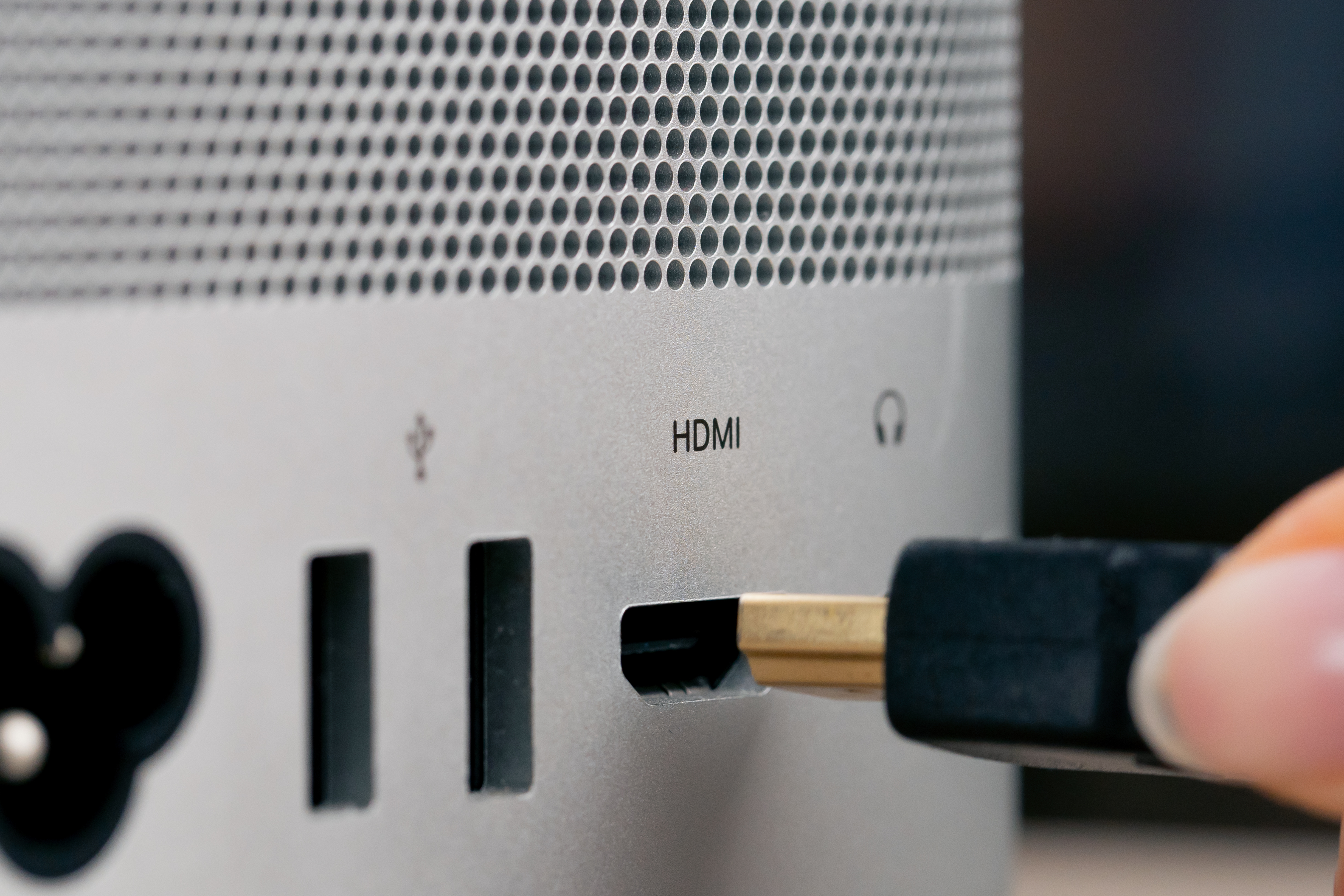
What Is an HDMI Cable and Why Does Size Actually Matter?
So here is the thing -- most people grab whatever HDMI cable is nearby and just plug it in. That works, until it does not. HDMI cables come in different connector sizes, and if you have ever tried to plug a standard HDMI cable into the back of a GoPro or an older tablet, you already know the frustration. The connector physically does not fit. HDMI cable size refers not just to the length of the cable itself, but more specifically to the type of connector on each end. There are three main connector sizes: Standard HDMI, Mini HDMI, and Micro HDMI. Each one was designed for a different class of device, and once you understand which is which, the whole thing clicks into place pretty fast. This guide walks you through all three, explains where each one shows up, and helps you choose the right fit without overcomplicating it.
Standard HDMI: The One You Probably Already Know
Standard HDMI is the largest of the three connector types and by far the most common. You will find it on televisions, computer monitors, Blu-ray players, gaming consoles, A/V receivers, and most desktop-class hardware. The connector is about 13.9mm wide, which gives it a solid physical footprint and a secure fit in most ports. It is the go-to format for home theater setups, conference room displays, and anywhere that has enough physical space to accommodate a larger plug. If someone just says "HDMI cable," this is what they mean ninety-nine percent of the time. Standard HDMI cables support the full range of HDMI specifications depending on the cable version -- from HDMI 1.4 all the way up to HDMI 2.1, which handles 8K at 60Hz and 4K at 120Hz with HDR passthrough. The connector size does not limit the data throughput; the cable spec and build quality do. So you can have a perfectly capable high-bandwidth cable with a standard connector. Most home and professional AV environments will never need anything other than this format, and that is not a limitation -- that is just how the standard was built.
Mini HDMI: The Middle Ground Most People Forget
Mini HDMI is smaller than standard and was introduced to serve compact devices that needed HDMI output without the bulk of a full-size port. It measures around 10.42mm wide and uses a Type C HDMI connector. You will run into mini HDMI ports on older DSLR cameras, some tablets, portable monitors, and select field production equipment. It is not as widely used today as it once was, largely because manufacturers have continued migrating toward Micro HDMI or USB-C with DisplayPort Alt Mode for even slimmer form factors. That said, mini HDMI is still out there and still relevant for specific devices. If you are connecting an older Canon or Nikon DSLR to a monitor for live view or video output, there is a solid chance you need a mini HDMI cable. The signal quality and supported specifications are the same as standard HDMI -- the only difference is the connector footprint. One practical note: always check both ends of the cable you need. Some cables are mini HDMI on one end and standard HDMI on the other, which is exactly the right configuration for connecting that camera to a TV or capture card.
Micro HDMI: Smallest Connector, Surprisingly Big Performance
Micro HDMI is the smallest of the three connector types, measuring approximately 6.36mm wide and using a Type D connector. Despite its compact size, it supports the full HDMI specification set, including 4K output when paired with the right cable version. Micro HDMI ports show up on smartphones, action cameras like GoPro models, Raspberry Pi boards, some ultrabooks, and handheld recording devices. It is the connector you need when physical space is genuinely at a premium. The trade-off is durability. Because the connector is so small, the contact points are more delicate than a standard or mini connector. Plugging and unplugging frequently can wear out the port over time, particularly on devices where the HDMI port was not designed for daily high-cycle use. For studio or field production environments where cables get swapped constantly, it is worth having a few spares on hand. A micro HDMI to standard HDMI cable is one of the most commonly needed adapter-style cables for content creators who shoot on compact devices and need to output to a monitor or capture card for review and streaming.
HDMI Cable Length: How Long Is Too Long?
Beyond connector type, physical cable length is its own consideration and one that directly affects signal integrity. HDMI does not use the same passive signal rules as analog cables. There is a point at which a passive HDMI cable simply cannot push a clean signal across the distance, especially at higher resolutions and refresh rates. Here is a general framework for thinking about length:
Standard passive HDMI cables work reliably up to about 25 feet for 1080p For 4K at 60Hz, staying under 10 to 15 feet is a safer target Beyond 25 feet, active HDMI cables with built-in signal boosting are the smarter choice Fiber optic HDMI cables can run 50 to 100 feet or more while maintaining full 4K or 8K signal qualityChoosing a cable that is too long does not just mean extra slack. It can mean dropped frames, signal dropouts, or no picture at all. And choosing one that is too short means you are wrestling with cable tension and potentially straining the ports on your equipment. Measure twice, buy once -- that advice applies here just as much as it does in carpentry.
HDMI Version vs. Connector Size: Two Different Conversations
A lot of buyers conflate HDMI connector size with HDMI version, and that creates unnecessary confusion. The connector size tells you the physical format: standard, mini, or micro. The HDMI version tells you about bandwidth, supported resolutions, and feature sets like ARC, eARC, Dynamic HDR, and Variable Refresh Rate. HDMI 2.1, for instance, can use a standard, mini, or micro connector depending on the device. The version is determined by the cable's internal construction and the hardware it is connecting, not by whether the plug is big or small. So when you are shopping, check both. Know which connector type fits your device, and then verify that the cable spec meets the resolution and feature requirements of your setup. These are parallel decisions, not the same decision.
Common Mistakes When Choosing HDMI Cable Size
Even experienced buyers make a few predictable errors when it comes to HDMI cable selection. The most common ones are worth naming directly so they are easy to avoid:
Assuming all HDMI ports are the same size without checking the device manual or port opening Buying a cable that is too short and then straining the connection under tension Purchasing a cable marketed as "High Speed" without verifying it supports the target resolution Overlooking the need for an adapter when one end of the connection is a different connector type Ignoring signal degradation risks on long passive cable runs in 4K or 8K environmentsNone of these are difficult problems to solve. They just require a few minutes of upfront research before adding something to a cart.
How to Find the Right HDMI Cable Size for Your Device
The fastest way to identify which connector type you need is to look at the HDMI port on the device itself. Standard ports are noticeably wider and have that familiar trapezoidal shape. Mini ports are visibly smaller, and micro ports are about the size of a micro USB port but with a slightly different shape. If you cannot tell by looking, check the manufacturer's product page or the device manual -- it will specify which HDMI type the port uses. From there, determine how far the cable needs to run and which HDMI specification version your source device and display both support. Match the connector type, confirm the length, and verify the spec. That is the full checklist, and it is shorter than most people expect.
Why Monoprice Is the Right Source for HDMI Cables of Every Size
When you know exactly what you need, the next step is finding it at a price that makes sense. Monoprice has built a well-earned reputation for delivering high-performance HDMI cables across every connector size and specification tier without the inflated pricing that follows well-known consumer brands. Whether you need a standard HDMI 2.1 cable for a 4K gaming monitor, a micro HDMI cable for a compact action camera rig, or an active fiber optic HDMI cable for a long conference room run, the catalog covers it. The quality is real -- not a compromise. For anyone building out a home theater, a content creation workspace, or a professional AV installation, shopping for high-quality HDMI cables at an honest price from a source that actually understands the technology is a straightforward decision. Monoprice products are built to spec, certified where applicable, and backed by support that does not require three escalations to reach someone useful. That is the kind of value that holds up over time, not just at the point of purchase.
Frequently Asked Questions About HDMI Cable Sizes
What are the three main HDMI cable connector sizes?
The three main HDMI connector types are Standard HDMI (Type A), Mini HDMI (Type C), and Micro HDMI (Type D). Each is designed for a different class of device based on available port space and form factor requirements.
How do I know which HDMI size my device uses?
Check the HDMI port directly on your device or consult the manufacturer's product specifications. Standard ports are the largest and most recognizable. Mini and Micro ports are progressively smaller and are common on cameras, tablets, and compact electronics.
Does HDMI connector size affect video quality or resolution?
No. The connector size does not determine resolution or bandwidth. Those factors are determined by the HDMI version and the internal cable construction. A micro HDMI cable can support 4K output if it is built to the appropriate HDMI specification.
What devices typically use Micro HDMI cables?
Micro HDMI ports are common on action cameras, smartphones, Raspberry Pi single-board computers, some ultrabooks, and compact field recording devices. It is the smallest of the three standard HDMI connector types.
What is the maximum recommended length for a passive HDMI cable at 4K?
For reliable 4K signal transmission at 60Hz, passive HDMI cables should generally be kept under 15 feet. Longer runs at 4K resolution benefit from active HDMI cables or fiber optic HDMI cables that maintain signal integrity across greater distances.
Can I use an adapter to convert between HDMI connector sizes?
Yes. Adapters and adapter cables are available to convert between Standard, Mini, and Micro HDMI connectors. For example, a Micro HDMI to Standard HDMI cable is commonly used to connect action cameras to monitors or capture cards.
What is the difference between HDMI version and HDMI connector size?
They are separate specifications. Connector size refers to the physical plug format -- Standard, Mini, or Micro. HDMI version refers to the cable's bandwidth, supported resolutions, and features like ARC, eARC, HDR, and Variable Refresh Rate. Both need to match your setup requirements.
Is Mini HDMI still commonly used in modern devices?
Mini HDMI is less common in newer consumer devices but is still found in certain DSLR cameras, older tablets, and some portable monitors. Its usage has declined as manufacturers have shifted toward Micro HDMI and USB-C with DisplayPort Alt Mode.
Do longer HDMI cables always cause signal loss?
Passive HDMI cables can experience signal degradation beyond certain lengths, particularly at higher resolutions. Active HDMI cables include built-in signal boosters to compensate, and fiber optic HDMI cables can reliably span very long distances without signal loss at full 4K or 8K quality.
What should I check before buying an HDMI cable?
Confirm the connector type required for your specific device, measure the cable run distance needed, and verify that the cable's HDMI version supports your target resolution and any required features such as HDR passthrough, ARC, or high refresh rate support.


