

HDMI 2.1: High-Performance, Future-Ready AV Connectivity
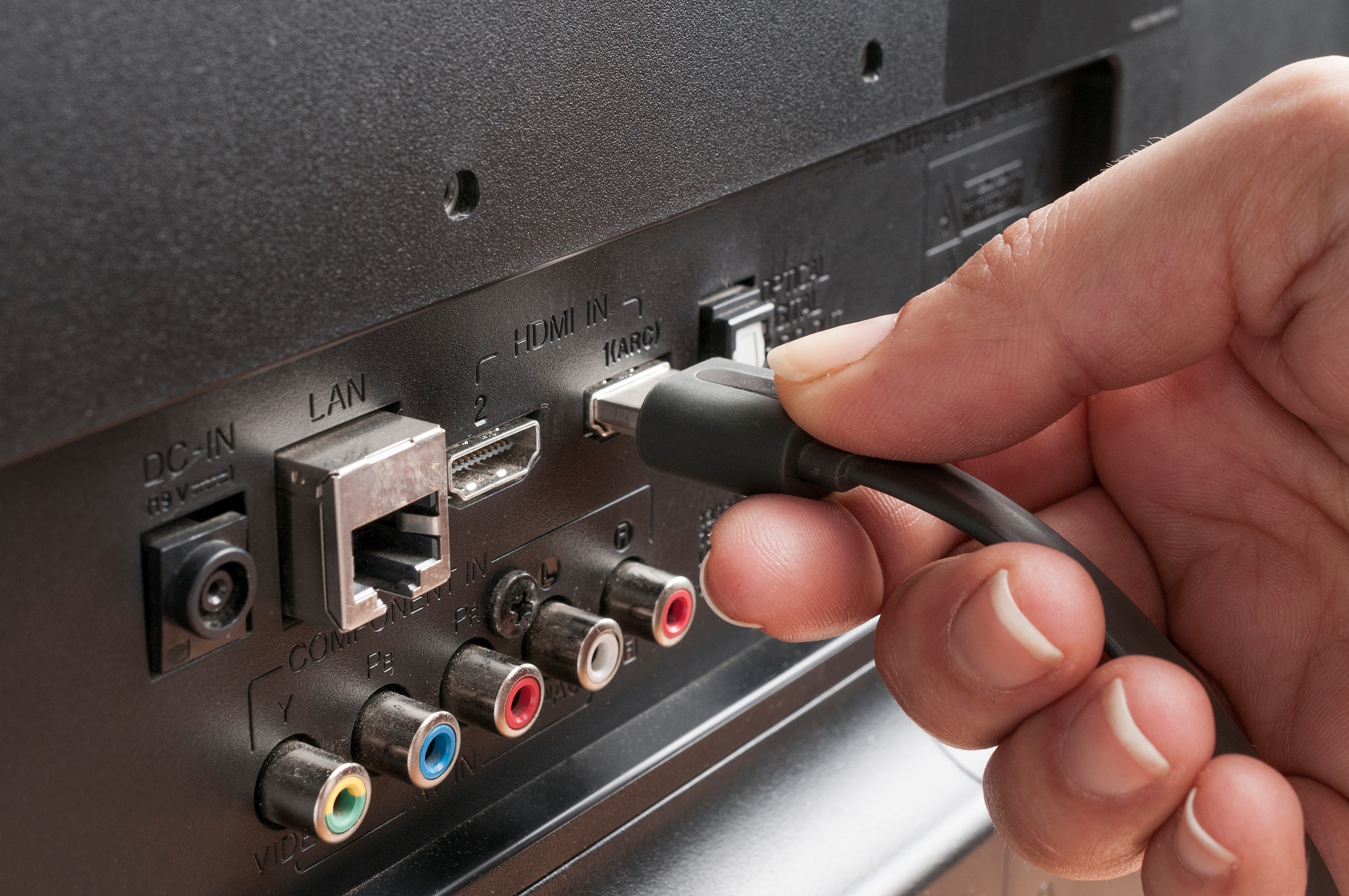
What Is HDMI 2.1 and Why Does It Matter for Your Setup?
If you have been shopping for a new TV, monitor, or gaming console recently, you have probably seen the term HDMI 2.1 mentioned more than a few times. It shows up on product pages, spec sheets, and tech forums constantly right now, and honestly, for good reason. HDMI 2.1 is the latest major revision of the High-Definition Multimedia Interface standard, and it is a significant step forward from where things were before. The standard was introduced by the HDMI Forum back in 2017, but it really started gaining traction once next-generation gaming consoles and high-end displays hit the market. At its core, HDMI 2.1 is about pushing more data, faster, so that your screen can display more detail, more smoothly, with less latency. That sounds like marketing speak, but the specs actually back it up. This is one of those connectivity upgrades that genuinely changes what is possible in a home theater or gaming environment.
How HDMI 2.1 Works: The Technical Foundation Explained Simply
Here is where things get a little technical, but stick with it because understanding the basics really does help when making purchasing decisions. HDMI 2.1 operates with a total bandwidth of up to 48 gigabits per second. To put that in context, HDMI 2.0, which was the previous standard, topped out at 18 gigabits per second. That is a massive increase, and it is that extra headroom that enables everything else HDMI 2.1 can do. The signal travels through what are called Fixed Rate Link channels, and HDMI 2.1 upgraded the protocol to support more efficient encoding, which means less overhead and more usable bandwidth for actual video and audio data. The interface also supports a feature called Display Stream Compression, or DSC, which is a visually lossless compression method that allows even higher resolutions and refresh rates to travel through the cable without sacrificing perceptible image quality. It works by compressing the data before transmission and then decompressing it at the display end, all in real time, with no noticeable delay or degradation to the viewer.
Resolution and Refresh Rate: What 8K and 4K at 120Hz Actually Mean
This is probably the part most people care about the most, so it deserves a clear explanation. HDMI 2.1 supports video output at 8K resolution and 60 frames per second, as well as 4K resolution at up to 120 frames per second. Those are the headline numbers. For context, 4K resolution means 3840 by 2160 pixels, and 8K doubles that in each direction, reaching 7680 by 4320 pixels. The difference in visual detail is substantial when viewed on a large enough screen. But resolution is only half the story. Refresh rate, measured in hertz, determines how many times per second the display updates the image. At 60Hz, you get 60 frames per second, which has been the standard for high-quality video for a long time. At 120Hz, you get twice as many frames, and the result is motion that looks dramatically smoother. This matters enormously for gaming, fast-paced sports content, and any high-action video. Combining 4K resolution with 120Hz refresh rate in a single HDMI connection is something that simply was not possible before HDMI 2.1.
Key Features That Set HDMI 2.1 Apart from Previous Standards
Beyond raw bandwidth and resolution support, HDMI 2.1 introduced several features that improve the overall viewing and gaming experience in very practical ways. These are worth knowing before you commit to any hardware purchase.
Variable Refresh Rate, or VRR, reduces screen tearing and stuttering in games by allowing the display refresh rate to dynamically match the frame rate output of the GPU or console Auto Low Latency Mode, known as ALLM, automatically switches the display to its lowest latency game mode when a game source is detected Enhanced Audio Return Channel, or eARC, supports higher quality audio formats including Dolby Atmos and DTS:X over a single HDMI cable without needing a separate optical connection Quick Frame Transport, or QFT, reduces latency further by speeding up the display pipeline Quick Media Switching, or QMS, eliminates the blank screen that often appears when switching between different frame rate content Dynamic HDR allows for metadata to be sent on a frame-by-frame or scene-by-scene basis, enabling more precise HDR tone mapping throughout playbackCommon Drawbacks and Limitations You Should Know About
No standard is perfect, and HDMI 2.1 has a few practical limitations worth knowing before you go and replace everything in your setup. First, not all devices marketed as supporting HDMI 2.1 actually implement the full specification. Some manufacturers have released devices with HDMI 2.1 ports that only support a subset of the features or a lower bandwidth ceiling. This created some confusion in the market, especially around 2020 and 2021. Always check the specific capabilities of the port on your device rather than assuming full compliance based on the version number alone. Second, the cables matter. To get full 48Gbps bandwidth, you need an Ultra High Speed HDMI cable that is certified for that bandwidth. Using an older cable can bottleneck performance even if the devices on both ends support HDMI 2.1. Third, to actually benefit from features like 4K at 120Hz or 8K at 60Hz, both the source device and the display must support those capabilities. If your TV is a 60Hz panel, a next-gen console with HDMI 2.1 output is not going to push 120 frames per second to it. The chain matters end to end.
Who Actually Needs HDMI 2.1 Right Now?
This is a fair question and worth thinking through honestly. If you own a PlayStation 5 or Xbox Series X, HDMI 2.1 is relevant to you today because those consoles are designed to output 4K at 120Hz on supported titles. PC gamers running high-end graphics cards from recent generations are in the same position. Home theater enthusiasts investing in 8K televisions or high-end 4K projectors with high refresh rate support will also benefit directly. That said, if your current setup is built around a 4K 60Hz display and you are primarily using it for streaming services and Blu-ray playback, the immediate real-world difference may not be dramatic. The value of HDMI 2.1 also lies in future-proofing. Content and hardware capabilities continue to evolve, and having HDMI 2.1 in your infrastructure means you are not going to have to upgrade your cables and connections again anytime soon. For integrators and AV professionals building systems for clients, specifying HDMI 2.1 from the outset is simply the responsible approach.
Practical Tips for Getting the Most Out of HDMI 2.1
Once you have decided to move forward with HDMI 2.1 in your setup, a few practical steps will help ensure you get the full benefit of the standard. First, verify your display settings. Many televisions require you to manually enable enhanced HDMI input modes in the settings menu before 4K 120Hz or VRR will work. On some Samsung TVs, this setting is labeled HDMI UHD Color, while on LG panels it may be listed under HDMI Ultra HD Deep Color. Second, use certified Ultra High Speed HDMI cables rather than generic unlabeled options. The certification program run by HDMI Licensing Administrator includes physical cable testing to verify that the cable can handle the full 48Gbps bandwidth. Third, for longer cable runs, consider active HDMI 2.1 cables, which include built-in signal boosters to maintain signal integrity over greater distances. Passive cables work well for shorter runs, typically under about three meters, but signal degradation can become an issue at longer lengths. Finally, keep firmware on your devices updated. Manufacturers have continued to push firmware improvements that enhance HDMI 2.1 feature support post-launch, and staying current can unlock functionality that was not available at initial release.
HDMI 2.1 vs. DisplayPort 2.1: What Is the Difference?
A fair number of people ask this when researching high-bandwidth connectivity, so it is worth addressing directly. DisplayPort 2.1 is a competing interface standard developed by VESA, and it is primarily found on PC monitors and graphics cards rather than televisions and consumer electronics. DisplayPort 2.1 actually supports higher maximum bandwidth than HDMI 2.1, reaching up to 80 gigabits per second in its highest configuration, making it technically capable of driving higher refresh rates at extreme resolutions. However, HDMI 2.1 is the dominant standard in the consumer television space, in AV receivers, and across home theater infrastructure. For most living room setups, HDMI 2.1 is the correct choice. For high-end PC gaming monitor setups, DisplayPort 2.1 may be worth considering if the monitor and graphics card support it. Many users end up using both interfaces at once, HDMI for the television and console, DisplayPort for the gaming monitor connected to a PC. They are complementary rather than competitive in most real-world configurations.
Why Monoprice Is the Smart Choice for HDMI 2.1 Cables and Connectivity
When it comes to sourcing reliable, certified HDMI 2.1 infrastructure, Monoprice has built a strong reputation as one of the most trusted names in the connectivity space. The brand has consistently delivered high-performance cables and AV accessories at prices that make sense whether you are outfitting a single living room or speccing out an entire commercial installation. Monoprice Ultra High Speed HDMI cables are tested and certified to handle the full 48Gbps bandwidth that HDMI 2.1 demands, which means you are not left guessing whether your cable is actually capable of delivering the performance your system requires. Integrators and AV professionals who need dependable, scalable cable inventory have long turned to Monoprice for exactly this reason. If you are building or upgrading your home theater, gaming setup, or professional AV environment and want cables you can trust to perform without paying a steep price tag for the brand name on the packaging, Monoprice certified HDMI 2.1 cables and high-performance AV connectivity solutions represent one of the most practical and value-driven decisions you can make for your setup. Quality should not cost more than it has to.
Frequently Asked Questions About HDMI 2.1
What is the maximum resolution supported by HDMI 2.1?
HDMI 2.1 supports resolutions up to 10K, though 8K at 60Hz and 4K at 120Hz are the most relevant and commonly used configurations in current consumer hardware and display technology.
Do I need a special cable to use HDMI 2.1 features?
Yes. You need an Ultra High Speed HDMI cable rated for 48Gbps to take full advantage of HDMI 2.1 bandwidth. Standard High Speed or Premium High Speed cables will not support the full specification.
Is HDMI 2.1 backward compatible with older devices?
Yes. HDMI 2.1 ports are fully backward compatible with older HDMI versions. You can plug an older device into an HDMI 2.1 port and it will function correctly, operating at the capabilities of the older standard.
Does HDMI 2.1 support HDR?
Yes. HDMI 2.1 supports multiple HDR formats including HDR10, HDR10+, HLG, and Dolby Vision, as well as Dynamic HDR, which delivers frame-by-frame or scene-by-scene HDR metadata for more precise tone mapping.
What is Variable Refresh Rate and why does it matter for gaming?
Variable Refresh Rate, or VRR, allows the display refresh rate to synchronize dynamically with the frame rate output of the gaming source. This eliminates screen tearing and reduces stuttering, producing a smoother and more responsive gaming experience.
Can my existing TV use HDMI 2.1 if I buy a new cable?
The cable alone does not upgrade your television. Both the source device and the display must have HDMI 2.1 ports and support the relevant features. A new cable cannot add HDMI 2.1 capabilities to a TV that does not already have them built in.
What devices currently support HDMI 2.1?
Current devices with HDMI 2.1 support include the PlayStation 5, Xbox Series X, recent high-end NVIDIA and AMD graphics cards, and a growing number of 4K and 8K televisions from major manufacturers including LG, Samsung, and Sony.
How long can an HDMI 2.1 cable be without losing signal quality?
Passive HDMI 2.1 cables are generally reliable up to around two to three meters. For longer runs, active HDMI 2.1 cables with built-in signal amplification are recommended to maintain full bandwidth and signal integrity.
What is eARC and how is it different from ARC?
Enhanced Audio Return Channel, or eARC, is an improvement over the original ARC feature that allows high-quality audio formats including Dolby Atmos and DTS:X to travel from the TV back to a soundbar or AV receiver over a single HDMI cable. Standard ARC was limited to compressed audio formats.
Is HDMI 2.1 worth upgrading to if I only watch streaming content?
For pure streaming use at 4K 60Hz, the immediate benefit may be modest. However, if your streaming device or smart TV supports 4K 120Hz output, VRR, or ALLM, and your display supports those features, HDMI 2.1 becomes relevant even for non-gaming use cases, and future-proofing alone makes it a sensible choice.


