Free TV Antennas: Get Local HD Channels at No Cost
What Is a TV Antenna and Why Does It Still Matter in 2025?
So here's the thing -- a lot of people assume antennas are old technology. Like, ancient history. But that could not be further from the truth. A TV antenna is a device that picks up over-the-air broadcast signals transmitted by local television stations, and it delivers them directly to your TV without any subscription fee, cable box, or streaming contract. That alone should get your attention. With the shift to digital broadcasting that completed back in 2009, modern antennas now receive crystal-clear HD and even 4K content for free. Channels like ABC, NBC, CBS, FOX, PBS, and dozens of local networks are all sitting right there in the airwaves. You just need the right hardware to capture them.
How Does a TV Antenna Actually Work?
At a fundamental level, an antenna is a conductor -- usually made of metal elements -- that intercepts electromagnetic waves traveling through the air and converts them into electrical signals your TV or tuner can process. Broadcast towers transmit RF signals across specific frequency bands. In the United States, that means VHF channels in the 54 to 216 MHz range and UHF channels in the 470 to 700 MHz range. Your antenna catches those waves, sends the signal through a coaxial cable into your TV's built-in tuner, and the tuner decodes it into a picture. It's genuinely elegant engineering that has been refined for decades. A good antenna does not amplify noise or introduce compression -- it pulls in a clean, uncompressed signal straight from the source. No middle-men, no servers, no buffering.
Indoor vs. Outdoor Antennas: What Is the Difference?
This is where most people start second-guessing themselves, and honestly that makes sense because the options can feel overwhelming. Indoor antennas are compact, easy to install, and work well if you live within roughly 30 to 50 miles of broadcast towers in a relatively open area. They sit on or near your TV and connect directly. Outdoor antennas are mounted on a rooftop or exterior wall and are built for longer ranges, sometimes exceeding 100 miles, and they handle terrain obstacles and building interference far better. Here is a quick breakdown to help frame the decision:
- Indoor antennas are best for urban and suburban environments close to towers
- Outdoor antennas are better suited for rural areas or homes with significant obstructions
- Amplified antennas boost weak signals but can over-amplify in dense signal areas
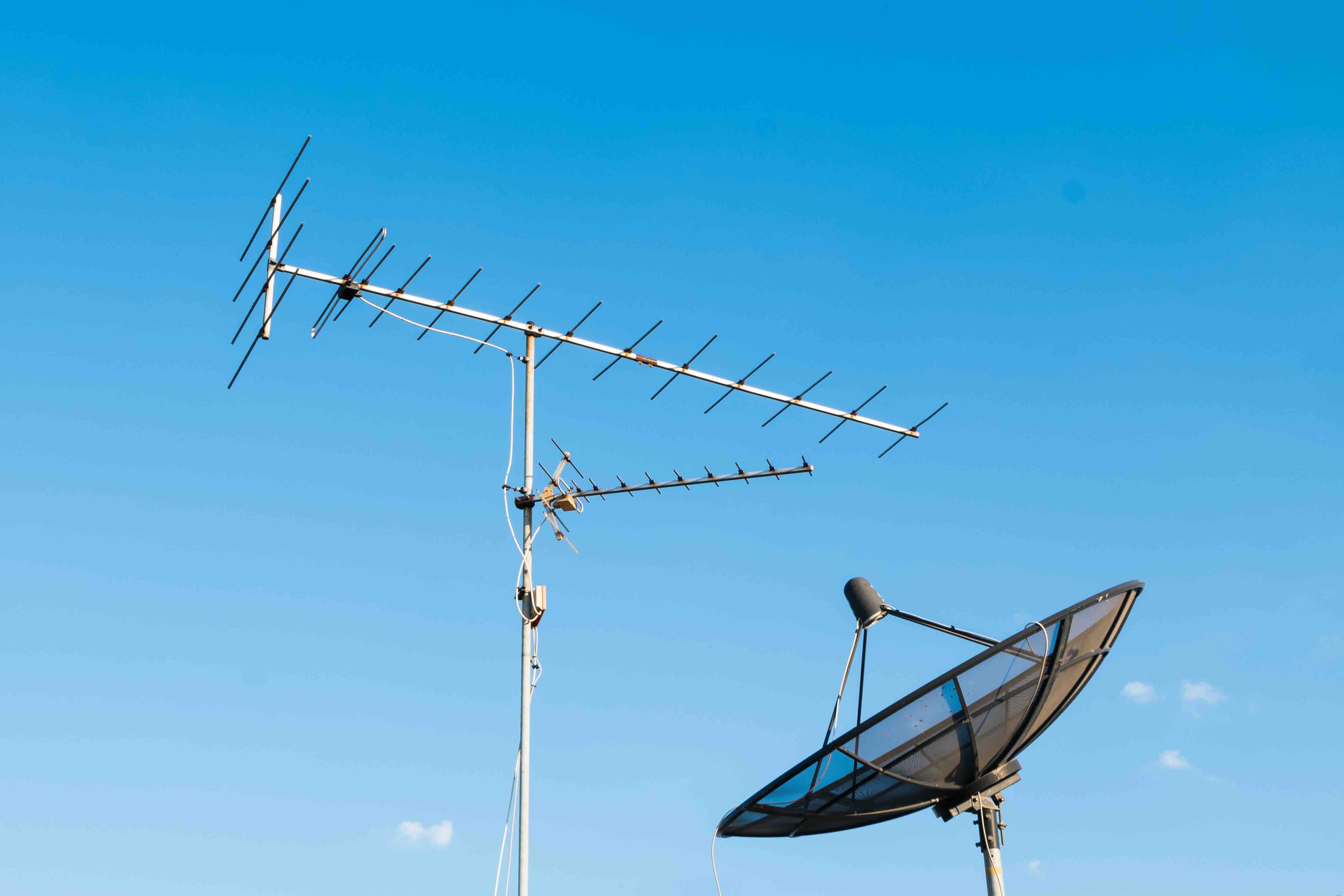
- Directional antennas focus on one signal direction for maximum range
- Multi-directional antennas capture signals from multiple broadcast locations
Key Advantages of Using a TV Antenna
Let's be direct: the biggest advantage is cost. Once you purchase an antenna -- and quality options exist at very reasonable price points -- your ongoing cost is zero. You are not paying a monthly fee to receive local broadcasts. That is a meaningful financial difference over time. Beyond cost, the signal quality from over-the-air broadcasts is actually superior to what most cable and satellite providers deliver. Cable companies compress video signals to fit more content through their infrastructure. An over-the-air signal from a digital broadcast tower arrives uncompressed, which means sharper picture quality and cleaner audio in many cases. Antennas also work during internet outages, which streaming cannot claim. If your router goes down during a storm, your antenna still works.
Common Drawbacks to Consider Before Buying
No technology is without its limitations and an antenna is no exception. Range is the first factor to evaluate. If you live more than 70 miles from broadcast towers or in a valley surrounded by hills, even a well-built outdoor antenna may struggle to pull consistent signals. Building materials matter too -- thick concrete walls, metal framing, and certain insulation types all degrade signal penetration for indoor units. Channel availability is another real concern. Cord-cutters sometimes expect antennas to replace cable entirely, but antennas only deliver local and network broadcast channels. Specialty cable networks and premium channels are simply not accessible this way. Weather can also temporarily affect signal quality, though this is typically minor with a properly installed outdoor unit. These are not reasons to avoid antennas -- they're just honest factors that affect which type and placement will work best for your specific setup.
How to Choose the Right TV Antenna for Your Home
Start by identifying how far you are from your nearest broadcast towers. There are free online tools, including the FCC's DTV reception maps, that show you exactly where towers are located relative to your address. Once you know your distance, match it against the rated range of the antenna you are considering. Always account for physical obstructions and choose a range rating slightly higher than your measured distance to build in a margin. If you are within 30 miles and in an open area, a flat indoor antenna typically performs well. If you are further out or in a challenging location, move toward an amplified outdoor unit. Coaxial cable quality matters too -- using a good shielded cable from your antenna to your television will protect signal integrity across the run.
Installation Tips for Getting the Best Signal Reception
Placement makes an enormous practical difference. For indoor antennas, position the unit as high as possible and near a window facing the direction of your broadcast towers. Avoid placing it near large metal objects, microwaves, or other electronics that can cause interference. For outdoor antennas, mounting height is critical -- higher placement clears obstructions and dramatically improves line-of-sight to towers. Grounding an outdoor antenna is not optional; it protects your home and equipment from lightning-induced surges. Run your coaxial cable as directly as possible to minimize signal loss over length. If you have a long cable run or are splitting the signal to multiple TVs, an amplifier or signal splitter with a built-in preamp can compensate for loss. After installation, always run a full channel scan on your TV to pick up everything available in your area.
Pairing Your Antenna with a DVR or Streaming Device
One thing that genuinely improves the over-the-air experience is adding a digital video recorder to the setup. A DVR connects between your antenna and TV and lets you pause, rewind, and record live broadcast content. Several brands offer DVR solutions designed specifically for antenna use, some with guide data built in so you can schedule recordings like a traditional cable box. Pairing an antenna with a smart TV or a streaming stick also makes practical sense -- you get free local channels from the antenna and access to streaming apps in one unified viewing experience. The combination of live broadcast television and on-demand streaming essentially covers the full spectrum of content most households actually watch, without paying for a traditional cable package.
Why Monoprice Is a Smart Choice for Your Antenna and Home AV Setup
When it comes to building out your home entertainment system around an over-the-air setup, the supporting hardware matters just as much as the antenna itself. Coaxial cables, signal splitters, wall mounts, cable management -- all of it adds up, and sourcing it from a reliable provider makes the whole process cleaner and more cost-effective. Monoprice has built a well-earned reputation as a go-to resource for high-performance home AV and connectivity hardware at pricing that does not require compromise. Whether you are running coaxial cable through walls, mounting a display, or routing signals through a distribution amplifier, you will find professional-grade components built to last. Explore the full range of home AV cables, mounts, and signal distribution accessories at Monoprice to complete your antenna setup with the quality hardware it deserves. From shielded coaxial cables to full-motion wall mounts and everything in between, Monoprice delivers the kind of practical, value-driven solutions that both first-time cord-cutters and experienced AV integrators rely on.
Frequently Asked Questions About TV Antennas
What channels can I receive with a TV antenna?
You can receive any local broadcast channels available in your area, including major networks like ABC, NBC, CBS, FOX, PBS, and independent local stations. Channel availability depends on your geographic location and proximity to broadcast towers.
Do I need an amplified antenna?
Not always. Amplified antennas help when you are located far from towers or experiencing weak signal reception. However, if you are close to towers, an amplifier can sometimes over-amplify the signal and actually degrade picture quality. Start unamplified if you are within 30 miles.
Can I use one antenna for multiple TVs?
Yes. A coaxial signal splitter distributes the antenna signal to multiple televisions. Keep in mind that splitting a signal reduces its strength, so a distribution amplifier may be necessary for more than two televisions or longer cable runs.
Will a TV antenna work in an apartment?
In most cases, yes. A flat indoor antenna placed near a window facing broadcast towers works well in urban and suburban apartments. Upper-floor units with fewer obstructions typically get better results than ground-level units.
How far can a TV antenna receive signals?
Indoor antennas typically have effective ranges of 25 to 50 miles. Outdoor antennas can reach 70 to 150 miles or more depending on design, height, and terrain. Always check your actual distance to towers before selecting a range-rated antenna.
Is over-the-air TV signal quality better than cable?
In many cases, yes. Over-the-air digital signals are uncompressed, which means the picture and audio data arrive at full quality. Cable and satellite providers compress their signals to manage bandwidth, which can reduce picture sharpness.
Does weather affect TV antenna reception?
Mild weather generally has little effect on well-installed antennas. Severe storms can temporarily disrupt signal, particularly for longer-range outdoor setups. Proper mounting and grounding minimize weather-related issues significantly.
What is the difference between a directional and multidirectional antenna?
A directional antenna focuses reception in one specific direction for maximum range and signal strength. A multidirectional antenna picks up signals from multiple directions simultaneously, which is more flexible but may sacrifice some range compared to a highly focused directional unit.
Can I record over-the-air TV shows with an antenna?
Yes. A digital video recorder designed for over-the-air use connects between your antenna and TV and allows you to record, pause, and rewind live broadcast content. Some DVR units also include programming guides for easier scheduling.
Do smart TVs need a separate tuner to use an antenna?
Most modern smart televisions include a built-in ATSC tuner, which means you can connect an antenna directly to the coaxial input on the TV and receive over-the-air channels without any additional hardware. Always verify your TV's specifications to confirm tuner compatibility.