

Ethernet Patch Cable Wiring: T568B, Shielding, and CAT6 Guide
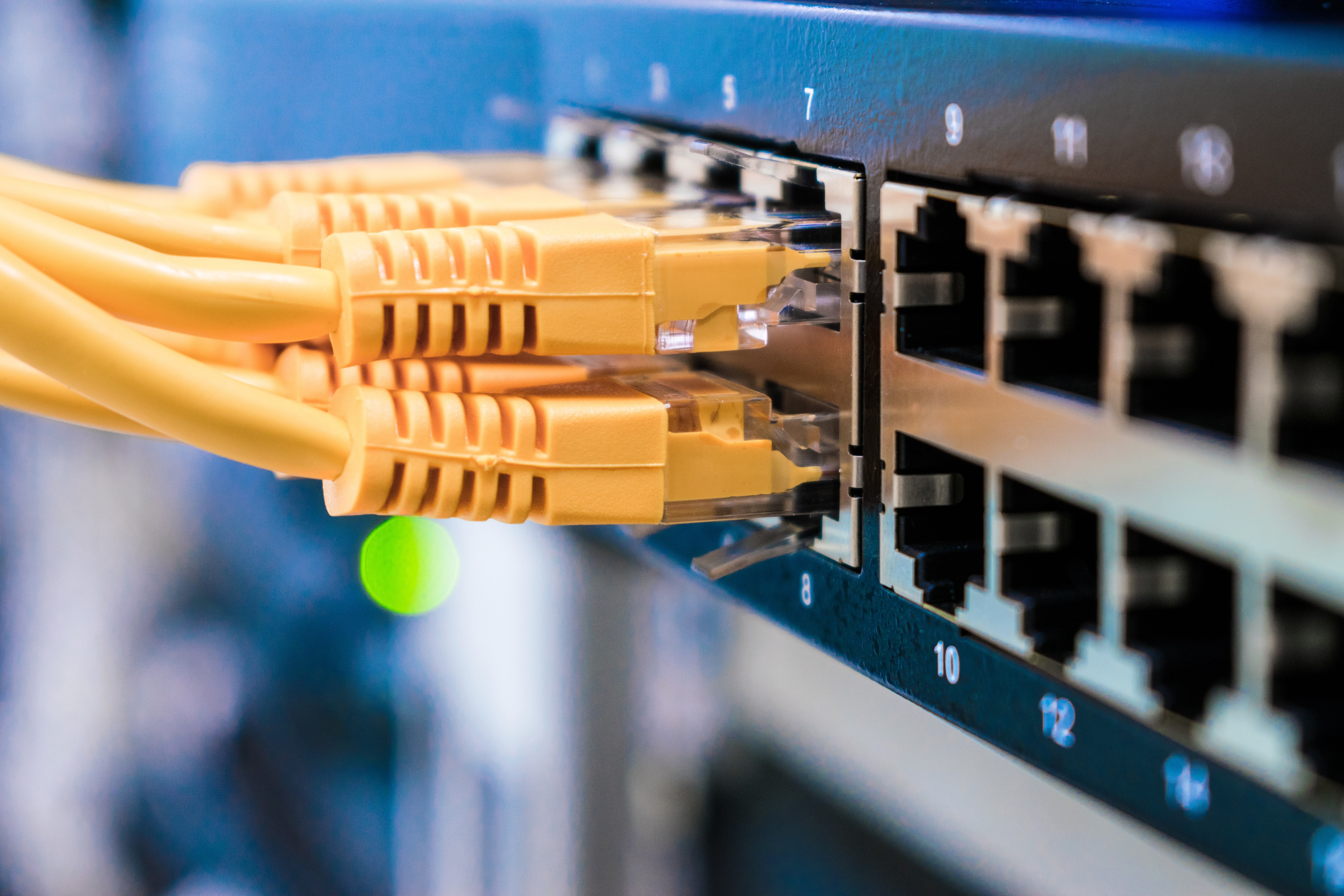
What Is an Ethernet Patch Cable and Why Does Wiring Standard Matter
If you have ever set up a home network or helped wire an office, you have probably grabbed an Ethernet patch cable without thinking too much about what is inside it. That is actually pretty common. Most people just want connectivity, and they want it to work. But here is the thing -- not all patch cables are wired the same way, and the standard used to terminate those cables can affect performance, compatibility, and how cleanly your installation holds up over time. T568B is the wiring standard most commonly used in North America, and understanding it, along with shielding options and CAT6 specifications, gives you a real edge when building or upgrading a network. Whether you are installing a single run or planning a full structured cabling project, this stuff genuinely matters.
T568B Wiring Explained: The Standard That Runs Most Networks
T568B is a TIA/EIA wiring standard that defines the pin-out configuration for eight-conductor modular plugs and jacks. In plain terms, it determines the order in which colored wire pairs are inserted into an RJ45 connector. The T568B sequence, from pin one to pin eight, goes: white-orange, orange, white-green, blue, white-blue, green, white-brown, brown. That order is standardized, and it matters because both ends of a patch cable need to match for it to function as a straight-through cable. T568A is the other standard, and it just swaps the orange and green pairs. Neither is inherently better in terms of electrical performance -- T568B is just more widely adopted in commercial and residential installations in the United States. The main takeaway is consistency. Pick one standard and stick with it across your entire installation. Mixing them without intention is how you end up with a crossover cable when you needed a patch cable, and troubleshooting that is not a fun afternoon.
Shielded vs Unshielded Cables: When Protection Actually Pays Off
This is where things get a little more nuanced. Ethernet cables come in two broad categories: unshielded twisted pair, known as UTP, and shielded twisted pair, which breaks down further into subcategories like STP, FTP, and SFTP depending on how the shielding is applied. Unshielded cables work perfectly well in most home and small office environments where electromagnetic interference is not a significant concern. But in industrial settings, near heavy electrical equipment, in conduit runs alongside power lines, or in environments with dense wireless activity, shielded cables can dramatically reduce signal degradation and crosstalk. The shielding -- typically a foil layer around individual pairs, the entire cable, or both -- gives interference somewhere to go rather than into your data signal. Worth noting: shielded cables require proper grounding to actually work as intended. An improperly grounded shielded cable can actually perform worse than a quality UTP cable. So if you are going shielded, make sure your patch panels, keystones, and termination hardware support it, and that your grounding path is solid throughout.
Understanding CAT6 Standards and What They Actually Deliver
CAT6 is currently one of the most practical cable categories for modern installations. It supports speeds up to 10 Gbps at distances up to 55 meters, and up to 1 Gbps over the full 100-meter segment length. Compared to CAT5e, which tops out at 1 Gbps under ideal conditions, CAT6 offers more headroom, tighter twist ratios, and often includes a internal separator or spline that reduces crosstalk between the four wire pairs. CAT6A extends those capabilities -- supporting 10 Gbps at the full 100-meter distance -- but it comes with larger diameter cables, stricter bend radius requirements, and higher cost. For most homes and small businesses, CAT6 hits the right balance of performance, price, and ease of installation. If you are future-proofing a larger facility or running cables through walls that you absolutely do not want to open again, CAT6A starts making more sense. The decision really comes down to what speeds you need now and what you reasonably expect to need within the next five to ten years.
How to Build a Proper Ethernet Patch Cable Step by Step
Building your own patch cables is a practical skill that saves money and gives you exact lengths tailored to your setup. Here is a straightforward process for terminating a CAT6 patch cable using T568B:
- Cut the cable to the length you need, adding a few extra inches for working room
- Strip back about one inch of the outer jacket using a cable stripper, being careful not to nick the conductors
- Untwist the pairs and straighten the individual conductors
- Arrange them in T568B order: white-orange, orange, white-green, blue, white-blue, green, white-brown, brown
- Trim the conductors to approximately half an inch, keeping them flat and even
- Insert them firmly into an RJ45 connector, ensuring each conductor reaches the front of the plug
- Crimp the connector using an RJ45 crimping tool
- Repeat the process on the opposite end with the same T568B sequence
- Test the cable with a cable tester to verify continuity and correct pin mapping
Common Wiring Mistakes and How to Avoid Them
Even experienced installers make mistakes when terminating patch cables, and most of them are avoidable with a little attention. One of the most frequent errors is untwisting wire pairs too far before termination -- CAT6 specifications generally recommend keeping the untwisted portion to half an inch or less to maintain crosstalk performance. Another common issue is not seating conductors fully into the RJ45 plug before crimping, which results in inconsistent contact. With shielded cables, forgetting to maintain the drain wire connection during termination is a significant oversight that defeats the purpose of the shielding entirely. And then there is the mix-up between T568A and T568B on opposite ends -- which creates a crossover cable. That configuration was used for direct device-to-device connections before auto-MDI/MDIX became standard on modern switches and NICs, but it is still worth labeling correctly to avoid confusion later. Always test every cable you build before it goes into service. A basic continuity tester is inexpensive and saves a lot of diagnostic headaches.
Key Advantages of Getting Your Patch Cable Wiring Right
- Consistent T568B termination ensures full compatibility with standard network hardware
- Properly shielded cables reduce interference in electrically noisy environments
- CAT6 construction supports 10 Gbps speeds for short runs, giving your infrastructure room to grow
- Custom-length patch cables reduce cable clutter and improve airflow in rack environments
- Correct wiring reduces troubleshooting time during installation and after the fact
- Quality terminations maintain signal integrity across the full rated distance of the cable
Potential Drawbacks Worth Knowing Before You Start
Patch cable wiring is not complicated, but there are trade-offs depending on the approach you take. Building cables by hand requires an upfront investment in tools -- a decent crimper, stripper, and cable tester. If you are only making a handful of cables, buying pre-made patch cables from a reliable source is often more cost-effective. CAT6 cables are stiffer than CAT5e, and CAT6A even more so, which can make routing through tight conduit more demanding. Shielded cables add cost, bulk, and require careful grounding discipline -- skipping that step creates more problems than it solves. And if you are working in a large structured cabling deployment, the labor cost of field termination adds up quickly. In those cases, pre-terminated assemblies or bulk cable with keystone terminations at wall outlets can be a cleaner and faster approach depending on your layout.
Why Monoprice Is the Right Source for Your Ethernet Patch Cable Needs
Getting the wiring standard right is half the equation -- the other half is starting with quality materials. Monoprice has built a well-earned reputation for delivering high-performance networking products at pricing that makes sense for both individual builders and large-scale deployments. Whether you are sourcing bulk CAT6 cable by the foot, picking up pre-terminated shielded patch cables for a rack installation, or stocking up on RJ45 connectors and keystones, Monoprice consistently delivers the performance specifications without inflated markups. Every product is designed to meet or exceed TIA/EIA standards, which means when you build to T568B using Monoprice materials, you are working with components that hold up under real-world conditions. For anyone serious about building faster, cleaner network infrastructure without overcomplicating the process or overspending the budget, shopping for CAT6 Ethernet patch cables and shielded networking solutions at Monoprice is a straightforward decision that delivers consistent results from the first cable to the last.
Frequently Asked Questions
What is the difference between T568A and T568B wiring?
T568A and T568B are both TIA/EIA wiring standards for RJ45 connectors. The only difference is the position of the orange and green wire pairs. T568B is more commonly used in North American commercial and residential installations. Using the same standard on both ends of a cable produces a straight-through patch cable used for most network connections.
Can I mix T568A and T568B in the same network installation?
You should avoid mixing them within the same run. If one end of a cable is T568A and the other is T568B, you create a crossover cable, not a standard patch cable. Within a broader installation, both standards can coexist as long as each individual cable is terminated consistently on both ends and labeled clearly.
Do I need shielded Ethernet cables for a home network?
In most home environments, unshielded CAT6 cables perform reliably without interference issues. Shielded cables are more appropriate in environments with significant electromagnetic interference, such as near industrial equipment, HVAC systems, or dense electrical conduit runs. Residential installs rarely require shielding unless there are specific interference concerns.
What speeds does CAT6 cable support?
CAT6 supports speeds up to 10 Gbps at distances up to 55 meters and up to 1 Gbps at the full 100-meter segment length. For most home and small business applications, CAT6 provides ample bandwidth headroom and is a reliable choice for future-proofing compared to CAT5e.
How is CAT6 different from CAT6A?
CAT6A supports 10 Gbps over the full 100-meter distance, compared to CAT6 which supports 10 Gbps only up to 55 meters. CAT6A cables are physically larger, heavier, and more expensive. They are better suited for enterprise environments or installations where 10 Gbps performance over longer runs is required.
Does shielded cable require special connectors and tools?
Yes. Shielded cables require shielded RJ45 connectors and compatible shielded patch panels or keystones to maintain the integrity of the shielding. The shield must also be properly grounded throughout the installation. Using unshielded connectors with shielded cable eliminates the benefit of the shielding entirely.
How long should an Ethernet patch cable be?
Patch cable length depends entirely on your setup. For rack environments, short cables between one and three feet reduce clutter. For workstation connections, lengths between five and fifteen feet are common. The maximum segment length for any standard Ethernet run, including patch cables and permanent wiring, is 100 meters under TIA/EIA specifications.
Is it worth making your own patch cables or should you buy pre-made?
Making your own cables is cost-effective for large deployments where custom lengths reduce waste and clutter. For small installs with only a few connections, buying quality pre-terminated patch cables is often faster and more economical when factoring in the tool investment required for field termination.
What tools do I need to make an Ethernet patch cable?
You need a cable jacket stripper, an RJ45 crimping tool compatible with CAT6 connectors, RJ45 pass-through or standard connectors, and a cable tester to verify continuity and pin mapping after termination. For shielded cables, ensure all tooling and connectors are rated for shielded applications.
How do I know if my Ethernet patch cable is wired correctly?
Use a cable tester after termination. A basic continuity tester will show whether each of the eight conductors maps correctly from pin to pin on both ends. More advanced testers can also check for wiremap errors, split pairs, and signal performance characteristics that affect real-world throughput.


