

Essential Guide: What SATA Cables Do in Modern PCs & Servers
What SATA Cables Actually Do and Why They Still Matter
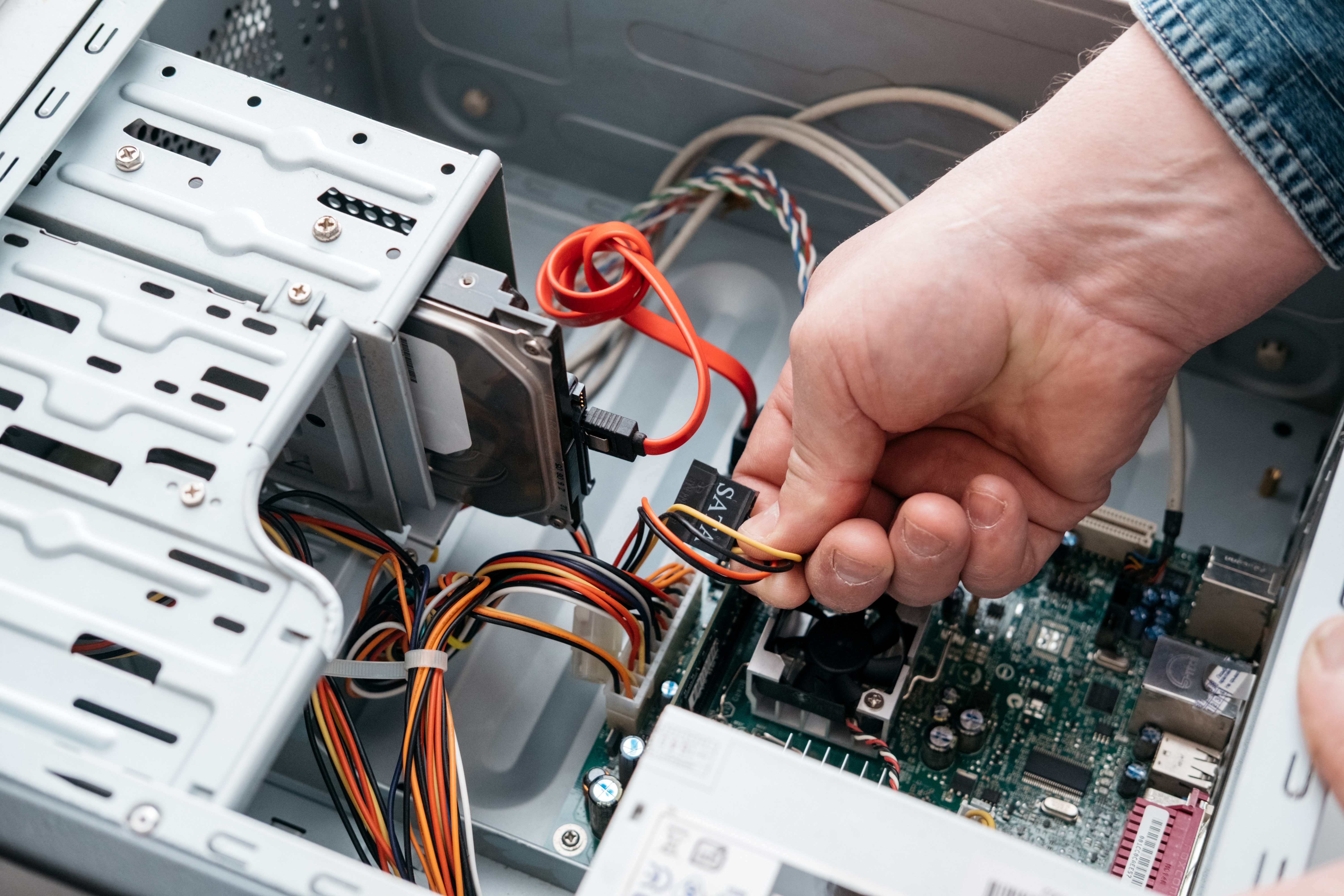
So you've cracked open a PC or server chassis and suddenly there's this mess of thin, flat cables connecting drives to the motherboard. Those are SATA cables. Serial ATA -- or SATA -- cables are the data conduits responsible for moving information between your storage devices and your system's motherboard. Hard drives, solid-state drives, optical drives -- they all rely on SATA connections to communicate with the rest of the system. It's one of those fundamental components that doesn't get enough attention until something breaks or you're building from scratch and realize you need three more cables than you budgeted for. Let's actually break down what these cables do, how they work, and why picking the right one still makes a difference in 2024 and beyond.
The Basics: What Is a SATA Cable and How Does It Work
A SATA cable is a thin, 7-pin data cable designed to transmit data serially -- meaning one bit at a time in a sequential stream -- between a storage device and a motherboard or host controller. This replaced the older PATA (Parallel ATA) standard, which used wide ribbon cables with 40 or 80 pins and was, frankly, a cable management nightmare. SATA streamlined everything: narrower profile, lower voltage requirements, faster throughput, and hot-swap support in the right configurations. Each SATA cable handles one device per connection, which gives you cleaner airflow inside a case and makes troubleshooting way more straightforward. The connector clicks into a keyed L-shaped port on both ends -- one side to the drive, one to the motherboard -- so there's no real mystery about orientation.
SATA Generations: I, II, and III and What the Speeds Actually Mean
There are three main SATA generations, and each one doubled the theoretical bandwidth of its predecessor. SATA I runs at 1.5 Gb/s, SATA II at 3 Gb/s, and SATA III at 6 Gb/s. The overwhelming majority of systems built in the last decade or so use SATA III. Now, real-world throughput is lower than those headline numbers because of encoding overhead, but for a standard spinning hard disk drive, even SATA II is rarely the bottleneck -- mechanical drives cap out well below the interface's ceiling. For SSDs, SATA III becomes more relevant because a solid-state drive can actually approach those limits. That said, SATA cables are backward and forward compatible across generations, so a SATA III cable works in a SATA I port without any physical issue. Performance will be limited by the slowest component in the chain, but connectivity itself is not an issue.
SATA Data Cables vs. SATA Power Cables: Not the Same Thing
This trips up a lot of people. The 7-pin thin cable is the data cable -- it only handles data transmission. A SATA drive also needs a separate power connector, which is a wider 15-pin connector that comes from the power supply unit. Both are required for a drive to function. Some folks assume one cable does it all. It doesn't. When you're building a system or upgrading storage, make sure you have both a data cable running to the motherboard and a power cable running from the PSU. If you're working in a server rack or a dense storage array, keeping those connections clean, labeled, and routed properly becomes genuinely important for maintenance efficiency and airflow management.
Straight vs. Right-Angle Connectors: Why Cable Shape Matters
SATA cables come with different connector configurations on each end. You can get straight-to-straight, straight-to-right-angle, or right-angle-to-right-angle. This isn't just cosmetic. In tight enclosures -- compact ITX builds, dense server chassis, mid-towers with restricted drive bays -- a right-angle connector can mean the difference between a cable sitting clean against the drive and one that's bending awkwardly or blocking airflow. Right-angle connectors route the cable parallel to the drive surface rather than extending outward, which works well when clearance is limited. If you're in an open build with plenty of room, straight connectors are fine. For anything cramped or server-grade, right-angle options are generally smarter.
Key Advantages of SATA Connections in Modern Storage
SATA has held its ground as a reliable, cost-effective storage interface for good reason. Here is what it continues to deliver well in modern builds and deployments:
Wide device compatibility across virtually all consumer and enterprise HDDs and SSDs Hot-swap capability in supported server environments allows drive replacement without powering down Simple, standardized connectors reduce installation errors Cost-effective pricing for both cables and SATA-based drives Adequate bandwidth for mechanical drives and mid-range SSDs Straightforward troubleshooting due to one device per cable topologyThese aren't small things. In environments where uptime and budget both matter -- and they almost always both matter -- SATA's maturity as a standard is a genuine operational advantage. Systems administrators dealing with dozens or hundreds of drives across racks will appreciate the uniformity.
Common Drawbacks and Limitations Worth Knowing
SATA is not without its constraints, and it's worth being direct about them. The 6 Gb/s ceiling of SATA III is a real limitation when working with high-performance NVMe SSDs, which use the PCIe interface instead and can achieve multiples of SATA's top speed. If you're building a workstation or server that depends on fast sequential read and write performance for video editing, database operations, or intensive I/O workloads, SATA SSDs will feel like a bottleneck compared to NVMe alternatives. The cables themselves also have a relatively fragile locking mechanism -- the retention clip on SATA connectors is thin and can break if the cable is yanked or removed carelessly. In high-density deployments where cables get managed frequently, this is a real-world maintenance consideration. Locking SATA cables, which feature a more secure retention clip, are available and worth using in server or rack environments.
Practical Tips for Managing SATA Cables in a Real Build
Cable management with SATA connections can either look clean or chaotic depending on a few straightforward choices. Plan cable routing before securing drives. Use cables of appropriate length -- oversized cables bunch up and restrict airflow, which matters in any thermally managed enclosure. Label cables in multi-drive arrays so you're not guessing during maintenance. In servers, use locking SATA connectors wherever possible. Keep data and power cables routed separately where the chassis allows. And always check that the connector is fully seated -- a partially connected SATA cable is one of the most common causes of drives not appearing in the BIOS. These are small habits, but they save time during diagnostics and keep systems running cleanly.
SATA in Server Environments: Still Relevant at Scale
Enterprise and SMB server deployments have not abandoned SATA. Particularly for bulk storage, backup arrays, NAS configurations, and applications where capacity matters more than peak I/O speed, SATA drives remain cost-effective and operationally practical. SATA HDDs in high-capacity configurations continue to offer better cost-per-gigabyte than NVMe solutions by a significant margin. In mixed-workload environments, it's common to see NVMe drives handling the primary OS and application load while SATA drives handle backup, archival, or tiered storage. Understanding what SATA cables do -- and how to manage them properly -- is still a core competency for anyone building, maintaining, or speccing out infrastructure.
Why Monoprice Is the Smart Source for SATA Cables and Storage Connectivity
When it comes to SATA cables, the temptation is to grab whatever is cheapest and call it done. But connector quality, cable shielding, and build consistency all affect reliability -- especially in environments where drives are accessed constantly and cables aren't being swapped out every few months. Monoprice has built its reputation on delivering exactly this kind of practical, high-quality cabling at pricing that doesn't require a procurement justification meeting. Whether you're outfitting a single workstation or stocking a server rack with a full complement of data cables, sourcing from a supplier with consistent manufacturing standards is the kind of decision that pays off quietly over time. Anyone looking for reliable SATA cables and computer connectivity solutions will find that Monoprice covers the full range of configurations -- straight, right-angle, standard, and locking -- without inflating the price for quality that should just be standard. That's the practical value proposition: better builds, cleaner installs, and no surprises when it counts.
Frequently Asked Questions About SATA Cables
What does a SATA cable actually do inside a computer?
A SATA cable transmits data between a storage device -- such as a hard drive or SSD -- and the motherboard, allowing the system to read from and write to that storage device.
Are SATA data cables and SATA power cables the same thing?
No. The 7-pin SATA data cable handles data transmission only. A separate 15-pin SATA power cable, sourced from the power supply unit, is required to provide power to the drive. Both connections are necessary for the drive to operate.
Can I use a SATA III cable with a SATA I or SATA II device?
Yes. SATA cables are backward and forward compatible across generations. The connection will work, but data transfer speed will be limited by the slowest component in the chain.
What is the maximum data transfer speed of a SATA III cable?
SATA III supports a theoretical maximum of 6 Gb/s. Real-world throughput is typically around 550 to 600 MB/s after accounting for encoding overhead.
What is the difference between a straight and right-angle SATA connector?
A straight connector extends directly out from the drive port, while a right-angle connector routes the cable parallel to the drive surface. Right-angle connectors are preferred in tight enclosures where clearance is limited.
Why would a drive not appear in BIOS even though it is connected?
A partially seated SATA connector is one of the most common causes. Firmly reseat both the data cable at the drive and at the motherboard port, and confirm that the SATA power cable is also fully connected.
What is a locking SATA cable and when should I use one?
A locking SATA cable features a reinforced retention clip that provides a more secure connection and resists accidental disconnection. They are recommended in server environments, rack deployments, or any application where cables are managed or accessed frequently.
Is SATA still worth using or has NVMe made it obsolete?
SATA remains relevant for applications where cost-per-gigabyte and broad device compatibility matter more than peak throughput. Mechanical hard drives and mid-range SSDs still use SATA effectively, and it is widely used in NAS, backup, and tiered storage configurations.
How long can a SATA cable be without signal degradation?
The SATA specification supports cable lengths up to one meter, which is approximately 39 inches. Staying within this limit ensures reliable data transmission without signal integrity issues.
How many SATA devices can one motherboard support?
It depends on the motherboard design. Most consumer motherboards include four to eight SATA ports, while server-grade boards or those with additional controller chips can support significantly more devices.


