

Does Micro HDMI Carry Audio? Yes, Here Is How It Works
Does Micro HDMI Carry Audio? Everything You Need to Know
Short answer: yes, Micro HDMI absolutely carries audio. But if you are reading this, you probably want more than a one-word confirmation -- you want to understand why, how, and what that means for your setup. Fair enough. Micro HDMI is one of those connector types that gets overlooked a lot, mostly because it sits in the shadow of its bigger siblings, Standard HDMI and Mini HDMI. But it is a legitimate HDMI format, and it does everything the full-size version does, including transmitting high-quality audio alongside video over a single cable. Let us get into what that actually looks like in practice.
What Is Micro HDMI and Where Is It Used
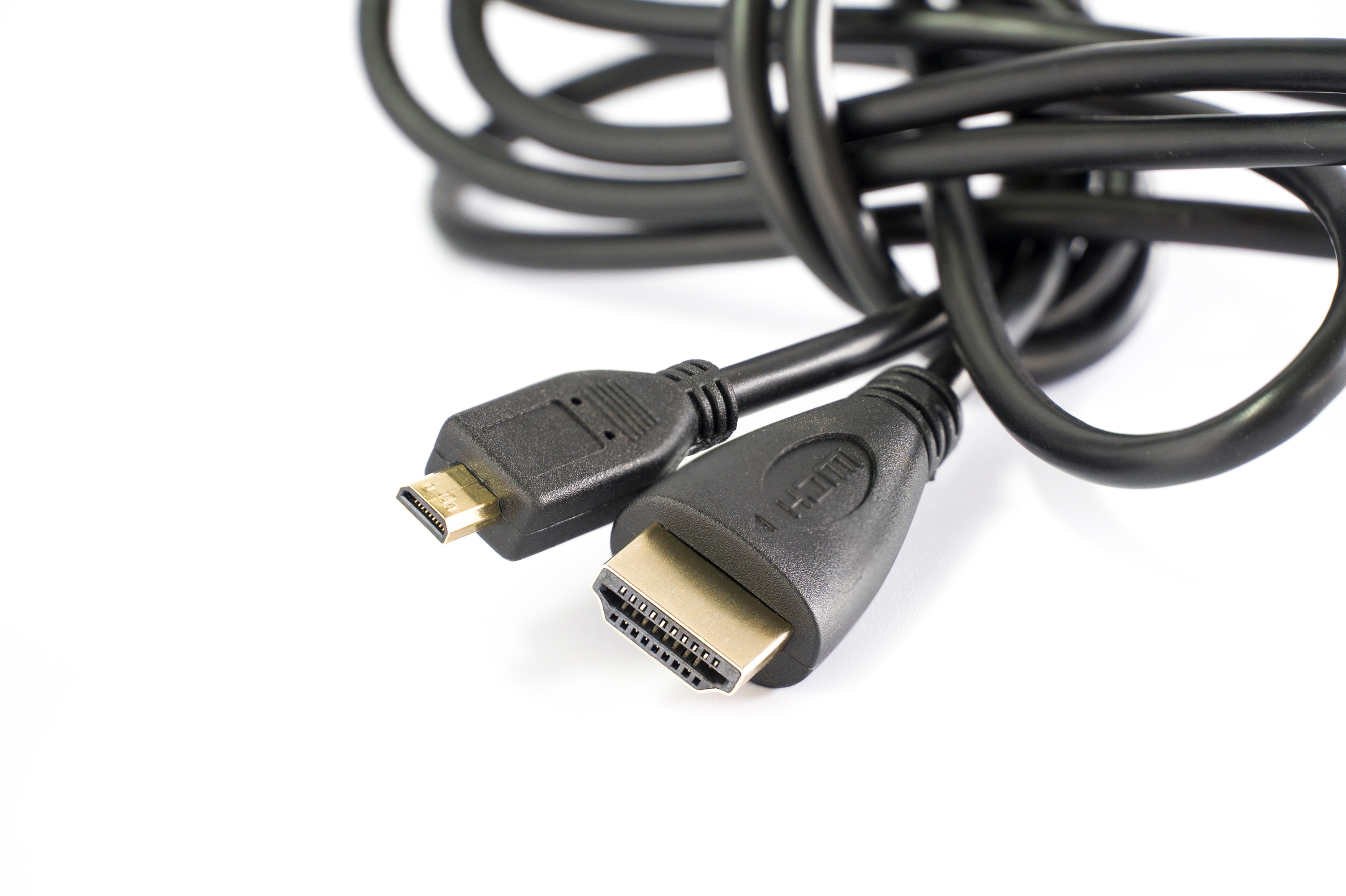
Micro HDMI, officially designated as HDMI Type D, is the smallest form factor in the HDMI connector family. It was introduced in the HDMI 1.4 specification and was designed specifically for compact, portable devices where space is at a serious premium. You will find Micro HDMI ports on action cameras, smartphones, tablets, small single-board computers like the Raspberry Pi 4, certain digital cameras, and some older laptops. The connector itself is notably small -- roughly the size of a Micro USB plug -- but do not let that fool you. The physical size has no bearing on its signal capability. It is engineered to carry the same data as a full-size HDMI Type A port, which includes both high-definition video and multi-channel audio.
How Micro HDMI Carries Audio Signals
HDMI in every form factor -- Standard, Mini, and Micro -- uses a process called TMDS, which stands for Transition Minimized Differential Signaling. This technology multiplexes both audio and video data over the same cable simultaneously. The audio and video are encoded together during transmission and decoded at the receiving end, whether that is a monitor, TV, AV receiver, or projector. What makes this notable is that there is no compromise in audio quality when using Micro HDMI versus Standard HDMI. Both use the same underlying transmission protocol. So when you plug a GoPro or a Raspberry Pi into a display using a Micro HDMI to Standard HDMI cable, the audio travels right along with the video signal, no separate audio cable required.
What Audio Formats Does Micro HDMI Support
This is where it gets a bit more specific. The audio formats supported by a Micro HDMI connection depend less on the connector itself and more on the HDMI version the device implements. Most devices using Micro HDMI ports support HDMI 1.4, which covers a solid range of audio formats. Here is what typically falls within that spec:
- Stereo PCM (uncompressed two-channel audio)
- Multi-channel PCM up to 8 channels
- Dolby Digital (AC-3)
- DTS Digital Surround
- Dolby TrueHD (depending on device support)
- DTS-HD Master Audio (depending on device support)
- High bitrate audio up to 192 kHz sampling
That is a strong lineup. For most portable devices with Micro HDMI, you are getting stereo or basic surround sound output, which is more than adequate for consumer use cases. Devices capable of pushing lossless audio formats over Micro HDMI are less common, but the spec allows for it.
Does Micro HDMI Support ARC or eARC
This is a question that comes up often, and it is worth being direct about it. ARC, which stands for Audio Return Channel, and its successor eARC, are features found on TVs and AV receivers that allow audio to travel back through the HDMI cable from the display to the receiver. The thing is -- ARC and eARC are almost exclusively implemented on full-size HDMI Type A ports, and specifically on ports labeled with ARC or eARC on TVs and receivers. Micro HDMI ports on source devices like cameras and tablets are output-focused connectors, not designed with ARC functionality in mind. So while Micro HDMI transmits audio forward to a display, do not expect bidirectional audio return through a Micro HDMI port. That is a practical limitation worth knowing before you spec out any kind of audio routing system.
Micro HDMI vs Mini HDMI: Audio Performance Comparison
People sometimes mix these two up, so it is worth a quick comparison. Mini HDMI is HDMI Type C, slightly larger than Micro HDMI, and also found on portable devices -- older DSLRs and some tablets commonly used it. Both Mini and Micro HDMI carry audio using the same HDMI protocol. Neither format has an inherent audio performance advantage over the other. The differences come down to physical fit, device compatibility, and cable availability. If you are choosing between a device with a Mini HDMI port and one with a Micro HDMI port and audio output quality is your concern, relax. Neither will shortchange you. The real variable is the HDMI version supported by the device and how capable the device itself is at encoding and outputting audio.
Common Issues With Micro HDMI Audio and How to Fix Them
Even though Micro HDMI is fully capable of transmitting audio, users run into problems sometimes. Here are the most common ones and what actually causes them:
No audio output: The source device may need audio output set to HDMI in its settings menu. This is easy to miss.
Intermittent audio dropout: Often traced back to a loose or low-quality cable. The Micro HDMI connector is small and susceptible to wear.
Audio out of sync: A processing issue on the display side, not an HDMI problem. Adjusting the audio delay in the TV or receiver settings usually fixes this.
Unsupported audio format: The display or receiver may not support the format being sent. Try changing the audio output format on the source device to PCM stereo as a fallback.
No sound on a secondary monitor: Some monitors have no built-in speakers and no audio output. The HDMI signal carries audio, but the monitor has nothing to play it through.
Most audio problems traced back to Micro HDMI are not actually caused by the connector. They come from settings, cable quality, or mismatched device capabilities.
Practical Tips for Getting the Best Audio Over Micro HDMI
If you are using a device with a Micro HDMI port and you want reliable audio output, a few practical habits go a long way. First, always use a well-made cable. The Micro HDMI connector is small, and cheap cables can have fitment issues that cause intermittent signal loss. Second, check your device settings -- most action cameras and tablets have an HDMI audio output toggle that defaults to off or auto. Third, if you are running audio through a receiver, confirm that the receiver can handle the audio format your device is outputting before you assume the cable is the problem. Finally, keep the cable length reasonable. HDMI is generally rated for reliable passive transmission up to about 25 feet, and shorter runs are always more stable, especially with smaller connectors like Micro HDMI.
Why Micro HDMI Still Matters in 2024 and Beyond
With USB-C becoming more prevalent on portable devices, there is a reasonable question about whether Micro HDMI still has a place. The answer is yes, for now, and for a meaningful portion of the market. Action cameras, a large number of single-board computers, and various embedded systems still rely on Micro HDMI as their primary video and audio output. The format is stable, well-documented, and supported by a wide range of cables and adapters. For anyone working with devices that use it -- content creators using action cameras, developers using the Raspberry Pi 4, or educators setting up compact presentation systems -- Micro HDMI remains a practical and fully functional connection standard. Audio over Micro HDMI is not a workaround. It is the designed behavior of the spec.
Why Monoprice Is the Right Choice for Micro HDMI Cables and Accessories
When it comes to getting reliable audio and video transmission through a Micro HDMI connection, the cable matters more than most people expect. A poorly constructed cable with substandard shielding or a loose connector will cause dropouts, signal degradation, and exactly the kind of frustrating audio issues described above. Monoprice has spent years building a reputation as one of the most trusted sources for high-performance cables and connectivity solutions at prices that make sense for both individual users and professional integrators. Whether you are setting up a compact media station, connecting a field camera to a monitor on set, or just trying to get clean audio from a portable device to a TV, you can find high-quality Micro HDMI cables and audio video connectivity solutions at Monoprice that deliver consistent, reliable performance without the inflated price tag. Every cable is built to spec, and the value behind each product is the kind that holds up in real-world use.
Frequently Asked Questions About Micro HDMI and Audio
Does Micro HDMI carry audio as well as video?
Yes. Micro HDMI transmits both audio and video signals simultaneously over a single cable, using the same TMDS protocol as Standard HDMI. No separate audio connection is needed.
What devices use a Micro HDMI port?
Common devices include action cameras like GoPro models, the Raspberry Pi 4, certain tablets, some older smartphones, and select compact cameras. It is designed for portable devices where space is limited.
Is Micro HDMI the same as Mini HDMI?
No. Micro HDMI is HDMI Type D and Mini HDMI is HDMI Type C. They are different sizes and use different connectors, though both carry audio and video using the same HDMI protocol.
Can Micro HDMI output surround sound?
It depends on the source device. Micro HDMI supports multi-channel audio formats including Dolby Digital and DTS, but whether a specific device outputs surround sound depends on its hardware and software capabilities.
Why is there no audio coming through my Micro HDMI connection?
The most likely causes are a device setting that needs to be changed to enable HDMI audio output, a cable with a poor connection, or a display that lacks built-in speakers or audio output.
Does Micro HDMI support ARC or eARC?
Generally no. ARC and eARC are features implemented on full-size HDMI ports on TVs and AV receivers. Micro HDMI ports on source devices are not designed for bidirectional audio return channel functionality.
What HDMI version does Micro HDMI support?
Most devices with Micro HDMI ports implement HDMI 1.4, which supports 1080p and 4K video at lower frame rates, along with a wide range of audio formats including multi-channel PCM and Dolby Digital.
Can I use a Micro HDMI to Standard HDMI cable for audio output?
Yes. A Micro HDMI to Standard HDMI cable will carry both audio and video from the source device to any compatible display or receiver with a Standard HDMI input. This is the most common way to use Micro HDMI for AV output.
Does cable quality affect audio transmission over Micro HDMI?
Yes. A low-quality cable with poor shielding or fitment issues can cause signal loss, audio dropouts, or no audio at all. Using a well-constructed, properly rated cable ensures consistent transmission.
Is Micro HDMI being phased out in favor of USB-C?
On newer devices, USB-C with DisplayPort Alt Mode is increasingly common for AV output. However, many existing devices, especially action cameras and single-board computers, still rely on Micro HDMI, and it remains a supported and relevant connector format.


