

DisplayPort to Mini DisplayPort Cables, Adapters and More
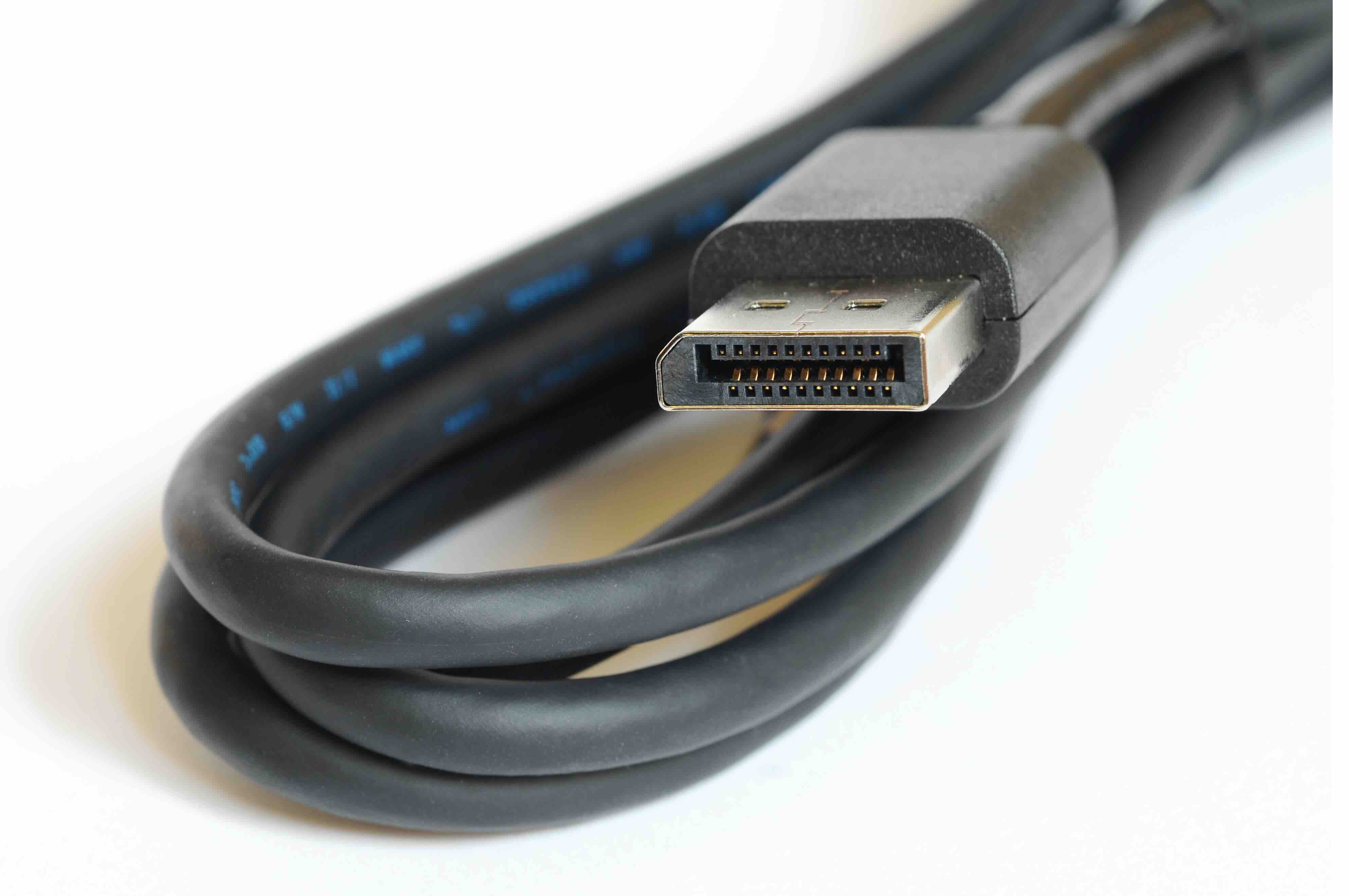
DisplayPort to Mini DisplayPort: What It Is and Why It Matters
So you have a device with a full-size DisplayPort output and a monitor or laptop that only accepts Mini DisplayPort. Or maybe it is the other way around. Either situation is more common than you would think, and the solution is actually pretty straightforward once you understand what you are working with. The DisplayPort to Mini DisplayPort connection is one of those things that sounds technical but is, at its core, just a matter of physical connector size. Both carry the same signal. Both support the same DisplayPort standard. The only real difference is the form factor of the plug. That said, there are still things worth knowing before you pick up a cable or adapter, especially if you are trying to support high resolutions, high refresh rates, or multi-monitor setups in a professional environment.
Understanding DisplayPort and Mini DisplayPort
DisplayPort is a digital display interface developed by VESA, the Video Electronics Standards Association. It was designed as a royalty-free alternative to HDMI, with a focus on PC and professional AV applications. Full-size DisplayPort has a distinctive trapezoidal connector with a locking mechanism that prevents accidental disconnection. Mini DisplayPort, introduced by Apple around 2008 and later adopted by other manufacturers, is a much smaller version of that same connector. It carries the same DisplayPort signal and supports the same bandwidth capabilities. You will find Mini DisplayPort ports on certain laptops, older MacBooks, some compact PCs, and a range of monitors and docking stations. The signal itself does not change when you go from one connector size to the other, which is what makes conversion between them relatively simple.
How DisplayPort to Mini DisplayPort Adapters and Cables Work
Because DisplayPort and Mini DisplayPort carry identical signals, a DP to MDP cable or adapter does not require any active conversion circuitry. It is a passive connection. The signal goes in one end and comes out the other without any processing in between. This is different from, say, converting DisplayPort to HDMI, which requires signal translation. With DP to MDP, you are simply routing the same signal through a different physical connector. That passivity is actually a good thing. It means lower cost, no latency concerns, no driver requirements, and no compatibility headaches from encoding differences. You plug in one end, plug in the other, and the display either works or it does not, usually based on whether the rest of your setup supports the resolution and refresh rate you are asking for.
Key Advantages of Using DP to MDP Connections
There are several clear reasons why a DisplayPort to Mini DisplayPort cable or adapter is a smart choice for specific setups. Here are the main ones worth keeping in mind:
- Native signal compatibility means no conversion loss or latency
- Passive design keeps costs low and reliability high
- Supports the same DisplayPort bandwidth as full-size connectors
- Works with DisplayPort 1.2 and higher specifications for 4K and multi-stream transport
- Ideal for connecting older Apple hardware or compact ultrabooks to larger external displays
- No additional software, drivers, or power source required
That last point matters quite a bit in a professional environment where setup simplicity is a real priority. There is no configuration step. You connect the cable, and the display handshakes with the source device using standard DisplayPort protocol. In multi-display workstation setups, where every cable management decision has downstream consequences, that kind of plug-and-play reliability is genuinely valuable.
Common Drawbacks and Limitations to Be Aware Of
Nothing is without tradeoff. The DP to MDP connection is simple, but there are still constraints you need to understand going in. First, the maximum supported resolution and refresh rate will be limited by the version of DisplayPort both devices support. If your source device only outputs DisplayPort 1.1, you are not getting 4K regardless of what cable you use. Second, passive DP to MDP cables have practical length limitations. Run a passive cable too long and signal integrity degrades, which can result in flickering, dropped frames, or no signal at all. For runs beyond about six feet, you may need an active cable or an active signal booster. Third, not every device with a Mini DisplayPort port supports the same feature set. Thunderbolt ports often share the Mini DisplayPort form factor but are not electrically the same as native MDP ports, so compatibility is something to verify upfront rather than assume.
DisplayPort Versions and What They Mean for Your Setup
The DisplayPort standard has gone through several revisions, and the version your hardware supports has a direct impact on what your DP to MDP connection can actually deliver. DisplayPort 1.2 supports up to 4K at 60Hz and introduced multi-stream transport, allowing daisy-chaining of multiple displays from a single output. DisplayPort 1.4 added support for 8K resolution and HDR, with higher bandwidth that also enables compressed 4K at 120Hz. DisplayPort 2.0, which is the newest iteration, pushes bandwidth even further for 8K at 60Hz without compression. When you are buying a DP to MDP cable, confirm that it is rated for the version your devices support. A cable rated for DisplayPort 1.2 will not unlock the additional bandwidth of DisplayPort 1.4. Always match the cable to the capability you actually need.
Practical Tips for Choosing the Right DP to MDP Cable or Adapter
Making the right choice comes down to a few specific considerations rather than just grabbing whatever is cheapest on the shelf. Here is what to think through before purchasing:
- Confirm the DisplayPort version on both your source device and display
- Check whether you need a cable or an adapter with a separate cable
- For lengths over six feet, look for active cables designed for longer runs
- Verify that your Mini DisplayPort device is native MDP and not Thunderbolt 1 or 2
- If you need audio passthrough, confirm the cable supports DisplayPort audio
- For professional or commercial installations, prioritize cables with shielded construction and secure connector latching
One thing that catches people off guard is the audio question. DisplayPort supports audio natively, and a passive DP to MDP cable preserves that capability as long as both devices are set up to send and receive audio over the display connection. If audio is part of your requirement, it is worth confirming in your operating system display settings that the correct audio output device is selected after connecting.
DP to MDP in Professional and Commercial AV Environments
In enterprise and integrator settings, the DP to MDP connection comes up regularly when connecting workstations to older professional monitors, digital signage controllers, or video wall processors that use Mini DisplayPort inputs. It also shows up in rental and staging scenarios where equipment from different eras needs to be connected quickly and reliably. The passive nature of the cable keeps signal chain complexity low, which is exactly what you want when you are troubleshooting on-site. For IT procurement teams building out standardized workstation configurations, having a reliable stock of DP to MDP cables in appropriate lengths reduces delays and simplifies inventory. The specification is stable enough that sourcing in volume is straightforward, and the cost per cable remains reasonable even at professional quality levels.
Why Monoprice Is the Right Source for Your DisplayPort to Mini DisplayPort Needs
When the goal is reliable performance without overpaying, the choice of where to source your cables matters more than most people realize. Monoprice has built a trusted reputation among IT professionals, AV integrators, and savvy consumers for delivering exactly that. Whether you are outfitting a single workstation or stocking a full deployment, you will find that professional-grade DisplayPort to Mini DisplayPort cables and adapters from Monoprice deliver consistent signal integrity, durable construction, and specs that actually match what is printed on the packaging. The product lineup covers various DisplayPort versions and cable lengths, so you are not forced into a one-size-fits-all solution. For procurement teams and integrators, the combination of fair pricing and dependable quality makes Monoprice a practical first stop rather than a fallback option. That is not brand marketing. It is just a straightforward value proposition that holds up in the field.
Frequently Asked Questions About DisplayPort to Mini DisplayPort
What is the difference between DisplayPort and Mini DisplayPort?
DisplayPort and Mini DisplayPort carry the same signal and support the same specifications. The only difference is the physical size and shape of the connector. Mini DisplayPort is a smaller form factor designed for compact devices like ultrabooks and certain monitors.
Do I need an active or passive DP to MDP cable?
For most standard cable lengths under six feet, a passive cable is sufficient. For longer runs or installations requiring extended cable distances, an active cable with signal boosting circuitry is recommended to maintain signal integrity.
Can I use a Thunderbolt port instead of Mini DisplayPort?
Thunderbolt 1 and 2 ports share the Mini DisplayPort form factor and are physically compatible with MDP cables. However, Thunderbolt 3 and 4 use USB-C connectors, which are not compatible with MDP cables without a separate adapter.
Does a DP to MDP cable support 4K resolution?
Yes, provided both your source device and display support DisplayPort 1.2 or higher. DisplayPort 1.2 supports 4K at 60Hz, and DisplayPort 1.4 extends that to include HDR and higher refresh rate options.
Does DisplayPort carry audio over a DP to MDP cable?
Yes. DisplayPort natively supports audio, and a passive DP to MDP cable preserves that capability. You may need to select the display as the audio output device in your operating system settings after connecting.
What resolution does Mini DisplayPort support?
Mini DisplayPort supports the same resolutions as full-size DisplayPort based on the version in use. DisplayPort 1.2 handles up to 4K at 60Hz, while DisplayPort 1.4 supports 8K and HDR content.
Can I daisy-chain monitors with a DP to MDP connection?
Daisy-chaining requires Multi-Stream Transport support, which was introduced in DisplayPort 1.2. If both the source device and the monitors support MST, daisy-chaining is possible, but each display in the chain must have a DisplayPort output as well as an input.
Is there any signal quality loss when using a DP to MDP adapter?
With a quality passive cable or adapter within the recommended length, there is no meaningful signal degradation. The signal does not undergo any conversion, so passive DP to MDP connections maintain full signal fidelity when used within appropriate specifications.
What cable length is safe for a passive DP to MDP connection?
Passive DisplayPort cables are generally reliable up to about six feet. Beyond that, signal integrity can degrade depending on cable quality and the devices involved. For longer distances, active cables rated for extended runs are the better choice.
Are all Mini DisplayPort cables and adapters compatible with all devices?
Compatibility depends on the DisplayPort version supported by each device, the cable specification, and whether the port is native Mini DisplayPort or a shared Thunderbolt port. Verifying these details before purchasing prevents most compatibility issues.


