

DisplayPort 2.1 Cables for 8K, 4K 240Hz, and USB-C Setups
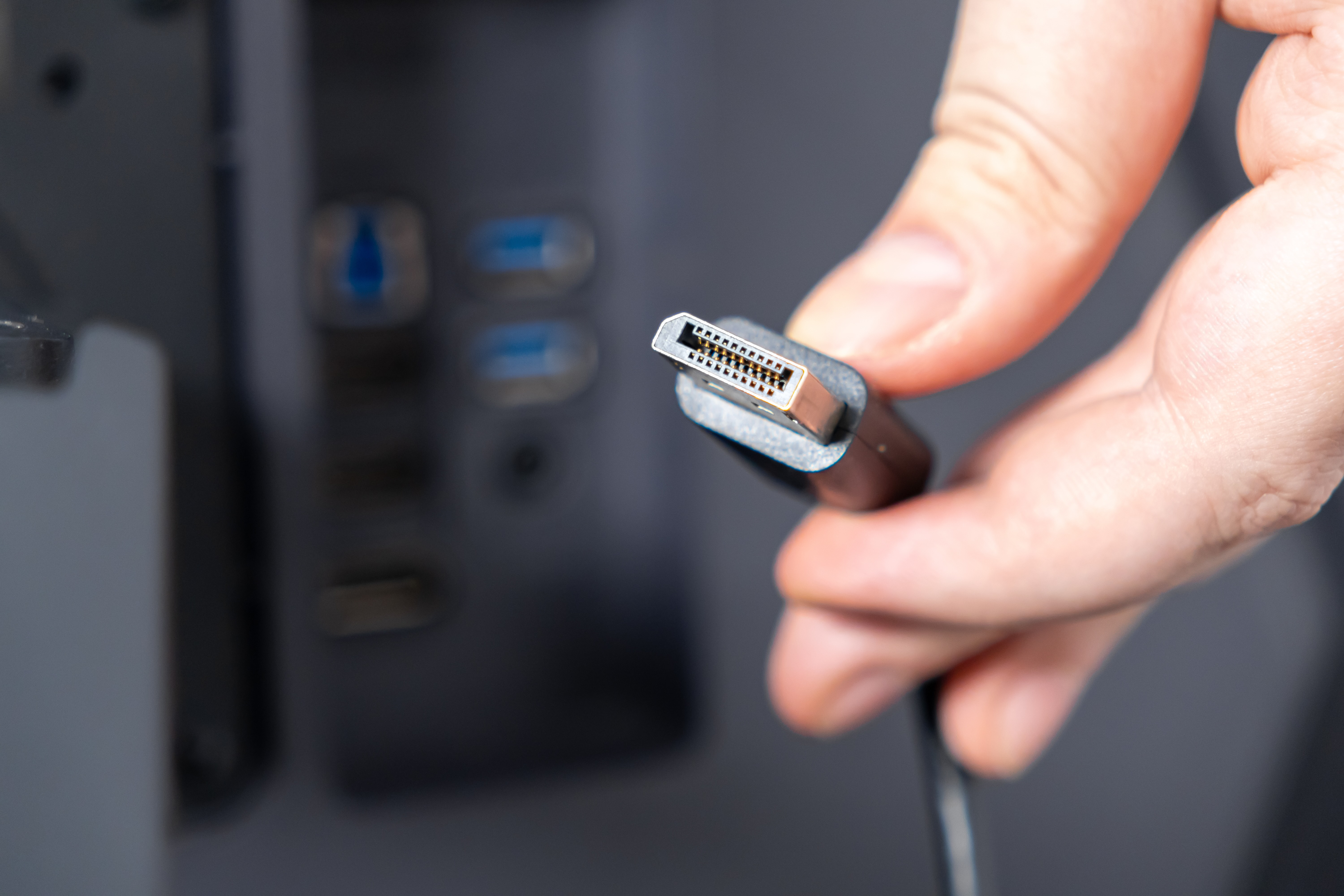
DisplayPort 2.1 Cables Explained: Everything You Need to Know Before You Upgrade
If you have spent any time recently trying to figure out which cable to buy for your new monitor setup, you already know how quickly things get confusing. There are versions, bandwidth ratings, connector types -- and then someone mentions USB-C and suddenly the whole thing feels like a different conversation. Here is the thing though: DisplayPort 2.1 is genuinely worth understanding, because it changes what is actually possible at your desk or in your home theater. Whether you are chasing 8K resolution, buttery-smooth 4K gaming at 240Hz, or just trying to get a clean USB-C connection to work the way it should, this is the cable standard that handles all of it. Let us break it down in plain terms.
What Is DisplayPort 2.1 and Why Does It Matter Now
DisplayPort 2.1 is the latest revision of the DisplayPort standard developed by VESA, the Video Electronics Standards Association. It was officially released and began appearing in real consumer hardware over the last couple of years, and it represents a significant leap over its predecessor, DisplayPort 1.4. The headline number here is bandwidth: DisplayPort 2.1 supports up to 80 Gbps of total data throughput using UHBR -- Ultra High Bit Rate -- signaling modes. That is roughly double what DisplayPort 1.4 could deliver. For regular users, that translates to support for resolutions and refresh rates that were simply not possible before without compression. We are talking native 8K at 60Hz, 4K at 240Hz, and even dual 4K at 144Hz over a single cable. That is not a minor spec bump. That is a generational step.
How DisplayPort 2.1 Actually Works
The underlying architecture of DisplayPort 2.1 relies on updated lane configurations and new UHBR signaling tiers. UHBR10 delivers 10 Gbps per lane, UHBR13.5 goes to 13.5 Gbps per lane, and UHBR20 pushes the full 20 Gbps per lane across four lanes for that maximum 80 Gbps ceiling. These lanes work together to carry uncompressed video data from a source -- like a GPU or laptop -- to a display. DisplayPort 2.1 also supports Display Stream Compression, known as DSC, which allows even higher effective resolutions and refresh rates without any visible quality loss. What is also worth knowing is that DisplayPort 2.1 maintains backward compatibility with earlier DisplayPort versions, so you are not forced into replacing every device in your chain at once. The cable just needs to match the capability you are targeting.
The Key Benefits of Upgrading to DisplayPort 2.1 Cables
There are real, tangible reasons to make the switch, especially if your hardware already supports the standard. Here is what upgrading actually gets you:
- Up to 80 Gbps of raw bandwidth for uncompressed, high-fidelity video
- Native 8K resolution at 60Hz for cinema-grade visual clarity
- 4K at 240Hz for competitive gaming or high-frame-rate content
- Multi-stream transport for driving multiple monitors from a single connection
- Full support for HDR10, Dolby Vision, and wide color gamut formats
- Backward compatibility with DisplayPort 1.4, 1.2, and earlier versions
- Audio return channel support for integrated audio in compatible setups
The practical upshot is that a DisplayPort 2.1 cable is an investment in your setup's longevity. Even if your current monitor only runs at 4K 144Hz, the cable you buy today will still be the right cable for whatever display you upgrade to next year or the year after.
DisplayPort 2.1 and USB-C: What You Need to Know
This is where things get a little more nuanced, and honestly it is one of the more important parts to understand. DisplayPort 2.1 can be transmitted over USB-C connectors using the DisplayPort Alt Mode protocol. That means a single USB-C cable -- if it is built correctly and certified appropriately -- can carry full DisplayPort 2.1 video alongside USB data and even power delivery simultaneously. This matters enormously for users with modern laptops, tablets, or phones that only have USB-C ports. It also matters for clean desk setups where fewer cables is always the goal. Not every USB-C cable supports this, though. You need a cable that is specifically rated for DisplayPort Alt Mode at the bandwidth tier you require. A generic USB-C charging cable will not cut it for UHBR20 performance.
DisplayPort 2.1 vs. DisplayPort 1.4: Is the Upgrade Really Worth It
DisplayPort 1.4 is still widely used and performs well for 4K at 120Hz or 1440p at 165Hz -- it is not obsolete by any means. But if you are running a GPU from the last generation or two, or if you are using a monitor that supports 4K 144Hz and above, you are likely already at the ceiling of what 1.4 can do without DSC. DisplayPort 2.1 removes that ceiling entirely. The upgrade is worth it the moment you are targeting any of the following: 4K at refresh rates above 144Hz, 8K at any practical frame rate, or multi-monitor configurations from a single output. If your current setup runs fine and you are not hitting those thresholds, there is no urgent need to swap cables. But if performance is the point, DisplayPort 2.1 is the standard to build around going forward.
Common Drawbacks and Limitations to Keep in Mind
No technology is without trade-offs, and it is worth being honest about the current limitations of DisplayPort 2.1. First, hardware support is still catching up. Not every GPU, monitor, or docking station fully supports the UHBR20 tier yet, which means some purchases might only leverage UHBR10 in practice. Second, cable quality matters more at higher bandwidth tiers. Passive cables have distance limitations, and achieving UHBR20 over longer runs may require active cables with built-in signal amplification, which cost more. Third, not all cables marketed as DisplayPort 2.1 are equal -- verifying VESA certification is important. Finally, the USB-C implementation of DisplayPort 2.1 requires careful attention to cable spec and device compatibility, which can trip up users who assume any USB-C cable will work.
How to Choose the Right DisplayPort 2.1 Cable for Your Setup
Picking the right cable comes down to three questions: What resolution and refresh rate are you targeting? How long does your cable run need to be? And are you using a full-size DisplayPort connector or a USB-C connection? For most desktop setups with 4K 144Hz or 4K 240Hz monitors and a run under six feet, a passive UHBR10 or UHBR20 cable will cover you cleanly. For 8K setups or longer runs, active cables are the smarter choice even if the upfront cost is slightly higher. For USB-C setups, confirm that the cable is certified for DisplayPort 2.1 Alt Mode specifically and not just high-speed USB. Cable length, shielding quality, and certifications are all part of the decision -- not just the version number printed on the box.
Practical Tips for Getting the Most Out of Your DisplayPort 2.1 Setup
Once you have the right cable, a few practical steps ensure you are actually getting the performance you paid for. First, always update your GPU drivers and monitor firmware before testing peak performance modes. Second, verify that the DisplayPort version setting in your display's on-screen menu is set to the correct or highest available option -- some monitors default to a lower mode for compatibility reasons. Third, if you are using a USB-C to DisplayPort 2.1 setup, check that both your source device and your cable explicitly support the bandwidth tier you need. Fourth, keep cable runs as short as practically possible when using passive cables. Fifth, look for VESA-certified products and brands with a track record of verified performance, because the difference between a certified cable and an uncertified one at these bandwidth levels is not theoretical -- it is real.
Why Monoprice Is the Smart Choice for DisplayPort 2.1 Cables
When performance requirements are this specific and the margin for error is this low, the brand behind your cable actually matters. Monoprice has built a reputation in this industry on exactly the kind of precision and reliability that DisplayPort 2.1 demands. The cables are engineered to meet VESA certification standards, built with the shielding and signal integrity required at UHBR bandwidth levels, and priced in a way that does not force you to choose between quality and budget. For anyone who needs to run 8K or 4K 240Hz without compromise -- or who needs a clean USB-C solution for a laptop-driven workstation -- Monoprice delivers the specs and the confidence to back it up. If you are ready to build a setup around the latest display standard, you can explore the full lineup of DisplayPort 2.1 cables for 8K and 4K 240Hz setups and find the right fit for your exact configuration. This is not about overspending on cables -- it is about buying the right cable once and not revisiting the problem again next year.
Frequently Asked Questions About DisplayPort 2.1 Cables
What is the maximum resolution supported by DisplayPort 2.1?
DisplayPort 2.1 supports up to 16K resolution in theory, with practical real-world support for 8K at 60Hz and 4K at 240Hz as the most common high-performance use cases today.
Is DisplayPort 2.1 backward compatible with older monitors?
Yes. DisplayPort 2.1 is backward compatible with DisplayPort 1.4, 1.2, and 1.1. The connection will negotiate to the highest mutually supported version between the two devices.
Do I need a special cable to get DisplayPort 2.1 performance?
Yes. You need a cable that is specifically rated for the UHBR signaling tier you require. Not all cables labeled DisplayPort 2.1 support the full 80 Gbps UHBR20 bandwidth, so checking certification is important.
Can USB-C cables carry DisplayPort 2.1 signals?
Yes, but only if the cable supports DisplayPort Alt Mode at the required bandwidth tier. Standard USB-C charging cables do not carry DisplayPort 2.1 signals. Look for cables explicitly certified for DisplayPort 2.1 over USB-C.
What is the difference between UHBR10, UHBR13.5, and UHBR20?
These are the three signaling tiers within DisplayPort 2.1. UHBR10 delivers 40 Gbps total, UHBR13.5 delivers 54 Gbps, and UHBR20 delivers the full 80 Gbps. Higher tiers support higher resolutions and refresh rates.
How long can a passive DisplayPort 2.1 cable be?
Passive DisplayPort 2.1 cables are typically reliable up to about two meters at full UHBR20 bandwidth. For longer runs or maximum performance over greater distances, active cables with signal amplification are recommended.
Is DisplayPort 2.1 the same as HDMI 2.1?
They are competing standards with similar top-level capabilities but different use cases. DisplayPort 2.1 offers higher maximum bandwidth at 80 Gbps compared to HDMI 2.1 at 48 Gbps, making it better suited for high-refresh-rate PC monitor setups and multi-monitor configurations.
Do I need a new GPU to use DisplayPort 2.1?
To take full advantage of DisplayPort 2.1 at its highest tiers, you need a GPU with a native DisplayPort 2.1 output. Several recent GPU generations include this support, but older cards max out at DisplayPort 1.4.
Can DisplayPort 2.1 support multiple monitors from one port?
Yes. DisplayPort 2.1 supports Multi-Stream Transport, which allows daisy-chaining or hub configurations to drive multiple displays from a single DisplayPort output, depending on total bandwidth requirements.
What should I look for when buying a DisplayPort 2.1 cable?
Prioritize VESA certification, the correct UHBR tier for your use case, appropriate cable length, and a reputable brand with verified signal integrity. For USB-C setups, confirm DisplayPort Alt Mode compatibility is explicitly stated.


