

Difference Between DisplayPort and Mini DisplayPort
DisplayPort vs Mini DisplayPort: What You Need to Know Before You Buy
If you have ever stood in front of a cable display or scrolled through a product listing trying to figure out whether you need a DisplayPort or a Mini DisplayPort cable, you are not alone. It is one of those things that seems simple until you are actually looking at the back of your monitor or the side of your laptop and suddenly nothing looks familiar. These two connectors are more related than they are different, but the distinctions matter depending on your setup. Let us actually break this down clearly so you can make the right call without second-guessing yourself at checkout.
What Is DisplayPort and Where Did It Come From
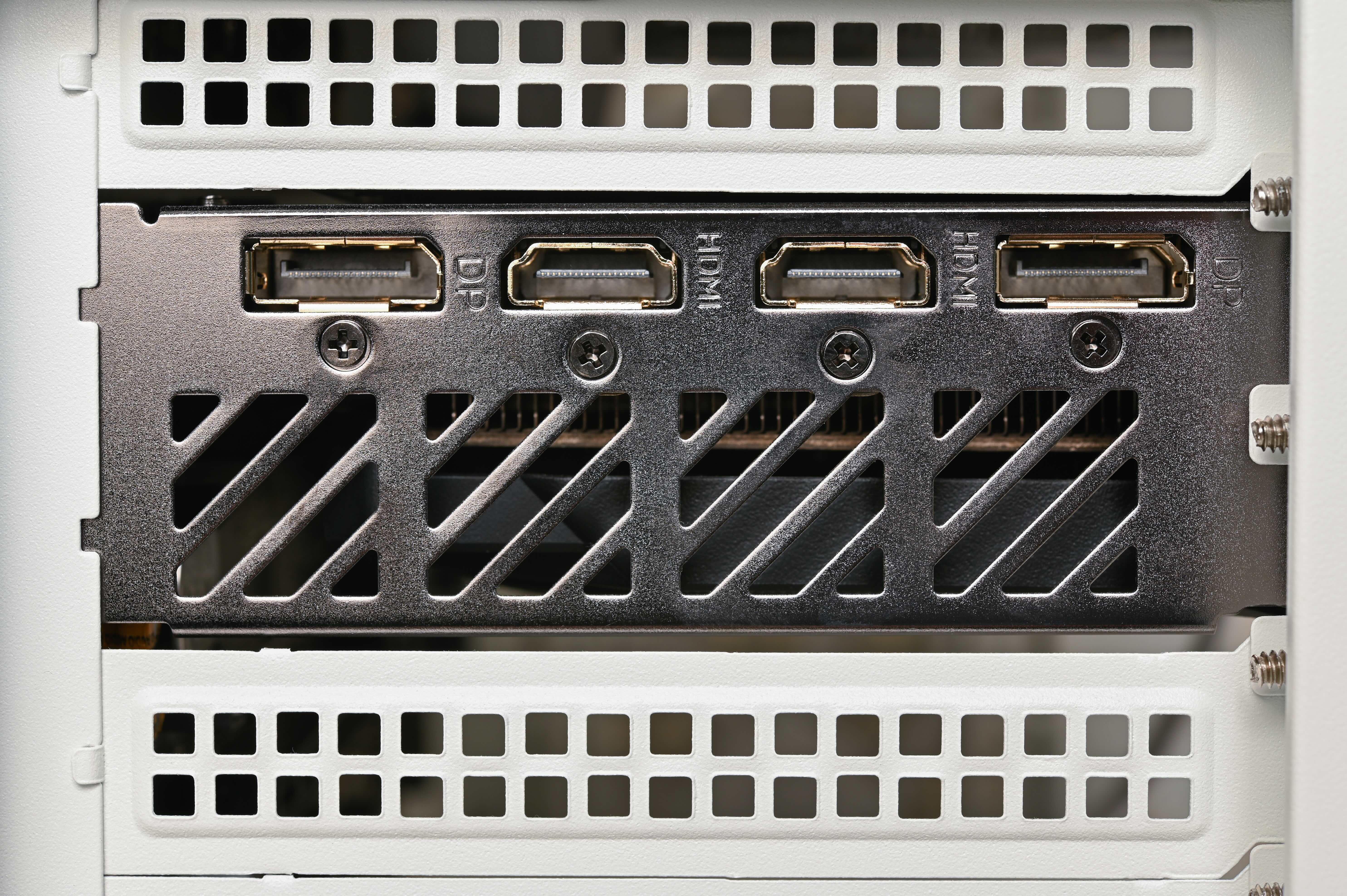
DisplayPort is a digital display interface that was developed by VESA, the Video Electronics Standards Association, and officially introduced back in 2006. It was designed to replace older analog interfaces like VGA and DVI, offering a cleaner, higher-bandwidth connection for modern displays. The standard full-size DisplayPort connector is roughly rectangular with one angled corner, which prevents incorrect insertion. It uses a locking mechanism that keeps the cable secure once plugged in, which is actually a detail that a lot of people do not notice until they have to unplug it the first time. DisplayPort has gone through several versions since its introduction, with each revision adding support for higher resolutions, faster refresh rates, and more advanced features like HDR and multi-stream transport.
What Is Mini DisplayPort and How Is It Different
Mini DisplayPort is exactly what it sounds like. It is a smaller version of the standard DisplayPort connector, developed by Apple in 2008 and later standardized by VESA. The physical connector is significantly more compact, which made it an ideal fit for laptops, tablets, and other slim devices where port real estate is limited. Electrically and functionally, Mini DisplayPort carries the same signal as its full-size counterpart. It supports the same DisplayPort versions and features. The only real difference is the physical size of the connector itself. Apple used it across a generation of MacBooks and iMacs before transitioning to Thunderbolt, which actually shared the same physical connector form factor in its early iterations.
Key Differences Between DisplayPort and Mini DisplayPort
When you line these two up side by side, the technical specs are essentially identical because they carry the same protocol. But there are practical differences worth understanding before you buy anything.
- Physical size is the most obvious distinction. The full-size DisplayPort connector measures about 16mm wide, while Mini DisplayPort comes in at roughly 7.5mm. That size reduction is significant for thin and light devices.
- Locking mechanism availability differs as well. Full-size DisplayPort connectors typically feature a latch that clicks into place. Mini DisplayPort connectors generally do not include this locking mechanism due to their smaller form.
- Device compatibility matters here too. Full-size DisplayPort is common on desktop graphics cards, monitors, and professional AV equipment. Mini DisplayPort shows up more frequently on older laptops, certain docking stations, and some compact peripherals.
- Adapter availability is straightforward. Adapters and cables that convert between the two are widely available and do not result in any signal degradation or loss of features.
- Thunderbolt compatibility is a nuance worth noting. Early Thunderbolt ports on Apple hardware used the Mini DisplayPort form factor, so a Mini DisplayPort connector physically fits into a Thunderbolt port, though Thunderbolt carries additional data protocols beyond DisplayPort.
DisplayPort Versions and What They Support
Understanding the version of DisplayPort your hardware uses matters as much as knowing which connector type you need. DisplayPort 1.2 brought support for 4K resolution at 60Hz and introduced multi-stream transport, which allows daisy-chaining multiple monitors from a single port. DisplayPort 1.4 added support for 8K resolution with HDR and compression through Display Stream Compression technology. DisplayPort 2.0, the most current major revision, dramatically increased bandwidth and pushed support into 16K territory for single-display configurations and 8K with HDR across multiple displays. Both full-size and Mini DisplayPort connectors can carry any of these versions depending on what the host device supports, so the connector size alone does not determine capability.
When to Use Full-Size DisplayPort
Full-size DisplayPort is the right choice for desktop setups, professional workstations, and any configuration where you are connecting a dedicated monitor to a graphics card or a multi-display array. It is the standard on most modern gaming monitors and professional displays, and the locking mechanism adds peace of mind in environments where cables might get bumped or tugged. If you are building out a home office, a video production station, or a trading desk, full-size DisplayPort is almost certainly what you want on the monitor side of the connection.
When to Use Mini DisplayPort
Mini DisplayPort is most relevant when your source device, typically a laptop or compact machine, only offers that connector. It was common on Apple MacBooks from roughly 2008 through 2015 before the Thunderbolt 3 and USB-C transition. Some Windows laptops from that same era included it as well. If you are working with older hardware and need to connect to an external display, you may need a Mini DisplayPort to DisplayPort cable or an adapter to bridge the two. It is also worth checking whether your older monitor has a Mini DisplayPort input, as some high-end displays included it as a secondary input option.
Adapters, Cables, and Compatibility Considerations
One of the practical advantages of the DisplayPort ecosystem is that converting between full-size and Mini DisplayPort is straightforward. Passive adapters and cables handle the job cleanly because the signal does not need to be translated, just physically rerouted through a different connector. This is different from, say, converting HDMI to DisplayPort, which sometimes requires an active adapter. When shopping for adapters or cables that bridge these two connector types, make sure the cable or adapter is rated for the DisplayPort version your setup requires. A cable rated for DisplayPort 1.2 will not unlock the bandwidth of a DisplayPort 1.4 or 2.0 system. Quality of construction also matters, particularly for longer cable runs where signal integrity can degrade.
Common Mistakes to Avoid When Buying DisplayPort Cables
There are a few pitfalls that catch people off guard, and they are worth going over before you finalize a purchase. Buying a cable based on connector shape alone without verifying the DisplayPort version is probably the most frequent mistake. Another common issue is confusing Mini DisplayPort with Thunderbolt ports, since they share the same physical shape on older Apple hardware. Plugging a Mini DisplayPort cable into a Thunderbolt port will work for display output, but it will not activate Thunderbolt's data transfer capabilities. Also, some inexpensive adapters do not support higher resolutions or refresh rates even if they physically connect, so sticking with reputable brands and verified specifications saves a lot of troubleshooting time later.
Why Monoprice Is the Smart Choice for DisplayPort and Mini DisplayPort Cables
When it comes to sourcing reliable, high-performance display cables without overpaying, Monoprice has built a clear track record across both consumer and professional markets. The cable lineup covers the full range of DisplayPort needs, from standard full-size cables rated for the latest DisplayPort specifications to Mini DisplayPort adapters and cables designed to work with older hardware without compromising signal quality. Everything is built to verified specs, which means you are not guessing whether a cable will actually support your target resolution or refresh rate. If you are setting up a multi-monitor workstation, connecting a laptop to a 4K display, or working through a compatibility challenge with legacy equipment, the right starting point is a trusted source for DisplayPort and Mini DisplayPort cables and adapters that are priced honestly and backed by real product expertise. Monoprice consistently delivers that combination, and for anyone putting together a display setup that needs to perform reliably, that matters more than most people realize until something goes wrong with a cheap cable they bought elsewhere.
Frequently Asked Questions
Is Mini DisplayPort the same as DisplayPort in terms of signal quality?
Yes, Mini DisplayPort carries the same signal as full-size DisplayPort. The only difference is the physical size of the connector. There is no degradation in signal quality between the two when using a proper cable or adapter.
Can I connect a Mini DisplayPort device to a full-size DisplayPort monitor?
Yes, you can use a Mini DisplayPort to DisplayPort cable or a passive adapter. No active conversion is needed because both connectors carry the same DisplayPort protocol.
Does Mini DisplayPort support 4K resolution?
Yes, Mini DisplayPort supports 4K resolution as long as the host device and cable are rated for the appropriate DisplayPort version, such as DisplayPort 1.2 or higher, which supports 4K at 60Hz.
Is Mini DisplayPort the same as Thunderbolt?
They share the same physical connector shape on older Apple hardware, but they are not the same. Thunderbolt carries additional high-speed data protocols beyond DisplayPort. A Mini DisplayPort cable plugged into a Thunderbolt port will only activate the display output function.
What devices commonly use Mini DisplayPort?
Mini DisplayPort is most commonly found on Apple MacBooks produced between 2008 and approximately 2015, certain Windows laptops from that era, and some older docking stations and compact peripherals.
Do I need an active or passive adapter to convert between DisplayPort and Mini DisplayPort?
A passive adapter is sufficient for converting between full-size DisplayPort and Mini DisplayPort because both carry the same signal. Active adapters are only necessary when converting between fundamentally different protocols, such as HDMI to DisplayPort.
Can Mini DisplayPort support daisy-chaining multiple monitors?
Yes, if the host device supports DisplayPort multi-stream transport and the monitors are MST-compatible, daisy-chaining works through Mini DisplayPort just as it does through full-size DisplayPort.
What is the maximum resolution supported by DisplayPort 2.0?
DisplayPort 2.0 supports up to 16K resolution in single-display configurations and up to 8K with HDR across multiple displays, thanks to its significantly increased bandwidth compared to earlier versions.
Will a Mini DisplayPort cable work on a USB-C Thunderbolt port?
No, Mini DisplayPort and USB-C are physically incompatible connectors. You would need a USB-C to Mini DisplayPort adapter or cable to bridge those two connection types.
Does DisplayPort version affect compatibility between full-size and Mini DisplayPort connectors?
No, connector size and DisplayPort version are independent factors. A Mini DisplayPort connector can carry DisplayPort 1.2, 1.4, or any other version supported by the source device. The version is determined by the hardware and cable rating, not the connector shape.


