

DB9 to DB9 Null Modem Cable Pinout Guide & Uses
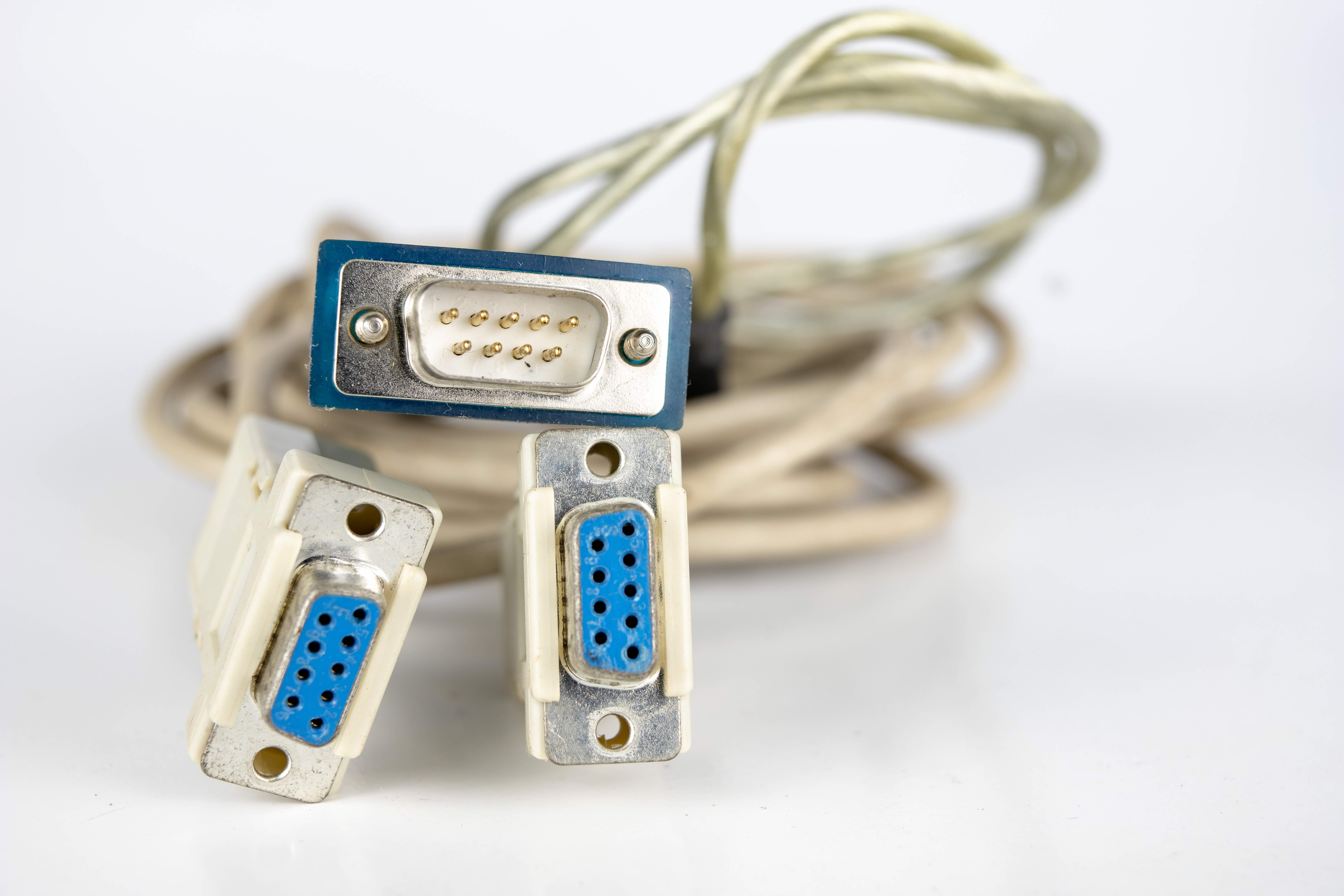
What Is a DB9 to DB9 Null Modem Cable and Why Does It Still Matter?
So you have two devices that need to talk directly to each other over serial communication, and there is no modem or network infrastructure in between. That is exactly the scenario a null modem cable was designed to solve. A DB9 to DB9 null modem cable is a specially wired RS-232 serial cable that allows two DTE devices, meaning Data Terminal Equipment like computers, PLCs, or embedded controllers, to communicate directly without any intermediate hardware. The key difference from a standard serial cable is how the internal wiring is crossed, swapping transmit and receive lines so each device sends data to the other's receive pin. It sounds simple, but the specific pinout and handshaking configuration can trip people up fast if they are not careful. Understanding this cable is genuinely useful for IT professionals, industrial technicians, and anyone maintaining legacy systems.
Understanding the DB9 Connector and RS-232 Serial Communication
The DB9 connector, formally designated as DE-9 in some documentation, is a 9-pin trapezoid-shaped connector that has been a staple of serial communication for decades. It is the physical interface for RS-232 signals, a standard that defines voltage levels, signal timing, and the purpose of each pin in a serial data connection. RS-232 was originally developed for modem communication, but over time it became one of the most widely used protocols for direct device-to-device communication in industrial, telecom, and computing environments. Each of the nine pins on a DB9 connector serves a specific function. Pin 2 is Received Data, pin 3 is Transmitted Data, pin 5 is Signal Ground, and then you have handshaking lines like Request to Send on pin 7, Clear to Send on pin 8, Data Terminal Ready on pin 4, and Data Set Ready on pin 6. Knowing these assignments is foundational before wiring or selecting any serial cable.
The DB9 Null Modem Pinout Explained in Plain Terms
Here is where the real technical substance is. In a standard straight-through serial cable, pin 2 on one end connects to pin 2 on the other, and the same for every other pin. That works fine when one device is a DTE and the other is DCE, Data Communications Equipment like a modem. But in a null modem scenario, both devices are DTE, so you have to cross the lines to simulate what a modem would normally do. The classic DB9 null modem pinout looks like this:
- Pin 2 (RxD) on Side A connects to Pin 3 (TxD) on Side B
- Pin 3 (TxD) on Side A connects to Pin 2 (RxD) on Side B
- Pin 5 (GND) on Side A connects to Pin 5 (GND) on Side B
- Pin 4 (DTR) on Side A connects to Pins 6 and 1 (DSR and DCD) on Side B
- Pin 4 (DTR) on Side B connects to Pins 6 and 1 (DSR and DCD) on Side A
- Pin 7 (RTS) on Side A connects to Pin 8 (CTS) on Side B
- Pin 7 (RTS) on Side B connects to Pin 8 (CTS) on Side A
This wiring configuration allows full hardware handshaking between two DTE devices. The loopback of DTR to both DSR and DCD on the opposite end allows each device to confirm that the other is ready, while the RTS and CTS crossover manages flow control. Some simplified null modem cables omit the handshaking lines and just loop them locally on each end, but for reliable communication in demanding environments, full handshaking is the better approach.
How a Null Modem Cable Actually Works During Data Transfer
Think of it this way. Device A wants to send a byte of data. It places the signal on its Transmit Data pin, which is pin 3. In a null modem cable, that pin connects directly to pin 2, the Receive Data pin, of Device B. Device B picks up the data as if it had just arrived from a modem. Meanwhile, the handshaking lines are telling each side whether the other is ready to receive. If Device A asserts RTS, Device B sees it as CTS and knows to proceed. The whole thing simulates the presence of two modems and a phone line, but without any of that hardware. It is a clever and surprisingly elegant workaround. Transmission speeds, parity settings, data bits, and stop bits still need to match on both ends through software configuration, but the cable handles the physical signal routing entirely.
Key Advantages of Using a DB9 Null Modem Cable
There are some real practical wins here, especially in environments where simplicity and reliability matter more than speed. The advantages include:
- No network infrastructure required for direct device communication
- Works with virtually any RS-232 compatible hardware
- Supports full hardware handshaking for more stable data transfers
- Extremely low latency compared to networked alternatives
- Cost-effective solution for point-to-point serial connections
- Compatible with legacy industrial equipment, test instruments, and embedded systems
- Easy to implement with no drivers or configuration software needed on the cable itself
For industrial automation, medical device configuration, legacy POS terminals, and serial console access to routers or switches, the null modem cable remains a practical and proven tool. There is a reason this technology has persisted through multiple generations of computing.
Common Drawbacks and Limitations to Be Aware Of
That said, null modem cables are not without their limitations, and it is worth being upfront about them. RS-232 is not a fast protocol. The maximum recommended cable length is typically around 15 meters or 50 feet at standard baud rates, though lower speeds can sometimes push that further with good quality shielded cable. The maximum data rate is generally considered to be around 115.2 kbps, which is negligible compared to modern networking. There is also the issue of connector availability. While DB9 ports were standard on PCs for years, most modern laptops and desktops no longer include them, requiring USB to serial adapters. Additionally, the specific null modem pinout can vary slightly between manufacturers, with some offering loopback-only handshaking and others providing full crossover, so it pays to verify the wiring before assuming compatibility.
Null Modem vs. Straight-Through Serial Cable: Knowing the Difference
This is one of those things people get wrong all the time. A straight-through DB9 cable connects each pin directly to its corresponding pin on the other end. It is designed for DTE to DCE connections, like connecting a computer to an external modem or serial device that already manages its own signal routing. A null modem cable crosses those signals intentionally. Using the wrong type will result in no communication whatsoever, and troubleshooting it without knowing the distinction can waste a lot of time. When in doubt, check the device documentation for whether the serial port is configured as DTE or DCE. Most computers and controllers are DTE. If both are DTE, you need a null modem cable.
Practical Use Cases and Applications in Modern Environments
Even in 2024, null modem cables serve active, real-world purposes. Network engineers use them for out-of-band console access to routers and managed switches that still carry DB9 or RJ45-to-DB9 console ports. Industrial facilities rely on them to transfer configuration data to PLCs and HMIs. Embedded developers use them during firmware development and debugging. Telecommunications equipment, point-of-sale systems, and medical instrumentation in regulated environments often communicate over RS-232 because the protocol is deterministic, well-understood, and validated against strict compliance requirements. Even in modern IT deployments, having a null modem cable in your toolkit is just smart planning.
Why Monoprice Is the Right Source for Your Serial Connectivity Needs
When you are sourcing serial cables, precision in the wiring matters. A poorly made null modem cable with inconsistent pin connections or inadequate shielding is not just an inconvenience, it can cause data corruption, failed device initialization, or hours of troubleshooting in a time-sensitive environment. Monoprice builds connectivity products with the kind of quality and specification accuracy that professionals actually need. Whether you are setting up a console connection to network hardware, linking industrial controllers, or building out a legacy-compatible test environment, reliable DB9 null modem cables and serial connectivity solutions available at Monoprice serial cables and DB9 connectivity solutions are engineered to meet those demands without the inflated price tag that often comes with competing brands. Monoprice has spent years earning the trust of IT integrators, AV professionals, and enterprise buyers by delivering performance-grade products at accessible prices. That reputation is not accidental. It is the result of building products that hold up under real working conditions and backing them with the kind of support that professionals can depend on.
Frequently Asked Questions About DB9 to DB9 Null Modem Cables
What is the difference between a null modem cable and a regular serial cable?
A regular serial cable connects each pin straight through to the matching pin on the other end, designed for DTE to DCE connections. A null modem cable crosses the transmit and receive lines and reroutes handshaking signals so two DTE devices can communicate directly without a modem in between.
What pins are crossed in a DB9 null modem cable?
In a standard DB9 null modem configuration, pin 2 and pin 3 are crossed between the two connectors, along with handshaking line crossovers including RTS to CTS and DTR to DSR and DCD on the opposite end.
Can I use a null modem cable for console access to a router or switch?
Yes, many network devices use RS-232 serial console ports that require a null modem cable for direct PC to device configuration access. Always verify the pinout required by the specific device before connecting.
How long can a DB9 null modem cable be?
The RS-232 standard recommends a maximum cable length of approximately 15 meters, or about 50 feet, at standard baud rates. Lower baud rates combined with high-quality shielded cable can sometimes extend usable range beyond that limit.
Do modern computers still have DB9 serial ports?
Most modern laptops and desktop computers no longer include DB9 serial ports. USB to serial adapters are commonly used to bridge the gap between modern systems and RS-232 compatible devices.
What baud rate should I use with a null modem connection?
Both devices must be configured to use the same baud rate. Common settings are 9600, 19200, 57600, or 115200 baud. Console access applications typically default to 9600 baud with 8 data bits, no parity, and 1 stop bit.
Is a null modem cable the same as a crossover cable?
They are conceptually similar in that both cross signals between two like devices, but they apply to different technologies. Crossover cables are used for Ethernet connections, while null modem cables are specific to RS-232 serial communication.
What does full hardware handshaking mean in a null modem cable?
Full hardware handshaking means the cable includes proper crossover wiring for RTS, CTS, DTR, DSR, and DCD lines, allowing each device to signal readiness and control data flow. This is more reliable than loopback-only configurations that simply tie handshaking pins together locally.
Can a null modem cable transfer files between two computers?
Yes, using software like HyperTerminal, PuTTY with Zmodem, or similar terminal applications, two computers can exchange files over a null modem serial connection. It is slow compared to modern transfer methods but functional and useful in specific legacy or isolated environments.
How do I know if I need a null modem cable or a straight-through cable?
If both devices you are connecting are DTE devices, such as two computers or a computer and a PLC, you need a null modem cable. If one device is DTE and the other is DCE, such as a computer connected to a modem, a straight-through serial cable is the correct choice.


