

Cord Kabel Guide: Types, Uses, and Buying Tips
What Is a Cord Kabel and Why Does It Matter in Modern Technology?
The term cord kabel comes from a cross-linguistic blend, with kabel being the Dutch and German word for cable. In the technology industry, the two terms are often used interchangeably, but together they speak to something fundamental: the physical infrastructure that keeps our devices connected, powered, and communicating. Whether you are wiring a home office, setting up a professional AV rack, or deploying network infrastructure across a commercial building, understanding what a cord kabel is and how to choose the right one can make a significant difference in performance, reliability, and long-term cost. And honestly, this is one of those topics that gets overlooked far too often, which is a shame because the cable you choose affects everything downstream.
Breaking Down the Basics: What Is a Cord Kabel?
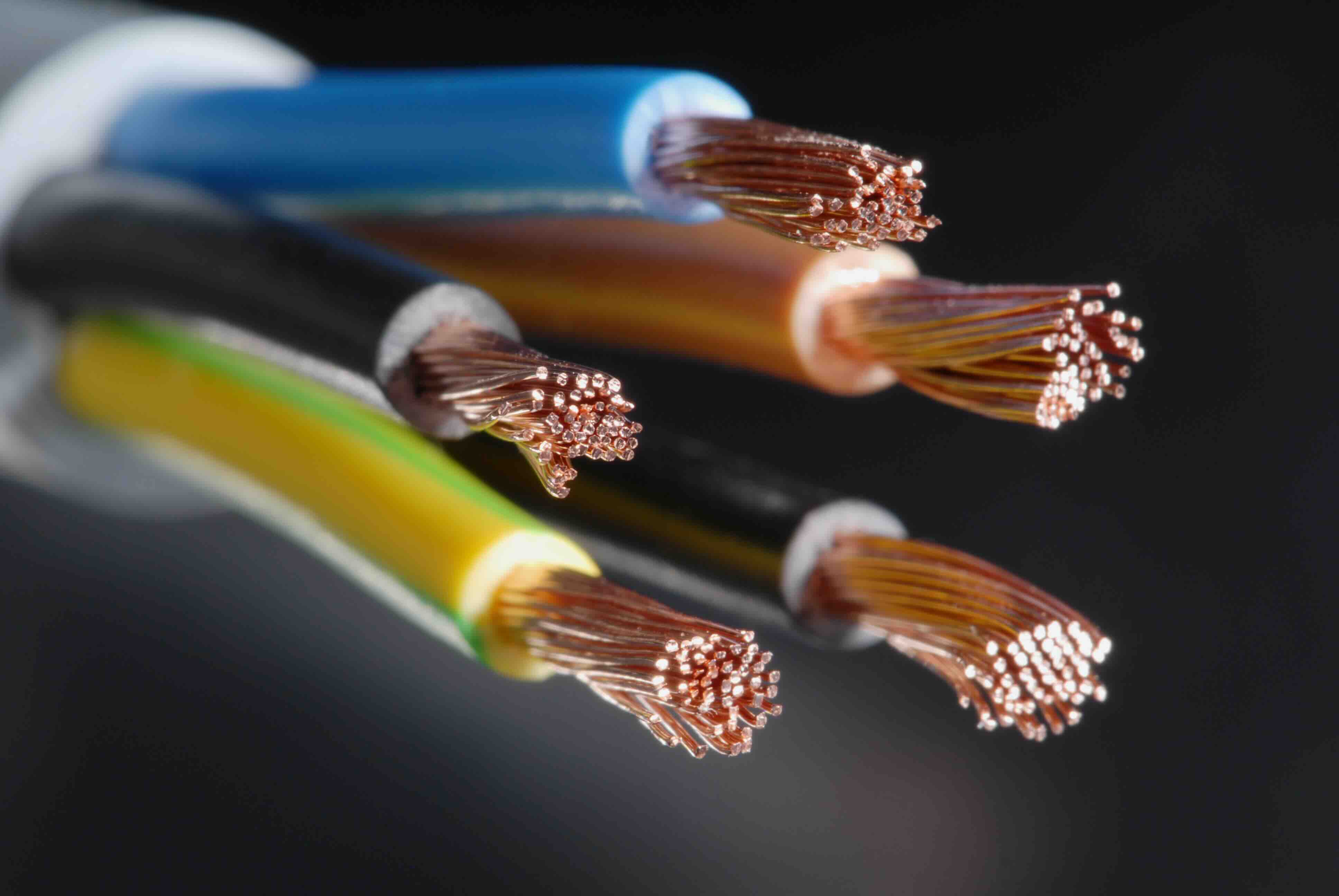
At its core, a cord kabel is an insulated conductor or bundle of conductors used to transmit electrical power, data signals, or both. The construction varies widely depending on the application. You have power cords designed to deliver current from a wall outlet to a device. You have data cables engineered to carry high-speed signals between networking equipment, displays, or storage systems. And then there are hybrid cables that do both simultaneously. The internal anatomy typically includes a conductive core, most often copper or copper-clad aluminum, surrounded by insulating material, then wrapped in a jacket that provides protection from heat, moisture, abrasion, and electromagnetic interference. The specific combination of these layers determines how a cord kabel performs in real-world conditions.
Types of Cord Kabel Used in Technology Environments
There is a wider variety of cable types than most people initially expect. Each one is designed with a specific use case in mind, and using the wrong cable for the wrong job is a surprisingly common and costly mistake.
- Power cords: Used to connect devices to electrical outlets, available in various connector types like C13, C15, and NEMA configurations
- Ethernet cables: Cat5e, Cat6, Cat6A, and Cat8 cables used for wired network connectivity in homes and data centers
- HDMI cables: High-Definition Multimedia Interface cables that carry audio and video signals between displays and source devices
- USB cables: Available in USB-A, USB-B, USB-C, and Micro-USB variants for data transfer and device charging
- Fiber optic cables: Use light rather than electrical signals to carry data at extremely high speeds over long distances
- Coaxial cables: Common in cable television and antenna setups, also used for some broadband internet connections
- Speaker and audio cables: Designed for low-voltage analog signal transmission between amplifiers and speakers
Each category has its own standards, performance ratings, and compatibility requirements. Knowing which type you need before purchasing saves time, money, and a fair amount of frustration on installation day.
How a Cord Kabel Actually Works
The operating principle behind any cord kabel is relatively straightforward, though the engineering that goes into making it perform reliably at scale is anything but simple. For power cords, alternating current flows through the conductive core from the source outlet to the connected device. The insulation prevents accidental contact and keeps the current from dissipating into surrounding materials. For data cables like Ethernet, signals are transmitted as electrical pulses through twisted pairs of copper wire. The twisting itself is intentional and important. It reduces crosstalk and electromagnetic interference, which are the two biggest enemies of clean signal transmission. Fiber optic cables work differently, encoding data as pulses of light that travel through glass or plastic strands with minimal signal loss over very long distances. HDMI and USB cables use structured data protocols layered on top of their physical conductors, enabling not just raw signal transfer but intelligent communication between devices.
Key Advantages of Investing in Quality Cord Kabel
It is tempting to cut corners on cabling. The assumption is that a cable is a cable, and cheaper ones do the same job. That assumption tends to fall apart quickly in real-world deployments. Quality cord kabel offers measurable advantages that compound over time.
- Consistent signal integrity: Better shielding and tighter construction reduce interference and signal degradation
- Longer service life: Quality materials resist wear, heat, and UV exposure far better than budget alternatives
- Compliance and certification: Certified cables meet industry standards for safety and performance, which matters for commercial installations
- Lower total cost of ownership: Fewer replacements, fewer troubleshooting hours, and fewer support calls over the life of the installation
- Scalability: Higher-rated cables like Cat6A support faster speeds, meaning the infrastructure remains relevant as technology advances
Common Drawbacks and Limitations to Know
No cable solution is without trade-offs. Fiber optic cables, for example, offer extraordinary bandwidth and distance, but they require specialized termination tools and connectors that add to installation complexity and cost. Longer copper Ethernet runs can experience signal attenuation beyond 100 meters without a repeater or switch in between. Thicker, more heavily shielded cables are harder to route through tight conduit or around corners. HDMI cables supporting 8K signals at high refresh rates can be stiffer and less flexible than standard cables, which matters in installations where bend radius is tight. And power cords that are not rated for the correct amperage can become a genuine safety concern rather than just a performance issue. The point is not to avoid these cable types, but to understand their constraints before committing to an infrastructure plan.
Practical Tips for Choosing the Right Cord Kabel
Making a smart cable decision comes down to matching the cable specification to the actual requirements of the job. Start by identifying the application: power delivery, data networking, audio-visual, or a combination. Then determine the required length, since longer runs may require higher-rated cables or active signal boosters. Check the environment, because outdoor or industrial installations demand cables with appropriate jacket ratings for temperature, moisture, and UV exposure. For networking, think ahead: if your current hardware tops out at Gigabit speeds but you are running new cable, choosing Cat6A now instead of Cat5e costs a little more upfront but supports 10-Gigabit speeds when you upgrade later. Always verify that cables carry relevant certifications, whether that is UL listing for power cables, ETL or ANSI/TIA compliance for Ethernet, or HDMI licensing for display cables. These certifications are not just paperwork; they confirm that the cable has been independently tested and meets published performance standards.
Cord Kabel in Professional and Commercial Installations
For integrators, IT managers, and facilities teams, cabling is infrastructure. It is not an afterthought. In commercial environments, the cord kabel choices made during initial construction or renovation define what the network and AV systems can do for years or even decades to follow. Plenum-rated cables are required in air-handling spaces to meet fire safety codes. Shielded cables are often specified in environments with heavy electrical equipment to reduce interference. Bulk cable on spools allows professionals to cut exact run lengths and terminate with field-installable connectors, which reduces waste and keeps installations clean. In data centers, cable management becomes a discipline in itself, directly affecting airflow, cooling efficiency, and troubleshooting speed. Getting the cabling right from the start is not just about performance; it is about operational efficiency and long-term ROI.
Why Monoprice Is the Right Source for Cord Kabel and Cabling Solutions
When it comes to sourcing cord kabel for any scale of project, from a single workstation to a full commercial deployment, Monoprice delivers the combination of product breadth, verified quality, and honest pricing that most buyers spend far too long searching for elsewhere. The catalog spans everything from bulk Cat6 and Cat6A Ethernet cable to HDMI 2.1 cables with 8K support, USB-C charging cables, and heavy-duty power cords in a wide range of configurations and lengths. Each product is built to meet or exceed the relevant industry certifications, so whether you are an integrator pulling cable for a corporate campus or a business owner setting up a professional conference room, the specs hold up. For anyone serious about building reliable, future-ready infrastructure, professional-grade cord kabel and networking cable solutions from Monoprice offer the quality and value that make that goal genuinely achievable without overspending. The combination of competitive pricing and trusted performance is exactly what procurement teams and DIY professionals alike need from a cabling partner.
Frequently Asked Questions About Cord Kabel
What is the difference between a cord and a cable?
A cord is typically a flexible, insulated conductor used for portable or temporary connections, such as a power cord for a laptop. A cable is generally a more structured assembly of multiple conductors or fiber strands used for fixed or permanent installations, like a network cable run through a wall.
What does kabel mean in technology contexts?
Kabel is the Dutch and German word for cable. In technology discussions, it is often used interchangeably with the English word cable, particularly in European markets and in global product documentation.
How do I know which Ethernet cable category I need?
For standard home networking up to Gigabit speeds, Cat5e or Cat6 is sufficient. For environments requiring 10-Gigabit speeds or longer runs up to 100 meters at that bandwidth, Cat6A is the appropriate choice. Cat8 is used in data centers for short-distance, high-density 25G and 40G connections.
Can I use any HDMI cable for 4K or 8K content?
No. Standard High Speed HDMI cables support up to 4K at 30Hz. For 4K at 60Hz with HDR, you need a Premium High Speed HDMI cable. For 8K at 60Hz or 4K at 120Hz, an Ultra High Speed HDMI 2.1 certified cable is required.
What does cable shielding do and when do I need it?
Shielding adds a conductive layer around the cable's internal conductors to block electromagnetic interference from external sources. It is most beneficial in environments with heavy electrical equipment, industrial machinery, or dense wireless signal environments where interference can degrade data transmission quality.
Is bulk cable better than pre-made patch cables?
Bulk cable is better for fixed installations where custom lengths are needed, reducing excess cable and improving cable management. Pre-terminated patch cables are more convenient for shorter runs, equipment connections, and environments where flexibility and quick deployment matter more than a custom fit.
What does plenum-rated cable mean?
Plenum-rated cable is manufactured with a fire-resistant jacket that produces less toxic smoke when burned. It is required by building codes for installation in plenum spaces, which are areas used for air circulation in HVAC systems, such as above drop ceilings or under raised floors.
How long can an HDMI cable run before signal degradation occurs?
Passive HDMI cables typically support reliable signal transmission up to about 25 feet for high-bandwidth signals like 4K. Beyond that, active HDMI cables or HDMI signal extenders over Cat6 or fiber optic connections are recommended to maintain signal integrity over longer distances.
What is the maximum length for a standard Ethernet cable run?
The standard maximum length for a single Ethernet cable run using copper conductors is 100 meters, which is approximately 328 feet. Beyond that distance, a network switch or repeater is required to regenerate the signal and maintain reliable connectivity.
Are expensive cables always better than affordable ones?
Not necessarily. What matters most is whether the cable meets the relevant certification standards for its intended application. A certified, properly rated cable from a reputable manufacturer at an affordable price point will consistently outperform an uncertified cable sold at a premium without verified testing behind it.


