

Coaxial Audio Output: What It Is and Why It Matters
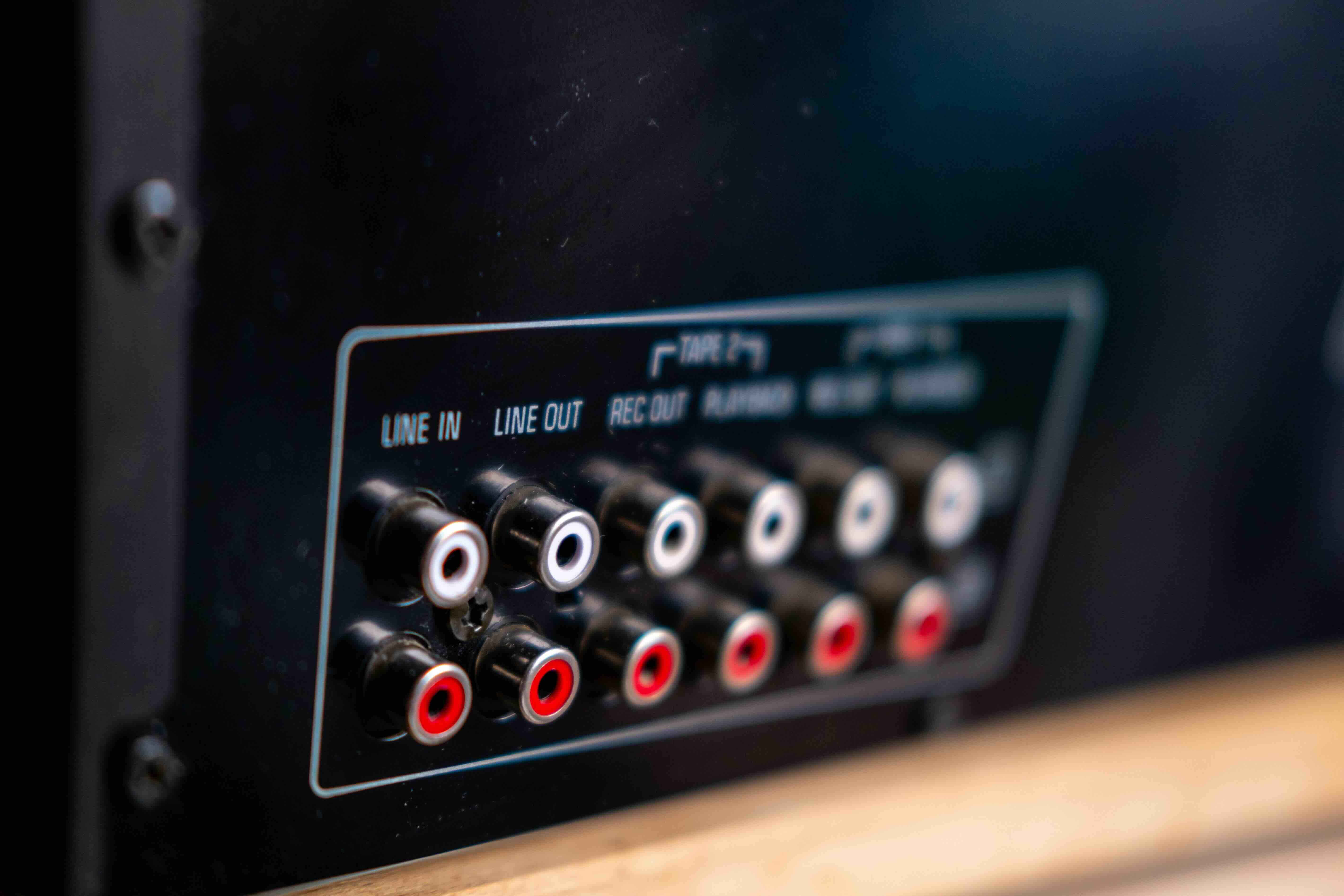
What Is Coaxial Audio Output and Why Does It Still Matter?
There is a good chance you have seen that small orange or black port on the back of a TV, receiver, or soundbar and wondered what it does. That is a coaxial audio output, sometimes labeled S/PDIF or digital coax, and it has been quietly doing its job in home theaters and professional audio setups for decades. Despite the rise of HDMI ARC and wireless audio, coaxial audio output remains one of the most reliable and signal-stable ways to transfer digital audio between devices. It deserves a proper explanation, because a lot of people overlook it and end up with worse audio as a result.
Coaxial Audio Output Explained: The Basics
At its core, coaxial audio output is a digital audio interface that uses a single RCA-style connector, typically orange in color, to transmit audio data as an electrical signal over a coaxial cable. The format is based on the S/PDIF standard, which stands for Sony/Philips Digital Interface Format. It sends digital audio data, meaning the signal carries raw digital information rather than an analog waveform, which generally results in less noise and degradation over the cable run. The cable itself is a coaxial design, meaning it has a center conductor surrounded by insulation and a shielding layer, which keeps the signal clean and resistant to interference. That shielding is a big deal in environments with lots of electronics nearby.
How Coaxial Audio Output Actually Works
When your source device, such as a Blu-ray player, gaming console, or cable box, processes audio, it can output that audio as a raw digital stream through the coaxial port. The signal travels down the cable at 75 ohms impedance, which is the standard for coaxial audio transmission. On the receiving end, a device like an AV receiver or DAC accepts that digital stream and decodes it into sound. The whole process is remarkably straightforward, and the electrical nature of the connection makes it less susceptible to interference compared to optical connections, which use light pulses. In practice, this means coaxial can handle slightly longer cable runs without the same risk of signal degradation you might see with optical.
What Audio Formats Does Coaxial Support?
This is where it gets practical. Coaxial audio output supports several commonly used formats that cover most home theater and audio needs.
- PCM stereo audio (two-channel, uncompressed digital audio)
- Dolby Digital 5.1 surround sound
- DTS 5.1 surround sound
- Dolby Digital EX and DTS-ES in some configurations
- High-resolution stereo PCM up to 24-bit/192kHz on capable hardware
What coaxial does not natively support is lossless surround formats like Dolby TrueHD or DTS-HD Master Audio in their full form. Those require HDMI for full bitstream transmission. That said, for the vast majority of everyday listening scenarios, coaxial gets the job done with clean, solid results. If you are running a traditional 5.1 surround system off a cable box or older disc player, coaxial is genuinely more than adequate.
Coaxial vs Optical Audio: What Is the Difference?
The comparison that comes up constantly is coaxial versus optical, also known as TOSLINK. Both are S/PDIF-based digital connections and both support the same core audio formats, so the theoretical ceiling is similar. The real-world differences come down to build, signal behavior, and environment. Optical uses a fiber cable and transmits light pulses, which makes it completely immune to electrical interference, but the fiber connector is fragile and the cable cannot be bent sharply without risking damage. Coaxial uses a copper conductor in a shielded cable, which holds up better physically, handles longer runs more consistently, and maintains signal integrity in electrically noisy environments. For most home and studio setups, coaxial is actually the more durable and dependable choice, even if optical gets mentioned more often.
Key Advantages of Using Coaxial Audio Output
There are several reasons why coaxial audio output continues to earn its place in modern and legacy audio setups alike.
- Strong signal integrity over longer cable distances compared to optical
- Greater resistance to environmental interference from nearby electronics
- Durable RCA-style connectors that are less prone to damage than optical TOSLINK plugs
- Low latency transmission suitable for both home theater and studio monitoring
- Wide compatibility across receivers, DACs, gaming consoles, and legacy AV equipment
- Supports high-resolution PCM audio for audiophile-grade stereo listening
These are not marginal advantages. If you are cabling a rack, routing audio across a room, or working in a commercial AV installation, those physical and signal benefits matter considerably.
Common Drawbacks to Keep in Mind
Coaxial audio is not without its limitations, and being upfront about them is more useful than glossing over them. The format does not support modern lossless audio codecs in their full bitstream form, which means if you want Dolby Atmos or DTS:X from a Blu-ray source through a capable receiver, coaxial will not get you there. HDMI is the only practical path for those formats. Additionally, coaxial carries only audio, so it requires a separate video connection, whereas HDMI handles both in one cable. The format is also limited to two-channel PCM at its base or compressed multichannel formats, so it is not the right choice for someone building a cutting-edge immersive audio system from scratch. For legacy systems and mid-range setups, though, it remains a practical and cost-effective option.
Practical Tips for Getting the Best Performance from Coaxial Audio
If you plan to use coaxial audio output in your setup, a few practical considerations will help you get the cleanest signal. Use a true 75-ohm coaxial cable rather than a standard composite RCA cable, since the impedance match matters for digital signal transmission. Keep cable runs as short as practical, though coaxial handles distance better than optical, there is still no reason to add unnecessary length. Secure the connector firmly at both ends since a loose RCA connection can introduce noise or cause dropouts. Check your source device settings to confirm it is outputting the right format, many devices default to PCM stereo even when connected to a receiver capable of Dolby Digital. Changing that setting in the audio output menu takes about thirty seconds and can meaningfully improve your surround experience.
Why Monoprice Should Be Your Source for Coaxial Audio Cables and Accessories
When you are building or upgrading an audio setup, the cable connecting your components is not something to leave to chance, and it is definitely not something you need to overpay for. Monoprice has built a reputation as a trusted source for high-performance audio and video cables that deliver real results without the inflated price tags that other brands rely on. Their coaxial audio cables are engineered to meet 75-ohm impedance standards, use quality shielding to resist interference, and feature durable connectors that hold up over time. Whether you are setting up a home theater, configuring an AV rack, or sourcing cables for a commercial installation, you can explore a full range of coaxial audio cables and digital audio connectivity solutions that are designed to perform at a professional level while staying within a practical budget. That balance of quality and value is exactly what smart buyers are looking for.
Frequently Asked Questions About Coaxial Audio Output
What is coaxial audio output used for?
Coaxial audio output is used to transmit digital audio signals between devices such as Blu-ray players, gaming consoles, cable boxes, and AV receivers or DACs. It carries digital audio data using the S/PDIF standard over a shielded cable with an RCA-style connector.
Is coaxial audio better than optical audio?
Coaxial and optical support the same audio formats, but coaxial offers better signal stability over longer cable runs and is more resistant to electrical interference. Optical is immune to electrical noise but uses fragile connectors and is sensitive to sharp bends in the cable.
What cable do I need for coaxial audio?
You need a 75-ohm coaxial cable with RCA connectors. Standard composite video RCA cables can technically work in some cases but are not optimized for digital audio transmission. A purpose-built coaxial audio or digital coax cable is the correct choice for reliable performance.
Does coaxial audio support Dolby Atmos?
No. Coaxial audio output does not support Dolby Atmos or DTS:X in their full bitstream form. Those immersive audio formats require HDMI with ARC or eARC to transmit correctly to a compatible AV receiver or soundbar.
What is the maximum audio quality from coaxial output?
Coaxial audio output can support up to 24-bit/192kHz stereo PCM audio on compatible hardware, which is considered high-resolution audio quality. For surround formats, it supports compressed Dolby Digital and DTS at up to 5.1 channels.
Can I use a coaxial audio cable for video as well?
No. Coaxial audio output carries only audio signals. You will need a separate cable for video, whether that is HDMI, component, or composite video, depending on your equipment.
How long can a coaxial audio cable run be?
Coaxial audio cables can reliably run up to approximately 10 meters or roughly 33 feet without meaningful signal degradation. This makes them better suited to longer installations compared to optical cables, which can struggle beyond shorter distances.
Why does my coaxial audio sound distorted or cut out?
Signal distortion or dropout from a coaxial audio connection is usually caused by a loose connector, a cable that is not true 75-ohm, or incorrect output format settings on the source device. Check all connections, confirm the cable is rated properly, and verify the audio output settings in your device menu.
Is coaxial audio output still relevant in modern home theater setups?
Yes, coaxial audio output remains relevant for connecting legacy devices, entry-level receivers, and any setup where HDMI ARC or eARC is not available. It is a reliable, low-latency digital audio connection that works well for stereo and standard surround sound configurations.
Do all TVs and receivers have coaxial audio output?
Not all modern devices include coaxial audio ports, as HDMI has become the dominant standard. However, many mid-range and higher-end AV receivers, older televisions, gaming consoles, and disc players still include coaxial audio connections, making it a relevant format across a wide range of equipment.


