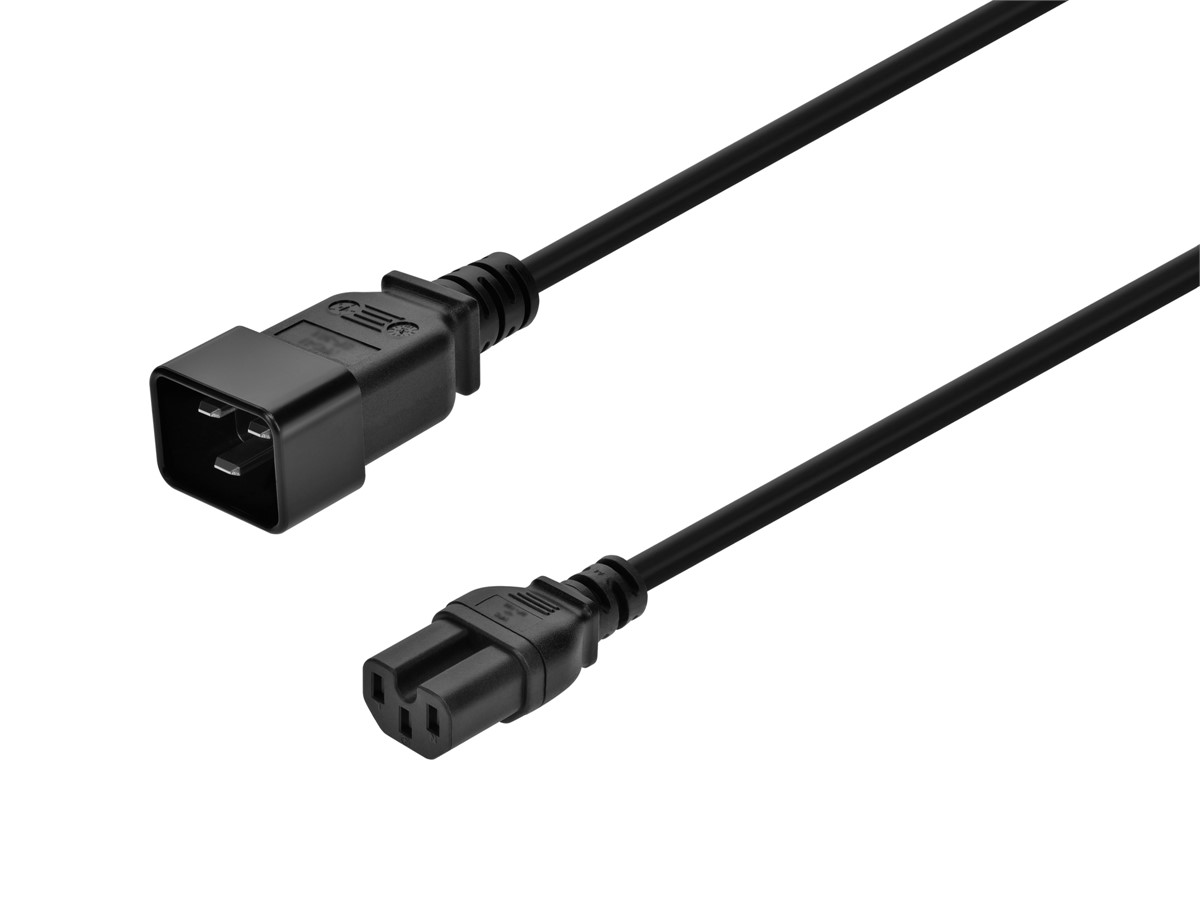
Charging Plugs: Types, Standards, and How to Choose
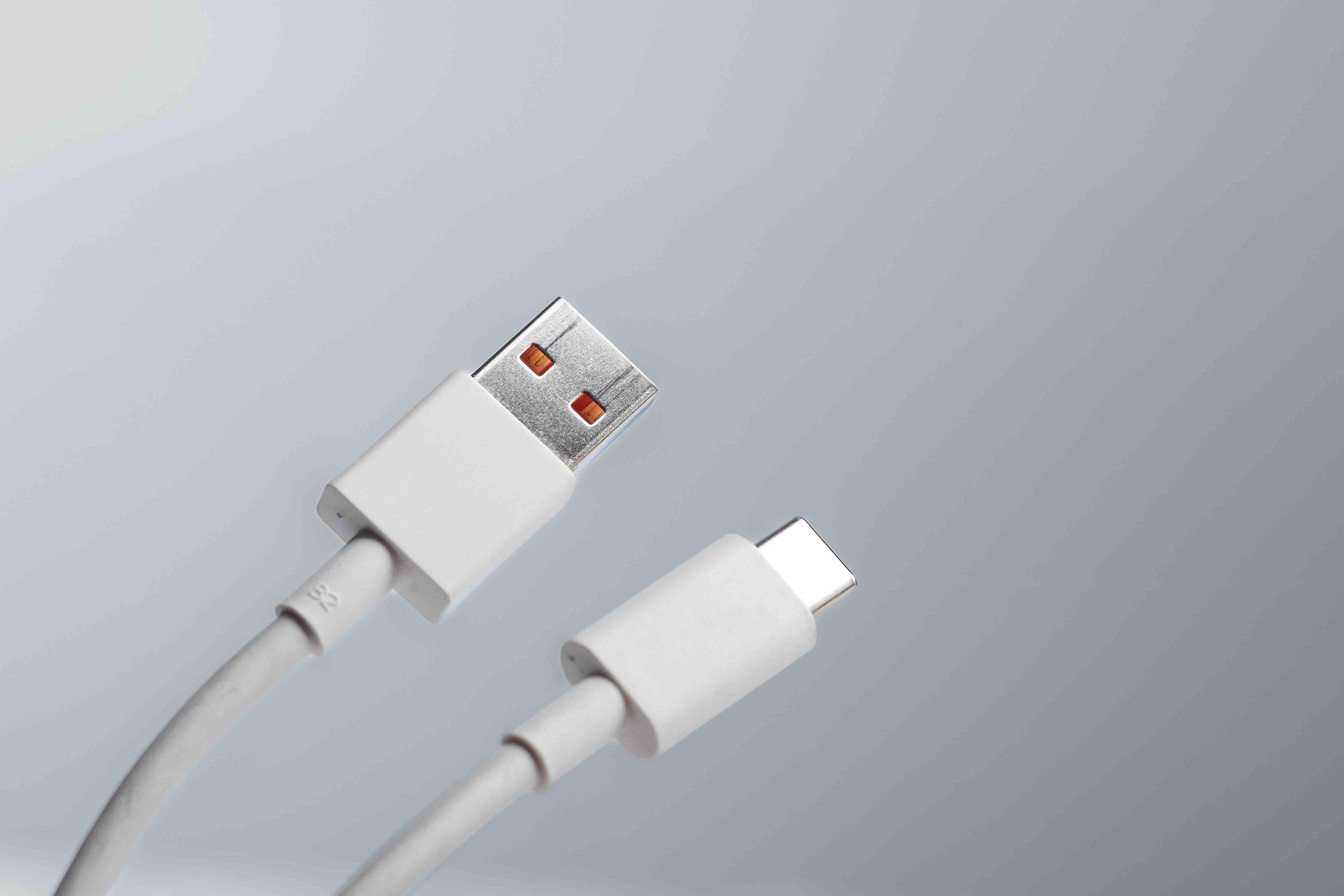
What Is a Charging Plug and Why Does It Matter More Than You Think
So you grab your phone, your laptop, maybe a pair of wireless earbuds, and you reach for a charger. Any charger. Probably the one closest to you. And honestly, most people stop thinking about it right there. But the charging plug you use, the actual connector that bridges your device to a power source, has a surprisingly significant impact on how fast your gear charges, how long your cables last, and whether you are even using the right standard for your setup. It is worth slowing down on this one, because the landscape has shifted quite a bit over the last few years and there is a lot to sort through.
Charging Plug Basics: What You Are Actually Looking At
A charging plug is the physical connector at the end of a charging cable. It interfaces between a power adapter or wall outlet and a device port. Simple enough on the surface. But the type of plug determines the charging protocol it supports, the wattage it can deliver, and whether it is compatible with your device at all. Different plug types have dominated different eras of consumer electronics, and right now we are in the middle of a genuine transition period. USB-A, USB-C, Lightning, Micro-USB, and proprietary connectors have all competed for relevance, and some are clearly winning that race more than others at this point.
The Main Types of Charging Plugs Explained
There are several plug formats worth knowing, and each one has a specific context where it makes the most sense. Here is a breakdown of the most common ones in use today:
USB-A
- The rectangular legacy connector still found on older chargers and hubs. It supports charging but not high-wattage power delivery in most configurations.
USB-C
- The current dominant standard. Oval, reversible, and capable of handling everything from 5W to 240W depending on the cable and adapter. Used across laptops, phones, tablets, and accessories.
Lightning
- Apple's proprietary connector, used on older iPhones and certain accessories. Being phased out in favor of USB-C across Apple's product line.
Micro-USB
- Mostly legacy territory at this point. Still found on older Android devices, some budget peripherals, and certain IoT hardware.
Barrel Connectors
- Round connectors used on many laptops and small electronics. Not standardized, so size and voltage vary considerably between manufacturers.
MagSafe
- Apple's magnetic connector for MacBooks and wireless charging on newer iPhones. Offers a secure connection with convenient detachment.
How a Charging Plug Actually Works
At its core, a charging plug creates an electrical connection between a power source and a device. But modern charging is a lot smarter than just completing a circuit. Many current charging standards involve a negotiation process between the charger and the device, where both ends communicate to determine the optimal voltage and current to deliver. This is how fast charging protocols like USB Power Delivery, Qualcomm Quick Charge, and proprietary systems like Apple's fast charge actually function. The plug itself needs to be rated to handle those power levels, which is why cheap or mismatched cables can cause slow charging, heat buildup, or in some cases, damage. The connector is the handshake, and the quality of that handshake matters.
The Shift to USB-C: What It Means for Everyday Users
USB-C has effectively become the universal charging standard, and that is not a marketing claim, it is now regulatory reality in many markets. The European Union mandated USB-C as the common charging port for consumer electronics, and the ripple effect has pushed even legacy holdouts toward adoption. For users, this is genuinely good news. One cable format that works across your phone, laptop, monitor, portable charger, and audio gear simplifies everything. The key thing to understand, though, is that not all USB-C plugs and cables are equal. A USB-C cable rated for 60W is not the same as one rated for 240W, and the plug spec has to match what your charger and device can actually push through it.
Key Advantages of Modern Charging Plugs
The evolution of charging plug technology has brought some genuinely useful improvements that affect how people work and move through their day. A few of the standout advantages worth calling out:
- Universal compatibility is expanding rapidly, especially with USB-C adoption across price points and brands.
- Higher wattage support means faster charging, with some setups delivering enough power to charge a laptop in under an hour.
- Reversible connectors like USB-C eliminate the frustration of wrong-side insertion.
- Standardization reduces cable clutter, because one format can serve multiple devices.
- Smart charging protocols protect battery health by adjusting power delivery based on charge state.
- Durability has improved on well-engineered plugs, with reinforced strain relief and better contact materials reducing wear.
Common Drawbacks and Things to Watch Out For
It would be incomplete to talk about charging plugs without being upfront about the friction points. The biggest issue right now is cable confusion. USB-C looks the same on every cable, but the underlying specs vary wildly. A cable that supports USB 2.0 data speeds and 18W charging looks physically identical to a Thunderbolt 4 cable rated for 240W and 40Gbps data transfer. Without reading the fine print or buying from a manufacturer that labels their products clearly, it is easy to end up undercharging a device or not getting the performance you paid for. Heat is another concern with lower-quality connectors. Poorly made plugs can overheat under sustained load, which degrades both the cable and the device port over time. Compatibility also remains a challenge for anyone with mixed-generation devices, since legacy ports do not disappear overnight.
Practical Tips for Choosing the Right Charging Plug
Getting the right charging plug does not require an engineering background, but it does require paying attention to a few key details. First, always check the wattage your device supports and match your cable and adapter accordingly. Second, look for cables that are clearly spec-labeled, particularly if you are buying USB-C, where the visual uniformity hides significant performance differences. Third, prioritize cables with reinforced connectors at both ends, especially if you are regularly plugging and unplugging. Fourth, consider the charging environments you use most. A compact foldable plug makes more sense for travel, while a longer heavy-duty cable may serve a desk setup better. Fifth, if you are managing multiple devices, investing in a multi-port charger that supports USB Power Delivery can consolidate your setup and reduce adapter sprawl considerably.
Why Monoprice Is a Smart Choice for Charging Plugs and Cables
If you have read this far, you probably care about getting this right, and that is exactly where Monoprice fits in. Monoprice has built a strong reputation in the cable and connectivity space by offering well-engineered, clearly spec'd products at prices that do not require a justification conversation. Their USB-C cables, charging plugs, and multi-port adapters cover a wide range of wattage ratings and use cases, from basic phone charging to full laptop power delivery setups. Every product is labeled with the specs that matter, so you are not guessing whether a cable can handle 100W or whether it supports the protocol your device needs. For anyone looking for reliable USB-C charging cables and high-wattage charging plugs that actually perform, Monoprice is a resource worth bookmarking. The value proposition is consistent, the product range is broad, and the build quality punches well above what you would expect at these price points.
Frequently Asked Questions About Charging Plugs
What is the difference between a charging plug and a charging cable?
A charging plug is the connector tip at the end of a cable that inserts into a device or adapter port. A charging cable is the full assembly, including the wire and both connectors on each end. The plug type determines compatibility, while the cable's internal wiring determines how much power and data it can carry.
Is USB-C the same as USB Power Delivery?
No. USB-C is a connector format, while USB Power Delivery is a charging protocol. USB-C ports can support USB Power Delivery, but not all USB-C connections do. A device or cable must explicitly support USB Power Delivery to take advantage of higher wattage charging.
Can I use any USB-C cable to fast charge my laptop?
Not necessarily. Fast charging a laptop typically requires a USB-C cable rated for at least 60W to 100W or higher, depending on the laptop. Using an underpowered cable may result in slow charging or no charging at all when the device is under load.
Why does my USB-C charger charge some devices slowly?
Slow charging through a USB-C connection usually comes down to a mismatch between the charger's output wattage, the cable's power rating, or the device's supported charging protocol. All three need to align for optimal charging speed.
Are all Lightning cables compatible with fast charging?
No. Fast charging on Lightning-equipped Apple devices requires a USB-C to Lightning cable and a USB-C power adapter that supports the appropriate wattage. A standard USB-A to Lightning cable will charge the device but at a slower rate.
What does the wattage rating on a charging plug mean?
The wattage rating indicates the maximum power the plug and cable can safely handle. Higher wattage means faster charging for compatible devices. Exceeding a cable's rated wattage is not recommended, as it can cause heat buildup and long-term damage.
Is it safe to use third-party charging plugs and cables?
Yes, provided the product meets relevant safety certifications and is clearly spec-labeled. Look for cables and plugs that are certified by recognized standards bodies and that clearly state their power rating, data speed support, and compatibility.
What charging plug standard should I buy for in 2025 and beyond?
USB-C is the standard to prioritize. It is the mandated format in the EU for consumer electronics, increasingly adopted across all major manufacturers, and supports the widest range of charging speeds and data protocols available today.
Can a charging plug damage my device's battery?
A low-quality or mismatched charging plug can contribute to battery degradation over time, particularly if it delivers inconsistent voltage or generates excess heat. Using a properly rated plug with smart charging protocol support helps protect battery health.
What is the fastest charging standard available for consumer devices right now?
USB Power Delivery 3.1 supports up to 240W over a USB-C connection, making it the highest standardized wattage available for consumer charging. Some proprietary fast charging systems from manufacturers like OnePlus and Xiaomi also offer very high speeds but require matched cables and adapters to function correctly.