

Cat5e Wire Order: T568A and T568B Standards Explained
Cat5e Wire Order: What It Is, Why It Matters, and How to Get It Right
If you have ever stared at a bundle of colored wires inside an Ethernet cable and felt momentarily lost, you are not alone. The Cat5e wire order is one of those foundational details that every IT professional, network installer, and technically curious home user eventually has to confront. Get it right, and your network runs clean and fast. Get it wrong, and you are chasing down mysterious connectivity issues for hours. This guide breaks it all down in plain terms, from what Cat5e actually is to why wire order matters and how to terminate cables correctly every time.
What Is Cat5e Cable and Why Is It Still Relevant?
Cat5e stands for Category 5 Enhanced. It is an improvement over the original Cat5 standard, offering better performance, reduced crosstalk, and support for Gigabit Ethernet speeds up to 1,000 Mbps over distances up to 100 meters. Despite newer standards like Cat6 and Cat6A gaining traction, Cat5e remains widely deployed in residential and small-to-medium business environments because of its cost-effectiveness and more than adequate performance for most everyday networking tasks. Streaming, video conferencing, general file transfers, VoIP systems -- Cat5e handles all of it reliably. It uses four twisted pairs of copper conductors, and that internal structure is precisely what makes wire order so important during termination.
Understanding the Four Twisted Pairs Inside Cat5e
Inside a Cat5e cable, you will find eight individual wires organized into four twisted pairs. Each pair shares a color coding: one wire is a solid color, and its partner is that same color with a white stripe. The four color pairs are blue, orange, green, and brown. These are not arbitrary choices. The twisting of each pair reduces electromagnetic interference and crosstalk between adjacent pairs, which is a core reason Cat5e outperforms basic unshielded wiring. When you strip back the outer jacket of a Cat5e cable, you will see those four pairs coiled together. Untwisting them carefully and arranging them in the correct sequence before crimping or punching down is where precision becomes critical.
The Two Wiring Standards: T568A vs T568B
Here is where a lot of people get caught up, and honestly, it is worth slowing down on. There are two accepted wiring standards for Cat5e termination: T568A and T568B. Both are defined by the ANSI/TIA-568 standard and both produce fully functional cables. The difference is in the pin assignment of the orange and green pairs. T568B is the more commonly used standard in commercial and enterprise environments throughout North America. T568A is preferred in government installations and is the standard used internationally in many cases. The wire order for T568B from left to right, with the clip facing down, is as follows:
- Pin 1: White/Orange
- Pin 2: Orange
- Pin 3: White/Green
- Pin 4: Blue
- Pin 5: White/Blue
- Pin 6: Green
- Pin 7: White/Brown
- Pin 8: Brown
The wire order for T568A from left to right is:
- Pin 1: White/Green
- Pin 2: Green
- Pin 3: White/Orange
- Pin 4: Blue
- Pin 5: White/Blue
- Pin 6: Orange
- Pin 7: White/Brown
- Pin 8: Brown
Notice that the blue and brown pairs remain in the same positions across both standards. Only the orange and green pairs swap places. Consistency is everything here. If you are wiring an entire building, pick one standard and stick with it on every single termination point.
Straight-Through vs Crossover Cables: When Wire Order Changes the Game
The standard Cat5e cable is a straight-through cable, meaning both ends use the same wiring standard, either T568A on both ends or T568B on both ends. This is used to connect different types of devices together, like a computer to a switch or a router to a patch panel. A crossover cable, on the other hand, uses T568A on one end and T568B on the other. This configuration was historically used to connect two similar devices directly, like computer to computer or switch to switch, without a dedicated router or switch in between. Modern networking equipment typically supports Auto-MDIX, which allows devices to detect and adjust for crossover automatically. But understanding the distinction is still practically useful, especially in legacy environments or troubleshooting scenarios where older hardware is in play.
How to Terminate Cat5e Cable Correctly
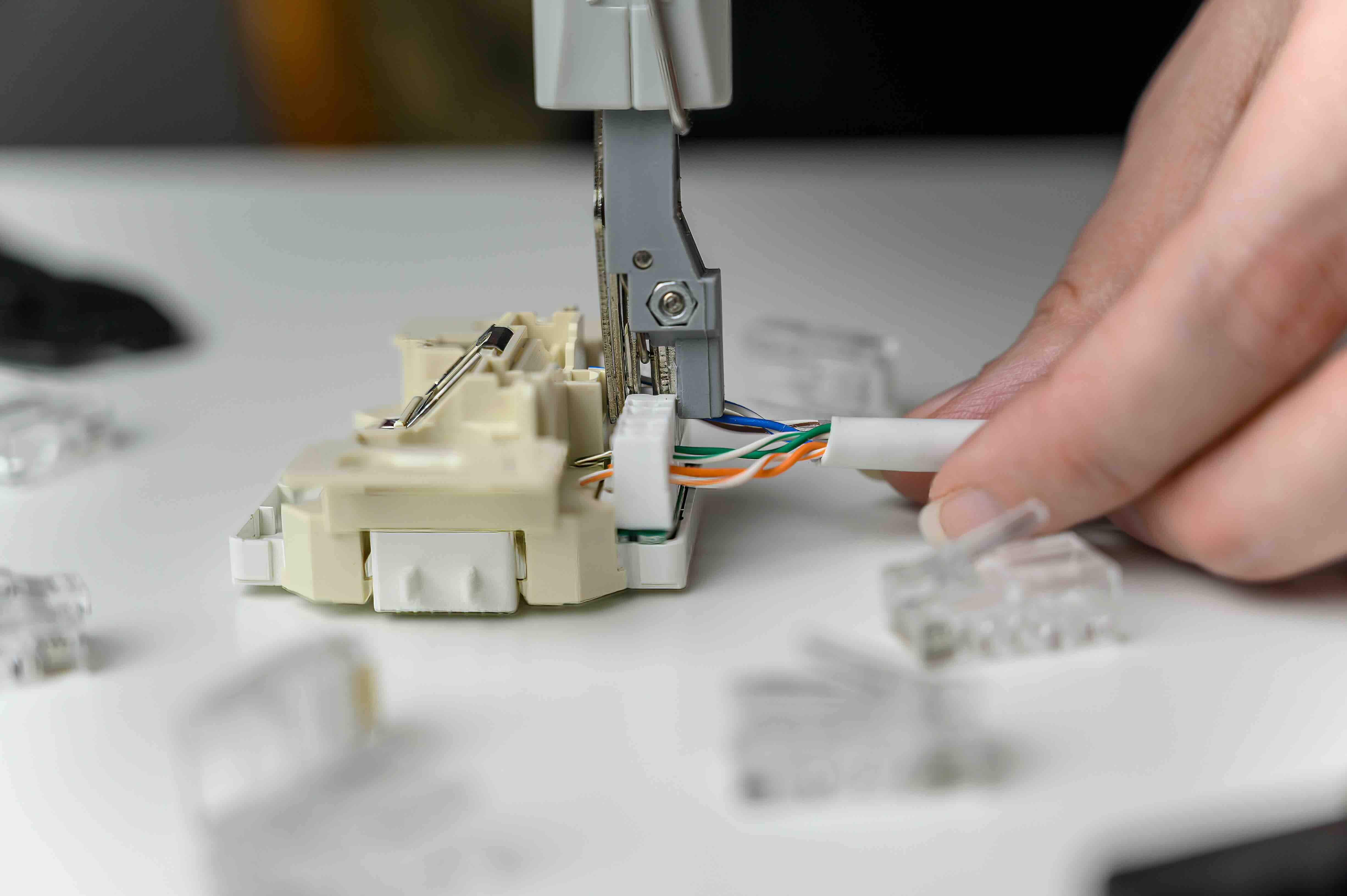
Proper termination is the skill that separates a clean, reliable network installation from one that fails a cable certification test. Whether you are using RJ45 connectors or a 110-type punch-down block on a patch panel, the process follows a clear sequence. Start by stripping about one inch of the outer jacket without nicking the inner conductors. Carefully untwist each pair only as much as necessary -- excessive untwisting increases crosstalk. Arrange the wires in the correct order per your chosen standard. Trim them to an even length. Insert them fully into the RJ45 connector, making sure each wire reaches the front of the connector. Then crimp firmly and consistently. Testing with a cable tester immediately after termination saves significant troubleshooting time later. A quality cable tester will verify pin continuity, correct wire mapping, and flag any miswires or shorts.
Common Mistakes to Avoid When Working with Cat5e Wire Order
There are a handful of mistakes that show up repeatedly on job sites and in home installations. Knowing them in advance makes a real difference in output quality. The most common issues include:
- Mixing T568A and T568B on the same cable run without intentional crossover design
- Untwisting wire pairs too far from the termination point, which increases crosstalk
- Not seating wires fully into the RJ45 connector before crimping
- Using Cat5e connectors that are not rated for the conductor gauge being used
- Skipping the cable test after termination and assuming it works
- Labeling errors that cause confusion during moves, adds, and changes later
Each of these issues can cause intermittent failures, reduced throughput, or complete link failure. Taking an extra two minutes per termination to double-check wire order and seating pays off significantly in the long run.
Cat5e vs Cat6: Is There a Reason to Upgrade?
This question comes up constantly, and the honest answer is: it depends on the application. Cat5e supports Gigabit speeds up to 100 meters, which is enough for the vast majority of everyday networking needs. Cat6 introduces tighter specifications, improved crosstalk reduction, and supports 10-Gigabit Ethernet up to 55 meters. If you are building a new infrastructure from scratch and have any expectation of higher bandwidth demands in the next five to seven years, Cat6 is a reasonable investment. For retrofit installations where Cat5e is already in place and performing well, replacement is often unnecessary. The wire order and termination standards are nearly identical between the two, so moving between them from a skills standpoint is a straightforward transition.
Why Monoprice Is the Smart Choice for Cat5e Networking Infrastructure
When it comes to sourcing reliable, high-quality Cat5e cabling and termination supplies, the value equation matters just as much as the technical specs. Monoprice has built a well-earned reputation as a trusted supplier for IT professionals, network integrators, and technically informed consumers who refuse to overpay for quality. Whether you need bulk Cat5e cable by the foot or the spool, pre-terminated patch cables, RJ45 connectors, keystones, or patch panels, Monoprice carries the full ecosystem needed to complete a proper network installation from end to end. The Cat5e networking cables and infrastructure solutions at Monoprice are built to meet TIA/EIA standards, tested for performance, and priced to make sense whether you are wiring a single room or an entire commercial floor. That combination of technical credibility and cost-conscious value is not something you find everywhere, and it is exactly what makes Monoprice a go-to for those who take their network infrastructure seriously.
Frequently Asked Questions About Cat5e Wire Order
What is the standard wire order for Cat5e cable?
The most common standard is T568B, which arranges the eight wires in this order from left to right: White/Orange, Orange, White/Green, Blue, White/Blue, Green, White/Brown, Brown. T568A is an alternative standard that swaps the positions of the orange and green pairs.
Does it matter which wiring standard I use, T568A or T568B?
Both standards produce functional Ethernet cables. What matters most is consistency. Use the same standard on both ends of a straight-through cable, and maintain that standard throughout your entire installation to avoid confusion and wiring errors.
What happens if the wires are in the wrong order in a Cat5e cable?
Incorrect wire order can result in no connectivity, intermittent link failures, or significantly reduced network performance. A cable tester will quickly identify miswired pins so you can re-terminate before the issue becomes embedded in a finished installation.
How many twisted pairs are inside a Cat5e cable?
Cat5e cable contains four twisted pairs of copper conductors, for a total of eight individual wires. Each pair is color-coded with a solid color and a white-striped version of that same color.
What is the difference between a straight-through and a crossover Cat5e cable?
A straight-through cable uses the same wiring standard on both ends and is used to connect different types of devices, such as a computer to a switch. A crossover cable uses T568A on one end and T568B on the other and was traditionally used to directly connect two similar devices.
Can Cat5e support Gigabit Ethernet speeds?
Yes. Cat5e is rated to support Gigabit Ethernet, which is 1,000 Mbps, at distances up to 100 meters. It is a reliable standard for most residential and small business networking applications.
How far can you run Cat5e cable without signal loss?
The maximum recommended run length for Cat5e cable in a structured cabling installation is 100 meters, or approximately 328 feet. Runs beyond this length can result in signal degradation and should use a network switch or active repeater.
Is Cat5e still worth using, or should I upgrade to Cat6?
Cat5e is still a practical and cost-effective choice for most standard networking environments. Cat6 offers better crosstalk rejection and supports 10-Gigabit Ethernet at shorter distances, making it a stronger option for new builds where future bandwidth growth is anticipated.
What tools do I need to terminate Cat5e cable?
At minimum, you need a cable stripper, a crimping tool compatible with RJ45 connectors, and a cable tester. For patch panel or keystone terminations, a 110-type punch-down tool is also required.
Why is it important to maintain wire pair twists close to the termination point?
Maintaining the twist as close as possible to the termination point minimizes crosstalk between wire pairs. Excessive untwisting degrades the signal isolation properties that Cat5e is engineered to provide, which can lead to reduced performance or failed certification tests.


