

Cable VGA Splitter: One Source, Multiple Displays
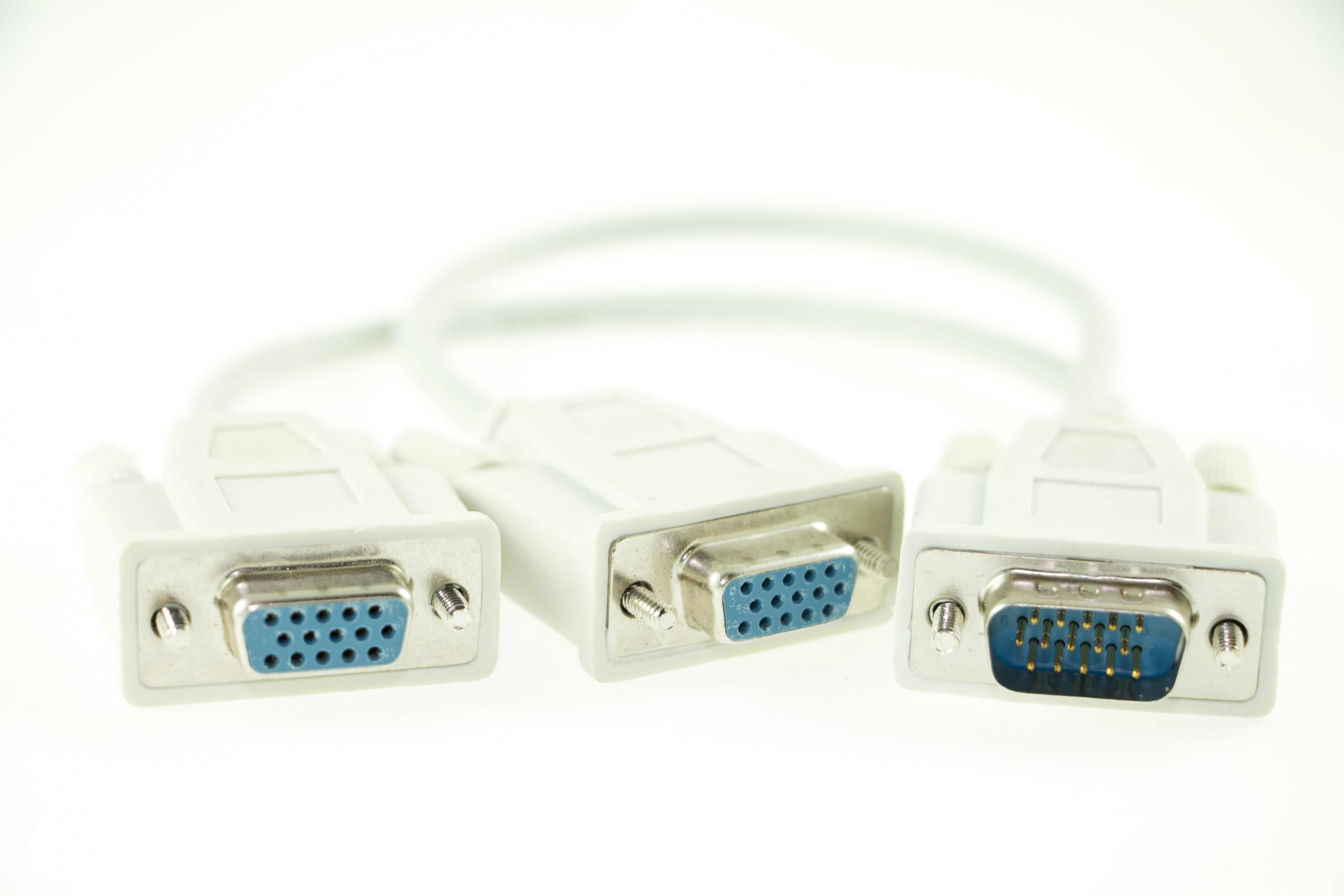
What Is a VGA Splitter and Why Does It Still Matter?
So, you have one computer and two monitors -- or maybe a projector and a display you need running at the same time. That is exactly the scenario a VGA splitter was designed for, and honestly, even with all the HDMI and DisplayPort conversations happening in the AV world right now, VGA is still out there. It is in classrooms, conference rooms, older workstations, and legacy setups across a huge range of industries. A cable VGA splitter is a passive or active device that takes a single VGA signal from your source -- a computer, a media player, a laptop -- and distributes it to two or more displays simultaneously. Simple concept. And when it is done right, it works reliably without adding cost or complexity to an installation.
How Does a Cable VGA Splitter Actually Work?
The basic idea is signal duplication. Your source device outputs one VGA signal through a standard 15-pin connector, and the splitter receives that signal and mirrors it across multiple output ports. Passive splitters do this without any external power -- they just split the electrical signal, which can lead to some degradation, especially over longer cable runs or when splitting to more than two displays. Active VGA splitters, on the other hand, use an onboard amplifier powered by USB or an external adapter to boost and maintain signal integrity across all outputs. The result is a cleaner, more consistent image at every display. If you are running short distances with just two monitors, a passive splitter might be fine. Scale up or run longer cables, and active is almost always the better call.
Common Use Cases for VGA Splitters
It is worth walking through where these actually get used, because the use cases are more varied than people expect. VGA splitters show up in:
- Education and training environments where one instructor PC needs to feed both a projector and a local display
- Corporate conference rooms running legacy AV infrastructure
- Digital signage setups using older display hardware
- Retail environments where a single source needs to mirror to multiple monitors
- IT labs where consistent output across multiple workstations needs to be verified simultaneously
- Government and institutional settings with long-established VGA-based AV systems
In all of these situations, the splitter solves a real, practical problem. You do not always have the budget -- or the justification -- to replace an entire display infrastructure just to get rid of VGA. A quality splitter buys you time and keeps things functional without a full equipment overhaul.
Key Advantages of Using a VGA Splitter
There are some genuinely useful benefits here. First and most obvious -- cost. A VGA splitter is dramatically cheaper than purchasing an additional graphics card, upgrading to a multi-output system, or swapping out hardware. Second, the setup is almost zero friction. You plug in the splitter, connect your displays, and the system recognizes what it needs to. No driver installations, no configuration menus. For IT teams managing multiple rooms or classrooms, that kind of plug-and-play reliability matters a lot. Third, VGA splitters extend the life of existing equipment. That projector from eight years ago still works fine. The monitors in the conference room are not broken. A splitter keeps that hardware in service without forcing an early replacement cycle.
Drawbacks and Limitations You Should Know About
VGA is an analog signal format -- that is just a fact, and it comes with inherent constraints. Unlike HDMI or DisplayPort, VGA does not carry audio, so you will need a separate audio solution if sound matters in your setup. Resolution is another ceiling you will hit eventually. VGA can technically support up to 2048 x 1536, but real-world performance with most hardware tends to cap out at 1920 x 1200 or lower. And with a passive splitter, splitting the signal even once can introduce visible ghosting or softness, particularly on larger displays or longer cable runs. The more outputs you add, the more noticeable this becomes. Active splitters address the signal degradation issue, but they add a small amount of cost and require power. None of these are dealbreakers for legacy environments -- just important context when you are choosing the right product for your situation.
Active vs. Passive VGA Splitters: Which One Should You Choose?
This is probably the most practical question people have when shopping for a cable VGA splitter, and the answer depends on two things: how many displays you need to drive and what cable lengths are involved. For a simple one-to-two split over short cable runs -- say, under ten feet -- a passive splitter can perform acceptably. The signal loss is manageable and the image quality holds up reasonably well. But if you are splitting to four, eight, or sixteen displays, or running cables across a room or down a hallway, active is not optional -- it is necessary. Active VGA splitters regenerate and amplify the signal at each output, which means each display receives a clean, full-strength image regardless of cable length or the number of connected screens. For professional installations, always lean active.
Tips for Getting the Best Performance from Your VGA Splitter
A few practical things worth knowing before you deploy a VGA splitter setup. Match your cable quality to your environment -- a lower-quality VGA cable introduces its own noise and interference that no splitter can fix downstream. Use shielded cables when possible, especially in environments with lots of electrical interference. Keep cable runs as short as the installation allows. Make sure all connected displays share the same native resolution; mixed resolutions can sometimes force the source to output at the lowest common denominator, which hurts image quality across all screens. And if you are using an active splitter, verify that the power supply or USB port delivering power to the unit is stable -- intermittent power causes intermittent signal drops, and that is a frustrating thing to troubleshoot in a live environment.
VGA Splitters vs. VGA Switches: Understanding the Difference
This trips people up fairly often. A VGA splitter takes one input and sends it to multiple outputs simultaneously -- all displays show the same image at the same time. A VGA switch does the opposite: it takes multiple inputs and routes one of them to a single output, letting you toggle between different source devices on one display. They look similar, they use the same connectors, but they solve completely different problems. If your goal is mirroring one source to many screens, you need a splitter. If you need to switch between multiple computers on one monitor, you need a switch -- or a KVM switch if keyboard and mouse control is also part of the equation. Getting this wrong means buying the wrong product, so it is worth being clear on the distinction before you order.
Why Monoprice Is the Right Source for Your VGA Splitter Needs
When it comes to legacy AV infrastructure and signal distribution, Monoprice has built a well-earned reputation for delivering reliable, performance-driven solutions at pricing that makes sense for both individual buyers and procurement teams managing larger deployments. Whether you are outfitting a single conference room or standardizing AV infrastructure across an entire facility, Monoprice offers a range of cable VGA splitters -- passive and active -- backed by the kind of build quality and consistency that IT professionals and AV integrators depend on. You get real product performance without absorbing inflated costs. If you are sourcing your next VGA splitter or need to evaluate the full lineup of signal distribution and connectivity products available, exploring the complete range of VGA splitters and AV connectivity solutions at Monoprice is a smart starting point for any installation project. The products are built with practical environments in mind, supported by people who understand the difference between a clean signal and a compromised one -- and that matters in real-world deployments.
Frequently Asked Questions About Cable VGA Splitters
What does a cable VGA splitter do?
A cable VGA splitter takes a single VGA video signal from a source device and distributes it to two or more displays simultaneously, mirroring the same image across all connected screens.
Does a VGA splitter reduce image quality?
Passive VGA splitters can degrade signal quality, especially over longer cable runs or with multiple outputs. Active VGA splitters use built-in amplification to maintain signal integrity and deliver cleaner images across all displays.
Can a VGA splitter support different resolutions on each display?
No. A VGA splitter mirrors the same signal to all outputs, meaning all connected displays receive the same resolution. The system will typically default to the lowest resolution supported by any connected display.
Does a VGA splitter carry audio?
No. VGA is a video-only format and does not transmit audio. You will need a separate audio cable or audio distribution solution if sound is required at the connected displays.
How many monitors can a VGA splitter support?
Depending on the model, VGA splitters are available in one-to-two, one-to-four, one-to-eight, and one-to-sixteen configurations. Active splitters are strongly recommended for setups with more than two displays.
What is the maximum resolution supported by a VGA splitter?
VGA as a format can support resolutions up to 2048 x 1536, though practical performance in most hardware environments typically delivers up to 1920 x 1200. Resolution output also depends on the capabilities of your source device and connected displays.
What is the difference between a VGA splitter and a VGA switch?
A VGA splitter sends one source signal to multiple displays at the same time. A VGA switch takes multiple source inputs and routes one of them to a single display. They serve opposite functions and are not interchangeable.
Do I need a powered VGA splitter?
If you are splitting to more than two displays or running longer cable distances, a powered or active VGA splitter is recommended. It amplifies the signal to ensure consistent quality at every output regardless of cable length or the number of connected screens.
Are VGA splitters still useful with modern technology?
Yes, particularly in environments with legacy hardware such as older projectors, institutional displays, or established conference room infrastructure where replacing all VGA equipment is not cost-effective. VGA splitters extend the functional life of that hardware reliably.
Will a VGA splitter work with my laptop?
If your laptop has a VGA output port, yes. Many newer laptops have moved away from VGA in favor of HDMI or USB-C, but a VGA adapter paired with a VGA splitter can work if needed. Verify your laptop's available video output ports before purchasing.


