

Cable Splitters: Split Signals Without Losing Quality
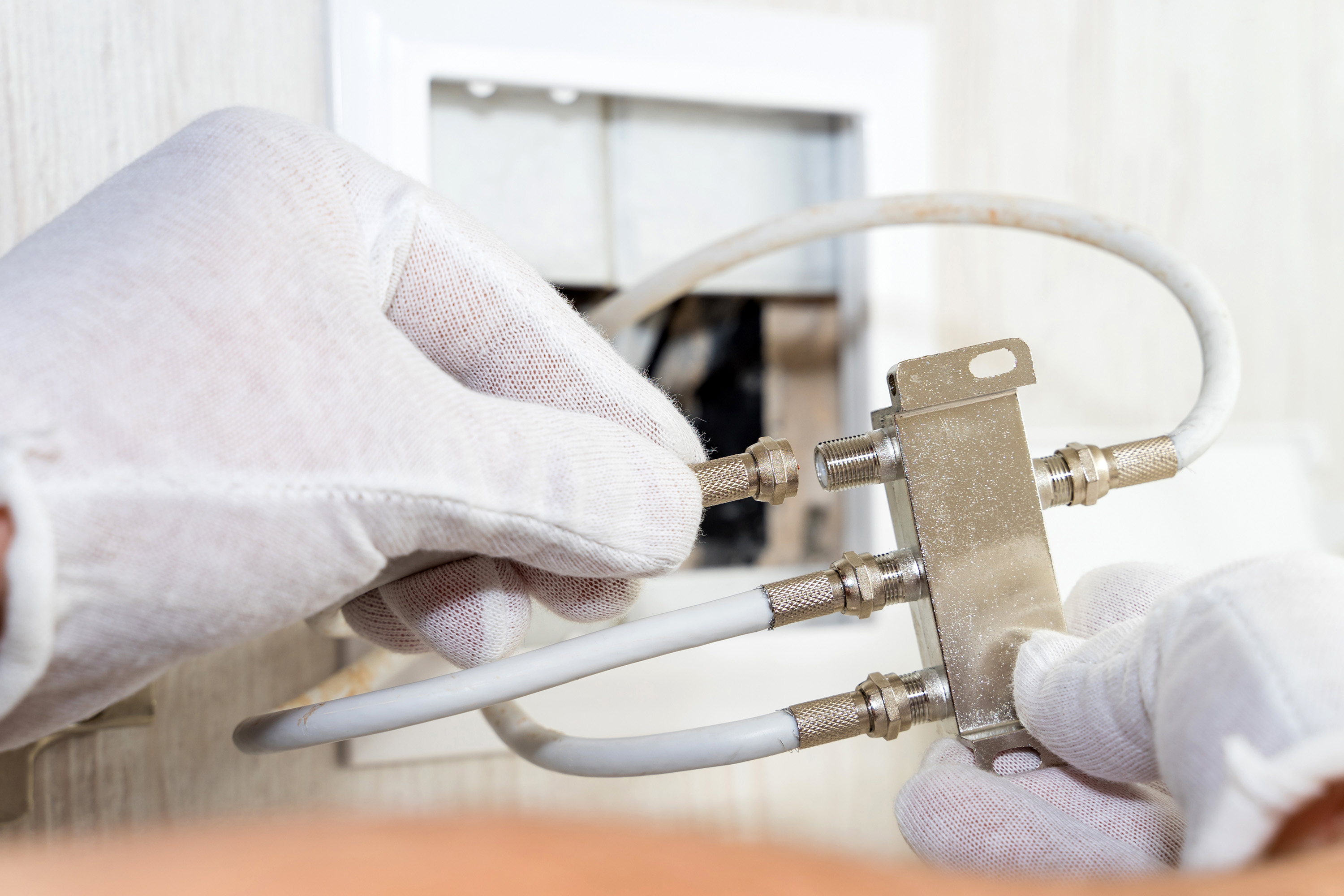
What Is a Cable Splitter and Why Does It Matter for Your Setup?
So you have one cable signal coming in and multiple devices you need to connect. That is pretty much where cable splitters enter the picture. A cable splitter is a passive device that takes a single input signal and divides it into two or more output signals, allowing you to distribute that signal to several destinations simultaneously. Whether you are running coaxial cable through a home, distributing an antenna signal across multiple televisions, or setting up a structured wiring configuration for a commercial space, splitters are one of those foundational components that most people do not think about until something stops working. And then they think about them a lot. They are simple by design, but choosing the wrong one or misunderstanding how they function can quietly degrade your entire signal chain.
How a Cable Splitter Actually Works
The mechanics are straightforward but worth understanding before you start buying. When a signal enters a splitter, it gets divided across however many output ports the splitter has. A two-way splitter splits the signal in half. A four-way splitter divides it into quarters. The key issue here is insertion loss, which refers to the reduction in signal strength at each output port as a result of that division. This loss is measured in decibels, and it is unavoidable with passive splitters. A standard two-way splitter introduces roughly 3.5 dB of signal loss at each port, a three-way splitter around 5.5 to 7 dB depending on its internal design, and a four-way splitter typically hits around 7 dB per port. The point being, the more ways you split, the weaker the signal gets at each destination. That matters enormously when you are working with longer cable runs or marginal signal levels to begin with.
The Main Types of Cable Splitters You Should Know About
Not all splitters are built the same, and the type you need depends entirely on your application. Here is a quick breakdown of the most common categories:
- Coaxial Cable Splitters: Designed for RF signals, commonly used with cable TV, satellite, and over-the-air antenna setups. Available in 2-way, 3-way, 4-way, and 8-way configurations.
- HDMI Splitters: Take one HDMI source output and mirror it to multiple displays. Useful for digital signage, conference rooms, or home theater setups running the same source to multiple screens.
- Ethernet Splitters: These divide a single Ethernet connection to carry two separate network signals over one cable, though they require a matched pair and reduce available bandwidth.
- Antenna Splitters: Similar to coaxial splitters but optimized for the frequency range used by TV antennas, often rated for both VHF and UHF bands.
Optical Audio Splitters: Distribute a Toslink digital audio signal from one source to multiple receivers without analog conversion.
Each category has its own signal behavior, insertion loss profile, and installation considerations. Mixing them up or using a lower-grade version of any type tends to cause problems that are genuinely hard to diagnose after the fact.
Key Advantages of Using a Cable Splitter
The obvious one is convenience. You run one cable to a central point and distribute from there, which reduces installation complexity, cuts down on equipment costs, and keeps your infrastructure clean. For home installations, that might mean one antenna on your roof feeding three televisions. For commercial or enterprise environments, it could mean a single cable TV feed distributing across a hotel floor or a waiting room with multiple display points. Passive coaxial splitters in particular have no moving parts, require no power source, and have essentially no failure modes if you buy quality components. That reliability factor is underrated. There is also a cost argument here that is hard to dismiss. Running separate dedicated cable lines to every device is expensive and labor-intensive. A well-placed splitter with appropriate signal levels addressed upstream is usually the smarter infrastructure decision.
Common Drawbacks and Signal Loss Considerations
Signal degradation is the central limitation of any passive splitter. Every split introduces loss, and that loss compounds when you factor in cable runs, connector quality, and how strong your source signal was to begin with. This is why you cannot just stack a four-way splitter off a two-way splitter and expect clean results at the end. If your source signal is weak, amplification before the split point is often necessary. An active distribution amplifier, rather than a passive splitter, might be the more appropriate solution in those scenarios. Another common problem is impedance mismatch, particularly with coaxial splitters. They are typically rated for 75-ohm systems, and using mismatched components anywhere in the chain creates reflections that degrade signal quality. Poor shielding in budget splitters is also worth flagging. RF interference can bleed into the cable runs and affect picture quality or signal consistency in ways that are frustrating to track down.
How to Choose the Right Cable Splitter for Your Needs
Start by counting outputs. Only split as many ways as you actually need, because every additional output port costs you signal strength even if the port is unused. Next, check the frequency range the splitter supports. A splitter rated for 5 to 1000 MHz is fine for basic cable applications, but if you are working with MoCA networking or satellite signals, you need a splitter rated for those higher frequencies. Look at the insertion loss spec, and if your signal source is marginal at all, plan for amplification before the split rather than hoping the math works out. Construction quality matters too. Look for solid shielding, robust port construction, and weather resistance if the unit is going outdoors. Finally, verify compatibility with your specific application. Not all HDMI splitters support the same HDCP version, resolution, or HDR format, and those mismatches will cause handshake failures that look like hardware problems but are really compatibility issues.
Practical Installation Tips for Better Signal Distribution
A few installation habits make a meaningful difference in real-world performance. Keep cable runs as short as practically possible between the splitter and each endpoint, since every additional foot of coax or HDMI cable introduces further loss. Use compression connectors rather than push-on connectors for coaxial applications, since the connection quality is substantially better and signal leakage is minimized. Ground your splitter housing wherever applicable, particularly in outdoor or antenna applications, to reduce interference and protect the equipment. If you are installing a multi-way splitter in a distribution panel, label every output port at the time of installation. It sounds simple but saves significant troubleshooting time down the road. Also, avoid coiling excess cable tightly, as this can affect impedance and introduce signal issues particularly at higher frequencies.
When a Splitter Is Not the Right Tool
There are situations where a splitter is genuinely not the best solution. If you need to send different content to different displays, you want a matrix switch or a distribution system with switching capability, not a passive splitter. If signal loss is already an issue, adding a splitter downstream of the problem makes things worse, not better. In networked AV environments, IP-based distribution systems often handle scaling and signal management more effectively than physical splitters at a certain infrastructure size. And for audio distribution in particular, active distribution amplifiers typically outperform passive splitters in maintaining signal quality across multiple zones. Knowing where passive splitting is appropriate and where active or switched distribution is the better answer is the kind of informed decision that saves time and budget on both home and commercial projects.
Why Monoprice Is a Smart Source for Cable Splitters and Signal Distribution Components
When you are sourcing infrastructure components, quality and consistency across the product line matter more than most people realize. Monoprice has built a well-earned reputation for delivering high-performance signal distribution products at prices that do not require a significant budget commitment. Whether you need a straightforward two-way coaxial splitter for an antenna installation or a multi-port HDMI distribution solution for a conference room or commercial display setup, the product depth is there. For anyone building out a reliable signal distribution infrastructure, browsing the full range of cable splitters and signal distribution products at Monoprice is a practical starting point that covers both residential and professional applications without the markup that comes from traditional distribution channels. The construction quality holds up, the specifications are accurate, and the value across the board reflects what a serious buyer actually needs from a supplier they can rely on repeatedly.
Frequently Asked Questions About Cable Splitters
Does a cable splitter reduce signal quality?
Yes, passive cable splitters reduce signal strength at each output port due to insertion loss. A two-way splitter causes approximately 3.5 dB of loss per port. If your source signal is strong, this is typically manageable. If it is already weak, you may need a signal amplifier placed before the split point.
Can I use a cable splitter for my internet connection?
You can use a coaxial splitter on a cable internet line, but it will reduce signal levels to your modem, which can affect connection stability and speed. Use the fewest split points possible and ensure the splitter is rated for the frequency range your cable internet provider uses, which is often up to 1002 MHz or higher.
What is the difference between a cable splitter and a distribution amplifier?
A passive cable splitter divides a signal without adding power, which means each output receives a weaker signal. A distribution amplifier actively boosts the signal before or during the split, compensating for insertion loss and maintaining signal quality across all outputs. Distribution amplifiers are preferred when signal levels are low or when splitting four or more ways.
How many times can you split a cable signal?
Technically you can split a cable signal multiple times, but each split reduces signal strength. As a general rule, cascading beyond two levels of splitting without amplification will degrade signal quality noticeably. Always calculate cumulative insertion loss across all split points before assuming the signal will be adequate at the endpoint.
Do HDMI splitters support 4K and HDR?
Not all HDMI splitters support 4K resolution, HDR, or the latest HDCP versions. You need to verify that the splitter is explicitly rated for the resolution and HDR format you are using. A splitter that does not support HDCP 2.2 or 2.3, for example, will fail to pass protected 4K content even if the hardware appears connected correctly.
What is the difference between an HDMI splitter and an HDMI switch?
An HDMI splitter takes one source and sends the same signal to multiple displays simultaneously. An HDMI switch takes multiple sources and selects one at a time to send to a single display. They solve opposite problems and are not interchangeable.
Are outdoor cable splitters different from indoor ones?
Yes. Outdoor cable splitters are built with weatherproof housings, sealed ports, and corrosion-resistant materials to handle moisture, temperature swings, and UV exposure. Using an indoor splitter in an outdoor application will lead to signal degradation and hardware failure over time due to environmental exposure.
Can a bad splitter cause pixelation or signal dropout on a TV?
Yes. A low-quality splitter with poor shielding, damaged connectors, or inadequate frequency rating can cause pixelation, signal dropouts, and audio issues. If you are experiencing intermittent picture problems, the splitter is one of the first components worth inspecting or replacing.
What frequency range should a coaxial splitter support?
For standard cable TV applications, a range of 5 to 1000 MHz is typical. For satellite signals, you need a splitter rated up to 2150 MHz or higher. For MoCA-based home networking over coax, look for a splitter that either supports the MoCA frequency band or includes a built-in MoCA filter to prevent interference with your network.
Is it better to use a two-way splitter twice or a four-way splitter once?
Using a single four-way splitter is generally preferred over cascading two two-way splitters. Cascading adds cumulative loss from both split stages, whereas a single four-way splitter handles the division in one pass with a predictable and lower total loss profile. Always use the fewest split stages necessary for your installation.


