

C Converter Guide: Signal Conversion Explained for Pros
What Is a C Converter and Why Does It Matter in Modern Tech Setups
So you have been hearing about C converters lately, maybe in the context of networking, AV installs, or just trying to sort out why your signal is not getting where it needs to go. Fair enough. A C converter, short for converter in the context of signal and media conversion technology, is essentially a device that translates one type of signal, format, or interface into another that a different device can actually understand and use. This sounds simple on the surface, but when you dig into real-world deployments, especially in professional AV environments, IT infrastructure, or hybrid workspaces, the role of a quality converter becomes genuinely critical. Without it, mismatched devices simply do not communicate. And in today's world where you are connecting older equipment with newer standards, that translation layer is not optional. It is the whole point.
How a C Converter Actually Works
At its core, a C converter processes an incoming signal, reads its format, and outputs an equivalent signal in a different format. Depending on the application, this can involve converting analog signals to digital, changing resolution standards, adapting interface types like HDMI to DisplayPort, or converting media types entirely, such as fiber to copper in networking. The converter typically includes internal processing chips that handle signal decoding and re-encoding in real time. The best converters do this with minimal latency and zero signal degradation, which is the benchmark you should be evaluating when shopping. Some converters are passive and require no external power, handling only minor format adjustments. Others are active devices with dedicated power supplies and processing capabilities that handle more complex translation tasks, especially in higher-bandwidth applications like 4K and 8K video or high-speed data networking.
Common Types of C Converters Used in Technology Environments
The converter category is broader than most people expect when they first start researching. The type you need depends entirely on the use case, and getting this wrong is a frustratingly common and avoidable mistake. Here are the main types you will encounter across AV and IT environments:
- Signal converters for audio and video format translation
- Media converters for fiber optic to copper Ethernet transitions
- Protocol converters for translating data communication standards between legacy and modern systems
- Format converters for resolution or color space adaptation in professional display environments
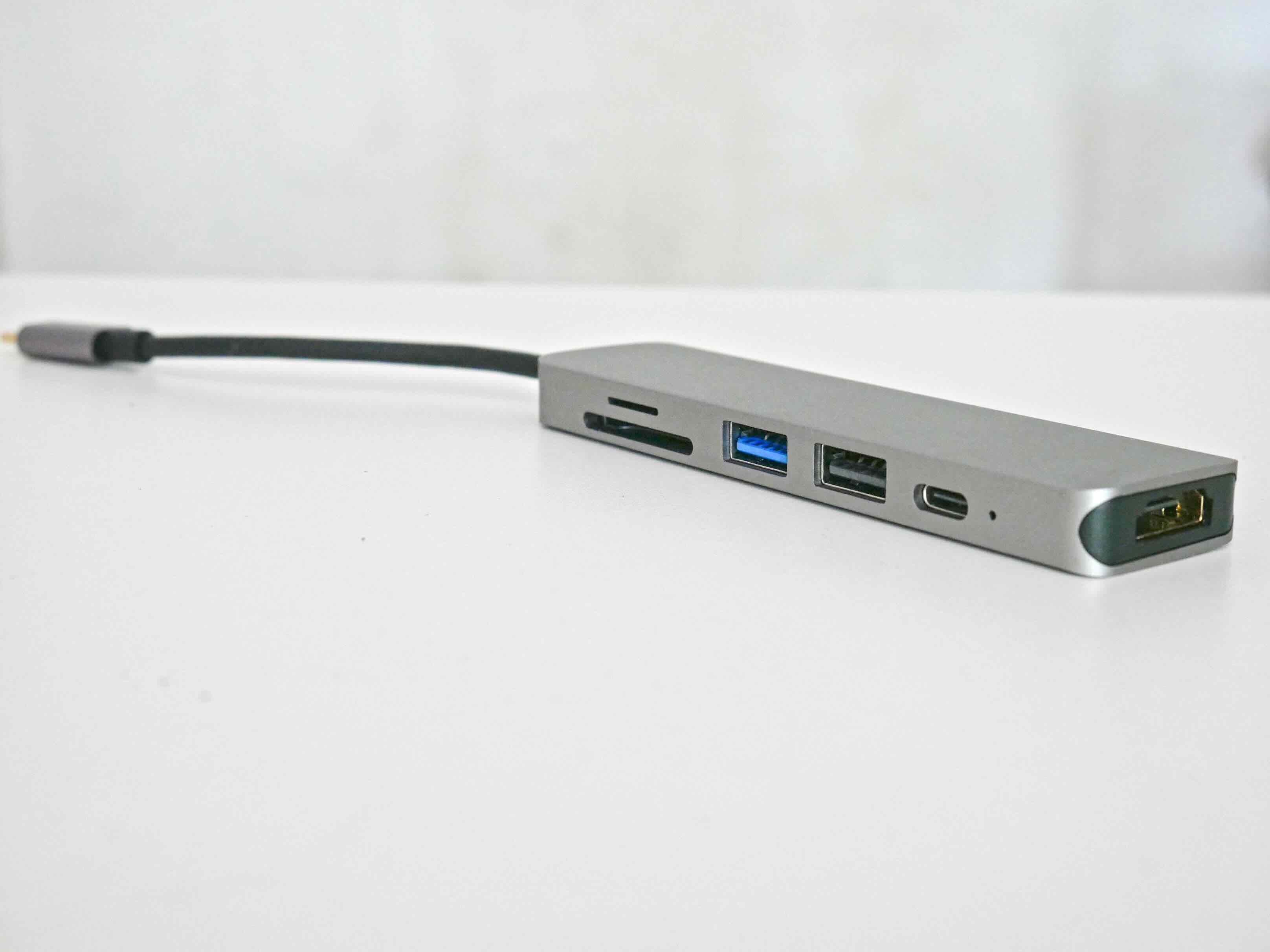
- Interface converters for adapting between physical connection types like USB-C, HDMI, and DisplayPort
Each of these fills a specific role, and in many professional installations, you might actually need more than one type running simultaneously. Understanding which category applies to your situation is the first real step toward solving a compatibility problem cleanly.
Key Advantages of Using a Dedicated C Converter
The benefits here go well beyond just making two devices talk to each other. A properly matched converter improves signal integrity, maintains resolution fidelity, and in networking applications, it can extend transmission distances significantly beyond what copper alone can achieve. Fiber media converters, for example, allow Ethernet signals to travel thousands of feet rather than the roughly 328-foot limitation of standard copper Cat6 infrastructure. For large facilities, warehouses, campuses, or any distributed AV installation, that kind of range extension is a practical necessity. On the video side, format converters maintain color depth and frame rate accuracy across the translation, meaning what you put in is what you get out at the other end. That fidelity matters enormously in any content-critical environment, from broadcast studios to corporate presentation suites to education campuses.
Common Drawbacks and Limitations to Know Before You Buy
Nothing is perfect, and converters are no exception. The most frequent complaint is latency, particularly in active converters that must encode and decode signals on the fly. For live video switching, even a few milliseconds of processing delay can cause sync issues between audio and video. Budget converters often cut corners on internal chips, which shows up fast in the form of signal instability, dropped connections, or color banding in the output. There is also the question of compatibility depth. A converter might claim to support a given format but only at lower bandwidth or resolution settings. Always check the full specification sheet, not just the headline claim on the box. Additionally, passive converters that handle impedance mismatches can sometimes introduce noise into analog audio paths if the signal levels are not properly matched before conversion. These are manageable issues with the right product, but they are worth knowing before you commit.
Practical Tips for Choosing the Right Converter
This is where a lot of people save themselves a headache. Before purchasing any converter, map out exactly what signal or interface is going in and what format needs to come out. That sounds obvious but it is genuinely the step most people skip. Then verify whether the converter needs to support bidirectional signal flow or just one direction, since many are input-to-output only. Check the maximum bandwidth or resolution supported and make sure it meets your actual requirement with a little headroom to spare. If the application involves video, confirm whether HDR passthrough is supported if that matters for your display chain. For networking converters, look at whether the unit supports auto-negotiation for link speed, which simplifies deployment in mixed-speed environments. Power requirements, mounting options, and warranty coverage should all factor into the final decision, especially for permanent installations where swapping out a faulty unit later is costly and disruptive.
C Converters in Professional AV and IT Infrastructure
In professional settings, converters are not an afterthought. They are engineered into the infrastructure from day one. AV integrators routinely specify media converters as part of fiber backbone runs connecting AV equipment across buildings or floors. Protocol converters handle communication between legacy control systems and newer IP-based AV management platforms. In IT networking, media converters enable seamless transitions between fiber uplinks and copper-based workstation connections throughout a structured cabling plant. The reliability standard in these environments is high because a failed converter in a mission-critical system means downtime, and downtime costs real money. That is why product quality, build construction, and manufacturer support matter so much when specifying converters for commercial or enterprise-grade deployments.
Understanding Signal Loss and How Good Converters Prevent It
Signal loss is the underlying technical enemy that converters are designed to address, and understanding it gives you a clearer picture of why quality matters so much here. In analog systems, signal degrades over distance and through passive components as a natural consequence of physics. In digital systems, signal integrity is about maintaining clean, readable data without errors introduced by noise, impedance mismatches, or cable limitations. A high-quality converter compensates for these conditions by re-clocking or amplifying the signal as part of the conversion process. Active converters with proper internal circuitry essentially give the signal a clean handoff from one standard to another, rather than just loosely bridging two incompatible formats together. The difference in output quality between a well-engineered converter and a bargain-bin alternative is often stark and immediately visible in the output, or audible in the case of audio applications.
Why Monoprice Belongs on Your Shortlist for C Converters and Signal Conversion Gear
When it comes to sourcing reliable, performance-focused signal conversion equipment without paying inflated prices, Monoprice consistently delivers across both consumer and professional applications. The product lineup covers a wide range of conversion needs, from HDMI to DisplayPort adapters to fiber media converters built for structured cabling environments, all engineered to the kind of specification depth that serious deployments require. You are not getting stripped-down, minimum-viable hardware here. You are getting gear that has been developed with real installer and integrator feedback in mind, which shows in the build quality, the compatibility breadth, and the performance consistency that holds up in demanding environments. Whether you are a solo IT technician outfitting a small office or a procurement team sourcing for a multi-floor enterprise rollout, the value proposition is the same. For anyone evaluating professional-grade signal converters and AV connectivity solutions, Monoprice offers a catalog deep enough to handle virtually any conversion challenge, backed by competitive pricing that makes specifying quality gear at scale genuinely practical.
Frequently Asked Questions About C Converters
What is the primary function of a C converter in an AV system?
A C converter translates one signal type, format, or interface standard into another so that otherwise incompatible devices can communicate and exchange data or media signals correctly.
Is there a difference between an active and a passive converter?
Yes. A passive converter handles simple format adjustments without requiring external power. An active converter includes processing circuitry and a power source, enabling more complex signal translation with better fidelity across higher bandwidths.
Can a C converter affect video quality or resolution?
A low-quality converter can reduce video quality through signal degradation or bandwidth bottlenecking. A properly specified, high-quality converter maintains resolution, color depth, and frame rate accuracy through the conversion process.
What is a fiber media converter and when do I need one?
A fiber media converter bridges fiber optic and copper Ethernet infrastructure, enabling data transmission over distances far beyond the limitations of copper cable alone. It is commonly used in large facilities, campus networks, and enterprise IT deployments.
Do converters introduce latency into video signals?
Active converters that encode and decode signals in real time can introduce a small amount of latency. For most applications this is imperceptible, but in live switching or latency-sensitive environments, it is worth verifying the converter's processing delay specification before purchasing.
Are C converters compatible with 4K and 8K video signals?
Many modern converters support 4K and some support 8K, but compatibility depends on the specific unit. Always verify that the converter's maximum supported bandwidth and resolution meet your requirements, and confirm HDR passthrough support if needed.
How do I know which type of converter I need for my setup?
Start by identifying the exact input format and the required output format. Then determine whether the signal flow is one-directional or bidirectional, what the maximum resolution or bandwidth requirement is, and whether any special features like HDR or audio embedding are needed.
Can I use a converter to extend the range of an HDMI signal?
Yes. HDMI extenders and converters, particularly those using HDBaseT or fiber as the transmission medium, can extend HDMI signals far beyond the standard cable length limitations, which is a common requirement in professional AV installations.
What should I look for in a converter for a permanent installation?
For permanent installations, prioritize build quality, full specification compliance, warranty coverage, and manufacturer support. Reliability and long-term signal consistency are more important than upfront cost savings when downtime carries real consequences.
Why does converter quality matter more in commercial environments than consumer ones?
Commercial and enterprise environments run equipment continuously, often in mission-critical applications where signal failure causes measurable downtime. Higher-quality converters offer greater thermal stability, better component tolerances, and more consistent performance under sustained operating conditions.


