

AV Ports Explained: Legacy Connectivity for Today’s Installs
What Are AV Ports and Why Do They Still Matter?
AV ports. You see them on the back of receivers, projectors, older TVs, and a surprising number of devices still being installed today. And yet, for a lot of people, the moment the conversation shifts from HDMI to something like composite or component video, eyes glaze over. Totally understandable. But here is the thing -- legacy AV connectivity is not dead. Not even close. For integrators, installers, and home theater enthusiasts working with mixed-generation equipment, understanding AV ports is not optional. It is foundational. This article breaks down every major AV port type, explains how each one works, and helps you figure out what you actually need when you are connecting older gear to a modern setup. No guesswork. Just clear, practical information.
The Basics: What Exactly Is an AV Port?
AV stands for audio/video, and an AV port is any physical connector on a device that transmits audio, video, or both simultaneously. These ports have been part of consumer electronics since the early days of home video, and they come in a wide range of formats depending on the era of the equipment and the signal type being carried. Some ports handle only audio. Some handle only video. Others do both. What they all share is a common purpose -- moving a media signal from one device to another in a way that preserves as much quality as the signal format allows. The type of port you are dealing with determines the signal quality, the cable you need, and ultimately what your output is going to look like or sound like. Worth understanding before you start plugging things in at random.
RCA Connectors: The Original AV Standard
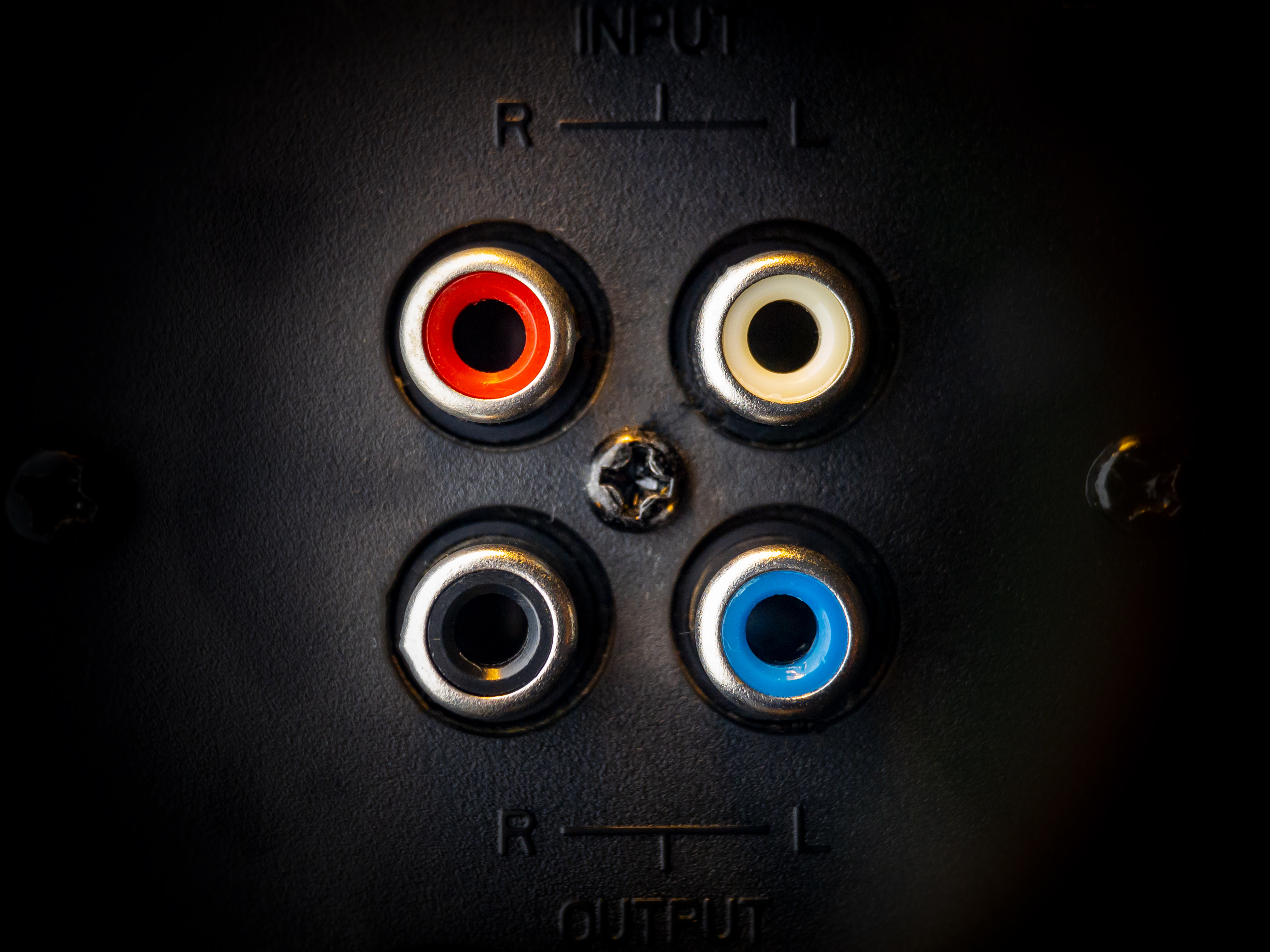
RCA connectors are probably the most recognizable AV ports in existence. The classic red, white, and yellow trio -- yellow for composite video, white for left audio, red for right audio -- has been a fixture in home electronics for decades. They are color-coded for a reason, because getting them mixed up produces nothing useful. Composite video, which is what that yellow connector carries, combines all video information into a single analog signal. It works, but the signal quality is limited compared to what came later. Resolution tops out at standard definition, and there is some color bleeding that you will notice on anything larger than a modest screen. Still, RCA connections are reliable, easy to use, and widely supported. If your source device only has composite output, this is your starting point.
S-Video: The Middle Ground That Gets Overlooked
S-Video came along as a step up from composite, and honestly, it does not get enough credit. Where composite mixes the brightness and color components of a video signal into one, S-Video separates them. That separation reduces color bleed and produces a noticeably cleaner image, especially on larger displays. The connector itself is a small, round multi-pin plug, easy to identify once you know what you are looking for. S-Video became popular in the late 1980s and through the 1990s, showing up on VHS decks, early DVD players, camcorders, and game consoles. It does not carry audio, so you still need separate audio cables alongside it. If you are working with equipment from that era and S-Video is an option, use it over composite. The visual difference is real.
Component Video: The Best Analog Video Signal Available
Component video is where analog video quality peaks. Instead of one cable, it uses three -- typically color-coded red, green, and blue -- to carry the video signal split across separate channels. This separation preserves significantly more detail than composite or S-Video, and component video supports higher resolutions, including 480p, 720p, and even 1080i in some configurations. It became the go-to connection for DVD players, early Blu-ray hardware, game consoles like the PlayStation 2 and 3, and HD-capable displays before HDMI became dominant. Like S-Video, component video does not carry audio, so a separate audio connection is always required. If you are dealing with pre-HDMI HD equipment and need the best possible picture from an analog signal, component video is the answer.
Coaxial and Optical Audio Ports: The Sound Side of the Equation
Not every AV port is about video. Two of the most important legacy audio connection types are coaxial digital audio and optical audio, also called TOSLINK. Both carry digital audio signals, which makes them a significant step up from the analog stereo RCA audio connections most people are used to. Coaxial digital audio uses a single RCA-style connector but carries a digital signal, supporting stereo PCM and basic surround formats like Dolby Digital and DTS. Optical audio does the same job but uses a fiber optic cable and a square connector to transmit the signal as light, which eliminates electrical interference entirely. Neither supports the advanced audio formats found on modern Blu-ray or streaming content, but for connecting older receivers, soundbars, or audio equipment to current displays, these ports remain highly relevant and widely supported.
Understanding Signal Quality Across AV Port Types
A lot of confusion around AV ports comes down to not knowing which connection type produces the best result. Here is a straightforward way to think about it in terms of video quality, from lowest to highest: Composite video -- standard definition, all video data in one signal, noticeable color bleed S-Video -- standard definition, separated luma and chroma, cleaner than composite Component video -- supports HD resolutions, best analog video quality available HDMI -- digital, supports full HD, 4K, 8K, HDR, and embedded audio For audio, the hierarchy works similarly. Analog stereo RCA is functional but limited. Coaxial and optical digital audio carry more data. HDMI carries the most, including lossless audio formats. Knowing where each port sits in that order helps you make better decisions when connecting mixed-generation gear.
Common Challenges When Using Legacy AV Connections Today
Working with legacy AV ports in modern installs comes with real trade-offs. The equipment works. The signals are stable. But there are practical challenges that anyone integrating older gear needs to account for. Modern displays frequently reduce or eliminate legacy inputs altogether, particularly on budget and mid-range panels where composite and component ports have largely disappeared. Adapters and converters can bridge that gap, but they add cost and can introduce latency or signal degradation if the hardware is low quality. Cable runs also matter more with analog signals than digital ones -- longer runs on composite or component connections can pick up interference or suffer from signal loss in ways that HDMI and other digital formats handle more gracefully. Planning cable routes and using properly shielded cables makes a measurable difference in analog installations.
Why Monoprice Is the Right Source for AV Cables and Legacy Connectivity Solutions
When you are sourcing cables and adapters for an AV installation that spans multiple generations of equipment, the quality of the components matters more than most people expect. Cheap cables introduce noise. Poorly shielded connectors degrade signal integrity. And adapters built to cut corners produce exactly the kind of picture and audio quality that makes a client unhappy. That is where Monoprice consistently stands apart. The product line covers everything from basic RCA composite cables to component video cables, coaxial digital audio, optical audio, and the full range of HDMI solutions needed for modern AV work -- all engineered to deliver real performance at pricing that makes sense for both residential installs and larger commercial deployments. If you are a homeowner trying to connect an older device, or an integrator spec'ing a mixed-technology system, browsing the full range of professional AV cables and legacy connectivity solutions at Monoprice is a smart first move. High-quality construction, transparent specs, and pricing that does not require a compromise between performance and budget -- that is the consistent value Monoprice brings to every installation.
Frequently Asked Questions About AV Ports
What does AV port mean?
AV port stands for audio/video port. It is a physical connector on an electronic device used to transmit audio signals, video signals, or both from one device to another. Common examples include RCA, S-Video, component video, coaxial digital audio, and optical audio ports.
Is component video better than composite video?
Yes. Component video splits the video signal into three separate channels, which preserves significantly more detail and supports higher resolutions including 720p and 1080i. Composite video combines all video data into a single signal, resulting in lower quality and visible color bleed.
Can I connect a device with only RCA outputs to a modern TV?
Many modern TVs have removed composite RCA inputs. In most cases, you will need a composite-to-HDMI converter to connect older RCA-output devices to a current display. Signal quality will remain standard definition regardless of the converter used.
What is the difference between coaxial digital audio and optical audio?
Both carry digital audio signals and support stereo PCM, Dolby Digital, and DTS. Coaxial uses an RCA-style connector and an electrical signal. Optical, also called TOSLINK, transmits audio as light through a fiber optic cable, which eliminates electrical interference. Performance is similar in most real-world applications.
Does S-Video carry audio?
No. S-Video is a video-only connection. You will need separate audio cables, typically analog RCA stereo or a digital audio connection, to carry the audio signal from your source device to your display or receiver.
What AV ports do modern TVs still commonly include?
Most modern TVs include multiple HDMI ports and a headphone or optical audio output. Some still include a single composite input, often combined with a component adapter. Dedicated S-Video and component video inputs have largely been removed from current displays.
Do cable quality and shielding matter for analog AV connections?
Yes, particularly for longer cable runs. Analog signals are more susceptible to interference and signal degradation than digital signals. Properly shielded cables with quality connectors reduce noise and maintain signal integrity, especially in installations with longer distances between components.
Can component video cables be used for composite video connections?
Technically, a component video cable is the same physical cable construction as an RCA cable and can be used for composite video. The signal type is determined by the port and device, not the cable itself. Using a component cable for composite output will not improve the signal quality of a composite connection.
What is the maximum resolution supported by component video?
Component video can support resolutions up to 1080i in most consumer electronics implementations. Some professional applications pushed beyond this, but for home theater and consumer AV purposes, 1080i represents the practical ceiling for component video signal transmission.
Why are legacy AV ports still relevant in modern installations?
Many commercial spaces, educational facilities, and home theaters still operate equipment with legacy AV outputs. Security cameras, older projectors, broadcast monitors, and vintage game consoles are common examples. Understanding and properly integrating these connections ensures older equipment continues to function reliably alongside modern systems without requiring full hardware replacement.

