

AV Cords & Grounding: Essential in Modern Electronics
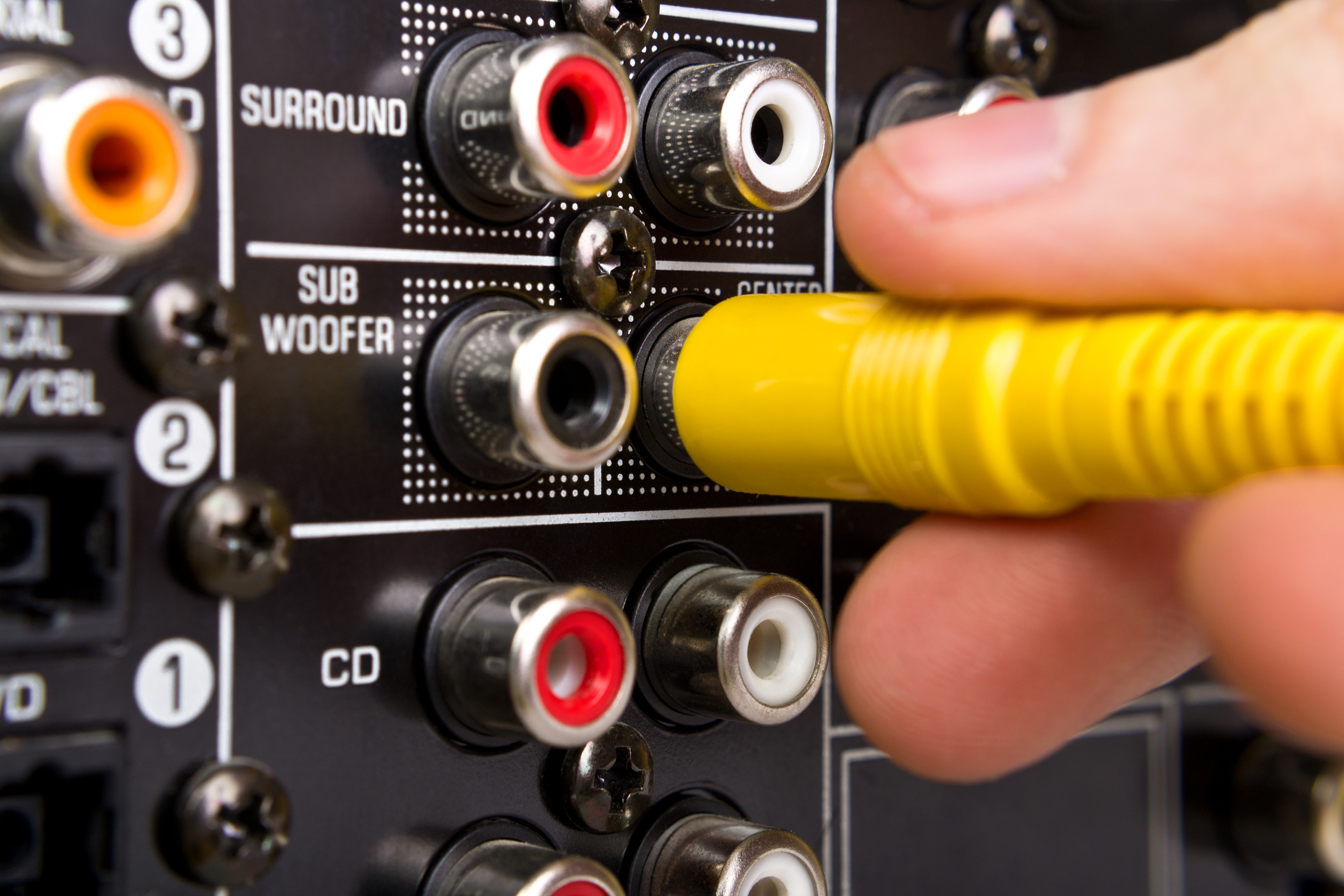
What Is an AV Cord and Why Does It Matter in Your Setup
An AV cord -- short for audio/video cord -- is a cable designed to transmit audio and video signals between electronic devices. That might be a television and a Blu-ray player, a projector and a laptop, a gaming console and a receiver, or any combination of source and display components. The category is broad, and honestly that can make things feel a little overwhelming at first. But once you understand what these cables actually do and how the different types function, things get a lot clearer. AV cords are foundational to any home theater, commercial AV installation, or professional media setup. They are the physical link that makes entertainment systems actually work together -- and the quality of that link matters more than most people assume going in.
The Different Types of AV Cords You Will Encounter
There is no single AV cord that fits every situation, which is part of why the category can feel dense. Different connection standards exist for different signal types, device generations, and performance requirements. Here is a general breakdown of the most commonly used AV cord types you will come across when building or upgrading a system:
- HDMI cables -- carry both high-definition audio and video over a single cable, widely used across televisions, projectors, gaming consoles, and streaming devices
- RCA cables -- the classic red, white, and yellow composite setup, still used in older equipment and some entry-level applications
- Component video cables -- separate the video signal into three distinct channels for improved picture clarity over older analog connections
- Optical audio cables (TOSLINK) -- transmit digital audio signals using light, commonly used between TVs and soundbars or AV receivers
- Coaxial audio cables -- another digital audio option, often used in higher-end audio equipment where signal fidelity is prioritized
- DisplayPort cables -- commonly found in computer monitors and professional AV configurations, supporting very high resolutions and refresh rates
Each of these has a specific role. Using the right type for your setup is the first step toward getting the performance your equipment is actually capable of delivering.
How AV Cords Transmit Signals and Why Construction Quality Counts
At a basic level, an AV cord carries electrical signals -- or in the case of optical cables, light pulses -- from one device to another. The internal construction of the cable directly affects how well that signal travels. Factors like conductor material, shielding layers, connector plating, and cable gauge all play real roles in signal integrity. A poorly constructed cable introduces interference, degrades the signal over distance, and can cause audio dropouts or visual artifacts that undermine an otherwise capable system. This is not marketing language -- it is just how signal transmission works. A cable that uses oxygen-free copper conductors with proper shielding behaves differently under load than a thin, unshielded budget cable, especially over longer runs or in environments with significant electromagnetic interference.
Understanding Grounding and Why It Is Critical for AV Systems
Grounding is one of those technical concepts that gets glossed over in a lot of consumer-facing content, but it is genuinely important -- especially for anyone building a more complex AV setup or integrating audio equipment into a home theater or professional environment. In electronics, grounding provides a reference point for electrical circuits and a path for fault current to safely dissipate. Without proper grounding, systems become vulnerable to electrical noise, hum, interference, and in more serious cases, equipment damage or safety hazards. In AV applications specifically, poor grounding is one of the most common causes of that low-frequency audio hum -- the 60Hz hum -- that can plague setups where multiple devices share power from the same circuit or where cables are routed near power lines.
Ground Loops and How They Affect Audio and Video Performance
A ground loop occurs when two or more devices in a system are connected together and grounded at different points, creating multiple paths to ground. When those ground points carry slightly different voltage potentials -- which is more common than you might think -- current flows between them along the signal cables. That current introduces noise into your audio or video signal. In audio systems, you hear it as hum or buzz. In video systems, it can appear as rolling bars or interference patterns on screen. Ground loops are a known problem in home theaters, recording studios, broadcast environments, and any multi-device configuration. Addressing them usually involves using balanced cables where possible, employing ground loop isolators, verifying proper outlet grounding, and being deliberate about how devices share power. It is a solvable problem, but it requires attention to how the entire system is wired -- not just the cable connecting two specific devices.
Key Advantages of Using Quality AV Cords in Your System
Investing in well-made AV cables brings measurable benefits across any type of installation. The performance gap between a well-constructed cable and a bargain option tends to become more apparent as system quality increases. Here is what you actually gain from using quality AV cords:
- Cleaner signal transmission -- less interference, fewer dropouts, more consistent audio and video performance
- Better shielding -- protects signal integrity in environments with electromagnetic or radio frequency interference
- Longer reliable cable runs -- higher-quality cables maintain signal integrity across greater distances without active boosting
- Reduced ground loop susceptibility -- proper shielding and construction minimize noise introduced through cable paths
- Durable connectors -- gold-plated or otherwise treated connectors resist corrosion over time and maintain solid electrical contact
- Broader compatibility -- well-built cables certified to current standards work reliably across a wider range of modern equipment
The practical takeaway is this -- your display, receiver, or speaker system can only perform as well as the signal it receives. The cable is part of that performance chain, and treating it as an afterthought limits the ceiling of your entire setup.
Common Drawbacks and Limitations to Know Before You Buy
AV cords are not without limitations, and being upfront about that is part of making a smart purchase decision. Cable length matters significantly -- passive cables have distance limits beyond which signal quality degrades, and those limits vary by cable type and standard. HDMI, for instance, typically becomes unreliable at passive runs beyond about 25 feet without the use of active cables or signal repeaters. Older analog formats like composite and component are increasingly obsolete, meaning compatibility issues arise when trying to connect legacy equipment to modern displays that no longer include those inputs. Connector wear is also a real consideration -- physical connections degrade over time with repeated plugging and unplugging, and cheap connectors oxidize. For anyone building a permanent installation, it is worth thinking about cable management, protection, and connection quality as long-term factors, not one-time purchases.
Practical Tips for Choosing and Using AV Cords Correctly
Getting the most out of your AV cords comes down to a few consistent practices. First, always match the cable type to the actual capability of both devices -- buying an 8K-rated HDMI cable for a 1080p setup is unnecessary, but using an older HDMI 1.4 cable with a 4K/120Hz capable device will limit your performance. Second, measure your intended cable run carefully and add a small buffer -- running a cable taut creates stress on connectors and increases failure risk. Third, keep power cables and AV signal cables separated wherever possible; routing them parallel for long distances increases interference risk. Fourth, if you are experiencing hum or noise, check your system grounding before assuming a cable or device is defective -- ground loop issues account for a significant percentage of unexplained AV noise complaints. Fifth, for permanent wall or ceiling runs, always use cables rated for in-wall use to meet safety and code requirements.
Why Monoprice Is the Right Partner for Your AV Cable and Grounding Needs
When you are speccing out a home theater, upgrading a commercial AV installation, or simply trying to replace a cable that stopped working, the source matters. Monoprice has spent years building a reputation as a straightforward, performance-driven supplier that does not inflate prices to cover unnecessary overhead. The product range covers every major cable standard -- HDMI, RCA, optical, coaxial, component, DisplayPort -- with options engineered to real performance specifications rather than vague marketing claims. For anyone dealing with grounding issues, Monoprice offers shielded cable options and accessories designed to minimize interference without requiring an electrician or a complicated workaround. Whether you are a home user troubleshooting your first surround sound system or a professional integrator sourcing cable for a multi-room commercial installation, the combination of product depth, honest specs, and accessible pricing is hard to beat. Explore the full range of AV cords and grounding solutions from Monoprice to find exactly what your setup requires, without overpaying or compromising on the performance your equipment deserves.
Frequently Asked Questions About AV Cords and Grounding
What does AV cord stand for?
AV cord stands for audio/video cord. It refers to any cable designed to transmit audio signals, video signals, or both simultaneously between electronic devices such as televisions, receivers, projectors, gaming consoles, and media players.
What is the difference between HDMI and RCA AV cables?
HDMI cables carry digital audio and video over a single cable and support high-definition and ultra-high-definition formats. RCA cables carry analog signals and are limited to standard definition video and basic stereo audio. HDMI is the current standard for modern devices, while RCA is primarily used with older equipment.
What causes a ground loop in an AV system?
A ground loop occurs when two or more devices in a connected system are grounded at different electrical potential points, causing current to travel through signal cables. This introduces audible hum or visible interference into the audio or video output of the system.
How do I fix a ground loop in my home theater?
Common solutions include using a ground loop isolator on the affected audio connection, ensuring all devices share the same power strip or outlet circuit, using balanced cables where supported, and verifying that all outlets in use are properly grounded at the wall.
Does cable length affect AV signal quality?
Yes. All passive cables have practical distance limits beyond which signal quality degrades. HDMI cables, for example, typically perform reliably up to about 25 feet passively. Longer runs may require active cables, signal boosters, or fiber-based alternatives to maintain full signal integrity.
Is cable shielding important for AV cords?
Shielding is important in environments with significant electromagnetic interference, such as near power lines, fluorescent lighting, or other electrical equipment. Shielded cables reduce the amount of external noise that enters the signal path, resulting in cleaner audio and video performance.
Can I use any HDMI cable with a 4K or 8K display?
No. Not all HDMI cables support the bandwidth required for 4K at high refresh rates or 8K content. You need cables certified to the HDMI 2.0 standard for 4K/60Hz and HDMI 2.1 for 4K/120Hz or 8K/60Hz. Using an older or lower-rated cable will limit performance or cause signal failure.
What is the best type of AV cable for audio quality?
For digital audio, optical TOSLINK and coaxial digital cables both offer clean transmission with minimal signal degradation. For analog setups, well-shielded RCA cables with oxygen-free copper conductors provide the best performance. The right choice depends on what connections your equipment actually supports.
Are expensive AV cables always better than budget options?
Not necessarily. For digital cables like HDMI, signal transmission is largely binary -- either the signal passes correctly or it does not. Construction quality matters for durability, shielding, and long runs, but extreme price differences rarely translate to better picture or sound on short runs between modern devices.
What should I look for when buying an AV cable for a permanent installation?
For permanent wall or ceiling installations, prioritize cables rated for in-wall use, proper shielding appropriate to your environment, the correct cable length with a small buffer, and connectors that are compatible with your specific device inputs and outputs. Always confirm the cable meets the performance standard required by your equipment before installation.


