

AV Connectors: Types, Uses, and How to Choose Right
What Are AV Connectors and Why Do They Matter in Modern AV Systems?
If you have spent any amount of time setting up a display, running cables through a rack, or trying to figure out why your audio is not syncing with your video feed, you have already had a run-in with AV connectors, whether you knew the terminology or not. AV connectors, short for audio-visual connectors, are the physical interfaces that allow audio and video signals to travel between devices. They show up everywhere from home theater setups to commercial installations, broadcast environments, classrooms, and enterprise conference rooms. And honestly, understanding them properly makes a significant difference when you are trying to build a system that actually performs the way you need it to.
The Core Types of AV Connectors You Will Encounter
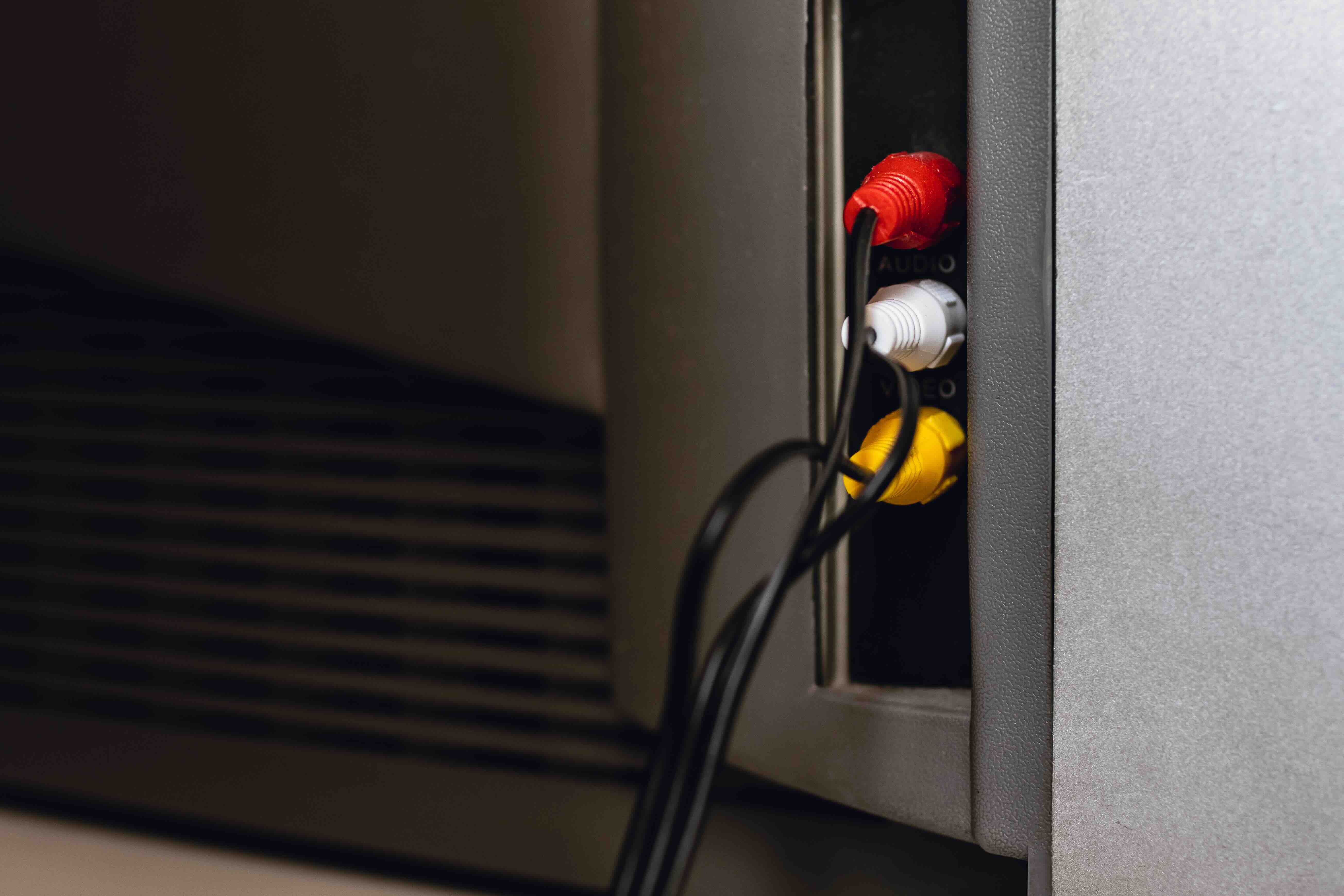
There is a fairly wide range of connector types in circulation, and the landscape has evolved considerably over the past two decades. Here is a practical breakdown of the most common ones you will run into in the field or at home. HDMI (High-Definition Multimedia Interface) is arguably the most recognized AV connector in consumer and commercial environments, carrying both audio and video over a single cable. DisplayPort is common in computer and monitor setups, especially where higher refresh rates and resolutions are required. RCA connectors, the classic red, white, and yellow trio, are analog and still in use for legacy equipment and some specialized applications. XLR connectors are balanced, professional-grade, and the standard in live sound and broadcast audio. BNC connectors appear heavily in broadcast video and surveillance contexts. USB-C is increasingly being used as an AV connector, particularly for display output and audio passthrough in modern laptops and monitors. Understanding which connector fits which situation is not just technical trivia, it directly affects signal quality, compatibility, and installation cost.
How AV Connectors Actually Work
At the most fundamental level, an AV connector is a physical conduit for electrical or optical signals. In analog systems, the signal is a continuous waveform that represents audio or video information. In digital systems, data is transmitted as binary information, ones and zeros, which the receiving device then decodes back into usable output. The quality of that transmission depends on several factors. The connector's build quality matters a great deal, because poor contact between the plug and the port can introduce noise, signal loss, or outright failure. Shielding is another critical variable, especially in environments with significant electromagnetic interference. A well-shielded connector with solid conductor contacts will maintain signal integrity over longer cable runs. This is why professional AV installations lean heavily on components that meet strict tolerances rather than reaching for whatever happens to be available at the lowest price point.
Grounded AV Connectors and Why Grounding Matters
Grounding is one of those topics that gets glossed over a lot, but it is genuinely critical. A grounded AV connector includes a ground path in its design that helps drain unwanted electrical noise away from the signal. This is especially important in balanced audio connections like XLR, where the ground wire helps cancel common-mode noise through what is called differential signaling. When grounding is done properly, you get clean audio with minimal hum or interference, even when your cables are running near power lines or in electrically noisy environments. When grounding is done poorly, or when connectors do not maintain a solid ground connection, you typically hear it immediately as a low-frequency hum in audio systems. In video systems, grounding issues can manifest as rolling lines or image instability. In professional AV work, checking ground continuity is a standard part of the troubleshooting process, not an afterthought.
Key Advantages of High-Quality AV Connectors
Investing in quality connectors is one of those decisions that pays off in ways that are sometimes hard to quantify but very easy to notice when things go wrong. Here is what you actually gain when you prioritize connector quality.
- Consistent signal integrity across the full length of the cable run
- Resistance to physical wear and repeated connect or disconnect cycles
- Better shielding that reduces susceptibility to interference
- Reliable ground paths that protect both the signal and connected equipment
- Lower likelihood of connection failure in demanding installation environments
- Compatibility with higher bandwidth standards like HDMI 2.1 and DisplayPort 2.0 for future-proofed systems
- For integrators managing multi-room or enterprise installations, these advantages translate directly into fewer callbacks, less troubleshooting time, and more reliable performance for end users.
Common Drawbacks and Limitations to Know
No connector type is perfect for every application, and being clear-eyed about limitations is part of making smart decisions. HDMI, despite its prevalence, has a practical cable length limitation for passive cables, typically around 25 feet for reliable performance at higher resolutions, beyond which you need active or fiber-optic cables. Analog connectors like RCA and composite video are simply not suitable for modern high-definition content. BNC connectors are excellent for specific professional applications but are not the most practical choice for casual consumer setups. USB-C as an AV interface is still navigating a somewhat inconsistent compatibility landscape, where not every USB-C port supports video output. XLR provides outstanding audio quality but requires balanced signal paths on both ends of the chain to deliver its full benefit. Understanding these limitations helps you avoid building a system around a connector that creates more problems than it solves.
Choosing the Right AV Connector for Your Setup
The right connector depends on the specific demands of your environment, the equipment you are connecting, the distance the signal needs to travel, and your budget. For most modern home theater or office display setups, HDMI remains the practical standard. If you are working with professional audio, XLR is the correct call. Long-distance video distribution in commercial installations often benefits from fiber-optic HDMI solutions or structured cabling approaches using HDBaseT. For workstation and monitor connections where you need high refresh rates and color depth, DisplayPort is often the superior choice over HDMI, particularly for gaming and design work. When budget is a factor, which it almost always is, the key is identifying which connections are critical to system performance and spending appropriately on those, without over-engineering areas that do not require it.
Installation Tips for Reliable AV Connector Performance
Even a high-quality connector will underperform if the installation is handled carelessly. There are a few practices that consistently produce better outcomes. Always verify that connectors are fully seated before securing cable management. Avoid sharp bends near the connector, as this stresses both the cable and the plug housing. In permanent or semi-permanent installations, strain relief is not optional. Keep signal cables separated from power runs where possible to reduce interference. Label your cables at both ends from the start, not after the fact. Regularly inspect connectors in high-use environments for oxidation or physical damage. These are not complicated steps, but skipping them is responsible for a disproportionate share of AV system failures.
Why Monoprice Is the Right Partner for Your AV Connector Needs
When you are sourcing AV connectors, cables, and the components that tie a system together, the supplier you choose matters more than it might initially seem. Monoprice has built a well-earned reputation as a trusted source for integrators, IT professionals, and AV enthusiasts who need performance without unnecessary cost. The product lineup covers everything from HDMI 2.1 cables and XLR cables to DisplayPort solutions, adapters, and structured cabling components built to professional standards. If you are putting together a system from scratch or expanding an existing infrastructure, starting with high-performance AV connectors and cables for professional installations means you are working with components that are engineered for real-world demands, backed by solid warranties, and priced to make sense for both single-room builds and large-scale deployments. That combination of quality, breadth, and value is what keeps professionals coming back.
Frequently Asked Questions About AV Connectors
What is the difference between an analog and a digital AV connector?
Analog connectors transmit continuous electrical waveforms representing audio or video signals. Digital connectors transmit binary data that the receiving device decodes into output. Digital connections generally support higher resolutions and are less susceptible to signal degradation over moderate cable lengths.
How far can an HDMI cable run before signal quality degrades?
Passive HDMI cables typically maintain reliable signal integrity up to around 25 feet at high resolutions. Beyond that distance, active HDMI cables or fiber-optic HDMI cables are recommended to sustain 4K or 8K performance without signal loss.
What does a grounded AV connector do?
A grounded AV connector provides a path for stray electrical noise to drain away from the signal. This reduces interference, prevents hum in audio systems, and helps maintain stable video output in electrically noisy environments.
Is HDMI or DisplayPort better for monitors?
DisplayPort generally offers advantages for high-refresh-rate monitor connections, particularly in gaming and professional display environments. HDMI is the more universal standard for televisions and consumer AV equipment. The best choice depends on your specific device compatibility and resolution requirements.
Can I use a USB-C cable as an AV connector?
Yes, but only if both the source device and the receiving device support USB-C video output. Not all USB-C ports carry display signals, so it is important to verify compatibility before assuming a USB-C connection will carry AV data.
Why does my audio system have a humming noise after connecting cables?
A low-frequency hum is typically a ground loop issue caused by multiple devices sharing a ground path through different electrical circuits. Using balanced XLR connections, ground lift adapters, or isolating transformers can resolve this in most professional audio setups.
What is the best AV connector for professional audio applications?
XLR connectors are the industry standard for professional audio. They use a balanced signal path that rejects common-mode noise, making them ideal for live sound, broadcast, and recording environments where long cable runs and signal clarity are critical.
How do I know if an AV connector is compatible with my equipment?
Check the port specifications on both the source and destination devices. Match the connector type, verify the supported signal format, and confirm that the cable or adapter meets the bandwidth requirements for your intended resolution and audio format.
Are gold-plated AV connectors worth it?
Gold plating resists corrosion and provides consistent conductivity over time, which is particularly useful in environments where connectors are handled frequently or exposed to humidity. The performance benefit is most relevant in analog audio applications and in situations involving repeated connection cycles.
What should I look for when buying AV cables and connectors for a commercial installation?
Prioritize build quality, shielding ratings, bend radius tolerance, and compliance with relevant standards for your signal type. For long runs, verify that the cable is rated for the bandwidth you need. For permanent installs, in-wall rated cables and proper strain relief are essential considerations.


