

AV Cable Evolution and Monoprice Leadership in Electronics
The Evolution of AV Cables: What You Need to Know Before You Buy
If you have ever stood in front of a wall of cables at an electronics store, or scrolled through dozens of listings trying to figure out which one actually works for your setup, you are not alone. AV cables are one of those product categories that look simple on the surface but get complicated fast once you start digging into the details. There is a real history behind how these cables evolved, and honestly, understanding that history makes it a lot easier to shop smart. From old composite connections to modern high-bandwidth digital standards, the journey of AV cabling reflects the broader leaps in home entertainment and professional media technology. And companies like Monoprice have been right in the middle of that shift, offering quality products at prices that make sense for both everyday consumers and professionals who need reliable infrastructure without burning through a budget.
What Is an AV Cable and Why Does It Still Matter
AV stands for audio/video, and at its most basic level, an AV cable is any cable that transmits audio signals, video signals, or both simultaneously between devices. That could mean connecting a DVD player to a television, a gaming console to a projector, or a professional camera to a broadcast monitor. The category is broad. What matters most is whether a given cable type can support the resolution, color depth, and audio format that your equipment actually requires. And that requirement has changed dramatically over the years. Standard definition was fine for cathode ray tube televisions. Then HD arrived and changed expectations overnight. Then 4K. Now 8K and high frame rate content are pushing cable specifications further than most consumers ever expected. Understanding where AV cables started helps explain why the options available today look so different from what your parents used to plug into the back of a VCR.
A Brief History of AV Cable Standards
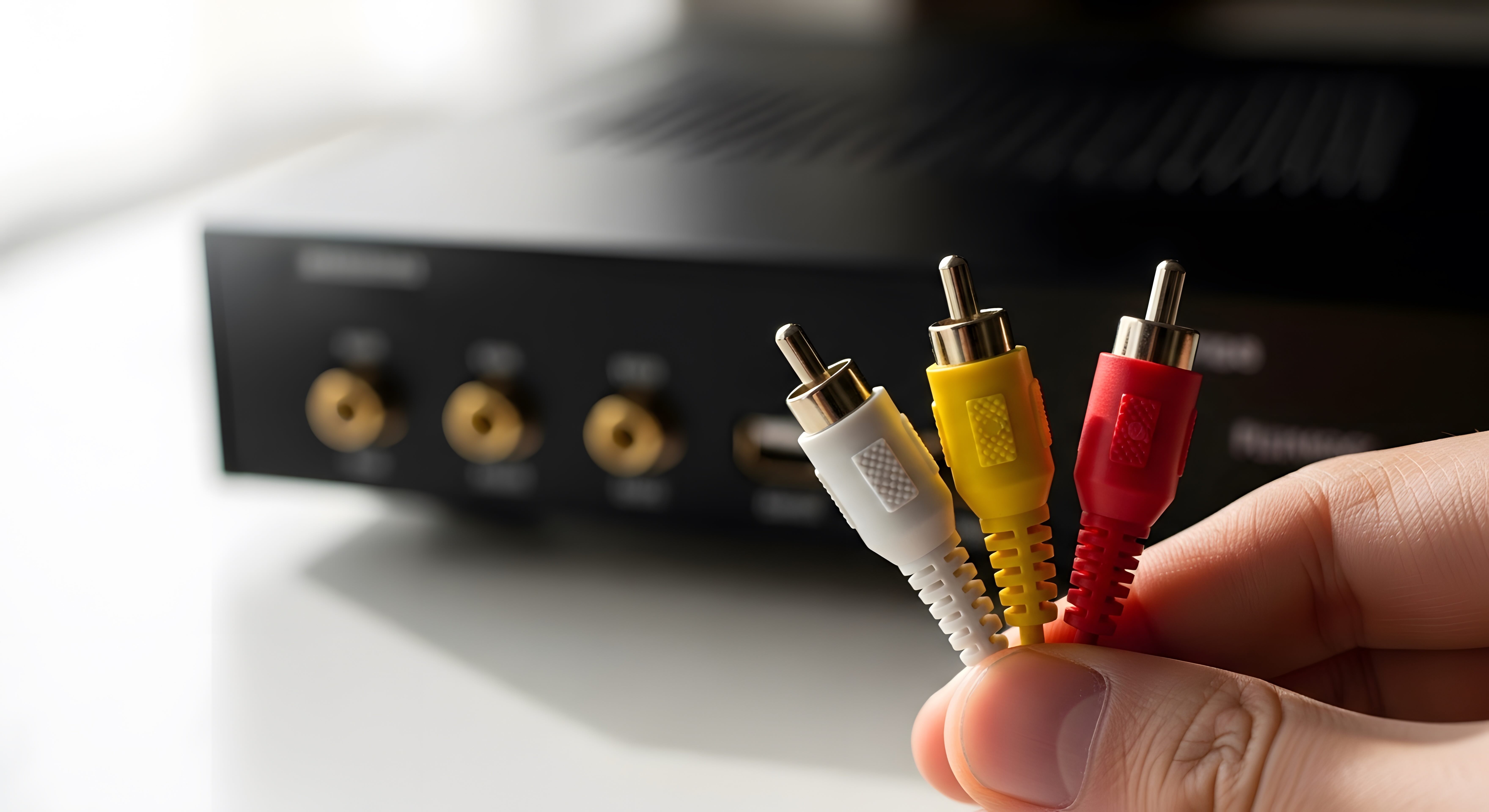
The story of AV cables begins with analog formats that dominated home entertainment for decades. Composite video cables, those familiar yellow-red-white RCA connectors, became the standard household connection for televisions and VCRs through much of the 1980s and 1990s. They worked fine at the time but carried a combined video signal that limited picture sharpness. S-Video came next and separated luminance from color, delivering a noticeably cleaner image. Component video took things further by splitting the signal into three separate channels, which is why it remained relevant even into the HD era. On the audio side, coaxial digital cables and optical TOSLINK connections emerged to carry multi-channel audio without analog degradation. Then HDMI arrived in 2002 and changed everything. A single cable carrying high-definition video and multi-channel audio simultaneously was a fundamental shift. DisplayPort followed, targeting computers and professional monitors. Each transition was driven by the same thing: content demanded more bandwidth, and cables had to keep up.
How Modern AV Cables Actually Work
Modern digital AV cables transmit data as a series of electrical signals or light pulses, depending on the cable type. HDMI cables use a Transition Minimized Differential Signaling protocol, or TMDS, to move large amounts of data quickly while minimizing interference. The quality of the cable's conductors, shielding, and connectors directly affects how well that signal travels from one end to the other. Longer cable runs introduce resistance and signal degradation, which is why active HDMI cables exist for runs beyond around 25 feet. DisplayPort uses a different link training protocol and is generally preferred for computer monitor connections because it supports higher refresh rates at high resolutions. USB-C with Alt Mode has also entered the picture, allowing a single connector to carry display signals alongside data and power. The bottom line is that modern AV cables are engineered systems, not just wires, and the materials and construction behind them matter more than most buyers realize when they are looking at two cables with wildly different price points.
Key Advantages of Upgrading Your AV Cables
Upgrading to the right AV cable for your current setup delivers real, measurable benefits. Here is what changes when you move from outdated or low-quality cables to properly rated modern options:
- Compatibility with eARC for high-quality audio return from televisions
- Higher resolution support, including 4K at 60Hz or 8K at 60Hz depending on the HDMI version
- Wider color gamut delivery with HDR10, Dolby Vision, and HLG passthrough
- Higher audio bandwidth for Dolby Atmos and DTS:X formats
- Reduced interference and signal noise through better shielding construction
- Support for higher refresh rates relevant to gaming, such as 120Hz and 144Hz
- Improved reliability over longer cable runs with active cable designs
The difference between HDMI 1.4 and HDMI 2.1 is not trivial if you own a 4K television and a current-generation gaming console. Bandwidth caps on older cables can prevent your system from reaching its full visual and audio potential. That is a real performance gap that a cable upgrade can close without requiring any new hardware investment.
Common Drawbacks and What to Watch Out For
Not everything about the AV cable market is straightforward. There are a few pitfalls worth knowing before you make a purchase. First, HDMI version labeling has historically been inconsistent and sometimes misleading, so checking the actual bandwidth specification rather than just the version number is important. A cable marketed as HDMI 2.0 is not always tested to the full 18 Gbps bandwidth. Second, unnecessarily expensive cables do not always perform better than mid-range options. Diminishing returns set in quickly, and there is no visual difference between a reasonably priced quality cable and one that costs ten times as much for the same application. Third, cable length matters. Running a passive HDMI cable over 25 feet without signal boosting can result in dropouts or degraded image quality. Knowing the distance of your installation in advance prevents wasted purchases. Fourth, connector quality affects longevity. Cables with poorly constructed ends fail faster, especially in setups where connections are made and removed frequently.
Choosing the Right AV Cable for Your Setup
Matching a cable to your actual use case is the practical part of this conversation. For a 4K HDR home theater system connected to a streaming device or Blu-ray player, an Ultra High Speed HDMI cable certified to 48 Gbps is the right call. For a gaming setup prioritizing high frame rates, HDMI 2.1 or DisplayPort 1.4 is worth the investment. For older equipment still in use, composite or component cables remain perfectly functional and widely available. For professional AV installations involving long distances, fiber optic HDMI or active copper cables with built-in equalizers are engineered specifically for that demand. The key is resisting the urge to overbuy for applications that do not need maximum bandwidth, while also not undercutting a high-end display with a cable that cannot carry its full signal. Right-sizing the connection is both cost-effective and performance-smart.
Monoprice and the AV Cable Market: A Track Record That Speaks
Monoprice has built a reputation in the AV cable space that goes beyond just competitive pricing. The company has consistently delivered certified, tested cables across every major format, from basic RCA connections to Ultra High Speed HDMI 2.1 and beyond. Their product lineup covers both consumer and professional segments, meaning an integrator speccing out a commercial installation and a homeowner setting up a living room can both find exactly what they need from the same source. Monoprice Certified cables carry third-party testing validation, which is a meaningful distinction in a category where counterfeit and substandard products are genuinely common. Their focus on clear specification transparency also helps buyers make decisions based on real performance data rather than vague marketing language. That combination of quality, certification, and pricing is what has made Monoprice a trusted source for integrators and entertainment enthusiasts across the industry for years.
Practical Tips for Managing AV Cables in Any Installation
Good cable management is part of any successful AV setup, whether it is a rack-mounted professional system or a home theater in a living room. Label cables at both ends before routing them to avoid confusion during troubleshooting. Use appropriate length cables rather than coiling excess slack, which can introduce interference and create unnecessary clutter. Secure cables away from power cables wherever possible to minimize electromagnetic interference, particularly relevant for long HDMI and analog audio runs. For in-wall installations, verify that cables are rated for in-wall use, typically designated as CL2 or CL3, before running them through finished walls. Test cables before finalizing installation, especially active cables in longer runs, to confirm signal integrity before everything is buttoned up. These are small habits that prevent large headaches down the line.
Why Monoprice Is the Smart Choice for Your AV Cable Needs
If you are building a home theater, upgrading a professional AV installation, or simply trying to replace a cable that stopped working, the sourcing decision matters more than it might seem. Monoprice delivers certified high-performance AV cables across every standard in use today, from legacy analog formats to cutting-edge HDMI 2.1 and fiber optic options, all at pricing that reflects genuine value rather than brand markup. Their product depth means you are not forced to compromise between what your system needs and what fits a budget. Whether you are a first-time buyer trying to connect a soundbar or a systems integrator speccing a multi-room installation, exploring the full range of high-performance AV cables and home theater connection solutions from Monoprice is one of the most straightforward ways to get the right cable, correctly rated, at a price point that holds up against anything else on the market. That combination of technical credibility and cost-conscious value is exactly what the AV cable category has needed more of for a long time.
Frequently Asked Questions About AV Cables
What is the difference between composite and component AV cables?
Composite cables combine all video signals into a single channel transmitted through a yellow RCA connector, which limits resolution and sharpness. Component cables split the video signal into three separate channels for significantly better image quality, supporting up to 1080i resolution in many applications.
Do expensive HDMI cables actually perform better than affordable ones?
Not necessarily. Once a cable meets the bandwidth specification for your use case, additional cost does not improve picture or audio quality. What matters is that the cable is certified to the appropriate standard, whether that is 18 Gbps for HDMI 2.0 applications or 48 Gbps for HDMI 2.1.
What HDMI version do I need for 4K HDR content?
For 4K at 60Hz with HDR, you need a cable rated for at least 18 Gbps, which corresponds to HDMI 2.0 specifications. For 4K at 120Hz or 8K content, you need an Ultra High Speed HDMI cable rated for 48 Gbps, which aligns with HDMI 2.1.
How long can an HDMI cable run without signal loss?
Passive HDMI cables typically maintain reliable signal integrity up to around 25 feet. Beyond that distance, active HDMI cables with built-in signal amplification or fiber optic HDMI cables are recommended to prevent dropouts and image degradation.
What is eARC and which cable type supports it?
eARC stands for Enhanced Audio Return Channel and allows a television to send high-quality audio, including Dolby Atmos and DTS:X, back to a soundbar or AV receiver through the same HDMI cable. It requires an Ultra High Speed HDMI 2.1 cable and compatible devices on both ends.
Can I use any USB-C cable for video output?
No. Only USB-C cables that support DisplayPort Alt Mode or Thunderbolt can carry video signals. Standard USB-C cables designed only for charging or data transfer will not transmit display output, so it is important to verify cable specifications before purchase.
What does it mean when an HDMI cable is certified?
Certified HDMI cables have been tested by an authorized third-party lab to confirm they meet the bandwidth and performance requirements of a specific HDMI specification. Certification provides assurance that the cable will perform as labeled, which is not guaranteed for uncertified products.
Are optical TOSLINK cables better than coaxial digital audio cables?
Both carry digital audio signals effectively for most home audio applications. Optical cables are immune to electrical interference because they use light, while coaxial cables can sometimes deliver a more stable signal over longer distances. For typical home use the difference is negligible in most setups.
What AV cables do I need for a current-generation gaming console?
Current-generation consoles like the PlayStation 5 and Xbox Series X support HDMI 2.1 output. To take full advantage of 4K at 120Hz or 8K output, you need an Ultra High Speed HDMI cable rated for 48 Gbps bandwidth connected to a compatible display.
How do I know if my AV cable is causing picture quality issues?
Common symptoms of a failing or underspecified AV cable include flickering images, intermittent black screens, sparkling or noise artifacts in the picture, and audio dropouts. Swapping the cable with a certified replacement is the fastest diagnostic step before assuming a device fault.


