

Are Both Ends of an HDMI Cable the Same? Find Out
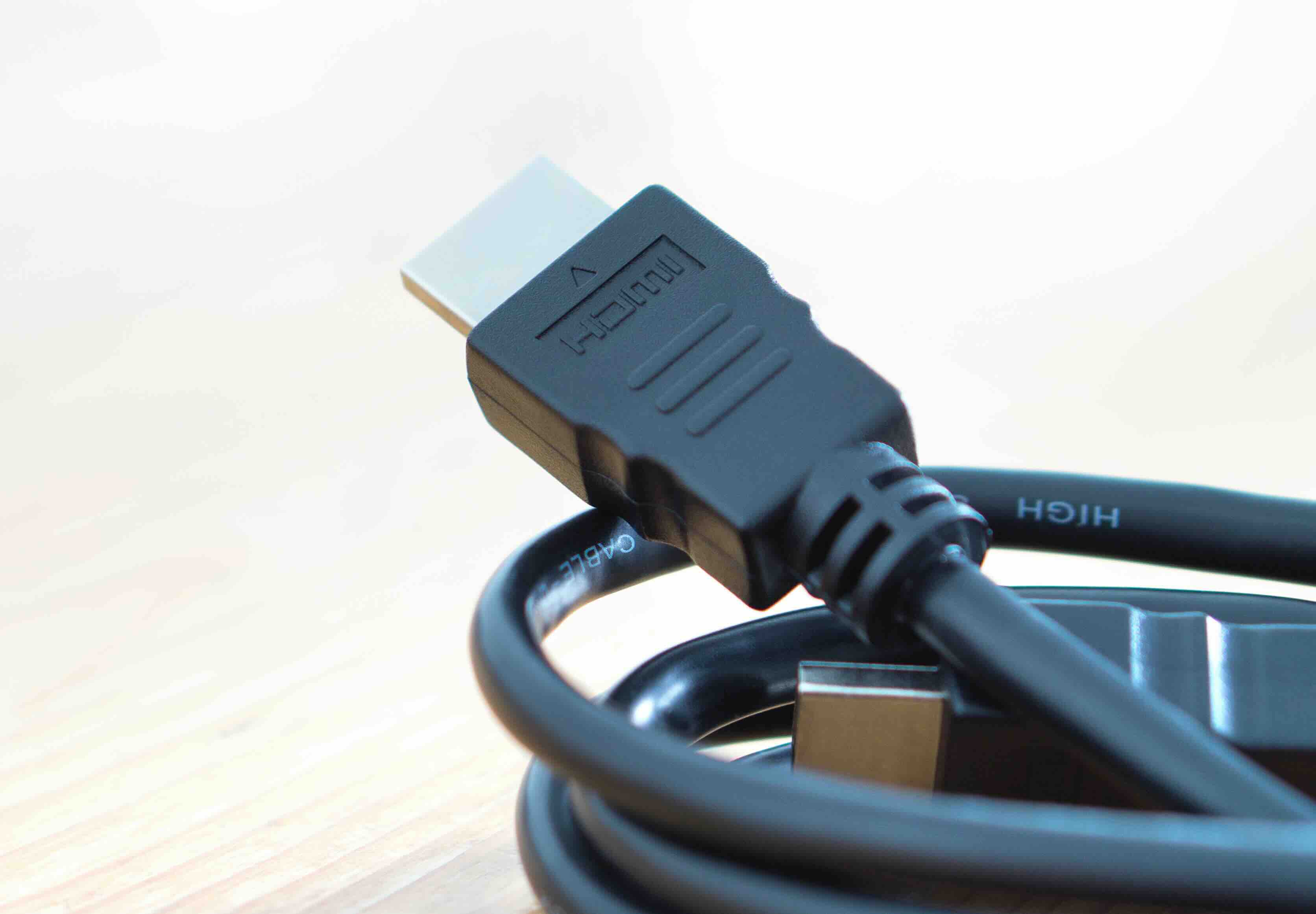
Are Both Ends of an HDMI Cable the Same? Understanding HDMI Connectivity
So here is a question that comes up more than you might expect, and honestly, it is a fair one. You are holding an HDMI cable, looking at both ends, and they look identical. So are they? The short answer is: usually yes, but not always. And the grounding part of this question is where things get a little more technical. Whether you are setting up a home theater, running cables through a conference room, or spec-ing out a professional AV installation, understanding how HDMI cables are constructed and how grounding works within them will help you make smarter decisions and avoid frustrating signal problems down the line.
What Is an HDMI Cable and How Does It Work
HDMI stands for High-Definition Multimedia Interface. It is a digital audio and video transmission standard that has largely replaced older analog connections like composite, component, and VGA in consumer and professional environments. An HDMI cable carries uncompressed video and compressed or uncompressed audio over a single cable, which makes it genuinely convenient for modern setups. Inside that cable are multiple conductors, each with a specific role. There are twisted pair data channels that carry the video and audio signals, a dedicated clock channel, a CEC line for device control, an HPD line for hot plug detection, a DDC channel for communication between devices, and a utility channel. All of these sit alongside a ground reference that helps maintain signal integrity. The plug itself has 19 pins in the standard Type A configuration, and that number alone tells you there is a lot going on inside what looks like a simple cable.
Are Both Ends of an HDMI Cable Identical
For the vast majority of standard HDMI cables, yes, both ends are physically and electrically identical. You can plug either end into the source device or the display without any issue. The connectors are wired pin-to-pin, meaning pin 1 on one end connects straight through to pin 1 on the other end. There is no directional bias in how the signal travels through a passive HDMI cable. This is by design, because HDMI was built for consumer simplicity. You do not want people guessing which end goes where. That said, active HDMI cables are a different story. These cables, which are typically used for longer runs, contain electronics inside one or both of the connector housings. Some active cables are directional and will be labeled with a source end and a display end. Plugging them in backward can result in no signal at all, so always check the labeling on any active HDMI cable before installation.
Understanding Grounding in HDMI Cables
Grounding within an HDMI cable serves a critical function. Each twisted pair of signal conductors is paired with a ground wire, and the cable's overall shield also connects to ground at the connector shell. This grounding scheme does a few important things. It provides a stable voltage reference for the differential signaling used in HDMI data transmission. It also shields the signal conductors from electromagnetic interference, or EMI, which can cause noise, flickering, or complete signal dropout. On both ends of the cable, the connector shell is grounded. Pin 17 is a dedicated ground for the DDC and CEC lines, and pins 4, 9, and 13 also serve as ground references within the 19-pin layout. So in terms of grounding, both ends are indeed grounded, and this is consistent across properly manufactured HDMI cables.
Why Grounding Matters for Signal Integrity
Here is where it gets practical. A well-grounded HDMI cable reduces ground loops, suppresses noise, and ensures that the high-frequency differential signals that carry your 4K or 8K video arrive intact at the other end. Poor grounding, often found in cheap, unshielded cables, can result in visible artifacts on screen, audio dropouts, or handshake failures between devices. In longer cable runs, grounding becomes even more important because the signal has more distance to travel and more opportunity to pick up interference. This is why cable construction quality matters, and why cables built with proper shielding and grounding consistency across both ends perform better in demanding environments.
Standard HDMI vs. Active HDMI vs. Fiber Optic HDMI
It helps to know the different types of HDMI cables and how their construction affects the both-ends-same question.
- Passive HDMI cables are fully symmetrical, both ends are identical, and grounding is consistent across the full length.
- Active HDMI cables contain signal boosting electronics and are often directional, with a designated source end.
- Fiber optic HDMI cables use optical fiber for the data channels and copper for the power and control lines. These are almost always directional and will clearly indicate which end connects to the source.
- High-speed HDMI cables support bandwidth up to 18 Gbps and are suitable for 4K HDR content.
- Ultra High Speed HDMI cables support up to 48 Gbps and are required for 8K/60Hz or 4K/120Hz.
Understanding which type of cable you are working with is the first step toward a clean, reliable installation.
Common Problems When Grounding or Connectors Are Compromised
If you are experiencing intermittent signal loss, screen flickering, or HDCP authentication errors, the cable itself is often worth checking first. Grounding issues manifest in a few predictable ways. A ground loop between two devices connected via HDMI can introduce a visible horizontal hum bar across the screen, similar to what you might see in an improperly grounded audio setup. Corroded or poorly terminated connector shells can break the continuity of the shield ground, allowing EMI to couple into the signal conductors. And in environments with high EMI, like data centers, broadcast studios, or industrial spaces, even a small grounding inconsistency can cause repeated handshake failures. The fix is usually straightforward: use a properly shielded, well-constructed cable with solid connector terminations on both ends.
Tips for Choosing the Right HDMI Cable
Choosing an HDMI cable does not have to be complicated, and you definitely do not need to overspend to get performance. Here are the practical things to consider.
- Match the cable spec to your resolution and refresh rate requirements before purchasing.
- For runs under 15 feet, a passive high-speed or ultra high-speed cable is almost always sufficient.
- For runs over 25 feet, look at active HDMI or fiber optic options and confirm directionality.
- Check for certification from HDMI.org, which verifies that the cable meets the published specification.
- Inspect connector build quality, solid metal shells with proper shielding retention are a good sign.
- Avoid cables with unusually thin jackets or connectors that feel hollow, these usually indicate poor internal construction.
Getting these basics right saves you troubleshooting time and ensures that your installation holds up over the long term.
How HDMI Grounding Relates to Overall AV System Performance
Grounding is not just a cable-level concern. In a full AV system, every piece of equipment introduces its own ground reference, and when those references do not align cleanly, problems compound. HDMI's built-in grounding architecture was designed to minimize this risk, but it works best when the cables themselves are properly constructed and the connected devices share a common power ground. In professional installations, rack-mounted equipment is typically grounded to a common rack ground, and signal cables are routed with shielding intact throughout. For home setups, connecting all devices to a single power strip or surge protector on the same circuit goes a long way toward keeping ground references consistent. Good cable grounding is one piece of a larger picture, but it is a foundational one.
Why Monoprice Is the Right Source for High-Quality HDMI Cables
When it comes to HDMI cables that are built correctly from both ends, Monoprice has been delivering reliable, certified options to consumers and professionals for years. The lineup covers everything from standard passive high-speed cables for everyday home theater use to ultra high-speed cables certified for 8K performance, all the way up to active and fiber optic options for extended commercial runs. Every cable is engineered with attention to conductor quality, shielding integrity, and connector construction, because those details are exactly what separates a cable that works consistently from one that causes problems at the worst possible time. Whether you are an AV integrator sourcing cables for a large installation or someone setting up a home office and needing a dependable connection between a laptop and a display, certified HDMI cables built for reliable high-definition signal transmission are available at pricing that makes it easy to do the job right without unnecessary expense. That combination of construction quality, certification, and value is exactly what Monoprice is known for, and it shows up in every cable in the lineup.
Frequently Asked Questions About HDMI Cables and Grounding
Are both ends of a standard HDMI cable the same?
Yes, in passive HDMI cables, both ends are electrically and physically identical. Each pin on one connector connects directly to the corresponding pin on the other end, making the cable non-directional.
Are active HDMI cables directional?
Yes, most active HDMI cables are directional. They contain electronics inside one connector housing to boost the signal over longer distances. These cables are typically labeled with a source end and a display end, and must be connected correctly to function.
Is an HDMI cable grounded on both ends?
Yes, a properly constructed HDMI cable is grounded on both ends. The connector shells connect to the cable shield, and multiple pins within the 19-pin connector layout are dedicated ground references for specific signal pairs.
Can a grounding issue in an HDMI cable cause picture problems?
Yes. Poor grounding or shielding in an HDMI cable can lead to visible artifacts, flickering, horizontal hum bars, audio dropouts, or HDCP handshake failures between connected devices.
Does cable length affect grounding or signal quality in HDMI?
Length itself does not degrade grounding, but longer cables are more susceptible to EMI and signal attenuation. For runs beyond 25 feet, active or fiber optic HDMI cables provide better signal integrity and maintained grounding performance.
What is the difference between high-speed and ultra high-speed HDMI cables?
High-speed HDMI cables support up to 18 Gbps bandwidth, suitable for 4K HDR at 60Hz. Ultra high-speed HDMI cables support up to 48 Gbps and are required for 8K/60Hz, 4K/120Hz, and uncompressed HDR formats.
Does HDMI cable quality actually matter for 4K content?
Yes. At higher resolutions and refresh rates, signal integrity requirements are more demanding. A poorly constructed cable with inadequate shielding or grounding is more likely to fail at 4K or 8K than at 1080p.
What happens if you plug a directional HDMI cable in backward?
If an active HDMI cable is connected in the wrong direction, the result is typically no signal at all. The electronics inside the cable are designed to amplify the signal in one specific direction and will not function in reverse.
How do I know if my HDMI cable is certified?
Look for certification from HDMI.org on the cable packaging. Certified cables have been independently tested to confirm they meet the published HDMI specification for the bandwidth category they claim to support.
Can a bad HDMI cable cause audio problems as well as video problems?
Yes. HDMI carries both audio and video over the same cable. Signal integrity issues caused by poor construction or grounding problems can affect audio channels just as they affect video, resulting in dropouts, noise, or complete audio loss.


